Provider deliverability · GoDaddy Email (Microsoft 365 resold)
Why is GoDaddy email blocked?

By Samuel Chenard · CEO & Co-Founder, Palisade · Reviewed September 19, 2026
GoDaddy email is usually blocked on the sending side, not the receiving one. GoDaddy resells Microsoft 365, so a mailbox that exceeds Microsoft's outbound limits is restricted and bounces with 550 5.1.8 Access denied, bad outbound sender. A compromised account, a missing or duplicated SPF record, and unsigned DKIM are the next causes.
The 30-second check
Two different things get called a GoDaddy block, and they are fixed in different places. If your own mail bounces back with a bad outbound sender error, GoDaddy has blocked the mailbox and the fix is in your Email & Office Dashboard. If recipients reject or junk your mail instead, the problem is the authentication published on your domain. The free Microsoft compliance checker settles which one you are looking at in about thirty seconds.
Check your domain now
Enter your sending domain and the check runs instantly on the next page. Free, no signup.
Why GoDaddy Email is blocking your email
| Likely cause | What's happening |
|---|---|
| The mailbox exceeded GoDaddy's sending limits and was blocked | This is the common one, and it is unmistakable in the bounce. GoDaddy documents it as: "If an email you're trying to send bounces with a Bad Outbound Sender error message, the account is blocked because it exceeded the sending limits", and notes that these errors "include '550 5.1.8 Access denied, bad outbound sender' in the bounce message". The mailbox can still receive mail while blocked, which is why the block often goes unnoticed until a reply never arrives. |
| The account is compromised and is sending spam under your name | Microsoft treats exceeding the outbound limits as a symptom rather than the disease: "A sender exceeding the outbound email limits is an indicator of a compromised account." GoDaddy's unblock flow asks the same question, offering phishing, malware, "I don't know" and "Other" as reasons the account was compromised. Unblocking without securing the mailbox just restarts the clock. |
| You are pushing bulk mail through a mailbox built for one-to-one email | GoDaddy publishes the ceilings: outgoing message rate is "30 messages per minute, 10,000 messages per 24 hours (increases based on number of licenses)", with "500 recipients per message". A newsletter sent from a shared mailbox meets those numbers quickly. The limits are not a deliverability setting, they are a hard cap, and hitting them produces the block above rather than a slowdown. |
| The SPF record is missing, duplicated, or wrong for your GoDaddy product | GoDaddy is explicit about the consequence: "Your domain can only have one SPF record. If multiple SPF records are found on your domain or if the SPF record is not added correctly, your email might not be delivered." For Microsoft 365 from GoDaddy or Professional Email the value is v=spf1 include:secureserver.net -all, and it differs if you have the Advanced Email Security add-on. GoDaddy adds the record for you only when the domain, DNS and email all sit in the same GoDaddy account. |
| DKIM was never enabled in the Microsoft 365 Defender portal | GoDaddy's DKIM setup runs through Microsoft, not through GoDaddy: create the keys in the Defender portal, publish the two CNAME records they generate, then turn on the "Sign messages for this domain with DKIM signatures" toggle. Skipping the last step is common, because the DNS records look done. GoDaddy also notes Microsoft sets DKIM up automatically only for the initial onmicrosoft.com domain, so each custom domain needs the process repeated. |
| DMARC is missing, or was published before SPF and DKIM worked | GoDaddy states the order as a requirement: "Before you can add DMARC to your domain, you must add SPF and enable DKIM." A DMARC record published over broken authentication does not protect anything, and at p=quarantine (the policy GoDaddy's own steps use) it starts sending your legitimate mail to junk at every receiver that honours it. |
| A Titan-powered Professional Email domain bought before April 2025 | GoDaddy sells two different email products, and they are not authenticated the same way. For Professional Email powered by Titan, GoDaddy says DKIM and DMARC "are already set up for domains purchased after April 2025", and that it will "eventually add both to domains purchased before that date". If your domain predates that cutoff, the records you are looking for may simply not exist yet. |
Check the public signals before changing settings
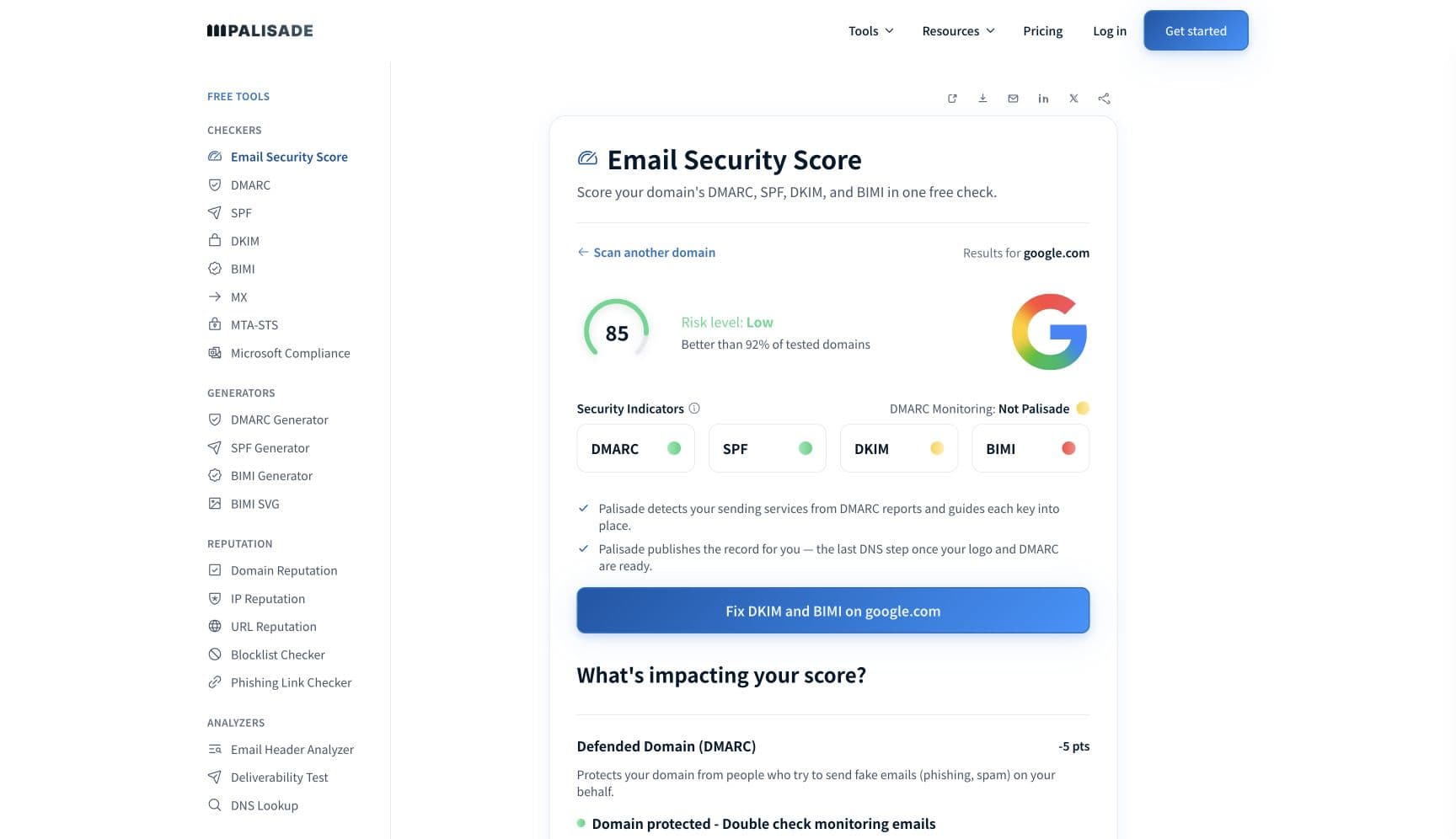
The free check above gives you a fast public baseline for how GoDaddy Email sees your mail. It does not replace the provider's private reputation or placement data, but it tells you whether the problem is visible from outside before you edit a sending platform.
How to fix it, step by step
Run the Microsoft compliance check on your sending domain
Use the free checker above, or open the Microsoft compliance checker page directly. It reads SPF, DKIM, and DMARC on the domain your GoDaddy mailboxes send as, which separates a GoDaddy-side account block from a recipient-side authentication rejection before you touch either.
Read the bounce and identify which block you have
A bad outbound sender error means GoDaddy has blocked the mailbox. Microsoft's version of the same NDR reads: "Your message couldn't be delivered because you weren't recognized as a valid sender. The most common reason for this is that your email address is suspected of sending spam and it's no longer allowed to send email." Anything else in the bounce points at the recipient's filters instead.
Secure the mailbox before you unblock it
Reset the password, turn on multi-factor authentication, clear the outbox, and check for forwarding rules you did not create. Microsoft's guidance is to regain control of the account first, because the outbound limit was almost certainly hit by something other than the person who owns the mailbox.
Unblock the address in the Email & Office Dashboard
Sign in, select Admin (or Microsoft 365 Admin) and then Unblock Email, choose Bad Outbound Sender as the bounce type, give the date range and the affected address, and submit one address at a time. GoDaddy says it will unblock automatically, "but it could take up to 24 hours before you can start sending messages again". Admins with several blocked users can unblock through Microsoft instead.
Publish exactly one correct SPF record
Use
v=spf1 include:secureserver.net -allfor Microsoft 365 from GoDaddy or Professional Email, or the value shown in your Email & Office Dashboard if you have Advanced Email Security. Merge every other sending service into that same record rather than adding a second one, and verify at the SPF checker.Create the DKIM keys in Defender, publish them, then enable signing
Generate the keys in the Microsoft 365 Defender portal, add both CNAME records in your DNS, and go back to turn signing on. Repeat for every custom domain in the tenant. Confirm the published key at the DKIM checker and the live signature at the email header analyzer.
Add DMARC once SPF and DKIM both pass, then move it up deliberately
Publish a
_dmarcTXT record with a reporting address you actually read. Start atp=noneand use the aggregate reports to find every service sending as your domain, then move to quarantine and reject once they all align. GoDaddy's own steps jump straight top=quarantine, which is safe only if you already know what is sending.Move bulk mail off the mailbox entirely
Newsletters and automated notifications belong on a sending platform with its own reputation and its own unsubscribe handling, not on a 500-recipient mailbox. That removes the cause of the outbound block instead of clearing it once a month.
Related free tools: DMARC checker · SPF checker · DKIM checker · Email header analyzer
If you send in volume: GoDaddy Email's published rules
GoDaddy is not a mailbox provider making receiving-side rules, but it does publish hard sending limits, and they are what most GoDaddy blocks come down to. For Microsoft 365 from GoDaddy accounts: outgoing message rate of "30 messages per minute, 10,000 messages per 24 hours (increases based on number of licenses)", "500 recipients per message", an incoming rate of "3600 per hour", and "35 MB per sent message and 36 MB per received message". Exceed the outgoing rate and the account is blocked rather than throttled, and Microsoft adds the mailbox to its Restricted entities page, where a "restricted entity is a user account or a connector that's blocked from sending email due to indications of compromise". Microsoft says that after an admin unblocks, "Under most circumstances, all restrictions should be removed from the user within one hour. Transient technical issues might cause a longer wait time, but the total wait should be no longer than 24 hours." GoDaddy and Microsoft documentation checked 2026-09-02.
Check your standing with GoDaddy Email
- GoDaddy: Unblock my Microsoft 365 email
The unblock request flow in the Email & Office Dashboard, including the compromise questions GoDaddy asks before it lifts the block.
- GoDaddy: Microsoft 365 email account limitations
The published sending, recipient, and message-size limits for GoDaddy mailboxes. Read this before deciding a block was unfair.
- Microsoft Defender: Restricted entities
The tenant-side list of mailboxes blocked from sending. Tenant admins can unblock here directly rather than through GoDaddy's dashboard.
- Microsoft: Remove blocked users from the Restricted entities page
Microsoft's own procedure, the permissions it needs, and the PowerShell equivalents (Get-BlockedSenderAddress and Remove-BlockedSenderAddress).
- GoDaddy: Enable and add DKIM for Microsoft 365
The three-part DKIM setup that runs through the Microsoft 365 Defender portal, including the signing toggle people forget to turn on.
Bounce codes you may be seeing
A block from GoDaddy Email surfaces as a specific SMTP code. Some lists below also carry codes returned by the systems receiving your mail; each line names its issuer. Match yours below; where a code has a full guide, it is linked.
- 550 5.1.8 Access denied, bad outbound sender: the GoDaddy and Exchange Online block on a mailbox that exceeded its outbound sending limits Full guide →
- "Bad Outbound Sender": the bounce category GoDaddy asks you to select in the Unblock Email flow; the wording varies by mail client
- 550 5.7.509 (does not satisfy the sender's DMARC policy): a recipient-side rejection, not a GoDaddy block, and a sign your own DMARC record is enforcing over broken authentication Full guide →
- 550 5.7.26 ("Unauthenticated email from domain-name is not accepted due to domain's DMARC policy"): Gmail refusing mail your GoDaddy mailbox sent because neither SPF nor DKIM passes aligned with your From domain Full guide →
The real root cause: unenforced authentication
A GoDaddy block and a recipient rejection feel identical from the sender's chair, and treating them as one problem is why people clear the same block every month. The outbound block is a symptom of volume or compromise, and the unblock button addresses neither. The rejections are a symptom of authentication that is missing, misaligned, or unenforced on the domain itself. Both trace back to the same question: who is allowed to send as your domain, and can a receiver tell? SPF with a single correct record, DKIM actually signing in the Defender portal, and a DMARC record that starts by observing rather than enforcing are the answer to that question. Aggregate reports name every service sending as you, including whatever is filling the compromised mailbox's outbox. Once each legitimate sender is authenticated and aligned, walking the policy from p=none to p=reject stops impostor mail at the receiver, which is the only version of this that stays fixed.
DMARC software that does the work
Palisade's AI agent takes domains all the way to enforcement: hosted SPF, DKIM, DMARC, and MTA-STS records on paid plans, DMARC reports monitored continuously, and every policy step drafted for your approval on the way to p=reject. The full product is open for a 15-day trial, and nothing is charged until it ends.
15-day full-product trial. Nothing is charged until it ends.
Fixing this across every client domain
GoDaddy tenants are a familiar shape in an MSP portfolio: bought by the client years before you arrived, DNS and email in the same GoDaddy account, SPF auto-created and then quietly broken by the third marketing tool, DKIM never enabled because it lives in a Microsoft portal nobody signed into. Palisade gives you the portfolio view instead of a per-client scavenger hunt: hosted and managed SPF, DKIM, DMARC, and MTA-STS records for every client domain, aggregate reports read for you so each sender is named rather than guessed at, and a path to p=reject with your team approving each change. Native ConnectWise, HaloPSA, and Autotask integrations put it in your PSA, pricing is per client domain with rates that improve as the portfolio grows, and your own MSP domain is a free NFR domain to prove the process on first.
Questions readers ask
Frequently asked questions
What does bad outbound sender mean on GoDaddy email?
How do I unblock a GoDaddy email account?
What are GoDaddy's email sending limits?
Is GoDaddy email the same as Microsoft 365?
What SPF record does GoDaddy email need?
How do I set up DKIM for GoDaddy email?
Why is my GoDaddy email going to spam instead of bouncing?
Does GoDaddy add DMARC automatically?
Sources and last verified
Every claim about GoDaddy Email on this page links to the source it came from, each with the date it was last checked. Provider policies change; if a detail looks off, the linked source is authoritative.
- GoDaddy outbound block: "If an email you're trying to send bounces with a Bad Outbound Sender error message, the account is blocked because it exceeded the sending limits"; "Bad Outbound Sender errors include '550 5.1.8 Access denied, bad outbound sender' in the bounce message"; the unblock flow lives under Admin (or Microsoft 365 Admin) then Unblock Email in the Email & Office Dashboard, takes one address at a time, and asks whether the mail was sent intentionally or the account was compromised via phishing, malware, "I don't know" or "Other"; "We'll automatically unblock your email, but it could take up to 24 hours before you can start sending messages again"; admins with multiple blocked users can unblock through Microsoftwww.godaddy.com · checked 2026-09-02
- GoDaddy Microsoft 365 account limitations: "Message Rate (Outgoing): 30 messages per minute, 10,000 messages per 24 hours (increases based on number of licenses)"; "Recipients: 500 recipients per message"; "Message Rate (Incoming): 3600 per hour"; "Message Size: 35 MB per sent message and 36 MB per received message"www.godaddy.com · checked 2026-09-02
- GoDaddy SPF guidance: "If your domain, DNS and email are in the same GoDaddy account, we'll add your SPF record for you"; "If you use Microsoft 365 from GoDaddy or Professional Email, your value is v=spf1 include:secureserver.net -all"; Advanced Email Security customers must check the value in the Email & Office Dashboard; "Your domain can only have one SPF record. If multiple SPF records are found on your domain or if the SPF record is not added correctly, your email might not be delivered"; most DNS changes take effect within an hour but can take up to 48 hourswww.godaddy.com · checked 2026-09-02
- GoDaddy DKIM setup for Microsoft 365: keys are created in the Microsoft 365 Defender Portal and generated as CNAME records, both records are added to DNS, then the "Sign messages for this domain with DKIM signatures" toggle is turned on; "Microsoft 365 automatically sets up DKIM for initial onmicrosoft.com domains" and the steps must be repeated for each additional domain; Advanced Email Security has a separate DKIM key generated in its own portalwww.godaddy.com · checked 2026-09-02
- GoDaddy DMARC guidance: "Before you can add DMARC to your domain, you must add SPF and enable DKIM"; the record is a TXT record named _dmarc, and GoDaddy's recommended and demonstrated policy is p=quarantine with pct=100 and rua/ruf reporting addresseswww.godaddy.com · checked 2026-09-02
- GoDaddy on Professional Email powered by Titan: SPF is required, and "DKIM and DMARC are already set up for domains purchased after April 2025. We'll eventually add both to domains purchased before that date"www.godaddy.com · checked 2026-09-02
- Microsoft Restricted entities: exceeding "the outbound sending limits of the service" or the limits in outbound spam policies restricts the user from sending while still receiving, and adds them to the Restricted entities page; "A restricted entity is a user account or a connector that's blocked from sending email due to indications of compromise, which typically includes exceeding message receiving and sending limits"; "A sender exceeding the outbound email limits is an indicator of a compromised account"; "Under most circumstances, all restrictions should be removed from the user within one hour. Transient technical issues might cause a longer wait time, but the total wait should be no longer than 24 hours"learn.microsoft.com · checked 2026-09-02
- Microsoft error code 5.1.8 in Exchange Online, the NDR text a blocked sender receives: "Your message couldn't be delivered because you weren't recognized as a valid sender. The most common reason for this is that your email address is suspected of sending spam and it's no longer allowed to send email. Contact your email admin for assistance. Remote Server returned 550 5.1.8 Access denied, bad outbound sender."support.microsoft.com · checked 2026-09-02
- Gmail's SMTP error and code reference on the 5.7.26 rejection named above: "Unauthenticated email from domain-name is not accepted due to domain's DMARC policy. Contact the administrator of domain-name domain if this was legitimate email."knowledge.workspace.google.com · checked 2026-09-02
Related guides
550 5.1.8550 5.7.509550 5.7.26550 5.7.1include:-all vs ~allp=quarantine