Provider deliverability · T-Online (Deutsche Telekom)
Why is T-Online blocking my emails?

By Samuel Chenard · CEO & Co-Founder, Palisade · Reviewed September 19, 2026
T-Online blocks by IP reputation, not by authentication: Telekom states it uses neither SPF nor DKIM for filtering. A 554 IP:... - A problem occurred means the sending IP is blocked outright, usually a new or dynamic IP or one with no contactable website behind its hostname; a 550-5.7.0 Message considered as spam or virus is content classification.
The 30-second check
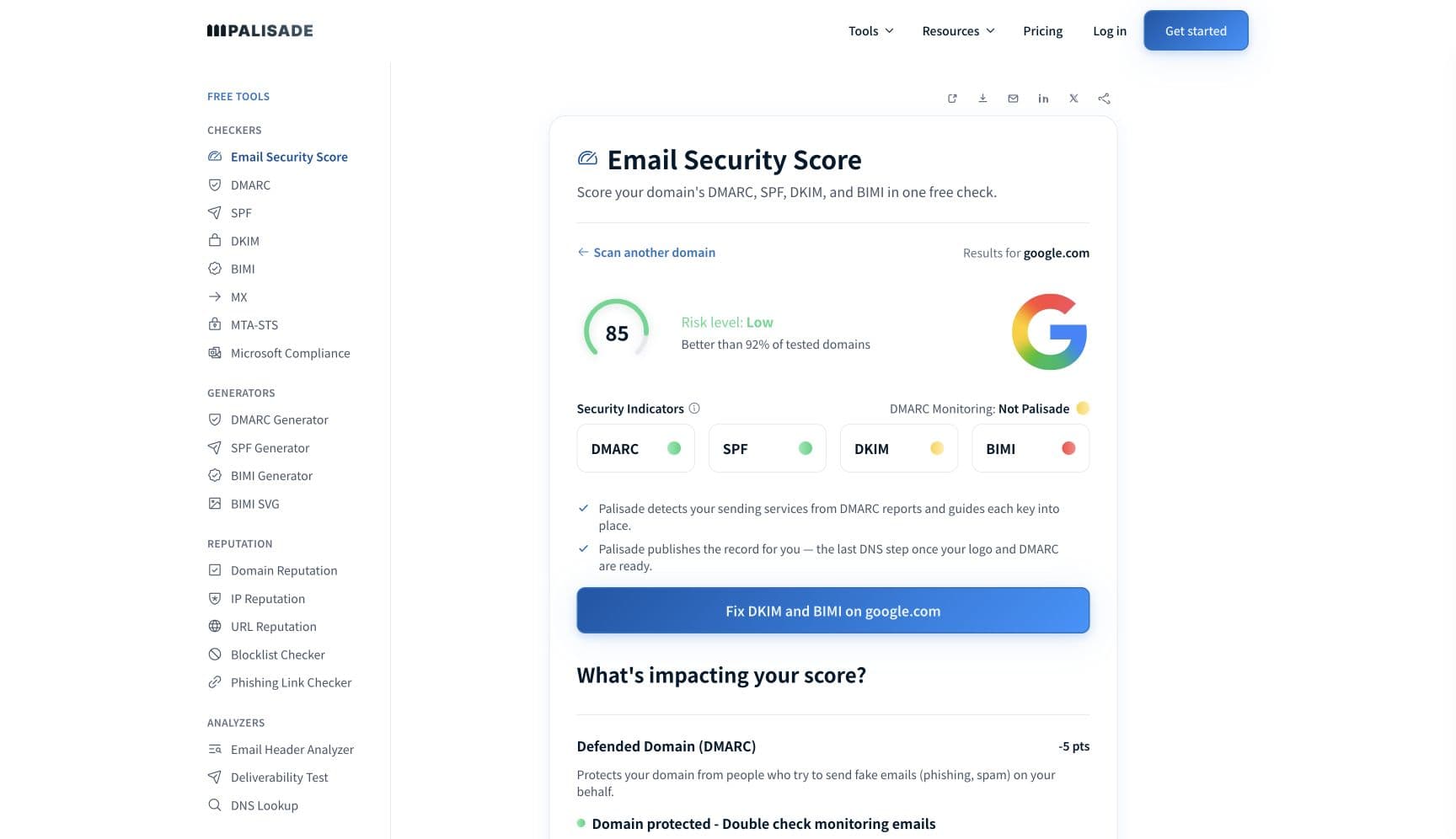
Do not start with SPF or DKIM here. Telekom says it "does not use SPF either passively (when receiving e-mails) or actively" and has "neither used nor evaluated DKIM signatures". What it does check is the sending IP: a static address, a hostname that resolves both ways, and "a domain and website with direct contact information easily deducible from the delivering IP's hostname". The free check below reads the IP's reverse DNS and reputation in about thirty seconds.
Run the check now
Enter the sending IP or your sending domain and the check runs instantly on the next page. Free, no signup.
Why T-Online is blocking your email
| Likely cause | What's happening |
|---|---|
| The sending IP is blocked (554), often because it is new to T-Online | Telekom's published example is 554 IP:87.167.75.190 - A problem occurred. (Ask your postmaster for help or to contact tosa@rx.t-online.de to clarify.), and it says the block "can be traced back to a previously observed unusual volume of e-mails at the IP address concerned". It adds that a block "may be in place, in particular, if you want to use an IP address that you have not previously used for sending e-mails", so an IP that has never sent to T-Online can be refused on its first day. Some MTAs never log the message because T-Online closes the connection immediately after printing it. |
| No contactable identity behind the sending hostname | The first requirement for mail server operators is that "There must be a domain and website with direct contact information easily deducible from the delivering IP's hostname (FQDN)", citing RFC 1912, forward-confirmed reverse DNS and Article 5 of the EU e-commerce directive. A PTR that resolves to a bare hosting label, or to a domain with no website and no imprint, fails this even when the DNS is technically correct. |
| A dynamic or non-standard IP | Telekom says "The t-online.de servers do not allow dynamic IP addresses and IP addresses that do not comply with the common Internet standards from establishing an SMTP connection", and recommends that "users of dialups, cloud and other anonymous systems use a mail gateway (SMTP relay) from a suitable provider". Sending from a cloud instance with a generic reverse name lands in this bucket. |
| Content classified as spam or virus (550-5.7.0) | The rejection reads 550-5.7.0 Message considered as spam or virus, rejected with your IP, the mailhost, a timestamp and an Expurgate-ID, then asks you to report the codes to FPR@RX.T-ONLINE.DE if you believe it is wrong. Telekom names the classifier as "eXpurgate from Cyren". It also rejects URLs from services listed on SURBL's abused-TLD list and refuses unencrypted executable attachments outright. |
| Too many parallel connections | The temporary error is 421 Maximum parallel connections for your IP-Address reached. Telekom asks senders to "keep the number of simultaneously opened TCP/IP connections on a server or a server cluster (IP subnet) to a minimum" and to reuse connections rather than opening one per message. It also disconnects any client that does not respond within six seconds of connecting. |
| Bounce rate above Telekom's published ceiling | For professional senders Telekom expects "the share of SMTP error messages to be 3 % at most, and no more than 1.5 % on average", and calls higher rates "an indication of outdated e-mail addresses or lack of verification via double opt-in, which we consider to be misuse". Hitting its spam traps, or drawing customer complaints, triggers the same 554 measures. |
| Backscatter, sender address verification, or no outbound filtering | Telekom lists the causes of frequent temporary blocks by name: delivery of backscatter, use of sender address verification, no spam filter for outgoing mail, and no or insufficient abuse management. A server that bounces spam after accepting it, or probes sender addresses, is treated as part of the problem. |
Check the public signals before changing settings
The free check above gives you a fast public baseline for how T-Online sees your mail. It does not replace the provider's private reputation or placement data, but it tells you whether the problem is visible from outside before you edit a sending platform.
How to fix it, step by step
Check the sending IP's reverse DNS, forward match and reputation
Use the free check above, or open the IP reputation checker page directly. The PTR must resolve to a hostname that resolves back to the same IP, on a domain with a real website and contact details. Then confirm the IP is static and not in a range Telekom treats as dial-up or cloud-anonymous.
Find the exact T-Online error in your own logs
Telekom says "Without the original error message, we cannot investigate the error" and that checking your SMTP logs "is always the basis for further measures". A 554 at connection time is an IP block; a 550-5.7.0 after DATA is content classification; a 421 is a connection limit. Each has a different contact.
Put a contactable website behind the hostname
Make sure the domain in the PTR hostname serves a site with the operator's identity and direct contact information, which is what Telekom means by deducible contact details. This is the requirement senders most often miss because no other provider states it.
Clear public block lists and check the IP's reputation
Telekom's own reputation advice is to remove the IP from public DNSBLs such as SpamCop, Spamhaus and NixSpam, check it at Sender Score, Talos, Mailspike and BarracudaCentral, and list it on DNSWL. Run the blocklist checker for the DNSBL half.
Stop backscatter and sender address verification
Reject unknown recipients inside the SMTP dialog instead of accepting and bouncing, make sure the content filter never generates bounces, and turn off sender address verification. Telekom names all of these as reasons for repeated temporary blocks.
Reuse connections and respect the six-second response window
Configure destination concurrency so a small number of connections carry many messages each, rather than one connection per message. If you see 421 Maximum parallel connections, lower the concurrency for the whole IP subnet, not just one host.
Cut the bounce rate below 1.5% and prove double opt-in
Delete every address T-Online has answered with an unknown-user error, drop addresses you have not contacted in three months, and keep evidence of double opt-in, which Telekom says is required for commercial mail under German law. Send on-behalf traffic from dedicated IPs so one client cannot block the rest.
Escalate to the mailbox named in the error
Report a 550-5.7.0 misclassification with all its codes to FPR@RX.T-ONLINE.DE. For a 554 IP block, contact the address in the error or use Telekom's online form. The general postmaster is postmaster@t-online.de; a system that is suspended should write to postmaster@rx.t-online.de instead. Telekom sends no receipt confirmation.
Related free tools: Blocklist checker · DMARC checker · Email header analyzer · MX checker
If you send in volume: T-Online's published rules
Telekom publishes bulk-mail requirements that are legal and hygiene-led rather than authentication-led. Commercial mass mail needs "the explicit and personal(!) agreement of the recipient", obtained "almost exclusively by means of double opt-in procedures", and Telekom notes the German Federal Court of Justice ruled opt-out-only procedures illegal in 2008. Senders must delete or block every address without court-proof double opt-in evidence, every address not contacted for longer than three months, and every address that hard-bounces. Every newsletter must say which address was written to and why the sender is entitled to write to it, carry an opt-out and an imprint, and never be addressed by BCC. For professional senders the SMTP error share must be at most 3% and no more than 1.5% on average. Senders mailing on behalf of others should use dedicated IPs. Telekom provides no feedback loop ("due to data protection provisions") and no whitelisting. Checked 2026-09-15.
Check your standing with T-Online
- T-Online Postmaster (English)
Telekom's complete sender documentation: requirements for mail server operators, the bulk-mail rules, the SMTP dialog examples with the exact 554 and 550-5.7.0 strings, and the IP-level troubleshooting sequence.
- Telekom Acceptable Use Policy
The AUP the postmaster page points to for how Telekom's network and services may be used.
Bounce codes you may be seeing
A block from T-Online surfaces as a specific SMTP code. Some lists below also carry codes returned by the systems receiving your mail; each line names its issuer. Match yours below; where a code has a full guide, it is linked.
- 554 IP=[SENDER-IP] - A problem occurred. [...] (Telekom's published example reads 554 IP:87.167.75.190 - A problem occurred. (Ask your postmaster for help or to contact tosa@rx.t-online.de to clarify.)): the sending IP is blocked; T-Online closes the connection immediately after printing it, and Telekom says the message may not appear on your system Full guide →
- 550-5.7.0 Message considered as spam or virus, rejected, followed by Your IP, Mailhost, Timestamp and Expurgate-ID lines and the address FPR@RX.T-ONLINE.DE for misclassifications Full guide →
- 421 Maximum parallel connections for your IP-Address reached: a temporary connection-limit error; reduce concurrency across the whole IP subnet Full guide →
The real root cause: unenforced authentication
T-Online is the exception that shows what the rule is for. Because Telekom ignores SPF and does not evaluate DKIM, nothing you publish in DNS earns you a pass there; you are judged on the sending IP, on whether a real, contactable organisation stands behind its hostname, and on how the recipients respond. That is the same question DMARC answers for every other provider, asked in a cruder way. Get the IP hygiene right and T-Online opens up, but the work that actually protects the domain is the part T-Online cannot see: every service sending as your domain authenticating and aligning, aggregate reports naming the ones that do not, and a policy that moves from p=none to p=reject so that mail which cannot prove it is yours is refused at every mailbox provider that does evaluate DMARC, which is nearly all of them except T-Online. Fix the IP for Telekom; enforce the domain for everyone else.
DMARC software that does the work
Palisade's AI agent takes domains all the way to enforcement: hosted SPF, DKIM, DMARC, and MTA-STS records on paid plans, DMARC reports monitored continuously, and every policy step drafted for your approval on the way to p=reject. The full product is open for a 15-day trial, and nothing is charged until it ends.
Audit any domain free, no card needed. A card starts the 15-day trial.
Fixing this across every client domain
A client with German customers hits T-Online, and T-Online's IP-first rules mean a shared sending IP with one careless tenant blocks every client behind it. Palisade separates the domain work from the IP work: hosted and managed SPF, DKIM, DMARC, and MTA-STS records for every client domain, aggregate reports read so each unauthenticated sending service is named rather than guessed at, and a path to p=reject with your team approving every change, while your IP hygiene stays a one-time infrastructure fix. Native ConnectWise, HaloPSA, and Autotask integrations put it in your PSA, pricing is per client domain with rates that improve as the portfolio grows, and your own MSP domain is a free NFR domain to prove the process on first.
Questions readers ask
Frequently asked questions
What does "554 IP - A problem occurred" from T-Online mean?
Does T-Online check SPF or DKIM?
How do I get off the T-Online blocklist?
What is FPR@RX.T-ONLINE.DE?
Does T-Online have a feedback loop?
Why does T-Online reject my cloud server's mail?
What bounce rate does T-Online allow?
Why did T-Online close the connection right after HELO?
Sources and last verified
Every claim about T-Online on this page links to the source it came from, each with the date it was last checked. Provider policies change; if a detail looks off, the linked source is authoritative.
- T-Online postmaster, practical tips and operator notes: Telekom "does not use SPF either passively (when receiving e-mails) or actively (for sending)" and "Until now, we have neither used nor evaluated DKIM signatures" except in the Trusted Dialog project; greylisting is used only against repeatedly suspicious systems; "There must be a domain and website with direct contact information easily deducible from the delivering IP's hostname (FQDN)" citing RFC 1912, FCrDNS and EU Directive 2000/31/EC Article 5; users of dialups, cloud and other anonymous systems should use an SMTP relay; keep simultaneous TCP/IP connections to a minimum; "The t-online.de servers do not allow dynamic IP addresses and IP addresses that do not comply with the common Internet standards from establishing an SMTP connection"; the temporary error "421 Maximum parallel connections for your IP-Address reached"; the rejection "550-5.7.0 Message considered as spam or virus, rejected [...]"; the block "554 IP=[SENDER-IP] - A problem occurred. [...]" which "may be in place, in particular, if you want to use an IP address that you have not previously used for sending e-mails"; frequent temporary blocks are caused by backscatter, sender address verification, no outgoing spam filter, or insufficient abuse management; the classifier is "eXpurgate from Cyren"; "We cannot provide a feedback loop due to data protection provisions"; "Telekom does not offer any whitelisting"; reputation advice naming SpamCop, Spamhaus, NixSpam, Sender Score, Talos, Mailspike, BarracudaCentral and DNSWL; contact postmaster@t-online.de, or postmaster@rx.t-online.de if suspended; no receipt confirmation is sent; URLs from SURBL's abused-TLD list are rejected; unencrypted executable attachments are refused; mailbox size limit 50 megabytespostmaster.t-online.de · checked 2026-09-15
- T-Online postmaster, mass e-mail rules and SMTP dialog: commercial mass mail requires "the explicit and personal(!) agreement of the recipient", obtained "almost exclusively by means of double opt-in procedures", opt-out-only having been judged illegal in Germany in 2008; delete or block addresses without court-proof double opt-in evidence, addresses not contacted for longer than three months, and hard-bouncing addresses; use dedicated IPs when sending on behalf of others; "we expect the share of SMTP error messages to be 3 % at most, and no more than 1.5 % on average"; newsletters must show which address was written to and why, carry opt-out and imprint, and BCC addressing is not permitted; the published 554 example "554 IP:87.167.75.190 - A problem occurred. (Ask your postmaster for help or to contact tosa@rx.t-online.de to clarify.)" traced to "a previously observed unusual volume of e-mails at the IP address concerned"; the published 550 example with Your IP, Mailhost, Timestamp and Expurgate-ID lines and "please report the above error codes back to FPR@RX.T-ONLINE.DE"; a client that does not respond within six seconds of connecting is disconnectedpostmaster.t-online.de · checked 2026-09-15
- Telekom's Acceptable Use Policy, published at postmaster.t-online.de/aup.en.html, is the rule set the postmaster page refers senders topostmaster.t-online.de · checked 2026-09-15
- RFC 1912, Common DNS Operational and Configuration Errors, is the standard Telekom cites for the requirement that a sending host's reverse and forward DNS match: "Make sure your PTR and A records match" and "every Internet-reachable host should have a name"www.rfc-editor.org · checked 2026-09-15
Related guides
554 5.7.1550 5.7.1421 4.7.0ptrp=rejectp=none