Provider deliverability · Outlook (Outlook.com / Hotmail / Live)
Why is Outlook blocking my emails?

By Samuel Chenard · CEO & Co-Founder, Palisade · Reviewed September 19, 2026
Outlook blocks email when the SMTP response points to failed authentication, a blocked or low-reputation sending IP, complaint or policy signals, rate limits, or a dynamic or compromised host. Read the complete bounce first: each code names a different branch, and only an authentication response calls for SPF, DKIM, or DMARC changes.
The 30-second check
Save the complete Outlook bounce before you change DNS. If it contains 550 5.7.515, use the Microsoft compliance checker to inspect the domain's published SPF, DKIM, and DMARC baseline. If it contains an RP, SC, DY, or S3150 marker, follow that branch below instead.
Check your domain now
Enter your sending domain and the check runs instantly on the next page. Free, no signup.
Why Outlook is blocking your email
| Likely cause | What's happening |
|---|---|
| Your domain fails SPF, DKIM, or DMARC | Outlook checks the connecting IP against SPF and looks for a DKIM signature aligned with the From domain. Microsoft's postmaster page sets the bar at domains "sending over 5,000 emails per day" to Outlook.com addresses, while its 550 5.7.515 support article defines a high-volume sender as one sending "5,000 or more" messages to its consumer services; treat 5,000 a day as the trigger. Those domains must pass SPF, DKIM, and DMARC. A 550 5.7.515 response supports this branch; an RP, SC, DY, or S3150 response points somewhere else. Microsoft documents no code for the S3150 marker; we pair it with 550 5.7.1 from its support Q&A and from observed bounces. |
| Your sending IP is on a Microsoft block list | Bounces that mention a block list (the S3150 marker inside a 550 5.7.1 bounce) mean the IP, or often your provider's whole range, is on Microsoft's internal list. You can inherit this from a noisy neighbor on shared hosting or a shared email platform without sending a single bad message yourself. |
| Poor sender reputation with SmartScreen | Microsoft's SmartScreen filter scores every sender on history. Microsoft's postmaster documentation names the junk-complaint rate as one of the principal factors driving reputation down: too many recipients clicking Junk and your mail stops arriving, authenticated or not. |
| Policy blocks from spam-like behavior (SC codes) | Outlook.com returns 550 SC-001 through SC-004 for policy rejections: mail with spam characteristics, namespace mining (guessing addresses), open proxies, and complaint-driven blocks. SC-004 specifically means user complaints put you there, which is a list-hygiene problem, not a DNS problem. |
| New domain or a sudden volume spike | Outlook rate-limits senders without history. Deferrals in the 421 RP-001 to RP-003 range mean you hit connection or volume limits for your current reputation tier. New domains and IPs must warm up gradually; a cold start at full volume reads as a spam cannon. |
| Dynamic IP space or a compromised sending host | A 550 DY-001 response means Microsoft classifies the source as dynamic IP space, which should not deliver directly to Outlook.com's MX. A 550 DY-002 response means the likely cause is a compromised or virus-infected server or computer. The two codes share a prefix but require different fixes. |
Confirm the pattern in Outlook's own sender data
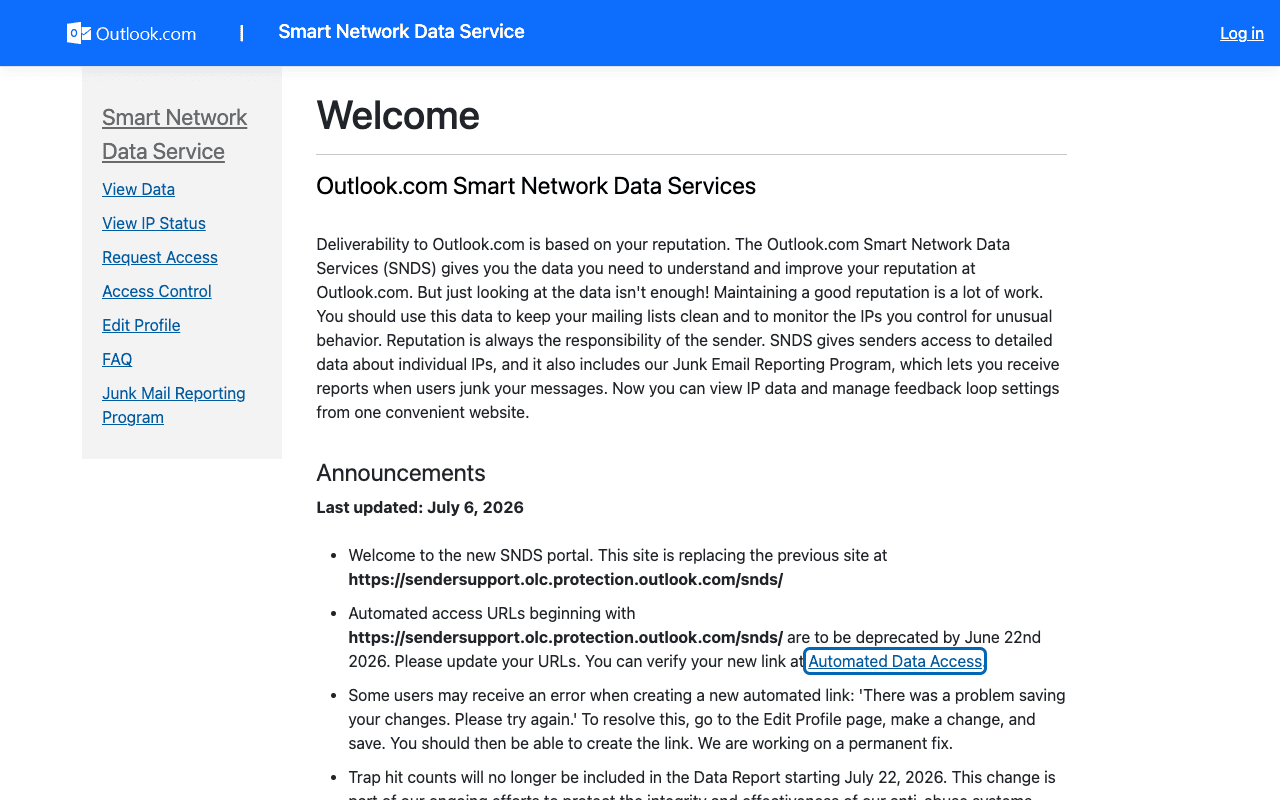
Outlook publishes its own sender data separately from your DNS. Use it to confirm the provider-side symptom after you have checked the public authentication records below.
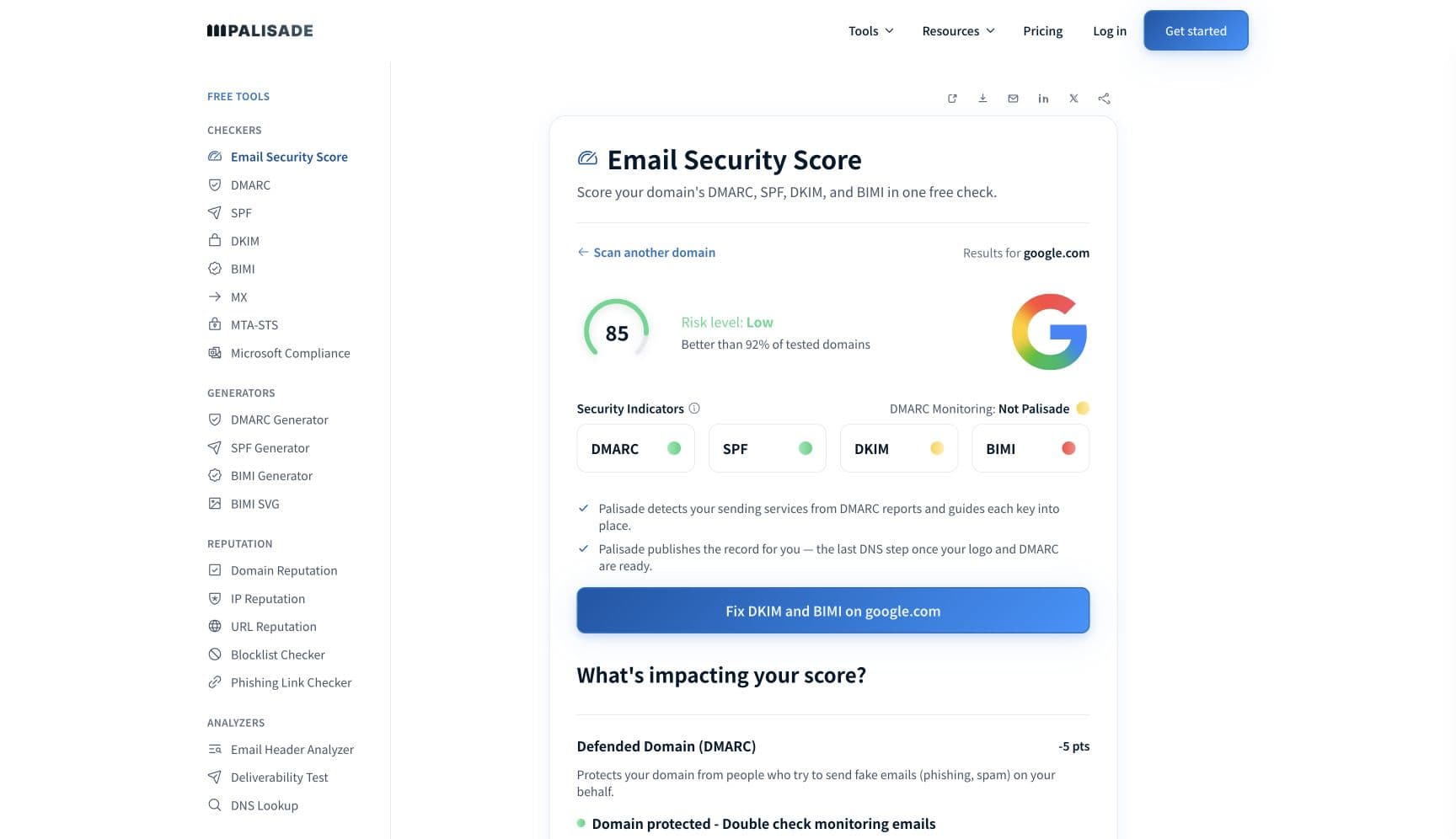
Check the public signals before changing settings
The free check above gives you a fast public baseline for how Outlook sees your mail. It does not replace the provider's private reputation or placement data, but it tells you whether the problem is visible from outside before you edit a sending platform.
How to fix it, step by step
Read the complete Outlook bounce before changing DNS
Preserve the full SMTP response, including the enhanced status code and any RP, SC, DY, or S3150 marker. If it says
550 5.7.515, run the Microsoft compliance check above on the From domain. That is the authentication branch; the other markers below require different work.Fix authentication only when the response supports that branch
For
550 5.7.515, add every legitimate sender to SPF, enable DKIM with your domain, and make sure SPF or DKIM aligns with the From domain for DMARC. Re-run the compliance check after the DNS change. Passing authentication does not clear an unrelated IP, complaint, rate-limit, or infrastructure block.Use Palisade through your AI assistant for the authentication branch
For an MCP-assisted fix, connect Palisade's MCP server and ask: “Use Palisade to diagnose the 5.7.515 bounce for example.com. Show me the failing senders, open any matching remediation task, and show the proposed fix plus any exact DNS records Palisade provides for review.” Palisade can inspect report data and live DNS, surface any existing task, and verify the domain after publication. Review and publish the change through your approved DNS access or Smart DNS Deployment; the MCP server cannot publish DNS records; publishing stays in the app.
Treat RP and SC responses as reputation or behavior problems
For
421 RP-001throughRP-003, reduce volume and connections, then use SNDS to inspect the sending IP's standing. ForSC-001, inspect content and IP or domain reputation; stop namespace mining forSC-002; close the open proxy or relay forSC-003; and use JMRP plus list cleanup for complaint-drivenSC-004.Request delisting for an S3150 IP block
If a
550 5.7.1response contains S3150, submit the actual outbound IP through Microsoft's self-service portal at sender.office.com. If the portal does not clear the block, use the sender-support form from Microsoft's postmaster page. A domain or website-host IP is not a substitute for the IP named in the bounce.Resolve the specific DY infrastructure failure
For
550 DY-001, route mail through your provider's authenticated smarthost or a sending service with stable outbound infrastructure. For550 DY-002, stop the sending stream, check the server or computer for compromise or malware, rotate exposed credentials, and repair the host before you resume mail.Re-test the same sending path and watch the matching signal
Send through the same platform and outbound IP that failed. Confirm the original code is gone, then watch the evidence for that branch: authentication results and DMARC reports for 5.7.515, SNDS for IP standing and RP codes, JMRP for complaints, and new NDRs for S3150 or DY blocks.
Related free tools: SPF checker · DKIM checker · DMARC checker · Domain reputation · Blocklist checker
If you send in volume: Outlook's published rules
Since May 5, 2025, Microsoft requires domains sending over 5,000 emails per day to Outlook.com consumer addresses (outlook.com, hotmail.com, live.com) to pass all three checks: SPF, DKIM, and a published DMARC policy of at least p=none that passes with alignment. Its 550 5.7.515 support article words the same bar as "5,000 or more" messages. Non-compliant mail went to Junk first; Microsoft's documented rejection for it is "550 5.7.515 Access denied, sending domain <domain> does not meet the required authentication level." (per Microsoft's postmaster site and support documentation, checked 2026-09-17). Below that volume the same checks still drive filtering, so treat the requirements as the baseline for any volume.
Check your standing with Outlook
- Smart Network Data Services (SNDS)
Microsoft's own view of your IP space: filter results and complaint rates per sending IP. Free; register the IPs you send from.
- Junk Email Reporting Program (JMRP)
Emails you a copy of every message Outlook.com users mark as junk, so you can remove complainers and spot the mail streams driving complaints.
- Anti-spam IP delist portal
Microsoft's self-service delisting: submit the blocked IP and a contact address, verify, and request removal.
- Outlook.com sender support form
The escalation path Microsoft's postmaster troubleshooting page links for blocks the delist portal doesn't resolve.
- Outlook.com postmaster site
Microsoft's sender documentation hub: requirements, the SMTP code reference, and troubleshooting for blocked or junked mail.
Bounce codes you may be seeing
A block from Outlook surfaces as a specific SMTP code. Some lists below also carry codes returned by the systems receiving your mail; each line names its issuer. Match yours below; where a code has a full guide, it is linked.
- 550 5.7.515 (sending domain does not meet the required authentication level): Microsoft's high-volume authentication rejection under the sender requirements enforced since May 2025
- 550 5.7.1 carrying an S3150 marker: your IP, or your provider's network range, is on Microsoft's block list Full guide →
- 421 RP-001 to RP-003: reputation-based rate limiting, common on new IPs and volume spikes Full guide →
- 550 SC-001 to SC-004: Outlook.com policy blocks; SC-004 is driven by user junk complaints
- 550 DY-001: the source is dynamic IP space; 550 DY-002: the sending host is likely compromised or infected
Match the fix to the Outlook code
Authentication is one branch of the diagnosis. A 550 5.7.515 response points to SPF, DKIM, or DMARC; RP codes point to rate limits and reputation; SC codes point to complaints, behavior, content, or infrastructure; DY-001 points to dynamic IP space; DY-002 points to a compromised host; and S3150 inside 550 5.7.1 points to an IP block. After every legitimate sender aligns, DMARC enforcement asks participating receivers to reject direct spoofing that fails DMARC. It does not guarantee Outlook acceptance or inbox placement, and it cannot repair complaint rates, sending-IP reputation, content problems, or poor infrastructure.
Use Palisade MCP for the authentication branch
If the bounce is 550 5.7.515, connect Palisade's MCP server to the AI assistant you already use. Ask it to identify failing senders, retrieve any matching Palisade remediation task, and show the proposed fix and exact records Palisade provides. After the approved change is published, ask it to verify the live domain and close only the task that now passes. This workflow does not clear RP, SC, S3150, or DY blocks.
Fixing this across every client domain
Across a client fleet, start by grouping incidents by code and outbound IP. A client with 550 5.7.515 needs its domain authentication fixed; several clients sharing one S3150 source may need one sending provider to delist the shared IP; RP and SC responses need the sending stream and reputation investigated. SNDS is useful only when you control or can register the affected IP space, and a delist request belongs only to an IP that Microsoft blocked. Palisade monitors DMARC reports across client domains, identifies failing senders, drafts authentication fixes, and proposes each policy step for your team to approve. ConnectWise, HaloPSA, and Autotask integrations can route those authentication tasks to the client workflow.
Questions readers ask
Frequently asked questions
How long until Outlook unblocks my emails?
Does Outlook unblock senders automatically?
421 RP deferrals as the sending IP builds a better reputation, but Microsoft does not promise automatic removal of an S3150 block. For an S3150 response, use sender.office.com or the sender-support form after you have corrected the IP or sending-stream problem that caused the listing.How do I check if my IP is on a Microsoft blocklist?
What does S3150 mean in an Outlook bounce?
Why is Hotmail blocking my emails?
What is error 550 5.7.515 from Outlook?
550 5.7.515 is Microsoft's rejection for high-volume senders that miss the authentication bar: "Access denied, sending domain <domain> does not meet the required authentication level." Make SPF and DKIM pass, publish DMARC, and align at least one passing SPF or DKIM identity with the From domain. Full walkthrough: how to fix Microsoft 550 5.7.515 access denied.How do I see which emails Outlook blocked?
Sources and last verified
Every claim about Outlook on this page links to the source it came from, each with the date it was last checked. Provider policies change; if a detail looks off, the linked source is authoritative.
- Since May 5, 2025 Outlook.com enforces SPF, DKIM, and DMARC for domains sending over 5,000 emails per day; non-compliant mail was junked first with rejection to followsubstrate.office.com · checked 2026-09-17
- 550 5.7.515 verbatim rejection text and the requirement details: SPF and DKIM must pass, DMARC published and passing with alignment to the From domainsupport.microsoft.com · checked 2026-09-17
- Outlook.com SMTP code families: 421 RP-001/002/003 (reputation rate limits), 550 SC-001..004 (policy/complaint blocks), 550 DY-001 (dynamic IP), 550 DY-002 (likely compromised or infected host), and 550 OU-001/002; SC-004 remediation is JMRP enrollment; junk-complaint rate named a principal reputation factor; SmartScreen is the filtersubstrate.office.com · checked 2026-09-17
- SNDS shows how users rate your mail and the health of your IP space; JMRP is the junk-report feedback program that sends senders a copy of each message recipients mark as junkaka.ms · checked 2026-07-17
- JMRP enrollment URL on Microsoft's postmaster services pagesubstrate.office.com · checked 2026-07-17
- sender.office.com is Microsoft's anti-spam IP delist portal (submit email + IP, verify, delist)sender.office.com · checked 2026-07-17
- Sender support request form is the escalation path linked from Microsoft's postmaster troubleshooting page (fwlink 614866)go.microsoft.com · checked 2026-07-17
- S3150 appears in 550 5.7.1 bounces indicating the sender's IP or provider network is on Microsoft's block list; Microsoft discusses it in Q&A but publishes no dedicated doc page for the markerlearn.microsoft.com · checked 2026-07-17
Related guides
550 5.7.1421 4.7.0p=rejectadkim / aspfinclude: