Provider deliverability · Outlook (Outlook.com / Hotmail / Live)
How to stop emails going to spam in Outlook

By Samuel Chenard · CEO & Co-Founder, Palisade · Reviewed September 19, 2026
To stop emails going to spam in Outlook, fix four things Microsoft's filter scores: authentication that passes but doesn't align with your From domain, a rising junk-complaint rate, a cold IP or domain with no history, and content and list-accuracy signals. Two more sit behind those four: a breach of Microsoft's published sending policies drives them, and JMRP enrollment decides whether you ever see the complaints. Align SPF and DKIM first; that is the post-May-2025 junk trigger.
The 30-second check
Start with a 30-second reality check on the domain you send from. The free email security score grades your SPF, DKIM, and DMARC setup in one pass and shows whether the records that Outlook's filter checks are present, aligned with your From domain, and enforced. If mail is bouncing outright rather than landing in Junk, you have a blocking problem instead; see the Outlook blocking guide in the related pages below.
Check your domain now
Enter your sending domain and the check runs instantly on the next page. Free, no signup.
Why Outlook sends your email to junk
| Likely cause | What's happening |
|---|---|
| Authentication passes, but not for your From domain | The junk trigger Microsoft added on May 5, 2025, when Outlook.com started enforcing SPF, DKIM, and DMARC for domains sending 5,000+ messages a day and routing non-compliant mail to the Junk folder first, with rejection to follow. Microsoft's policy requires DMARC at least p=none that aligns "with either SPF or DKIM (preferably both)", and ESP defaults break exactly this: SPF passes on the platform's bounce domain and DKIM signs with the platform's domain, so nothing aligns with the address your recipients see. Delivered-but-junked is what this failure looks like from the outside. |
| Your junk-complaint rate is dragging SmartScreen down | Microsoft's postmaster documentation says SmartScreen weighs "the sending IP, domain, authentication, list accuracy, complaint rates, content and more", and singles out one of them: "one of the principal factors in driving down a sender's reputation and deliverability is their junk email complaint rate." Every recipient who clicks Junk votes your future mail into the spam folder, authenticated or not. |
| You started cold: new IP or domain, full volume, no warm-up | Per Microsoft's troubleshooting page, "IPs not previously used to send email typically don't have any reputation built up in our systems", so early mail defaults to Junk while history accumulates. Microsoft says a new IP "can expect to be fully ramped within a couple of weeks or sooner" if volume climbs gradually and complaints stay minimal. One useful shortcut in the same doc: a new IP added under your existing SPF records can inherit the domain's established reputation. |
| Content and list-accuracy signals | Microsoft names "list accuracy" and "content" among SmartScreen's inputs but publishes no specifics, so treat these as the adjustable dials after authentication and complaints. In practice that means mailing addresses that actually engage, and cutting the things filters historically dislike: link shorteners, mismatched link text, image-only bodies (our field experience, not a Microsoft-published list). |
| You're violating Microsoft's published sending policies | Outlook.com's policy page requires an unsubscribe mechanism that is "easy for recipients to find and use", valid reverse DNS on sending IPs, no more than 500 simultaneous connections without prior approval, and no retransmission after a 5xx rejection. Senders that keep hammering dead addresses or bury the opt-out link accumulate exactly the complaint and bounce profile SmartScreen punishes. |
| Recipients are junking you and you can't hear it | Outlook.com sends complaint feedback only to senders enrolled in the Junk Email Reporting Program, which "lets you receive reports when users junk your messages" per Microsoft's SNDS site. Unenrolled senders fly blind: the complaint rate climbs, placement worsens, and the first visible symptom is an inbox-placement collapse nobody can explain. |
Confirm the pattern in Outlook's own sender data
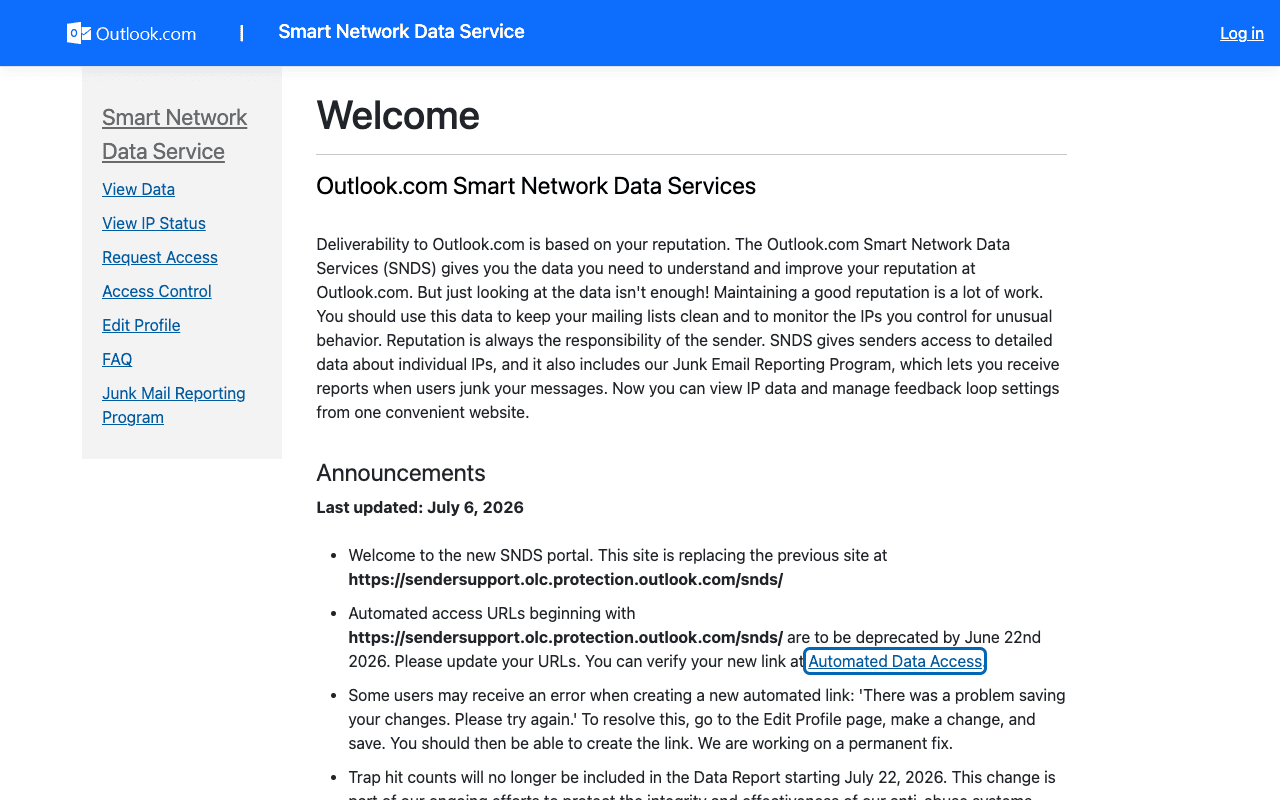
Outlook publishes its own sender data separately from your DNS. Use it to confirm the provider-side symptom after you have checked the public authentication records below.
Check the public signals before changing settings
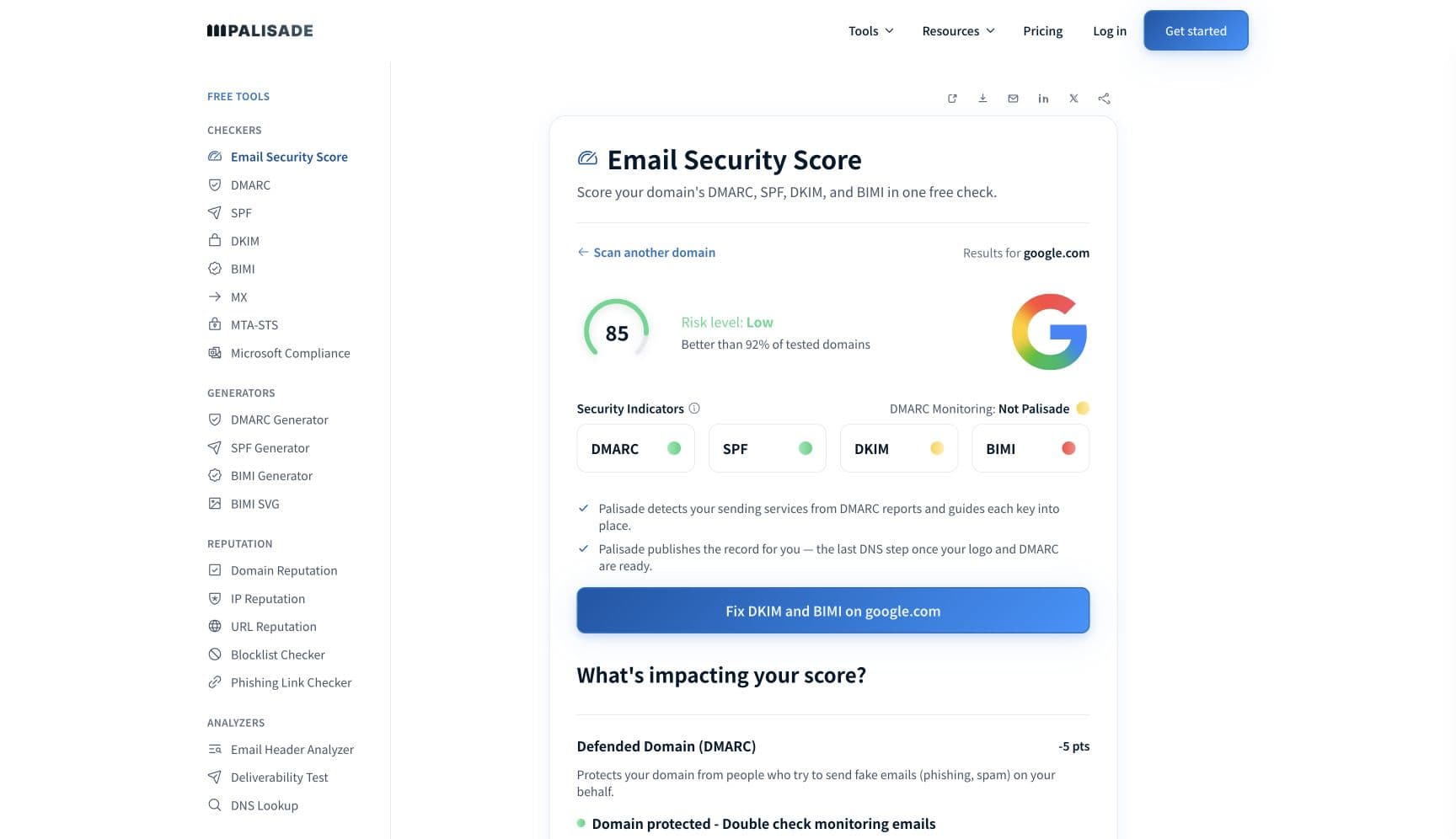
The free check above gives you a fast public baseline for how Outlook sees your mail. It does not replace the provider's private reputation or placement data, but it tells you whether the problem is visible from outside before you edit a sending platform.
How to fix it, step by step
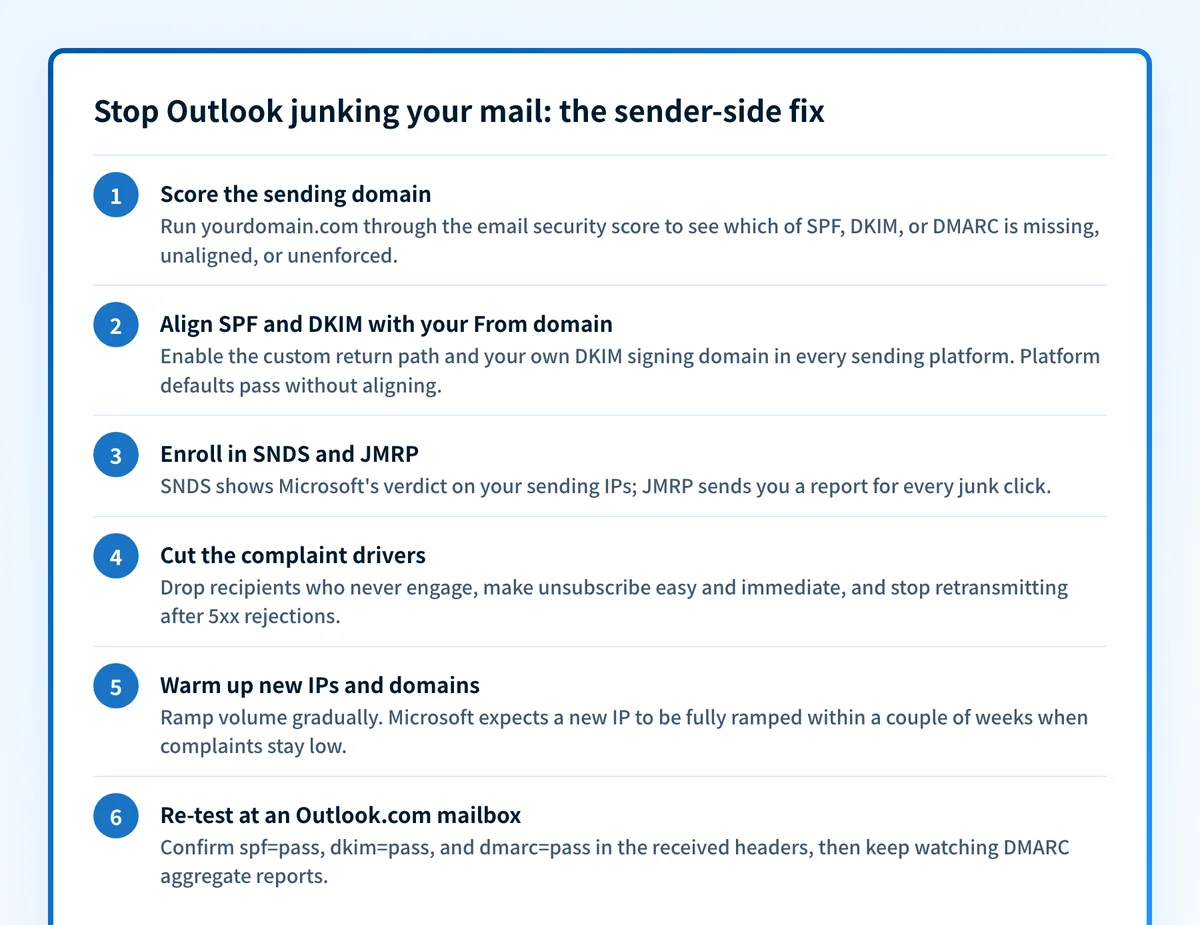
Run the email security score on your sending domain
Use the free checker above, or open the Email Security Score page directly. It grades SPF, DKIM, and DMARC in one pass and shows which record is missing, unaligned, or unenforced, so you fix the signal Outlook's filter is actually scoring instead of rewriting subject lines.
Check Microsoft's specific requirements
Run the same domain through the free Microsoft compliance checker. It tests against Microsoft's May 2025 sender requirements as published: SPF and DKIM passing, plus a DMARC record of at least
p=nonethat aligns with one of them.Align SPF and DKIM with your From domain
In every sending platform, enable the custom return path and generate DKIM keys for your own domain rather than keeping the platform defaults. Verify with the SPF checker and the DKIM checker: the domain that passes must match the visible From address, because that alignment is what Microsoft's DMARC requirement measures.
Enroll in SNDS and JMRP
Register your sending IPs in Smart Network Data Services to see Microsoft's own verdict on your traffic, and join the Junk Email Reporting Program so every junk click comes back to you as a report. Note SNDS changed: trap-hit counts left the Data Report on July 22, 2026.
Cut the complaint drivers
Microsoft names the junk-complaint rate a principal reputation factor, so act on the JMRP data: drop recipients who never engage, make the unsubscribe link easy to find and honor it immediately, and stop retransmitting after permanent 5xx failures (all three are published Outlook.com policy expectations).
Warm up, re-test, and keep DMARC reports flowing
Ramp new IPs and domains gradually; Microsoft's stated ramp is a couple of weeks when complaints stay low. Send a test to an Outlook.com mailbox and confirm spf=pass, dkim=pass, and dmarc=pass in the received headers, then monitor DMARC aggregate reports so the next unaligned sender surfaces in a report instead of the Junk folder.
Related free tools: Microsoft compliance checker · SPF checker · DKIM checker · DMARC checker · Domain reputation
If you send in volume: Outlook's published rules
Since May 5, 2025, Outlook.com enforces authentication for domains sending more than 5,000 messages a day to consumer addresses (outlook.com, hotmail.com, live.com): SPF and DKIM must pass, and DMARC must be published at minimum p=none (Microsoft recommends p=reject) with alignment to SPF or DKIM, preferably both. Enforcement is exactly this page's symptom: non-compliant mail is routed to the Junk folder first, and Microsoft's postmaster site states it will move to rejecting those messages until the DNS records are corrected (checked 2026-07-17). Below 5,000 a day the same checks still feed filtering, so treat them as the baseline at any volume.
Check your standing with Outlook
- Smart Network Data Services (SNDS)
Microsoft's own data on your sending IPs; in its words, "the data you need to understand and improve your reputation at Outlook.com". Free; register every IP you send from.
- Junk Email Reporting Program (JMRP)
Microsoft's feedback loop: it "lets you receive reports when users junk your messages", which makes your complaint rate visible instead of a guess.
- Outlook.com postmaster site
Microsoft's sender documentation hub: the May 2025 requirements, sending policies, and troubleshooting for filtered or blocked mail.
If it bounces instead: the codes Outlook returns
Spam placement returns no SMTP error, so these are the readings and codes you see when Outlook refuses the mail instead. Match yours below; where a code has a full guide, it is linked.
- 550 5.7.515 (sending domain does not meet the required authentication level): where junk placement is headed if authentication stays unaligned; Microsoft's documented follow-on rejection — full fix guide
- 550 5.7.509: the sending domain fails DMARC verification; fires once Outlook stops junking unaligned mail and starts refusing it Full guide →
- 421 RP-001 to RP-003: reputation-based throttling that often accompanies Junk placement on cold IPs Full guide →
The real root cause: unenforced authentication
Junk placement in Outlook is a reputation verdict, and every input above feeds the same ledger. Unaligned authentication caps your score no matter how clean the list is; a cold IP starts in Junk by default; and each junk click compounds, because Microsoft names the complaint rate a principal factor in deliverability. The durable fix is to make authentication a settled fact rather than a recurring project: SPF and DKIM correct for every sending service, DMARC aligned on the From domain, and the policy enforced at p=reject so spoofed mail can't generate complaints against your name. Monitoring the DMARC reports tells you which sender is about to cost you inbox placement; enforcement is what keeps the reputation you rebuild.
DMARC software that does the work
Palisade's AI agent takes domains all the way to enforcement: hosted SPF, DKIM, DMARC, and MTA-STS records on paid plans, DMARC reports monitored continuously, and every policy step drafted for your approval on the way to p=reject. The full product is open for a 15-day trial, and nothing is charged until it ends.
15-day full-product trial. Nothing is charged until it ends.
Fixing this across every client domain
Junk-folder tickets are the worst kind for an MSP because nothing bounces: the client insists mail "sends fine" and the evidence sits in fifty recipients' Junk folders. Microsoft scores every client domain separately, so alignment, SNDS registration, JMRP enrollment, and warm-up are per-domain chores. Palisade collapses that: it hosts and manages SPF, DKIM, DMARC, and MTA-STS records for every client domain, surfaces unaligned senders from DMARC reports before placement collapses, and carries each domain to p=reject, with your team approving each step. Alerts land in ConnectWise, HaloPSA, or Autotask via native PSA integrations; client domains are priced per domain with rates that improve as the portfolio grows, and your own MSP domain runs free as an NFR domain.
Questions readers ask
Frequently asked questions
Why do my emails go to spam in Outlook when SPF and DKIM pass?
How do I check my sender reputation with Microsoft?
How long does it take to stop emails going to junk in Outlook?
What spam complaint rate does Microsoft allow?
Do Microsoft's sender requirements apply if I send fewer than 5,000 emails a day?
Why do my emails go to junk in Hotmail but arrive fine in Gmail?
Does asking recipients to click Not junk fix spam placement in Outlook?
Sources and last verified
Every claim about Outlook on this page links to the source it came from, each with the date it was last checked. Provider policies change; if a detail looks off, the linked source is authoritative.
- Microsoft's support article for the follow-on rejection: the requirement applies to senders of "5,000 or more email messages to Microsoft consumer email services" using the same domain in the From address; SPF and DKIM must both be published and pass, a DMARC record must be published with a valid policy such as v=DMARC1; p=none, and "DMARC validation passes using SPF and/or DKIM (only one is required)", or mail is refused with "550 5.7.515 Access denied, sending domain <domain> does not meet the required authentication level."support.microsoft.com · checked 2026-09-02
- Gmail keeps its own sender record, separate from Microsoft's: Postmaster Tools rates a sending domain or IP from its history with Gmail, where "High: History of very low spam rates, and complies with Gmail's sender guidelines. Email from this domain or address is rarely marked as spam" and "Bad: History of sending a high volume of spam regularly"support.google.com · checked 2026-09-02
- Starting May 5, 2025 Outlook.com enforces SPF, DKIM, and DMARC for domains sending over 5,000 emails per day; non-compliant messages initially go to the Junk folder, with rejection to follow until DNS records are correctedsubstrate.office.com · checked 2026-07-17
- DMARC requirement wording: at least p=none (p=reject recommended), aligned "with either SPF or DKIM (preferably both)"; the follow-on rejection is 550 5.7.515; unsubscribe must be clearly documented and "easy for recipients to find and use"; no retransmission after 5xx responses; valid reverse DNS; max 500 simultaneous connections without approvalsubstrate.office.com · checked 2026-07-17
- SmartScreen is influenced by "the sending IP, domain, authentication, list accuracy, complaint rates, content and more"; "one of the principal factors in driving down a sender's reputation and deliverability is their junk email complaint rate"; new IPs have no built-up reputation, can inherit domain reputation when authenticated under existing SPF records, and "can expect to be fully ramped within a couple of weeks or sooner"substrate.office.com · checked 2026-07-17
- SNDS provides "the data you need to understand and improve your reputation at Outlook.com"; JMRP "lets you receive reports when users junk your messages"; trap-hit counts will no longer be included in the SNDS Data Report starting July 22, 2026substrate.office.com · checked 2026-07-17
Related guides
550 5.7.509421 4.7.0adkim / aspfp=nonep=rejectinclude: