Provider deliverability · Hotmail / Outlook.com consumer inboxes
Why do emails go to junk in Hotmail and Outlook?

By Samuel Chenard · CEO & Co-Founder, Palisade · Reviewed September 19, 2026
Emails go to junk in Hotmail and Outlook.com when Microsoft's SmartScreen filter distrusts the sender: missing or misaligned SPF, DKIM, or DMARC, a high junk-complaint rate, a new IP with no history, or a stale mailing list. Since May 2025, Microsoft's high-volume sender requirements make failing authentication a documented enforcement trigger: Junk placement first, then rejection. Fix authentication first; reputation follows.
The 30-second check
This page covers consumer inboxes: recipients at hotmail.com, live.com, and outlook.com addresses. (Mail junked inside a company's Microsoft 365 tenant is governed by that tenant's own policies; see the Microsoft 365 page instead.) Start by testing the domain you send from. The free Microsoft compliance checker verifies that your domain publishes the SPF, DKIM, and DMARC records Microsoft's requirements call for, so you can see at a glance which record is missing or broken.
Check your domain now
Enter your sending domain and the check runs instantly on the next page. Free, no signup.
Why Hotmail sends your email to junk
| Likely cause | What's happening |
|---|---|
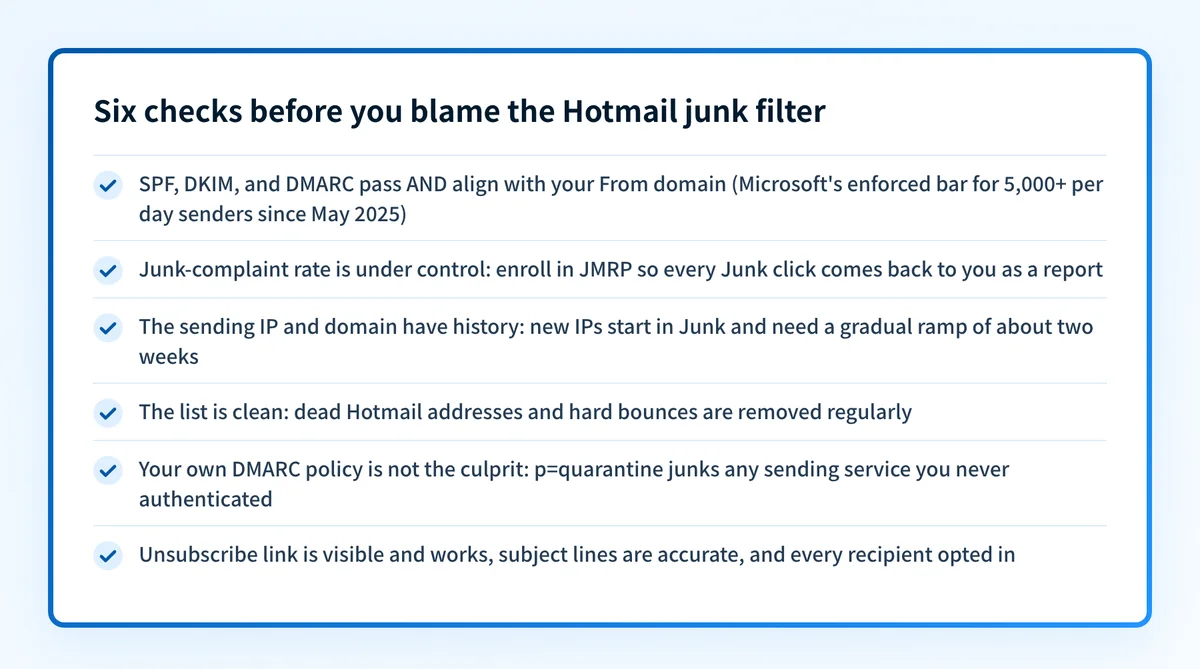
| Your domain fails SPF, DKIM, or DMARC | Since May 5, 2025, Microsoft requires domains sending 5,000+ messages a day to its consumer addresses to pass SPF and DKIM and to publish a DMARC record of at least p=none that aligns with one of them. Microsoft's live postmaster page says non-compliant messages are sent to the Junk folder, with rejection to follow shortly; the announcement's April 29, 2025 update went further and said rejection (550 5.7.515) would apply from May 5, 2025. Either way, failing the requirements is the documented cause of Junk placement or worse (checked 2026-07-17). Below 5,000 a day, authentication still feeds SmartScreen's verdict on every message. |
| Recipients are clicking Junk on your mail | Microsoft's postmaster documentation states that one of the principal factors driving down a sender's reputation and deliverability is the junk email complaint rate. Every Hotmail recipient who junks your message votes against your next one. Microsoft publishes no numeric complaint threshold on its postmaster pages (checked 2026-07-17), so treat any visible complaint stream in JMRP as too high. |
| New IP or domain with no sending history | SmartScreen scores on history, and a fresh IP has none. Microsoft's troubleshooting guidance says newly deployed IPs are more likely to experience deliverability issues, expects a new IP to be fully ramped within a couple of weeks or sooner depending on volume and list accuracy, and notes that an IP added to an authenticated SPF record can inherit some of the domain's reputation. Cold-starting at full volume reads as spam. |
| Stale list: dead Hotmail addresses and bounces | Microsoft names list accuracy as a SmartScreen input alongside IP, domain, authentication, complaint rates, and content. Consumer Hotmail lists age badly; a list collected years ago is full of abandoned mailboxes, and the resulting bounce and complaint pattern marks you as a sender who doesn't manage their list. Microsoft's hygiene recommendations tell senders to remove invalid addresses regularly. |
| Your own DMARC policy is quarantining you | If your domain publishes p=quarantine and a legitimate sending service fails aligned SPF and DKIM, receivers are instructed to accept the mail but mark it. Microsoft's documentation describes quarantine handling as delivery to the Junk Email folder. In that case Junk placement is your own policy working as written against a source you never authenticated. |
| Missing unsubscribe link or misleading content | Microsoft's sender requirements call for functional, clearly visible unsubscribe links, accurate subject lines, no deceptive headers, and recipient consent, and state that Outlook reserves the right to take negative action, including filtering, against senders with hygiene breaches. Mail with no opt-out route forces recipients to use the Junk button as their unsubscribe, which feeds the complaint-rate problem above. |
Confirm the pattern in Hotmail's own sender data
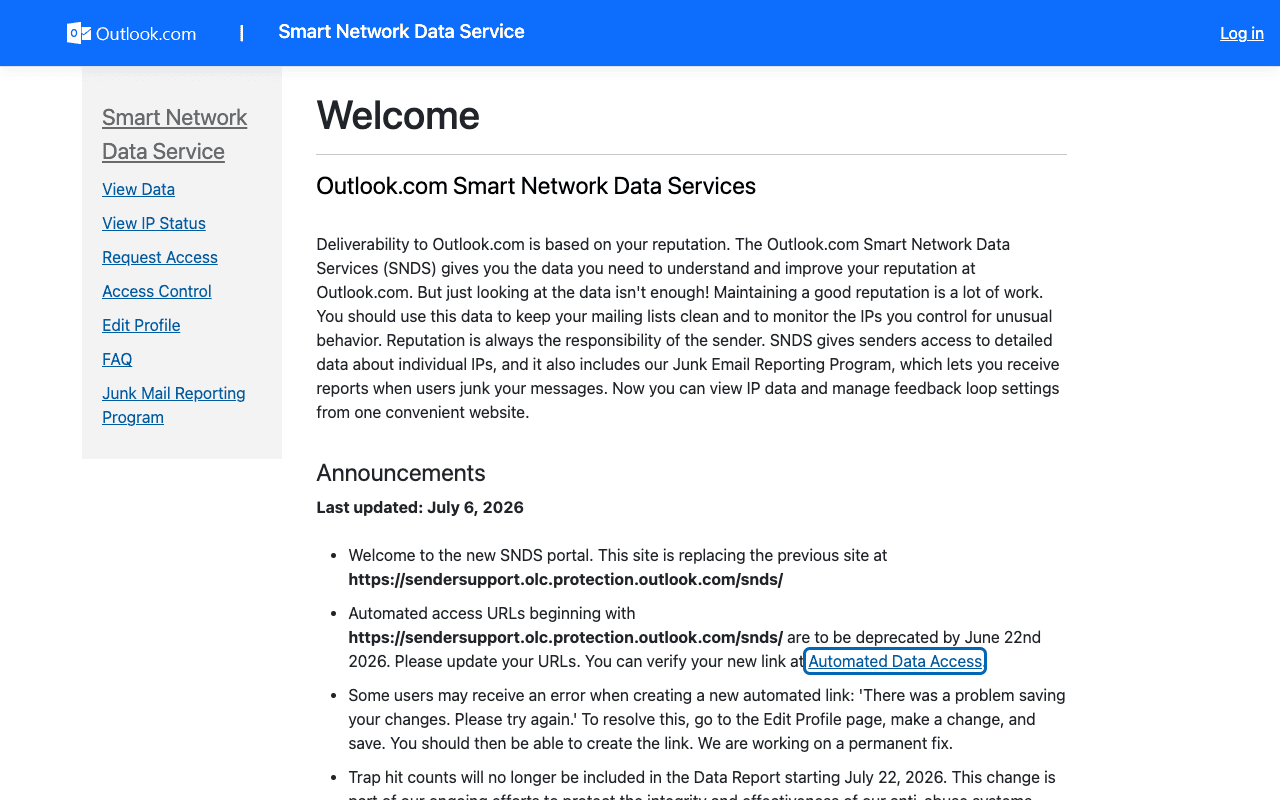
Hotmail publishes its own sender data separately from your DNS. Use it to confirm the provider-side symptom after you have checked the public authentication records below.
Check the public signals before changing settings
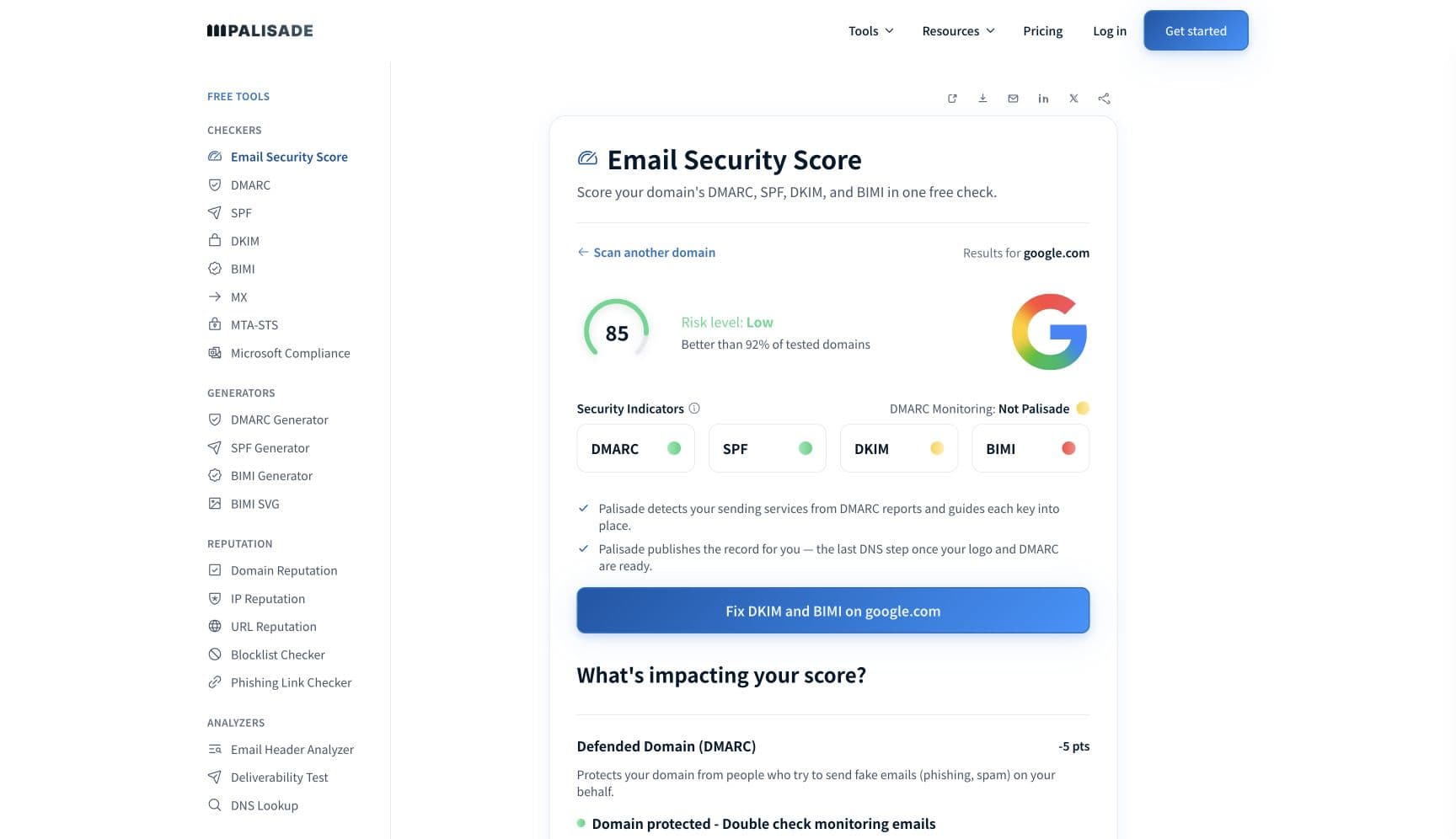
The free check above gives you a fast public baseline for how Hotmail sees your mail. It does not replace the provider's private reputation or placement data, but it tells you whether the problem is visible from outside before you edit a sending platform.
How to fix it, step by step
Run the Microsoft compliance check on your sending domain
Use the free checker above, or open the Microsoft compliance checker page directly. It checks that your domain publishes the SPF, DKIM, and DMARC records Microsoft's requirements call for, so you know which record is missing or broken instead of guessing at content tweaks. To confirm messages actually pass with alignment, check real message headers in step 6.
Authenticate every service that sends as your domain
Add each sending platform to your SPF record, enable DKIM signing with your own domain rather than the provider's default, and publish a DMARC record. Microsoft requires the passing mechanism to align with your From domain; verify each piece with the free SPF, DKIM, and DMARC checkers.
Enroll in SNDS and JMRP
Smart Network Data Services shows Microsoft's own verdict on your sending IPs, and the Junk Email Reporting Program sends you a report when Outlook.com users junk your messages. Together they turn 'Hotmail hates me' into a per-IP, per-campaign diagnosis using Microsoft's data instead of folklore.
Remove the complaint drivers Microsoft names
Make the unsubscribe link obvious and functional, keep subject lines accurate, send only to recipients who opted in, and confirm your From or Reply-To address is valid and can receive replies. These come straight from Microsoft's published hygiene recommendations, and they are what moves the complaint rate.
Prune the list and warm up new IPs
Drop addresses that bounce or never engage, then ramp volume gradually on any new IP. Microsoft expects a new IP to reach full ramp within a couple of weeks depending on volume and list accuracy, and an authenticated SPF record lets it inherit some of your domain's existing reputation.
Re-test against a real Hotmail mailbox
Send a test to an outlook.com or hotmail.com address, open the message headers, and confirm spf=pass, dkim=pass, and dmarc=pass. Then keep DMARC aggregate reports flowing so the next unauthenticated sender on your domain surfaces in a report instead of the Junk folder.
Related free tools: SPF checker · DKIM checker · DMARC checker · Domain reputation · Email security score
If you send in volume: Hotmail's published rules
Microsoft's high-volume sender requirements apply to its consumer service: hotmail.com, live.com, and outlook.com addresses. Domains sending more than 5,000 messages a day must pass SPF, pass DKIM, and publish DMARC at a minimum of p=none that aligns with SPF or DKIM (Microsoft says preferably both). Enforcement began May 5, 2025: Microsoft's postmaster page describes routing non-compliant mail to the Junk folder with rejection to follow, and the announcement's April 29, 2025 update said rejection (the 550 5.7.515 authentication-level bounce) would apply from that date. Microsoft also lists hygiene expectations by name: a valid From or Reply-To address that can receive replies, functional unsubscribe links, list and bounce management, and transparent mailing practices (announcement checked 2026-07-17). Below 5,000 a day the same checks still steer SmartScreen, so treat them as the baseline at any volume.
Check your standing with Hotmail
- Smart Network Data Services (SNDS)
Microsoft's own data on your sending IPs: filter results and complaint data per IP. Free; note trap-hit counts left the Data Report on July 22, 2026.
- Junk Email Reporting Program (JMRP)
Microsoft's feedback loop: per its SNDS site, it lets you receive reports when users junk your messages, so you see exactly which campaigns draw complaints.
- Outlook.com postmaster site
Microsoft's sender documentation hub: the high-volume requirements, SmartScreen guidance, and troubleshooting for junked or blocked mail.
- Outlook.com sender support form
The escalation path Microsoft's postmaster troubleshooting page links when authenticated, clean mail still lands in Junk.
If it bounces instead: the codes Hotmail returns
Spam placement returns no SMTP error, so these are the readings and codes you see when Hotmail refuses the mail instead. Match yours below; where a code has a full guide, it is linked.
- 550 5.7.515 "Access denied, sending domain does not meet the required authentication level": what Junk placement escalates to for high-volume domains that stay non-compliant
- 550 5.7.509: the sending domain fails DMARC verification; the hard edge of the same authentication problem that starts as junk-foldering Full guide →
- 421 RP-001 to RP-003: reputation-based throttling that often accompanies junk placement for new or spiking senders Full guide →
The real root cause: unenforced authentication
Junk placement at Hotmail is the early-warning stage of one loop. Unauthenticated or misaligned mail scores badly with SmartScreen, Junk placement invites complaints from the recipients who do find it, complaints drag reputation down further, and the endpoint is outright rejection under Microsoft's requirements. Microsoft's own framing on the SNDS site is that reputation is always the responsibility of the sender, and the part of reputation you control completely is authentication: correct SPF and DKIM for every sending service, DMARC alignment on the From domain, and a policy enforced at p=reject so spoofed mail stops burning the domain's name while you fix the rest. Monitoring shows you which senders are failing; enforcement is what makes the Junk folder stop being your default destination.
DMARC software that does the work
Palisade's AI agent takes domains all the way to enforcement: hosted SPF, DKIM, DMARC, and MTA-STS records on paid plans, DMARC reports monitored continuously, and every policy step drafted for your approval on the way to p=reject. The full product is open for a 15-day trial, and nothing is charged until it ends.
15-day full-product trial. Nothing is charged until it ends.
Fixing this across every client domain
When one client's newsletter lands in Junk at Hotmail, the ticket says 'email is broken' and the diagnosis spans SPF, DKIM, DMARC, SNDS, JMRP, and list hygiene, per domain, for every client on your books. Palisade collapses that into one workflow: it hosts and manages the SPF, DKIM, DMARC, and MTA-STS records for every client domain, surfaces failing or unauthenticated senders from DMARC reports before Microsoft's filter reacts, and carries each domain to p=reject, with your team approving each step. Tickets land in ConnectWise, HaloPSA, or Autotask through native PSA integrations, pricing is per client domain with rates that improve as the portfolio grows, and your own MSP domain runs free as an NFR domain to prove it on.
Questions readers ask
Frequently asked questions
Why do my emails keep going to junk in Hotmail?
Why does mail go to junk even though SPF and DKIM pass?
How do I stop emails landing in the Hotmail spam folder?
Does Microsoft publish a spam complaint rate threshold?
Are Hotmail and Outlook.com junk filters different?
Is junk in Hotmail the same problem as junk in a company's Outlook?
Why do emails go to junk in Hotmail but reach the inbox at Gmail?
Do I need to warm up an IP before emailing Hotmail users?
Sources and last verified
Every claim about Hotmail on this page links to the source it came from, each with the date it was last checked. Provider policies change; if a detail looks off, the linked source is authoritative.
- High-volume sender requirements apply to Microsoft's consumer service (hotmail.com, live.com, outlook.com); domains over 5,000 emails/day must pass SPF and DKIM and publish DMARC at least p=none aligned with SPF or DKIM (preferably both); blog body says non-compliant messages will first be routed to Junk and may eventually be rejected, but its April 29, 2025 update struck through the Junk-first-from-May-5 sentence and stated non-compliant messages would be rejected (550 5.7.515) from May 5, 2025; hygiene recommendations named: valid From or Reply-To address that can receive replies, functional unsubscribe links, list hygiene and bounce management, transparent mailing practices; Outlook reserves the right to take negative action including filteringtechcommunity.microsoft.com · checked 2026-07-17
- May 5, 2025 enforcement date and Junk-first routing for 5,000+/day domains on the postmaster requirements pagesubstrate.office.com · checked 2026-07-17
- SmartScreen is the Outlook.com filter and is influenced by sending IP, domain, authentication, list accuracy, complaint rates, content and more; the junk email complaint rate is named one of the principal factors driving down sender reputation and deliverability; new IPs are more likely to see deliverability issues, can inherit some domain reputation via an authenticated SPF record, and can expect full ramp within a couple of weeks or sooner depending on volume and list accuracy; no numeric complaint-rate threshold is publishedsubstrate.office.com · checked 2026-07-17
- SNDS shows detailed per-IP data for senders; JMRP lets senders receive reports when users junk their messages; trap hit counts will no longer be included in the SNDS Data Report starting July 22, 2026; 'Reputation is always the responsibility of the sender'substrate.office.com · checked 2026-07-17
- Microsoft documents p=quarantine handling as accept-but-mark, e.g. delivery to the Junk Email folder (stated for Microsoft 365 inbound handling; Outlook.com publishes no equivalent per-policy table)learn.microsoft.com · checked 2026-07-17
- Sender support request form is the escalation path linked from Microsoft's postmaster troubleshooting page (fwlink 614866)go.microsoft.com · checked 2026-07-17
- What passing at Gmail actually proves: Google's Email sender guidelines require every sender to "Set up SPF or DKIM email authentication for your sending domains", keep valid forward and reverse DNS, use a TLS connection, and "Keep spam rates reported in Postmaster Tools below 0.3%" — DNS and authentication basics, with no Microsoft signal in themsupport.google.com · checked 2026-09-02
- Gmail's sender data is Gmail's own and covers Gmail traffic only: Postmaster Tools dashboards report "spam rate, reputation, message authentication, and delivery errors", and "Data in Postmaster Tools only applies to messages sent to personal Gmail accounts. A personal Gmail account is an account that ends in @gmail.com or @googlemail.com" — so it carries none of the SNDS or JMRP complaint data Microsoft scores you onsupport.google.com · checked 2026-09-02
Related guides
550 5.7.509421 4.7.0550 5.7.1p=quarantineadkim / aspfinclude: