SMTP error code · permanent failure (5xx)
SMTP error 550 5.7.509: access denied, sending domain does not pass DMARC verification

By Samuel Chenard · CEO & Co-Founder, Palisade · Reviewed September 20, 2026
550 5.7.509 is Microsoft 365's rejection of mail that fails DMARC when the sending domain's policy is p=reject: Exchange Online found no aligned SPF pass and no aligned DKIM pass for the From domain, so it refused the message, exactly as the domain's own policy instructs. It's sender-side: authenticate the sending service and mail flows again.
550 5.7.509 at a glance | |
|---|---|
| Code | 550 5.7.509 |
| Class | Permanent (5xx): the message was refused and will not retry |
| Category | Authentication |
| Side at fault | Sender |
| Auth-related | Yes (SPF/DKIM/DMARC) |
What the bounce actually says
The exact wording varies by provider. These are the documented strings, verbatim. Match yours to pin down which variant you hit.
Microsoft 365 (Exchange Online / Outlook)
550 5.7.509 Access denied, sending domain [$SenderDomain] does not pass DMARC verification and has a DMARC policy of reject.Source: learn.microsoft.com
Why you're seeing 550 5.7.509
Enhanced status codes in the 5.7.x range mean the receiver refused the message on security or policy grounds (RFC 3463); 509 is Microsoft's own subcode for one specific verdict. The domain in the message's From address publishes a DMARC policy of p=reject, and this message failed DMARC: no SPF pass aligned with that domain, and no DKIM signature aligned with it either. Whether Exchange Online enforces your published p=reject is a setting on the RECEIVING tenant: Microsoft's anti-phishing policy carries "Honor DMARC record policy when the message is detected as spoof", which it recommends turning on and which maps p=reject to a rejection. That is why the same domain can bounce off one Microsoft tenant and land at another, and why this bounce can appear "suddenly" for a domain that had been failing quietly for years. Microsoft isn't blocklisting you; it's executing the instruction the sending domain itself published in DNS. The bounce even includes the original message's Authentication-Results header, so you can see exactly which check failed.
Likely causes, ranked
| Likely cause | What's happening |
|---|---|
| A sending service was never authenticated for your domain | The most common trigger. A CRM, invoicing platform, ticketing system, scan-to-email device, or marketing tool sends as your domain, but its IPs aren't in your SPF record and it doesn't DKIM-sign with your domain. Under p=reject, every message it sends to a Microsoft-hosted mailbox bounces. |
| SPF or DKIM passes, but not for your From domain | DMARC needs alignment: the domain that passes SPF or DKIM must match the visible From domain. A platform that passes SPF on its own bounce domain, or signs DKIM as d=provider.com, technically authenticates, just not as you. Microsoft counts that as a DMARC fail. |
| DKIM isn't enabled for the domain in Microsoft 365 | For domains that send through Microsoft 365 themselves: DKIM for the custom domain was never enabled in the Defender portal, so messages go out unsigned (or signed as onmicrosoft.com). The moment SPF breaks (a connector, a relay, forwarding), there's no aligned DKIM to fall back on. |
| Forwarding broke SPF and the DKIM signature didn't survive | A forwarder re-sends the message from its own IP, which fails your SPF. If the message was never DKIM-signed, or a disclaimer or subject rewrite broke the signature in transit, the forwarded copy fails DMARC at the final Microsoft hop. |
| The domain moved to p=reject before every sender was ready | Enforcement went live while a legitimate source was still failing. This is the classic rushed-rollout bounce: the policy is doing its job, it's just aimed at your own mail. |
| The message really was spoofed | If you're seeing 5.7.509 for mail you never sent, DMARC is working as designed: someone tried to send as your domain and Microsoft refused it. Check your DMARC aggregate reports to see where the spoofed traffic originates. |
How to fix 550 5.7.509
Run the sending domain through the Microsoft compliance checker
Use the free checker below to test the From domain of the bounced message the way Microsoft evaluates it: SPF, DKIM, DMARC, and whether the pieces align. It tells you in one pass which leg of DMARC the bounce is pointing at.
Run the check now
Enter the domain from the step above and the check runs instantly on the next page. Free, no signup.
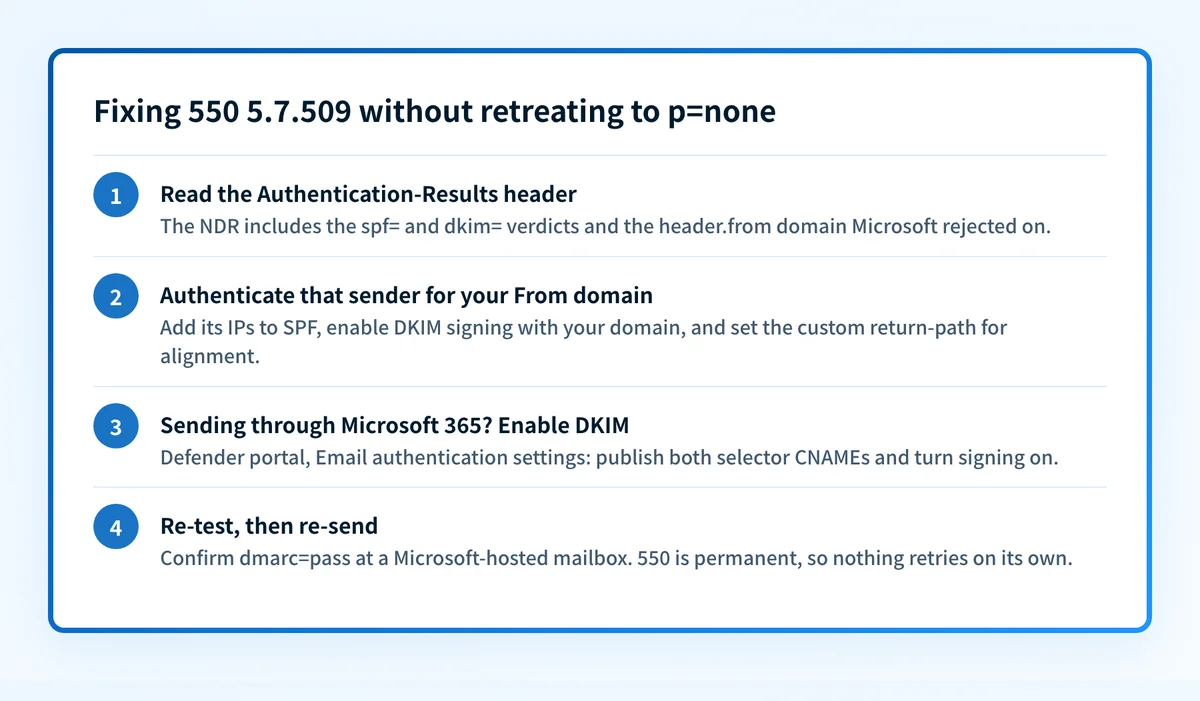
Read the Authentication-Results header in the bounce
Microsoft includes the original message's headers in the
5.7.509NDR. Find theAuthentication-Resultsline and note thespf=anddkim=verdicts and theheader.fromdomain. That's the exact evidence Exchange Online rejected on.Authenticate that sender for your From domain
Add the service's documented
include:or IPs to your SPF record, enable DKIM signing with your domain (not the provider's default), and set the custom return-path the provider offers so alignment holds. Verify with the free SPF checker and DKIM checker.Sending through Microsoft 365? Enable DKIM for the custom domain
In the Defender portal, go to Email authentication settings, select the domain under DKIM, publish the two selector CNAME records it gives you, and turn signing on. This keeps DMARC passing even when SPF breaks in transit.
Re-test, then re-send the bounced mail
550 is a permanent failure, so nothing retries on its own. After DNS propagates, send a test to a Microsoft-hosted mailbox and confirm
dmarc=passin the received headers, then re-send whatever bounced.Keep DMARC reports flowing: don't retreat to p=none
Downgrading the policy stops the bounces by reopening the domain to spoofing, and Gmail and Yahoo enforce the same records anyway. Fix alignment, stay at
p=reject, and watch aggregate reports so the next unauthenticated sender surfaces as a report line instead of a bounce.
Related free tools: DMARC checker · SPF checker · DKIM checker
Authentication is the fix, not a workaround
Every path out of 550 5.7.509 runs through the same three DNS records: SPF, DKIM, and DMARC. Mailbox providers no longer treat them as best practice; they're the entry ticket, and a domain that drifts out of alignment starts bouncing again without anyone changing a thing on your side.
The durable fix is enforcement: publish correct records, watch the DMARC reports for senders you missed, and move the domain to p=reject so receivers drop spoofed mail instead of bouncing yours.
DMARC software that does the work
Palisade's AI agent takes domains all the way to enforcement: hosted SPF, DKIM, DMARC, and MTA-STS records on paid plans, DMARC reports monitored continuously, and every policy step drafted for your approval on the way to p=reject.
15-day full-product trial. Nothing is charged until it ends.
Why it matters for MSPs
A 550 5.7.509 ticket rarely arrives alone. A huge share of B2B mail terminates at Exchange Online, so the moment one client domain reaches p=reject with an unauthenticated line-of-business app (the ERP that emails invoices, the on-prem scanner, the marketing platform nobody told you about), everything it sends to Microsoft-hosted recipients bounces at once. Multiply that by a fleet of managed tenants and DMARC enforcement becomes the project MSPs keep stalling on. Palisade is built for exactly this: it hosts and manages the SPF, DKIM, and DMARC records for every client domain, reads the DMARC reports to catch unauthenticated senders before Microsoft bounces them, and its AI agent proposes the move to p=reject only once every legitimate source passes, with your team approving each step. Native ConnectWise, HaloPSA, and Autotask integrations put the work in your existing ticket flow, and your own MSP domain is a free NFR domain, so you can prove the rollout on yourself before touching a client.
Questions readers ask