Provider deliverability · Barracuda (email gateway)
Why is Barracuda blocking my emails?

By Samuel Chenard · CEO & Co-Founder, Palisade · Reviewed September 19, 2026
Barracuda is a filtering gateway in front of your recipient's mail server, not a mailbox provider, so a block comes from one of two places: your sending IP is listed on Barracuda's reputation systems, or the recipient's own gateway policy rejected you on sender authentication, a local block list, or rate control. Only the first has a public removal form.
The 30-second check
Work out which of the two is holding your mail before you fill in any form. Barracuda's published inbound order runs denial-of-service protection, then rate control, then suspicious email monitoring, then IP analysis, and only then sender authentication. So a Barracuda Central listing or a rate-control deferral is decided before your SPF, DKIM or DMARC records are ever read. Within that last layer, Barracuda says DMARC evaluation takes precedence over the independent checks.
Run the check now
Enter the sending IP or your sending domain and the check runs instantly on the next page. Free, no signup.
Why Barracuda is blocking your email
| Likely cause | What's happening |
|---|---|
| Your sending IP has a poor reputation at Barracuda Central | Barracuda Central runs a reputation system it describes as "a real-time database of IP addresses that have a 'poor' reputation for sending valid emails", published as the Barracuda Reputation Block List. Barracuda's own guidance to administrators is that the BRBL option be set to "Block". Barracuda lists the reasons an IP is marked poor, and most of them are about a machine you may not think of as a mail server: a compromised host, an improperly configured mail server, an infected PC on your network, an insecure wireless network, or a dynamic IP previously used by a spammer. |
| Your domain fails the recipient's sender authentication policy | Email Gateway Defense applies a sender authentication layer to inbound mail. For SPF the admin can set Block, Quarantine, or Off separately for hard fail and soft fail; DKIM validation failure gets its own Block or Quarantine setting; and there is a separate "Block on No SPF Records" control. Every one of those is decided by DNS you publish, which is why an authentication gap reads as "Barracuda is blocking us" at a handful of customers and nowhere else. |
| Your own DMARC policy is the thing being enforced | Barracuda's documentation is explicit: "DMARC evaluation takes precedence over all independent sender authentication checks (SPF, DKIM, and related policies)", and "If a domain's DMARC policy is in enforcement mode (reject or quarantine), it determines the final action, regardless of SPF/DKIM results or exemptions." A domain at p=reject whose newsletter platform is not DKIM-signed gets rejected at the gateway even when the recipient's admin has allow-listed you. The exemption they added does not help. |
| Rate control deferred your connection | Email Gateway Defense "counts the number of recipients from a sender to a domain during a 30 minute interval and defers the connections once a particular threshold is exceeded". On the appliance the same idea is per IP: exceed the threshold and it "defers any further connection attempts from that particular IP address until the next half hour time frame, and logs each attempt as deferred in the Message Log with a Reason of Rate Control". Senders receive "a 4xx level error message instructing the mail server to retry", so this looks like slowness, not a block. |
| The recipient's admin has you on a local block list | The gateway lets an administrator define lists of trusted senders and "a list of bad email senders" by IP or address, and those local decisions sit alongside Barracuda's own lists. Nothing about this is visible from outside and no delisting form reaches it. It is the one cause that can only be resolved by the person who runs the gateway. |
| Sender Spoof Protection is catching mail sent as their domain | The appliance offers Sender Spoof Protection, which works by "prevent[ing] spoofing of an organization's own domain by blocking emails with that domain name in the 'From' field that are sent from outside the organization". Barracuda notes it should not be enabled where the organisation uses external bulk-mail providers. If you send notifications, invoices, or survey mail using your customer's domain in the From address, this rejects you by design. |
| Content or link scanning caught the message | Beyond IP and authentication, the service applies suspicious email monitoring, which "inspects incoming mail from all over the world looking for mail with common subject lines and suspicious content", and three mail scanning layers using open source definitions, Barracuda Central's own definitions, and Barracuda Real-Time System fingerprint analysis. Legitimate senders reach this through a link on a bad domain or a template shared by many senders, not through their own wording. |
Check the public signals before changing settings
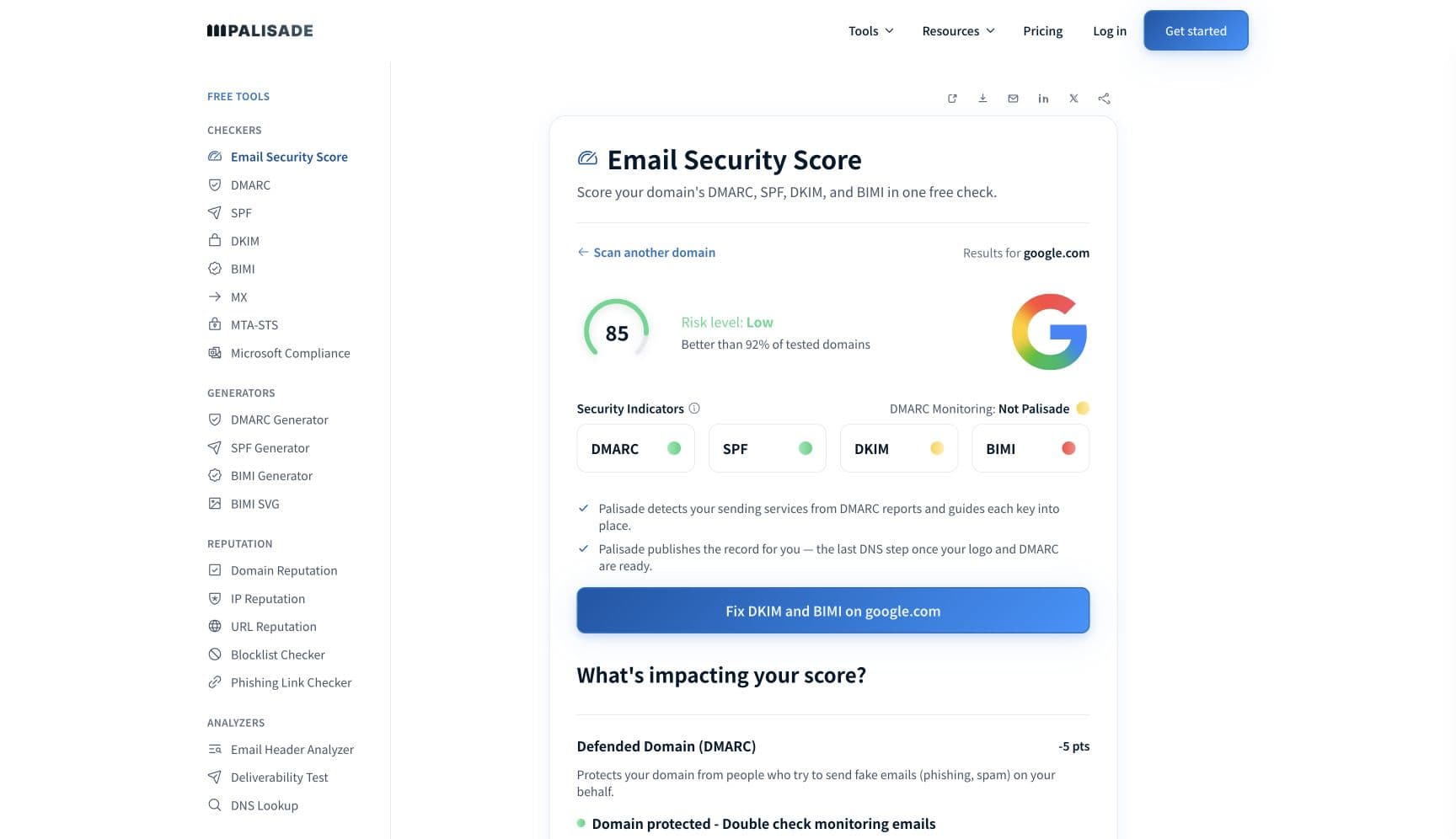
The free check above gives you a fast public baseline for how Barracuda sees your mail. It does not replace the provider's private reputation or placement data, but it tells you whether the problem is visible from outside before you edit a sending platform.
How to fix it, step by step
Run the DMARC check on your sending domain
Start with the sending IP, because IP analysis sits ahead of sender authentication in Barracuda's own inbound order: a Barracuda Central listing stops the message before any record is read. Use the checker above, then confirm DMARC, SPF and DKIM for the authentication layer that follows.
Read the bounce and decide which Barracuda you are dealing with
A 4xx deferral that clears on retry is rate control. A permanent rejection naming reputation or a block list points at Barracuda Central. A rejection naming authentication, or one that only ever happens at a single customer, is that tenant's gateway policy and no removal form will touch it.
Check the sending IP at Barracuda Central
Look the IP up at barracudacentral.org/lookups. Check the address your mail actually leaves from, which for most senders is the ESP's, not your office connection. Run it through the blocklist checker at the same time to see whether other operators list it too, since a single listing rarely happens alone.
Fix what caused the listing, then submit the removal request
Barracuda's removal form asks for the mail server IP, your email address, a phone number, and an optional reason. Barracuda says "Removal requests are typically investigated and processed within 12 hours of submission if provided with a valid explanation", and that requests without valid information, or repeated submissions from the same party, are disregarded. Send one, with the cause you fixed named in it.
Authenticate every service that sends as your domain
Add each platform to your SPF record and turn on DKIM signing with your own domain, then confirm the signing domain aligns with your From address. This is what clears the gateway's SPF, DKIM, and "Block on No SPF Records" settings in one pass, at every Barracuda customer rather than the one who complained.
Spread the send rather than pushing through a deferral
Rate control counts recipients per sender per domain in a half-hour window and defers past the threshold, so a 500-recipient announcement to one customer trips it and a retry queue makes it worse. Throttle per recipient domain and let the 4xx retry on schedule.
Ask the recipient's administrator to read their message log
The gateway logs a reason for every deferred and blocked message, including Rate Control. That log names which layer stopped you, which is information nobody outside the tenant can obtain. Ask for the reason string rather than asking to be allow-listed, because an allow-list entry does not survive an enforcing DMARC policy.
Related free tools: SPF checker · DKIM checker · Blocklist checker · IP reputation
If you send in volume: what Barracuda publishes instead of sender rules
Barracuda publishes no bulk-sender requirements, because it is not a mailbox provider: it filters inbound mail on behalf of the organisation that bought it, and each of those organisations sets its own thresholds. The closest thing to a published volume rule is rate control, and Barracuda documents the mechanism rather than a number. Email Gateway Defense "counts the number of recipients from a sender to a domain during a 30 minute interval and defers the connections once a particular threshold is exceeded", and the appliance applies the same idea per sending IP per half hour. Barracuda's administrator guidance mentions that "a rate of 50 is conservative" and that a "common setting is for 20-30 emails/ half hour", but these are suggestions to the admin, not a limit you can plan against. Barracuda documentation checked 2026-09-02.
Check your standing with Barracuda
- Barracuda Central IP and domain lookups
Barracuda's own reputation lookup, and the authoritative place to confirm whether your sending IP is listed. Barracuda describes the underlying system as a real-time database of IP addresses with a poor reputation for sending valid email.
- Barracuda Reputation System removal request
The public removal form. Asks for the mail server IP, an email address, a phone number, and an optional reason; Barracuda says a valid request is typically processed within 12 hours.
- Why is my IP listed on the Barracuda Reputation System?
Barracuda's own list of the reasons an IP is marked poor, from a compromised host to a recycled dynamic IP. Read it before submitting the form, because the form asks what you fixed.
- Email Gateway Defense: Sender Authentication
The settings the recipient's administrator controls for SPF, DKIM, and DMARC, including the statement that DMARC evaluation takes precedence over all other sender authentication checks.
- Email Gateway Defense: How the Service Works
The order of the inbound filtering layers, from denial of service protection and rate control through IP analysis, sender authentication, and the mail scanning layers.
Bounce codes you may be seeing
A block from Barracuda surfaces as a specific SMTP code. Some lists below also carry codes returned by the systems receiving your mail; each line names its issuer. Match yours below; where a code has a full guide, it is linked.
- A 4xx deferral logged with a Message Log reason of Rate Control: Barracuda's throttle, which retries deliver through once the half-hour window rolls over Full guide →
- 550 5.7.1: the policy rejection family a Barracuda gateway falls back on for block-list and sender-policy refusals Full guide →
- Barracuda does not publish a directory of its own rejection strings, so the exact wording varies by product and version. Ask the recipient's admin for the Message Log reason instead of parsing the bounce
The real root cause: unenforced authentication
Barracuda's own documentation puts half the answer in one sentence: within the sender authentication layer, DMARC evaluation takes precedence over every other check, including the exemptions an administrator added to let you through. The other half is that this layer runs last, after IP analysis has already had its say. That is the whole shape of the problem. A gateway block feels local, so the instinct is to chase the local fix, one allow-list entry at a time, at each customer who complains. It does not scale and it does not hold, because the layer that overrides the allow-list is the one you publish in your own DNS. The durable version is the opposite order: know every service sending as your domain, get each of them signing with DKIM and passing SPF in alignment with your From address, and then let the policy do the work. Aggregate reports name the senders you forgot. Walking the policy from p=none to p=reject after that is what makes the gateway's verdict on you a pass everywhere at once, instead of a negotiation with each administrator who runs one.
DMARC software that does the work
Palisade's AI agent takes domains all the way to enforcement: hosted SPF, DKIM, DMARC, and MTA-STS records on paid plans, DMARC reports monitored continuously, and every policy step drafted for your approval on the way to p=reject. The full product is open for a 15-day trial, and nothing is charged until it ends.
15-day full-product trial. Nothing is charged until it ends.
Fixing this across every client domain
Barracuda gateways are common on both sides of an MSP's book: the client whose mail is being rejected and the client running the appliance that rejects it. Neither side can see the other's configuration, so the ticket arrives as "Barracuda is blocking us" with no way to tell a reputation listing from a tenant policy. Palisade gives you the part that is actually yours to control across the whole portfolio: hosted and managed SPF, DKIM, DMARC, and MTA-STS records for every client domain, aggregate reports read so that unauthenticated senders are named rather than guessed at, prioritised tickets when a domain drifts, and a route to p=reject with your team approving each policy change. Native ConnectWise, HaloPSA, and Autotask integrations put it in your PSA, pricing is per client domain with rates that improve as the portfolio grows, and your own MSP domain is a free NFR domain to run the process on first.
Questions readers ask
Frequently asked questions
Is Barracuda an email provider or a blocklist?
How do I get removed from the Barracuda block list?
How long does a Barracuda listing take to clear?
Why is Barracuda blocking me at one customer but not others?
Does Barracuda check SPF, DKIM, and DMARC?
Can the recipient just allow-list us in Barracuda?
What is a Barracuda rate control deferral?
Why did Barracuda block mail sent using our client's own domain?
Sources and last verified
Every claim about Barracuda on this page links to the source it came from, each with the date it was last checked. Provider policies change; if a detail looks off, the linked source is authoritative.
- Barracuda Central describes the Barracuda Reputation System as "a real-time database of IP addresses that have a 'poor' reputation for sending valid emails", and offers IP and domain/URL reputation lookupswww.barracudacentral.org · checked 2026-09-02
- Barracuda's published reasons for a poor IP reputation: "Your email server contains a virus and has been sending out spam", "Your email server may be improperly configured", an infected PC or botnet on the network, "You may be using a dynamic IP address which was previously used by a known spammer", bulk mail that does not comply with the CAN-SPAM Act, an insecure wireless network, and in rare cases an improperly configured recipient appliancewww.barracudacentral.org · checked 2026-09-02
- Barracuda's removal request form asks for the email server IP address, email address, phone number and an optional reason; "Removal requests are typically investigated and processed within 12 hours of submission if provided with a valid explanation"; requests lacking valid information or repeated submissions from the same party are disregardedwww.barracudacentral.org · checked 2026-09-02
- Email Gateway Defense inbound filtering layers in order: denial of service protection, rate control ("counts the number of recipients from a sender to a domain during a 30 minute interval and defers the connections once a particular threshold is exceeded"), suspicious email monitoring ("inspects incoming mail from all over the world looking for mail with common subject lines and suspicious content"), IP analysis, sender authentication, and three mail scanning layers using open source definitions, Barracuda Central definitions, and BRTS fingerprint analysis; outbound mail is deferred for the rest of a 30 minute interval when volume exceeds normal thresholdsdocumentation.campus.barracuda.com · checked 2026-09-02
- Email Gateway Defense sender authentication offers Block, Quarantine, or Off for SPF hard fail and soft fail separately, Block or Quarantine on DKIM validation failure, a separate "Block on No SPF Records" control, and DMARC checks; "DMARC evaluation takes precedence over all independent sender authentication checks (SPF, DKIM, and related policies)"; "If a domain's DMARC policy is in enforcement mode (reject or quarantine), it determines the final action, regardless of SPF/DKIM results or exemptions"; exemptions reduce protection and increase the risk of spoofingdocumentation.campus.barracuda.com · checked 2026-09-02
- Barracuda Email Security Gateway rate control: "counts the number of connections to the Barracuda Email Security Gateway in a half hour period" against "the maximum number of connections allowed from any one IP address in this half-hour time frame"; past the threshold it "defers any further connection attempts from that particular IP address until the next half hour time frame, and logs each attempt as deferred in the Message Log with a Reason of Rate Control"; "For each message deferred, the sender will receive a 4xx level error message instructing the mail server to retry after a predefined time interval"; guidance notes "a rate of 50 is conservative" and a "common setting is for 20-30 emails/ half hour", with no published defaultdocumentation.campus.barracuda.com · checked 2026-09-02
- Barracuda Email Security Gateway IP analysis: administrator guidance is that "it is strongly recommended that the Barracuda Reputation Block list (BRBL) option be set to 'Block'"; administrators may define lists of trusted mail servers by IP and "a list of bad email senders"; external RBLs are supported; the gateway can "apply tag, quarantine or block policies" based on IP analysisdocumentation.campus.barracuda.com · checked 2026-09-02
- Barracuda Email Security Gateway Sender Spoof Protection "prevent[s] spoofing of an organization's own domain by blocking emails with that domain name in the 'From' field that are sent from outside the organization", and should not be enabled where the organisation uses external services such as bulk-mail providersdocumentation.campus.barracuda.com · checked 2026-09-02
Related guides
550 permanent failure for one or more recipients421 4.7.0550 5.7.1-all vs ~allp=rejectadkim / aspf