Provider deliverability · Klaviyo
Why are Klaviyo emails going to spam?

By Samuel Chenard · CEO & Co-Founder, Palisade · Reviewed September 19, 2026
Klaviyo mail is filed as spam when the account is still on Klaviyo's shared sending domain, so recipients see via klaviyomail.com and none of your domain's reputation applies. A second cause needs different work entirely: engagement has fallen far enough that the receiving provider files you on reputation.
The 30-second check
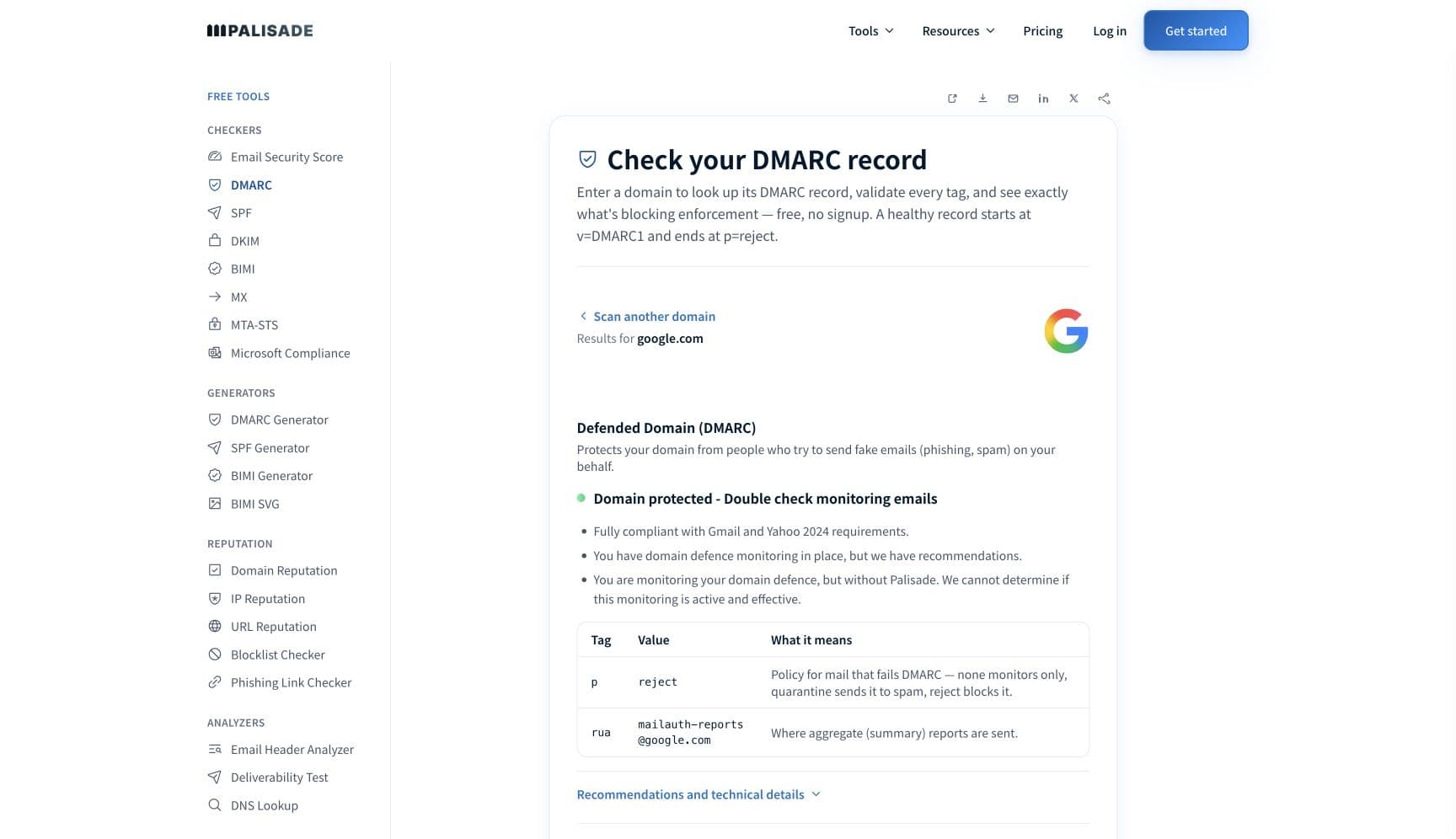
Check the domain in your From address before you rewrite a campaign. Klaviyo's own guidance is that "record alignment between your root domain, sending domain, and friendly from-address is critical to supporting successful inbox placement", and that accounts with more than 5000 profiles should have a branded sending domain with DMARC. The free checker below reads SPF, DKIM, and DMARC for that domain in about thirty seconds.
Check your domain now
Enter your sending domain and the check runs instantly on the next page. Free, no signup.
Why your Klaviyo email is going to spam
| Likely cause | What's happening |
|---|---|
| You are still on Klaviyo's shared sending domain | Klaviyo states that "by default, you start out sending from a shared IP and shared Klaviyo domain", and that recipients then see the via klaviyomail.com indicator next to your sender address. On a shared domain your reputation is Klaviyo's pooled reputation, not yours, and a branded sending domain is what "allows you to build a sending reputation on your brand's own domain, and limit any negative impact to your domain reputation and deliverability from other senders". |
| There is no DMARC record on the root domain, or it does not align | Klaviyo recommends that "accounts with a database size of more than 5000 profiles set up a branded sending domain with DMARC to avoid performance disruptions due to Yahoo and Gmail's sender requirements". When you enable it during branded-domain setup Klaviyo generates only v=DMARC1; p=none;, which it describes as satisfying inbox provider sender requirements without affecting delivery. That clears the checklist; it does nothing about spoofed mail spending your reputation. |
| You are sending to profiles that never engage | This is the cause Klaviyo names first in its own deliverability FAQ: "suppression of profiles that have Never Engaged is the best first step." Unengaged recipients do not open, so the engagement signal the receiving provider reads keeps falling, and the same content that reached the inbox last quarter starts landing in spam this quarter. |
| Your rates are outside the numbers Klaviyo publishes | Klaviyo publishes specific targets: "maintain spam complaint rates below 0.01%", "bounce rates to stay below 1.0%", "unsubscribe rates under 0.3%", "open rates of at least 33%, regardless of your industry", and click rates of at least 1%. These are Klaviyo's own thresholds for an ecommerce list. Only the complaint rate has a mailbox-provider counterpart, and Klaviyo's 0.01% is far below Google's 0.30% and Yahoo's 0.3% ceilings; neither Google nor Yahoo publishes an open, click, bounce or unsubscribe limit. |
| A new domain or a new account sending at full volume | Klaviyo asks that a branded sending domain be one where "the domain has been registered for at least 30 days, AND you have used the domain to send email already". New accounts and newly registered domains have to warm the infrastructure over two to four weeks. An existing sender with 30 days of history migrating to a branded domain does not have to warm again. |
| A dedicated IP taken below the volume that keeps it warm | Klaviyo recommends a dedicated IP only "if you consistently send over 1,000,000 emails per month", and says dedicated IPs "are only available to accounts that qualify". Warming one takes roughly 30 to 40 days depending on volume. Below that volume a dedicated IP carries too little traffic to build a reputation, and shared pools, which Klaviyo monitors and "removes any harmful senders" from, are usually better. |
| Links and content Klaviyo does not control | Klaviyo's FAQ names third-party URLs with poor domain reputation and sudden volume spikes among the things that trigger provider filtering. Once a message leaves Klaviyo, "the messages are filtered according to each provider's rules", and folder placement is not something Klaviyo can report on or override. |
Check the public signals before changing settings
The free check above gives you a fast public baseline for how the receiving providers see mail sent through Klaviyo. It does not replace the provider's private reputation or placement data, but it tells you whether the problem is visible from outside before you edit a sending platform.
How to fix it, step by step
Run the DMARC check on the domain in your From address
Use the free checker above, or open the DMARC checker page directly. It reads SPF, DKIM, and DMARC for the domain a receiving filter actually judges. If DMARC is missing, or DKIM resolves to nothing on your own domain, you have found the problem before opening Klaviyo.
Set up a branded sending domain in Klaviyo
Klaviyo offers dynamic routing, which uses four NS records pointing at ns1 through ns4.klaviyo.com, or static routing, which uses up to three CNAME records on the DKIM selectors km1 and km2 for marketing, kt1 and kt2 for transactional, and ks1 and ks2 for service mail. Both need a TXT record carrying
klaviyo-site-verification=and your public API key.Confirm your own domain is in the DKIM signature
Send a test to an outside mailbox and paste the full source into the email header analyzer. The
d=tag in the DKIM-Signature header should be your sending subdomain, not a Klaviyo domain, and the message should show dmarc=pass. Setting up a branded domain is also what removes thevia klaviyomail.comindicator.Move past the p=none record Klaviyo publishes for you
The
v=DMARC1; p=none;record Klaviyo can add during setup only observes. Add a reporting address, read the aggregate reports, authenticate every other service sending as your domain, then raise the policy. Klaviyo will not do this part, because DMARC is a statement the domain owner makes.Suppress the profiles that have never engaged
Build a Never Engaged segment in Klaviyo's deliverability hub and suppress it, which Klaviyo calls the best first step. Send to engaged segments while the numbers recover. Klaviyo already suppresses hard bounces automatically and suppresses an address after 7 consecutive soft bounces.
Measure against Klaviyo's published rates, not against a feeling
Track complaints under 0.01%, bounces under 1.0%, unsubscribes under 0.3%, opens at 33% or better. Use the deliverability calculator to work out where your account currently sits. A rate outside those bands tells you which repair to make before you touch the template.
Meet Google's and Yahoo's bulk-sender rules yourself
Google requires senders of roughly 5,000 messages a day to personal Gmail accounts to pass SPF and DKIM, publish DMARC, align the From domain, keep spam rates in Postmaster Tools below 0.30%, and support one-click unsubscribe. Google's best-practice guidance goes further, asking senders to "Keep spam rates reported in Postmaster Tools below 0.10% and avoid ever reaching a spam rate of 0.30% or higher". Yahoo requires the same shape and caps the spam rate at 0.3%. Klaviyo's branded domain covers authentication; the rest is yours.
Related free tools: DKIM checker · SPF checker · Email header analyzer · Deliverability calculator
If you send in volume: the receiving providers' published rules
Klaviyo is a sending platform, not a mailbox provider, so it publishes no bulk-sender requirements of its own. The rules that decide whether your Klaviyo mail reaches an inbox belong to the receiving providers, and Klaviyo quotes Google's definition directly: Google considers "anyone sending 5,000 or more emails to Google accounts per day to be a 'bulk sender.'" Google's own guidelines require every sender to set up SPF or DKIM, keep valid forward and reverse DNS, use TLS, format to RFC 5322, and hold spam rates in Postmaster Tools below 0.30% (its best-practice guidance asks for "below 0.10%" and to "avoid ever reaching a spam rate of 0.30% or higher"), and require bulk senders to pass SPF and DKIM together, publish DMARC, align the From domain with the SPF or DKIM domain, and support one-click unsubscribe. Yahoo sets the same bar with its own 0.3% ceiling and a two-day unsubscribe window. Klaviyo's branded sending domain covers the authentication half. Google's and Yahoo's guidelines checked 2026-09-02.
Check your standing with Klaviyo and the receiving providers
- Klaviyo deliverability hub
Klaviyo's in-app view of bounces, complaints and engagement, and where you build the Never Engaged segment its documentation tells you to suppress first.
- Branded vs shared sending domains
Klaviyo's explanation of the shared klaviyomail.com default, what the via indicator means, and what a branded domain changes.
- Email deliverability best practices reference
The published numbers: complaint, bounce, unsubscribe, open and click targets, plus Klaviyo's warming and list hygiene rules.
- Google Postmaster Tools
The mailbox-provider side. Klaviyo's FAQ notes Gmail does not pass individual spam complaints back to ESPs, so this is the only place your Gmail complaint rate appears.
If it bounces instead: the codes the receiving provider returns
Spam placement returns no SMTP error, so these are the readings and codes you see when the receiving provider refuses mail sent through Klaviyo instead. Match yours below; where a code has a full guide, it is linked.
- No SMTP error at all: spam placement shows as delivered in Klaviyo, because the receiving server accepted the message and filed it afterwards
- via klaviyomail.com next to your sender name in Gmail: not an error, but the visible sign that the account has no branded sending domain
- 550 5.7.26 (unauthenticated email from your domain): Gmail rejecting rather than foldering, the same authentication gap one step further along Full guide →
- A soft bounce repeated 7 times: Klaviyo's own suppression trigger, after which that address is removed from your sends
The real root cause: unenforced authentication
Klaviyo can sign for you, but it cannot vouch for you. A branded sending domain puts your domain into the DKIM signature and the SPF path, and that is most of the technical work. What it leaves is the part only the domain owner can state: a DMARC policy saying what receivers should do with mail that fails, and an inventory of every other service sending under the same domain. Those other services are why a fully branded Klaviyo account still sees spam placement, and the p=none record Klaviyo publishes during setup will never reveal them on its own. Aggregate reports name them one by one, including the ones nobody remembers signing up for. Once each is authenticated and aligned, walking the policy from p=none to p=reject removes the last variable: nothing that is not yours can spend the reputation your campaigns depend on.
DMARC software that does the work
Palisade's AI agent takes domains all the way to enforcement: hosted SPF, DKIM, DMARC, and MTA-STS records on paid plans, DMARC reports monitored continuously, and every policy step drafted for your approval on the way to p=reject. The full product is open for a 15-day trial, and nothing is charged until it ends.
15-day full-product trial. Nothing is charged until it ends.
Fixing this across every client domain
A client running Klaviyo is a client whose sending domain has two owners: the ecommerce team clicking through branded-domain setup, and you holding the DNS. Half-finished setup is the normal state, because campaigns still send without it. Palisade gives you the portfolio view: hosted and managed SPF, DKIM, DMARC, and MTA-STS records for every client domain, aggregate reports read for you so the Klaviyo selectors and every other sender are named rather than guessed at, and a path to p=reject with your team approving each change. Native ConnectWise, HaloPSA, and Autotask integrations put it in your PSA, pricing is per client domain with rates that improve as the portfolio grows, and your own MSP domain is a free NFR domain to run the process on first.
Questions readers ask
Frequently asked questions
Does a Klaviyo branded sending domain stop emails going to spam?
What does "via klaviyomail.com" mean on my emails?
via klaviyomail.com indicator means the message was sent on Klaviyo's shared sending domain rather than one of yours. Klaviyo says setting up a branded sending domain removes it. Recipients read it as a mismatch between who claims to be writing and who actually sent, and so does the receiving filter.Does Klaviyo set up DMARC for me?
v=DMARC1; p=none;. Klaviyo describes that as satisfying inbox provider sender requirements without affecting delivery. It is a monitoring policy only, so raising it to quarantine or reject remains your decision on your own DNS.What is a good spam complaint rate in Klaviyo?
Should I use a dedicated IP in Klaviyo?
Why does Klaviyo say delivered when the email is in spam?
How long does a new Klaviyo sending domain take to warm up?
Why did Klaviyo deliverability drop after the Gmail and Yahoo requirements?
Sources and last verified
Every claim about Klaviyo on this page links to the source it came from, each with the date it was last checked. Provider policies change; if a detail looks off, the linked source is authoritative.
- RFC 5322, Internet Message Format, is the standard the sender guidelines above point at: it defines the Date, From and Message-ID header fields, and its section 3.6 table limits Date and From to exactly one occurrence and Message-ID to at most onewww.rfc-editor.org · checked 2026-09-02
- Klaviyo branded vs shared sending domains: "By default, you start out sending from a shared IP and shared Klaviyo domain"; recipients see the via klaviyomail.com indicator; "A branded sending domain allows you to send emails that appear to be coming from your brand instead of Klaviyo"; Google considers "anyone sending 5,000 or more emails to Google accounts per day to be a 'bulk sender.'"; a branded domain should be one where "The domain has been registered for at least 30 days, AND you have used the domain to send email already"help.klaviyo.com · checked 2026-09-02
- Klaviyo branded sending domain setup: dynamic routing uses four NS records pointing at ns1 to ns4.klaviyo.com; static routing uses up to three CNAME records on DKIM selectors km1/km2 (marketing), kt1/kt2 (transactional) and ks1/ks2 (service); both require a TXT record containing klaviyo-site-verification= and the public API key; when DMARC is enabled during setup Klaviyo generates "v=DMARC1; p=none;", which "satisfies inbox provider sender requirements without affecting the delivery"; setup removes the via klaviyomail.com message; new accounts or domains registered within 30 days warm over 2 to 4 weeks while established senders "do not have to warm infrastructure again"help.klaviyo.com · checked 2026-09-02
- Klaviyo deliverability best practices reference: "maintain spam complaint rates below 0.01%"; "It is best practice for bounce rates to stay below 1.0%"; "maintain unsubscribe rates under 0.3%"; "maintain open rates of at least 33%, regardless of your industry"; click rates of at least 1%; "record alignment between your root domain, sending domain, and friendly from-address is critical to supporting successful inbox placement"; "Klaviyo recommends that accounts with a database size of more than 5000 profiles set up a branded sending domain with DMARC to avoid performance disruptions due to Yahoo and Gmail's sender requirements"; "It is recommended that if you consistently send over 1,000,000 emails per month, to use a dedicated IPs"; hard bounces are suppressed automatically and "If an email soft bounces 7 consecutive times, Klaviyo will suppress this address"help.klaviyo.com · checked 2026-09-02
- Klaviyo deliverability FAQs: once messages reach the inbox provider "the messages are filtered according to each provider's rules" and Klaviyo cannot control folder placement; "suppression of profiles that have Never Engaged is the best first step"; third-party links with poor domain reputation and sudden volume spikes contribute to filtering; Gmail does not pass individual spam complaints back to ESPs, so Google Postmaster Tools is where the Gmail complaint rate appearshelp.klaviyo.com · checked 2026-09-02
- Klaviyo dedicated versus shared IPs: "Dedicated IPs are only available to accounts that qualify"; on a dedicated IP "the reputation of the IP address can only be influenced by the single account that is using it"; shared pools carry a shared reputation and Klaviyo monitors them and "removes any harmful senders"; warming a dedicated IP "typically lasts about 30-40 days" depending on volumehelp.klaviyo.com · checked 2026-09-02
- Google Email sender guidelines applying to Klaviyo mail: SPF or DKIM for all senders, valid forward and reverse DNS, TLS, RFC 5322 formatting, spam rates in Postmaster Tools below 0.30%, with best-practice guidance to "Keep spam rates reported in Postmaster Tools below 0.10% and avoid ever reaching a spam rate of 0.30% or higher"; senders of more than 5,000 messages a day to Gmail accounts must also pass SPF and DKIM, publish DMARC, align the From domain with the SPF or DKIM domain, and support one-click unsubscribesupport.google.com · checked 2026-09-02
- Yahoo sender requirements applying to Klaviyo mail: all senders implement SPF or DKIM at a minimum; bulk senders implement both plus a valid DMARC policy with at least p=none, DKIM keys of at least 1024 bits, From-domain alignment with the SPF or DKIM domain, a functioning one-click list-unsubscribe header, unsubscribes honored within 2 days, and a spam rate below 0.3%senders.yahooinc.com · checked 2026-09-02
Related guides
550 5.7.26421 4.7.0selectoradkim / aspfp=none