Provider deliverability · Brevo
Why are Brevo emails going to spam?

By Samuel Chenard · CEO & Co-Founder, Palisade · Reviewed September 19, 2026
Brevo mail is filed as spam most often because the sending domain was never authenticated in Brevo, so no DKIM record and no DMARC record exist for it. Brevo's own warning is blunt: without DMARC, mail to Microsoft consumer addresses "will be marked as spam or rejected". Shared-pool reputation and complaint rate come next.
The 30-second check
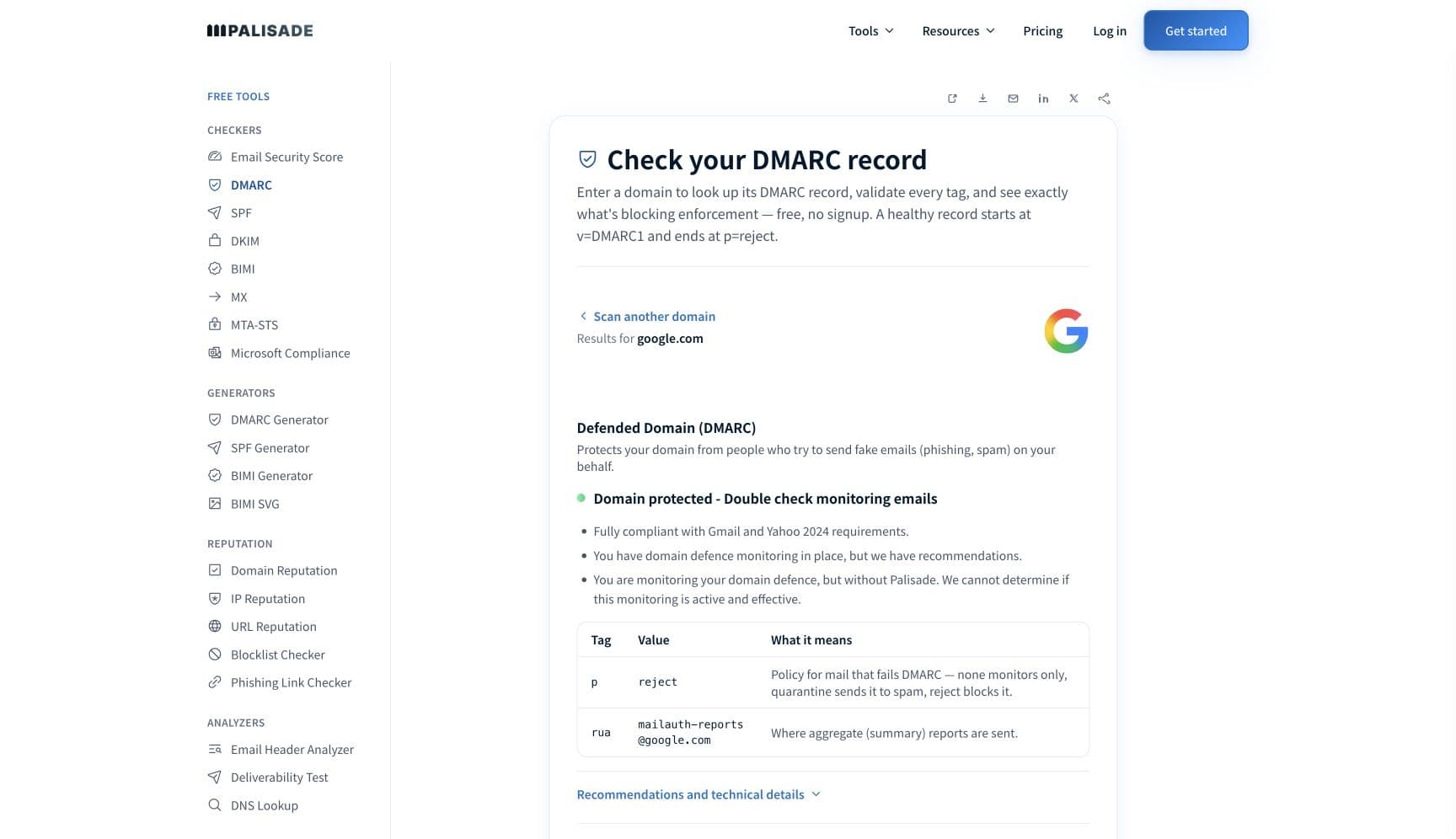
Check the domain in your From address before you touch the campaign. Brevo authenticates a domain with three DNS records, a Brevo code, a DKIM record and a DMARC record, and a domain sitting at "Not authenticated" in Brevo is missing all three at the receiving end too. The free DMARC checker reads what is actually published in about thirty seconds.
Check your domain now
Enter your sending domain and the check runs instantly on the next page. Free, no signup.
Why your Brevo email is going to spam
| Likely cause | What's happening |
|---|---|
| The domain was never authenticated in Brevo | Brevo names this first itself: "One of the main reasons your emails might end up in spam is because your domain isn't authenticated. When you authenticate your domain, ISPs and webmails can confirm that your emails are legitimate and from your business." Authentication is three DNS records, a Brevo code TXT to prove control of the domain, a DKIM record as either one TXT or two CNAMEs, and a DMARC record. Until they resolve, nothing downstream can be fixed. |
| No DMARC record, which Microsoft recipients treat as disqualifying | Brevo publishes this as an explicit warning rather than a suggestion: "If your domain is not authenticated with DMARC, all emails sent to Microsoft recipients (@outlook.com, @hotmail.com, and @live.com) will be marked as spam or rejected." Microsoft's own published requirement is narrower than Brevo's blanket wording: it applies once a domain sends 5,000 or more messages to Outlook.com, Hotmail, Live.com and its other consumer services, which must then publish SPF, DKIM and DMARC records and pass DMARC validation. A campaign with good Gmail placement and terrible Outlook placement is the shape this failure takes. |
| Brevo has replaced your sender address with a compliant one | This one is easy to miss because the send still succeeds. Brevo states that "if you are sending from a free email address or have not authenticated your domain, Brevo temporarily replaces your sender address with a compliant one", and calls it "a stopgap measure to maintain basic deliverability, not a permanent solution", warning that "recipients may not recognize the replaced address and mark your emails as spam". Look at what a delivered message actually says it is from. |
| Someone else on your shared IP pool is spending its reputation | By default all Brevo mail goes out on shared IPs. Brevo describes the trade honestly: "if one organization's emails receive complaints or other negative feedback, it can impact the IP's reputation. This may, in turn, affect email delivery and inbox placement for everyone using that IP." It also notes that domain reputation stays separate, which is precisely why the authenticated domain matters more on a shared pool than anywhere else. |
| Your metrics are below Brevo's own shared-pool standards | Brevo publishes stricter internal numbers than the industry ones. For shared IP users it monitors campaigns against an open rate of "at least 10-12%", an unsubscribe rate "no higher than 1-2%", a hard bounce rate "no higher than 2-3%", and a complaint rate "no higher than 0.2%". Brevo says accounts that start to affect a shared IP may be asked to move to a dedicated one. |
| Complaint rate above 0.3% at the mailbox providers | Brevo restates the number that Gmail, Yahoo and Microsoft all use: "Keeping your spam complaint rate below 0.3% is required to maintain inbox placement. If your rate exceeds this threshold, your emails are more likely to be filtered, and recovering your reputation can take significant time and effort." Recovery is the expensive part, which is why this is worth watching before it moves. |
| The sending domain does not match the domain you authenticated | For bulk senders on a dedicated IP, Brevo requires alignment: "make sure the domain part of your sending email address matches or is a subdomain of the domain you authenticated with DKIM or SPF." Its own failing examples are authenticating mycompany.com and sending from news.mycompany.com, or the reverse. Brevo also notes that subdomains of one primary domain count together toward the 5,000-a-day bulk threshold. |
| A dedicated IP that was never properly warmed up | Brevo lists this among its spam-folder causes and sets an expectation: "in the first few weeks after getting your dedicated IP, you'll need to send email campaigns daily or every other day to at least 3,000 contacts." It recommends a dedicated IP only at roughly three campaigns a week to 3,000 or more contacts, or over 100,000 emails a month. Below that, a dedicated IP carries too little volume to build a reputation. |
| List quality, consent and engagement | Brevo's own list of causes includes contacts who never consented, lists that were never cleaned, sending to everyone instead of segmenting, and low engagement, noting that "if your emails are not opened or clicked, spam filters might assume they're not wanted or relevant". Brevo adds that purchased or rented addresses can lead to account suspension under its terms, not just poor placement. |
Check the public signals before changing settings
The free check above gives you a fast public baseline for how the receiving providers see mail sent through Brevo. It does not replace the provider's private reputation or placement data, but it tells you whether the problem is visible from outside before you edit a sending platform.
How to fix it, step by step
Run the DMARC check on your From domain
Use the free checker above, or open the DMARC checker page directly. Brevo publishes a DMARC record as part of domain authentication, so a domain with no DMARC record in DNS is a domain that is not authenticated in Brevo either, whatever the dashboard says.
Authenticate the domain in Brevo and let the records resolve
In Brevo, go to Settings, then Senders, Domains, IPs, then Domains, and authenticate the domain you send from. Brevo warns that "it can sometimes take up to 48 hours for DNS changes to propagate and for your domain to appear as authenticated", so a same-day check is not a failure.
Confirm your own domain is in the DKIM signature
Send to an outside mailbox and paste the full source into the email header analyzer. You want the
d=tag in the DKIM-Signature header to be your domain or a subdomain of it, anddmarc=pass. On a shared IP this is the alignment that carries DMARC, so verify it rather than assuming.Check whether Brevo has replaced your From address
Look at a delivered message, not the campaign editor. Brevo substitutes a compliant sender address for unauthenticated domains and free addresses, and a From address recipients do not recognise is itself a complaint generator. Authenticating the domain removes the substitution.
Do not chase SPF alignment on a shared IP
Brevo states that "the SPF and MX records are not required to authenticate a domain. We only provide these records when setting up a dedicated IP." On a shared pool there is no SPF record for you to align, so DKIM is the path DMARC has to pass on. Publishing an unrelated SPF record does not change that.
Measure against Brevo's shared-pool numbers, not just the 0.3%
Brevo monitors shared IP senders against an open rate of at least 10 to 12 percent, unsubscribes no higher than 1 to 2 percent, hard bounces no higher than 2 to 3 percent, and complaints no higher than 0.2 percent. Clean the list and segment before you cross those, because Brevo may ask you to move to a dedicated IP.
Align the sending domain if you are a bulk sender on a dedicated IP
Above roughly 5,000 emails a day across a primary domain and its subdomains, the domain you send from must match or be a subdomain of the one you authenticated. Fix the sender address rather than adding a second authenticated domain, and remember that subdomains count together toward the threshold.
Publish your own DMARC policy and move it up
Brevo can add a DMARC record during automatic authentication, and will ask before replacing one you already have. Whatever gets published,
p=noneonly observes. Collect aggregate reports, authenticate every other service sending as the domain, then raise the policy so spoofed mail stops spending the reputation your campaigns depend on.
Related free tools: DKIM checker · Email header analyzer · SPF checker · IP reputation
If you send in volume: the receiving providers' published rules
Brevo is a sending platform, not a mailbox provider, so the rules that decide placement are the receiving providers'. Brevo restates them in its own compliance guidance: send from a custom domain rather than a free address, authenticate the domain with DKIM and DMARC, and "stay under a 0.3% spam complaint rate", monitored in Gmail's Postmaster Tools. Brevo dates these to Gmail and Yahoo in February 2024 and Microsoft in May 2025. For bulk senders, which Brevo describes as more than 5,000 emails per day, with a dedicated IP, it adds domain alignment: "make sure the domain part of your sending email address matches or is a subdomain of the domain you authenticated with DKIM or SPF." Brevo also notes that subdomains sharing a primary domain count together toward the 5,000 figure, so splitting a send across mycompany.com and marketing.mycompany.com does not put either below the line. Per Brevo's own documentation, checked 2026-09-02.
Check your standing with Brevo and the receiving providers
- Brevo domain authentication (Brevo code, DKIM, DMARC)
Brevo's own setup guide for the three DNS records, including the note that SPF and MX are only provided when setting up a dedicated IP.
- Brevo sender requirements guidance
Brevo's restatement of the Gmail, Yahoo and Microsoft rules, the alignment requirement for bulk senders, and what Brevo does to non-compliant sender addresses.
- Shared and dedicated IPs in Brevo
Brevo's published shared-pool standards for open rate, unsubscribes, hard bounces and complaints, plus the volume thresholds at which it recommends a dedicated IP.
- Google Postmaster Tools
The mailbox-provider view Brevo points senders to for monitoring spam rate against personal Gmail accounts, on the domain you authenticated.
If it bounces instead: the codes the receiving provider returns
Spam placement returns no SMTP error, so these are the readings and codes you see when the receiving provider refuses mail sent through Brevo instead. Match yours below; where a code has a full guide, it is linked.
- No SMTP error at all: spam placement is recorded as delivered, because the receiving server accepted the message and then filed it in the spam folder
- A replaced From address on delivered mail: Brevo's stopgap substitution for unauthenticated domains and free email addresses
- 550 5.7.26 (unauthenticated email from your domain): Gmail rejecting outright, one step past spam-foldering on the same authentication gap Full guide →
- 550 5.7.509 (does not pass DMARC verification): the Microsoft-side DMARC rejection family. Brevo warns that unauthenticated domains are marked as spam or rejected at Microsoft, without naming a code Full guide →
The real root cause: unenforced authentication
Brevo does the part an ESP can do and stops exactly where every ESP stops. Its records prove that Brevo may sign for your domain. They say nothing about the other services that also send as your domain, and that gap is what filtering fills in with suspicion. It matters more on Brevo than on platforms that also give you an SPF include, because Brevo is explicit that SPF is not part of authenticating a domain unless you take a dedicated IP. That leaves DKIM alignment carrying DMARC on its own, and it leaves your invoicing tool, your helpdesk, your CRM and your website forms entirely outside the picture. Aggregate reports are how you find them, including the ones nobody remembers signing up for. Once each is authenticated and aligned, walking the policy from p=none up to p=reject removes the last variable, so nothing that is not yours can spend the reputation your campaigns depend on.
DMARC software that does the work
Palisade's AI agent takes domains all the way to enforcement: hosted SPF, DKIM, DMARC, and MTA-STS records on paid plans, DMARC reports monitored continuously, and every policy step drafted for your approval on the way to p=reject. The full product is open for a 15-day trial, and nothing is charged until it ends.
15-day full-product trial. Nothing is charged until it ends.
Fixing this across every client domain
A client on Brevo is a client whose sending domain has two owners: a marketing team clicking through the Domains page, and you holding the DNS. Half-finished authentication is the normal state, because campaigns still send without it and the failure shows up weeks later as Outlook placement. Palisade gives you the portfolio view: hosted and managed SPF, DKIM, DMARC and MTA-STS records for every client domain, aggregate reports read for you so the Brevo sender and every other service is named rather than guessed, and a path to p=reject with your team approving each change. Native ConnectWise, HaloPSA and Autotask integrations put it in your PSA, pricing is per client domain with rates that improve as the portfolio grows, and your own MSP domain is a free NFR domain to run the process on first.
Questions readers ask
Frequently asked questions
Does Brevo set up SPF for me?
What is the Brevo code and why does my domain need it?
Why do my Brevo emails go to spam only at Outlook?
Why does Brevo say delivered when the email is in spam?
Should I get a dedicated IP to fix Brevo deliverability?
What complaint rate does Brevo expect?
Why did my From address change on emails sent through Brevo?
How long does Brevo domain authentication take to work?
Sources and last verified
Every claim about Brevo on this page links to the source it came from, each with the date it was last checked. Provider policies change; if a detail looks off, the linked source is authoritative.
- Brevo's published reasons for spam-folder placement, including "one of the main reasons your emails might end up in spam is because your domain isn't authenticated", recipients marking mail as spam, uncleaned contact lists, lack of consent (which "could lead to the suspension of your Brevo account"), poor targeting, low engagement, free email addresses, URL shorteners, attachments, blocklisting, image-only emails, inconsistent sending, and an improperly warmed dedicated IP; also "a delivered email only means that it has been sent but not that recipients have received it"help.brevo.com · checked 2026-09-02
- Brevo on the Gmail, Yahoo and Microsoft sender requirements (Gmail and Yahoo February 2024, Microsoft announced May 2025): send from a custom domain, authenticate with DKIM and DMARC, "stay under a 0.3% spam complaint rate"; "if your domain is not authenticated with DMARC, all emails sent to Microsoft recipients (@outlook.com, @hotmail.com, and @live.com) will be marked as spam or rejected"; bulk senders are described as sending more than 5,000 emails per day, with subdomains of the same primary domain counting together; bulk senders with a dedicated IP must "make sure the domain part of your sending email address matches or is a subdomain of the domain you authenticated with DKIM or SPF"; for non-compliant senders "Brevo temporarily replaces your sender address with a compliant one", described as "a stopgap measure to maintain basic deliverability, not a permanent solution"help.brevo.com · checked 2026-09-02
- Brevo on shared versus dedicated IPs: all emails are sent from shared IPs by default; "if one organization's emails receive complaints or other negative feedback, it can impact the IP's reputation. This may, in turn, affect email delivery and inbox placement for everyone using that IP"; domain reputation remains separate; Brevo monitors shared IP senders against open rate "at least 10-12%", unsubscribe rate "no higher than 1-2%", hard bounce rate "no higher than 2-3%", complaint rate "no higher than 0.2%"; a dedicated IP is recommended at three campaigns a week to 3,000 or more contacts, or over 100,000 emails a month, with daily or every-other-day sends to at least 3,000 contacts during warm-uphelp.brevo.com · checked 2026-09-02
- Brevo domain authentication uses three DNS records: a Brevo code TXT that "verifies that you own and control your sending domain", a DKIM record as 1 TXT or 2 CNAME records, and a DMARC record; "the SPF and MX records are not required to authenticate a domain. We only provide these records when setting up a dedicated IP"; "it can sometimes take up to 48 hours for DNS changes to propagate and for your domain to appear as authenticated in Brevo"; automatic authentication asks before replacing an existing DMARC recordhelp.brevo.com · checked 2026-09-02
- Google's Email sender guidelines, the source of the Gmail rules Brevo restates: every sender must "Set up SPF or DKIM email authentication for your sending domains" and "Keep spam rates reported in Postmaster Tools below 0.3%" (Google recommends below 0.10% and warns against ever reaching 0.30% or higher); "If you send more than 5,000 messages per day to Gmail accounts, follow the Requirements for sending 5,000 or more messages per day", which add "Set up SPF and DKIM email authentication for your domain", "Set up DMARC email authentication for your sending domain" and one-click unsubscribe on marketing and subscribed messages; Postmaster Tools is where spam rate, authentication and "domain or IP reputation and the impact on message delivery rates" are reportedsupport.google.com · checked 2026-09-02
- Yahoo's sender requirements, the source of the Yahoo half of the rules Brevo restates: all senders must "Implement SPF or DKIM at a minimum" and "Keep your spam rate below 0.3%", with the spam rate "calculated in our system based on mail delivered to the inbox"; bulk senders must "Implement both SPF & DKIM" and "Publish a valid DMARC policy with at least p=none - DMARC must pass", plus a functioning one-click list-unsubscribe header and unsubscribes honored within 2 dayssenders.yahooinc.com · checked 2026-09-02
- Microsoft's own published requirement behind Brevo's Outlook warning: NDR 550 5.7.515 means "the domain in your 5322.From email address...didn't pass the required email authentication level for senders of large volumes of email to Microsoft consumer email services"; it applies to senders of "5,000 or more email messages" using "the same domain in the 5322.From address" to "Outlook.com and related Microsoft consumer email services (Hotmail, Live.com, MSN, etc.)", which must "Publish SPF and DKIM records for the domain" with both checks passing, "Publish a DMARC record for the domain" (example v=DMARC1; p=none), and pass DMARC validation with SPF and/or DKIM aligned to the 5322.From domainsupport.microsoft.com · checked 2026-09-02
Related guides
550 5.7.26550 5.7.509selectord=adkim / aspf