Provider deliverability · Transactional email
Why are transactional emails going to spam?

By Samuel Chenard · CEO & Co-Founder, Palisade · Reviewed September 19, 2026
Transactional email is filed as spam when the app, billing system, or help desk that sends it was never added to your SPF and DKIM records, and when it shares a From domain with marketing, so it inherits a complaint rate it did not cause. Providers measure both per domain, and only the unsubscribe rule exempts transactional mail.
The 30-second check
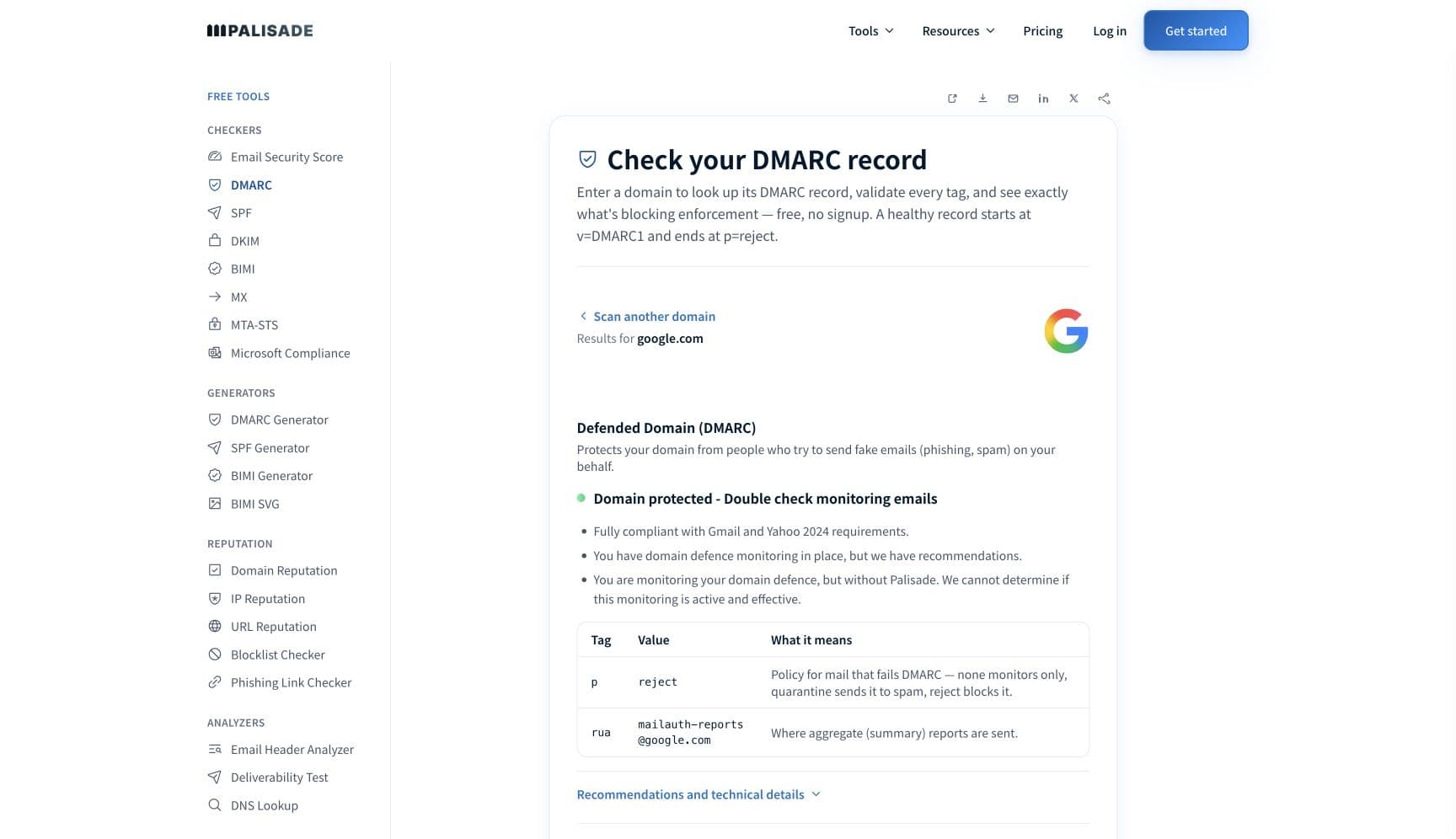
Start with the domain your receipts and resets actually leave from, which is often not the domain your marketing leaves from and is almost never the one anyone checked. Gmail measures your spam rate per domain in Postmaster Tools, and Microsoft counts high-volume status against the domain in the 5322.From address. The free DMARC checker reads SPF, DKIM, and DMARC for that domain in about thirty seconds.
Check your domain now
Enter your sending domain and the check runs instantly on the next page. Free, no signup.
Why transactional email goes to spam
| Likely cause | What's happening |
|---|---|
| The system sending it was never authenticated | Transactional mail leaves from places nobody files under email: the application framework's SMTP relay, the billing platform, the help desk, the scheduling tool, the CI alerting job. Each of them sends as your domain from an IP that is not in your SPF record with no DKIM key of yours to sign with. The marketing platform got authenticated because a marketer asked for it. The password reset did not, because it worked from day one. |
| It shares a From domain with marketing and inherits that verdict | Google's guidelines set the spam rate limit against rates "reported in Postmaster Tools", which are reported per domain, and Microsoft's high-volume trigger fires when you send 5,000 or more messages a day to its consumer services "using the same domain in the 5322.From address". Put both streams on one domain and a marketing complaint spike is measured against the password resets too. The resets are not the problem and they carry the penalty anyway. |
| Someone read the unsubscribe exemption as a general exemption | There is exactly one published carve-out for transactional mail, and it is narrow. Yahoo says one-click unsubscribe "is only required for promotional/marketing messages" and that "The requirement does not apply to transactional messages (e.g. order confirmations, password resets)", and Google scopes the same rule to "Marketing messages and subscribed messages". Nothing exempts transactional mail from SPF, DKIM, DMARC, alignment, TLS, valid reverse DNS, RFC 5322 formatting, or the spam rate. |
| You cannot warm or pace a stream that fires on user actions | The standard advice for a new sending identity is a warmup ramp, and it does not apply here. SendGrid puts it plainly in its own warmup documentation: "If you send transactional emails, don't focus on a strict IP warmup schedule. You can't control the rate at which transactional emails trigger." A product launch, a breach forcing mass resets, or a Black Friday order surge is a volume spike to the receiver and there is no way to smooth it. |
| The stream is too small for anyone to see, including you | Splitting transactional onto its own subdomain is usually right, and it has a real cost worth knowing in advance: a small stream may generate no provider data at all. Google says of Postmaster Tools that "Data might be missing if the total number of messages for a given day is too low. This is to protect users' privacy." A few hundred resets a day can mean a blank dashboard and a new domain with no established reputation, both at once. |
| The message is shaped like the phishing that imitates it | Password resets, invoices, and account alerts are precisely the templates attackers copy: urgency, one prominent action link, a credential-adjacent request. Yahoo documents a PH-series family of content blocks covering phishing, malware, and malicious links, and Google's guidelines tell senders not to impersonate other senders. Wrapping the one link in a click-tracking redirect or a URL shortener adds the last detail a filter needs. |
| Nobody is watching, because nobody complains about a receipt | Marketing has open rates, a campaign owner, and a customer who notices when a send underperforms. A password reset that lands in spam produces a support ticket weeks later, from one person, framed as a login problem. Transactional streams therefore stay broken far longer than marketing ones, which is why the fix has to be a standing check rather than a response to a complaint. |
Check the public signals before changing settings
The free check above gives you a fast public baseline for how providers see your mail. It does not replace the provider's private reputation or placement data, but it tells you whether the problem is visible from outside before you edit a sending platform.
How to fix it, step by step
Run the DMARC check on the domain your transactional mail uses
Use the free checker above, or open the DMARC checker page directly. Check the exact domain in the From address of a real receipt, not your website domain and not your marketing subdomain. If SPF, DKIM, or DMARC is missing on that specific name, you have the answer before touching the template.
Inventory every system that sends transactional mail as you
Write the list down: application, billing, help desk, scheduler, monitoring, e-commerce platform, anything with an SMTP setting. DMARC aggregate reports produce this list for you and reliably include the two or three nobody remembered. Paste a report into the DMARC report analyzer if you already have one.
Authenticate each sender and confirm it aligns
Add each service to SPF, turn on DKIM signing with your own domain rather than the vendor's, and check that the passing domain matches the From address. Alignment is the part that gets skipped: a vendor's default DKIM key signs with the vendor's domain, which passes DKIM and fails DMARC.
Split transactional and marketing onto separate subdomains
Send receipts and resets from one subdomain and campaigns from another so a complaint spike on one is not measured against the other. Both Gmail's spam rate and Microsoft's high-volume trigger are counted per From domain, which is what makes the split work. Set a DMARC subdomain policy so the split does not open a gap.
Do not chase a warmup schedule you cannot control
Transactional volume follows user behaviour, so a rigid ramp is not available to you. Prefer infrastructure whose reputation is not yours to warm until your volume justifies otherwise, keep sending steady rather than batching resets, and expect an event-driven spike to look like a spike no matter how you plan it.
Take the phishing shape out of the template
Serve links from a domain you own rather than a shared redirector or a shortener, keep one clear action, and make the sending identity match the brand the recipient just interacted with. This is the one place where template work actually earns its time on a transactional stream.
Publish DMARC and walk it to enforcement
Start at
p=noneon the organizational domain, read the reports until every legitimate sender on the inventory is authenticated and aligned, then move to quarantine and reject. This is what stops spoofed mail from spending the reputation your receipts depend on, and spoofing overwhelmingly imitates transactional mail.Verify in the headers, then keep checking
Trigger a real reset to an outside mailbox and paste the source into the email header analyzer. You want spf=pass, dkim=pass, and dmarc=pass with the signing domain aligned to your From address. Put that check on a schedule, because a transactional break generates no complaint to alert you.
Related free tools: SPF checker · DKIM checker · Email header analyzer · DMARC report analyzer
If you send in volume: the published bulk-sender rules
Transactional mail is not exempt from the bulk-sender rules, and the exemption people think they have is a single line about unsubscribe headers. Google's Email sender guidelines require every sender to set up SPF or DKIM, keep valid forward and reverse DNS, use TLS, format messages to RFC 5322, and keep spam rates reported in Postmaster Tools below 0.3%; senders of roughly 5,000 or more messages a day to personal Gmail accounts must additionally pass SPF and DKIM, publish DMARC, align the From domain with the SPF or DKIM domain, and support one-click unsubscribe on "Marketing messages and subscribed messages". Yahoo's requirements match, with one explicit carve-out: one-click unsubscribe "is only required for promotional/marketing messages" and "The requirement does not apply to transactional messages (e.g. order confirmations, password resets)." Microsoft's rule is the one most likely to catch a transactional stream unawares, because it counts by domain rather than by message type: sending 5,000 or more messages a day to Microsoft consumer email services using the same domain in the 5322.From address means all mail from that domain must pass SPF and DKIM and pass DMARC with at least one of them aligned, or be rejected with "550 5.7.515 Access denied, sending domain <domain> does not meet the required authentication level." Google, Yahoo, and Microsoft documentation checked 2026-09-02.
Check your standing with each provider
- Google Postmaster Tools
Reports spam rate, reputation, authentication results, and delivery errors for a domain you verify. Note Google's caveat that data may be missing when a day's message count is too low, which is common for a transactional-only subdomain.
- Google Email sender guidelines
The requirements for all senders and the additional ones for roughly 5,000 messages a day to personal Gmail accounts, including the scoping of one-click unsubscribe to marketing and subscribed messages.
- Yahoo Sender Hub FAQs
Where Yahoo states the transactional carve-out for one-click unsubscribe, and where it declines to publish a volume threshold for what counts as a bulk sender.
- Microsoft: fix NDR error 550 5.7.515 in Outlook.com
Microsoft's own page on the high-volume authentication requirement, including how the 5,000-message count is measured against the 5322.From domain and what SPF, DKIM, and DMARC must do to clear it.
If it bounces instead: the codes providers return
Spam placement returns no SMTP error, so these are the readings and codes you see when a provider refuses the mail instead. Match yours below; where a code has a full guide, it is linked.
- No SMTP error at all: spam placement is recorded as a successful delivery, because the receiving server accepted the message and filed it after the connection closed
- 550 5.7.26 (unauthenticated email from your domain): Gmail rejecting outright, the same gap one step past spam-foldering Full guide →
- "550 5.7.515 Access denied, sending domain <domain> does not meet the required authentication level": Microsoft's high-volume rejection, counted per 5322.From domain
- 421 4.7.0: the deferral family a provider uses when it throttles rather than refuses, which an event-driven volume spike routinely triggers Full guide →
The real root cause: unenforced authentication
Transactional mail is the mail attackers most want to impersonate, and it is the mail you are least likely to have authenticated. Those two facts are the same problem seen from either end. A reset link, a shipping notice, and an invoice are what phishing copies, so a domain that cannot prove which of these it actually sent gives every receiving filter a reason to distrust all of them. That is why marking the folder placement as a content problem never holds: the filter is not judging the sentence, it is judging whether the message can be tied to you at all. Aggregate reports settle it. They list every source sending under your domain, the ones you deployed and the ones you did not, which is the inventory a transactional stream has never had. Authenticate each real sender, align the signing domain with the From address, split the streams so one complaint rate is not carrying both, then move the policy from p=none to p=reject so nothing else can send as you. Monitoring finds the senders nobody remembered; enforcement is what stops the impostors from spending the reputation your receipts depend on.
DMARC software that does the work
Palisade's AI agent takes domains all the way to enforcement: hosted SPF, DKIM, DMARC, and MTA-STS records on paid plans, DMARC reports monitored continuously, and every policy step drafted for your approval on the way to p=reject. The full product is open for a 15-day trial, and nothing is charged until it ends.
15-day full-product trial. Nothing is charged until it ends.
Fixing this across every client domain
Transactional streams are the ones an MSP inherits without being told about them: a line-of-business app with an SMTP host field, a billing platform set up years ago, a monitoring tool alerting from the client's domain. None of it is in the marketing team's list, and none of it announces itself when it breaks, because nobody complains about a receipt. Palisade turns that into something you can hold across a portfolio: hosted and managed SPF, DKIM, DMARC, and MTA-STS records for every client domain, aggregate reports read so every sending source is named rather than discovered during an incident, prioritised tickets when a domain drifts, and a route to p=reject with your team approving each change. Native ConnectWise, HaloPSA, and Autotask integrations put it in your PSA, pricing is per client domain with rates that improve as the portfolio grows, and your own MSP domain is a free NFR domain to run the process on first.
Questions readers ask
Frequently asked questions
Are transactional emails exempt from the Gmail and Yahoo sender rules?
Should transactional email use a different subdomain from marketing?
Why do password reset emails go to spam?
Does transactional email need DMARC?
Why is my transactional email marked as spam when I never send marketing?
Do I need to warm up an IP for transactional email?
Does adding an unsubscribe link help transactional deliverability?
How do I tell if transactional mail is landing in spam at all?
Sources and last verified
Every provider claim on this page links to the source it came from, each with the date it was last checked. Provider policies change; if a detail looks off, the linked source is authoritative.
- RFC 5322, Internet Message Format, is the IETF specification behind the "format to RFC 5322" requirement both Google and Yahoo place on every sender: it defines "a syntax for text messages that are sent between computer users, within the framework of electronic mail messages", with no exemption for transactional mailwww.rfc-editor.org · checked 2026-09-02
- Google Email sender guidelines: all senders must set up SPF or DKIM, keep valid forward and reverse DNS, use TLS, format to RFC 5322, and keep spam rates "reported in Postmaster Tools below 0.3%"; senders of roughly 5,000 or more messages a day to personal Gmail accounts must also pass SPF and DKIM, publish DMARC, align the From header domain with the SPF or DKIM domain, and support one-click unsubscribe, which is scoped to "Marketing messages and subscribed messages"; the guidelines set no separate requirements for transactional messagessupport.google.com · checked 2026-09-02
- Google Postmaster Tools reports spam rate, reputation, message authentication, and delivery errors, and "Data might be missing if the total number of messages for a given day is too low. This is to protect users' privacy"; no specific minimum volume is publishedsupport.google.com · checked 2026-09-02
- Yahoo FAQ: one-click unsubscribe "is only required for promotional/marketing messages. The requirement does not apply to transactional messages (e.g. order confirmations, password resets)"; a bulk sender is "an email sender sending a significant volume of mail. We will not specify a volume threshold"; non-compliant mail "may be sent to the spam folder or rejected"senders.yahooinc.com · checked 2026-09-02
- Yahoo sender requirements applying regardless of message type: "Implement SPF or DKIM at a minimum", "Keep your spam rate below 0.3%" calculated on mail delivered to the inbox, valid forward and reverse DNS for sending IPs, and compliance with RFCs 5321 and 5322; bulk senders must implement both SPF and DKIM and publish a DMARC policy of at least p=none that passessenders.yahooinc.com · checked 2026-09-02
- Yahoo documents a PH-series family of content-based blocks covering viruses, phishing, ransomware, malware, and malicious links, separate from its authentication and reputation rejectionssenders.yahooinc.com · checked 2026-09-02
- Microsoft's high-volume sender rule is counted per domain, not per message type: the error occurs when you send "5,000 or more email messages to Microsoft consumer email services" using "the same domain in the 5322.From address", after which all messages from that domain must pass SPF and DKIM and pass DMARC with "The SPF and/or DKIM record (at least one)" aligned to the 5322.From domain; the rejection text is "550 5.7.515 Access denied, sending domain <domain> does not meet the required authentication level"support.microsoft.com · checked 2026-09-02
- SendGrid on warming a transactional stream: "If you send transactional emails, don't focus on a strict IP warmup schedule. You can't control the rate at which transactional emails trigger"www.twilio.com · checked 2026-09-02
Related guides
550 5.7.26421 4.7.0spadkim / aspfinclude: