Provider deliverability · Amazon SES
Why are Amazon SES emails going to spam?

By Samuel Chenard · CEO & Co-Founder, Palisade · Reviewed September 19, 2026
Amazon SES mail is filed as spam when nothing in the message aligns with your own domain. Until you enable Easy DKIM, SES does not sign with your domain, and its default MAIL FROM domain is a subdomain of amazonses.com, so DMARC cannot pass on SPF either. Reputation limits follow.
The 30-second check
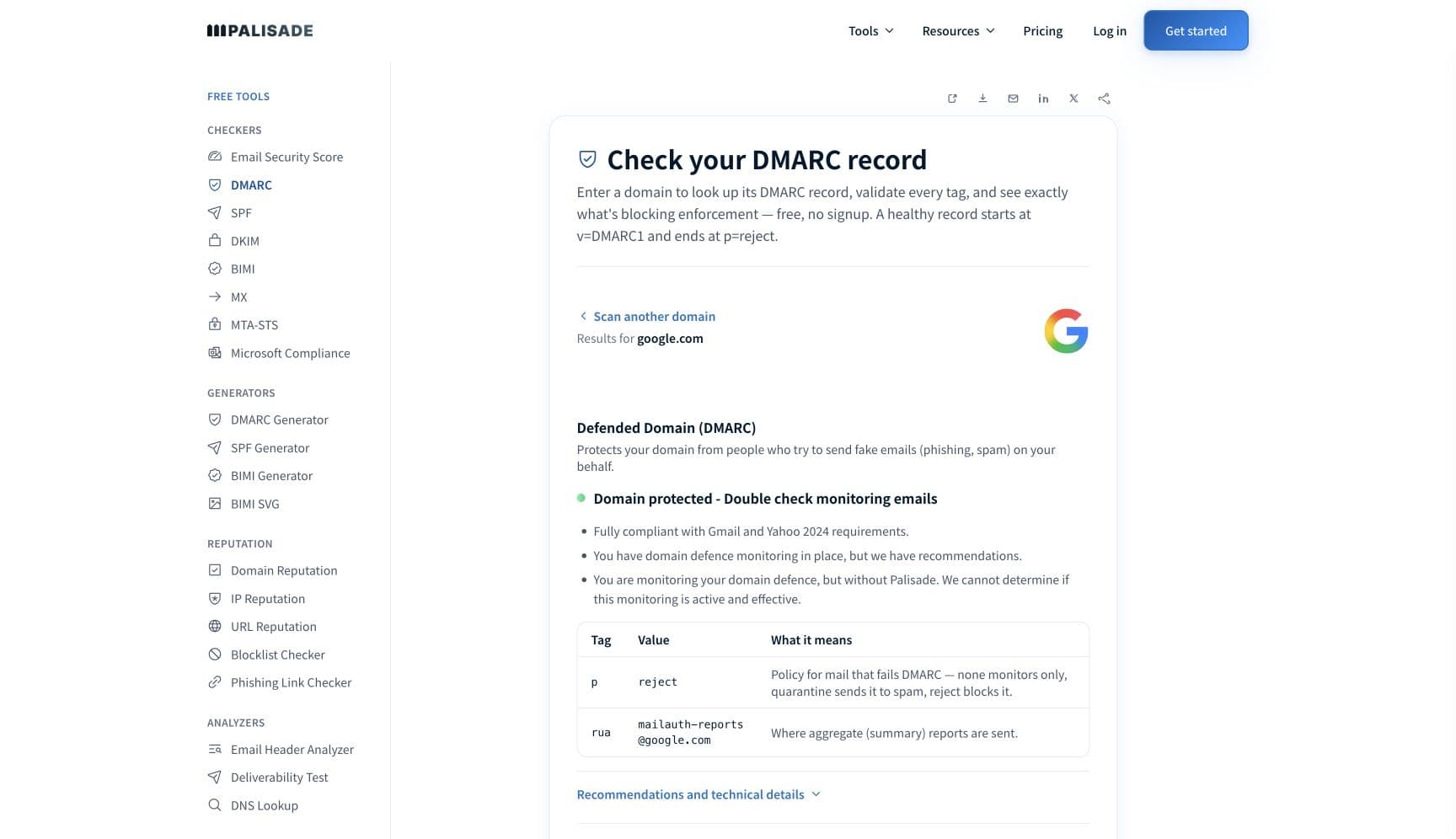
Check the domain in your From address before you look at the SES console. SES is an API that will happily send a perfectly formed, perfectly unauthenticated message, and the receiving filter judges the From domain, not the AWS account. The free DMARC checker reads SPF, DKIM, and DMARC for that domain in about thirty seconds.
Check your domain now
Enter your sending domain and the check runs instantly on the next page. Free, no signup.
Why your Amazon SES email is going to spam
| Likely cause | What's happening |
|---|---|
| Easy DKIM was never set up for the sending identity | This is the first thing to check. AWS describes what Easy DKIM does: "When you set up Easy DKIM for a domain identity, Amazon SES automatically adds a 2048-bit DKIM key to every email that you send from that identity." Without it there is no signature carrying your domain, and DKIM is the only one of the two authentication paths that survives forwarding, because "the digital signature stays with the email message because it's part of the email header". |
| The default MAIL FROM domain means SPF can never satisfy DMARC | This is the trap that is specific to SES. AWS states that "Messages that you send through Amazon SES automatically use a subdomain of amazonses.com as the default MAIL FROM domain" and that SPF "successfully validates these messages because the default MAIL FROM domain matches the application that sent the email". SPF passes, and DMARC still fails, because "For SPF to pass DMARC alignment the domain in the From address must match the domain in the MAIL FROM address". Teams read spf=pass in the headers and conclude authentication is done. |
| There is no DMARC record on the sending domain | SES publishes nothing on your behalf. The DMARC record is a TXT record at _dmarc on your own domain, and Google's bulk-sender requirements and Yahoo's both ask for one. AWS is direct that the policy choice matters: "using the wrong one at the wrong time can cause your email to not be delivered", which is why its own rollout guidance starts at p=none. |
| Your DMARC record specifies strict SPF alignment | AWS names this explicitly: "In order to achieve SPF alignment with SES, the domain's DMARC policy must not specify a strict SPF policy (aspf=s)." If your record carries aspf=s, SPF alignment through a custom MAIL FROM subdomain cannot succeed and you are relying entirely on DKIM. SES also uses a strict DKIM policy by default, so a subdomain mismatch on that side needs relaxed alignment to pass. |
| Your complaint rate is at or near the level AWS acts on | SES publishes numbers most platforms keep private: "For best results, you should maintain a complaint rate below 0.1%", and "If your complaint rate is 0.1% or greater, we'll place your account under review. If your complaint rate is 0.5% or greater, we might pause your account's ability to send additional email." Deliverability degrades well before the account is touched, so spam placement is the early warning for a number you can already see in the console. |
| Bounces you are not suppressing | AWS counts "only hard bounces to domains you haven't verified" toward the rate, and asks you to "maintain a bounce rate below 2%", with 5% triggering a review and 10% risking a pause. High bounce rates are read by mailbox providers as a list-quality signal in their own right, so the same behaviour that endangers the AWS account is separately pushing your mail toward the spam folder. |
| You are on the shared IP pool, which is usually correct | New SES accounts send from shared addresses, and AWS's position is that this is the right default for most senders: "If you don't plan to send large volumes of email on a regular and predictable basis, we recommend that you use shared IP addresses." On shared IPs "your sender reputation is controlled by SES", which means the pool is not your lever and moving off it will not help unless your volume justifies it. |
| A dedicated IP that has not finished warming up | AWS's automatic warm-up is time-based, not volume-based: "The warmup percentage steadily increases over 45 days, independently from your sending volume." After warm-up it advises sending "around 1,000 emails every day to each email provider that you want to maintain a positive reputation with", and warns against a large, sudden increase once warm-up finishes. A dedicated IP taken at too low a volume produces worse placement than the shared pool, not better. |
Check the public signals before changing settings
The free check above gives you a fast public baseline for how the receiving providers see mail sent through Amazon SES. It does not replace the provider's private reputation or placement data, but it tells you whether the problem is visible from outside before you edit a sending platform.
How to fix it, step by step
Run the DMARC check on your From domain
Use the free checker above, or open the DMARC checker page directly. It reads SPF, DKIM, and DMARC for the domain in your From address, which is the domain a receiving filter judges. If DMARC is missing, or if the record carries
aspf=s, you have found the problem before opening the SES console.Set up Easy DKIM on the domain identity
In the SES console, open the identity, edit DKIM under the Authentication tab, choose Easy DKIM, keep the 2048-bit key length unless your DNS provider cannot handle it, and publish the CNAME records with your DNS provider. This is the step that puts your domain in the signature.
Configure a custom MAIL FROM domain
Pick a subdomain you use for nothing else, then publish exactly one MX record and the SPF TXT record SES gives you. AWS is firm on the MX: "If the MAIL FROM domain has multiple MX records, the custom MAIL FROM setup with Amazon SES will fail." Allow up to 72 hours for SES to detect it.
Publish DMARC yourself and start at p=none
Add a
_dmarcTXT record with a reporting address you read. AWS's own rollout is monitor, then quarantine, then reject, doing subdomains before the top-level domain. Leaveaspfandadkimrelaxed while you work, since strict SPF alignment blocks the custom MAIL FROM path entirely.Verify alignment in a real message, not in the console
Send to an outside mailbox and paste the full source into the email header analyzer. You want dkim=pass with a
d=tag on your domain, and dmarc=pass. An spf=pass with anamazonses.comenvelope domain is the failure this page is about, not a success.Watch the two published rates before they act on you
Track complaint rate against 0.1% and bounce rate against 2%, and set CloudWatch alarms rather than checking by hand. AWS calculates both on a representative volume rather than a fixed window, so the console number can lag what your recipients are already doing.
Choose shared or dedicated on volume, then leave warm-up alone
Stay on shared IPs unless you send large volumes on a regular and predictable basis. If you take dedicated IPs, let the 45-day automatic warm-up run, and afterwards keep several hundred to a thousand messages a day going to each provider you want a reputation with.
Meet the receiving side's bulk-sender rules
Google requires bulk senders to pass SPF and DKIM, publish DMARC, align the From domain, keep Postmaster Tools spam rates below 0.3%, and support one-click unsubscribe. Yahoo asks for the same shape and unsubscribes honored within two days. SES gives you the authentication; the list and the unsubscribe header are yours.
Related free tools: DKIM checker · SPF checker · Email header analyzer · IP reputation
If you send in volume: the receiving providers' published rules
Amazon SES is a sending platform, not a mailbox provider, so it publishes no bulk-sender requirements of its own. It does publish account thresholds, which no other major sending platform states this plainly: maintain a bounce rate below 2%, with 5% or greater placing the account under review and 10% or greater risking a sending pause; maintain a complaint rate below 0.1%, with 0.1% or greater placing the account under review and 0.5% or greater risking a pause. Both are measured on a "representative volume" rather than a fixed period. The rules that decide folder placement are the receiving providers'. Google's sender guidelines require SPF or DKIM for every sender, valid forward and reverse DNS, a TLS connection, RFC 5322 formatting, and spam rates in Postmaster Tools below 0.3%, and require senders of roughly 5,000 or more messages a day to personal Gmail accounts to pass SPF and DKIM together, publish DMARC, align the From domain with the SPF or DKIM domain, and support one-click unsubscribe. Yahoo's bulk requirements match that shape and add that unsubscribes must be honored within 2 days. AWS, Google and Yahoo documentation checked 2026-09-02.
Check your standing with Amazon SES and the receiving providers
- Complying with DMARC in Amazon SES
AWS's own explanation of why the default MAIL FROM domain breaks SPF alignment, and why a strict aspf policy blocks SPF alignment with SES entirely.
- Using a custom MAIL FROM domain
The setup for the MX and SPF records that let SPF align with your From domain, plus the pending, success, temporary failure and failed states SES reports.
- Sending review process FAQs
The published bounce and complaint thresholds, what under review and sending pause mean, and how AWS handles spamtrap hits (it does not disclose the count).
- Dedicated IP addresses for Amazon SES
AWS's comparison of shared, standard dedicated, and managed dedicated IPs, including its recommendation to stay shared without regular high volume.
- Google Postmaster Tools
The mailbox-provider side. Your spam rate against personal Gmail accounts is reported here, on the domain your SES identity signs with.
If it bounces instead: the codes the receiving provider returns
Spam placement returns no SMTP error, so these are the readings and codes you see when the receiving provider refuses mail sent through Amazon SES instead. Match yours below; where a code has a full guide, it is linked.
- No SMTP error at all: spam placement is recorded as a successful send in SES, because the receiving server accepted the message and then filed it in the spam folder
- spf=pass with an amazonses.com envelope domain: the SES-specific false reassurance, since SPF passes while DMARC alignment still fails
- MailFromDomainNotVerified: SES rejecting your own send when the custom MAIL FROM MX record is missing and the behaviour on MX failure is set to reject
- 550 5.7.26 (unauthenticated email from your domain): Gmail refusing outright, the same alignment gap one step past spam-foldering Full guide →
- 421 4.7.0: the temporary deferral family a receiving provider uses when it is throttling a sending IP rather than refusing it Full guide →
The real root cause: unenforced authentication
SES is the clearest case in this cluster of a platform that authenticates itself rather than you. Its default MAIL FROM domain belongs to AWS, its shared IPs belong to AWS, and until you set up Easy DKIM the message carries nothing that ties it to your domain. Every fix above is really the same fix: make your domain, not amazonses.com, the thing a receiving filter is asked to judge. That work does not stop at SES. The same domain is almost always sending through a CRM, an invoicing tool, and a helpdesk too, and any one of them failing alignment drags the whole domain's reputation down with it. Aggregate reports name them one at a time. Once each is authenticated and aligned, walking the policy from p=none to p=reject closes it, because nothing that is not yours can spend the reputation your SES sending depends on.
DMARC software that does the work
Palisade's AI agent takes domains all the way to enforcement: hosted SPF, DKIM, DMARC, and MTA-STS records on paid plans, DMARC reports monitored continuously, and every policy step drafted for your approval on the way to p=reject. The full product is open for a 15-day trial, and nothing is charged until it ends.
15-day full-product trial. Nothing is charged until it ends.
Fixing this across every client domain
SES turns up in client estates as an application detail rather than an email decision: a developer wired it into the product two years ago, it sends password resets and receipts from the company domain, and nobody in the client's marketing or IT team knows it exists. It is also the sender most likely to be missing from an SPF record, because it does not need to be there to send. Palisade gives you the portfolio view: hosted and managed SPF, DKIM, DMARC, and MTA-STS records for every client domain, aggregate reports read for you so the SES identity and every other sender is named rather than guessed at, and a path to p=reject with your team approving each change. Native ConnectWise, HaloPSA, and Autotask integrations put it in your PSA, pricing is per client domain with rates that improve as the portfolio grows, and your own MSP domain is a free NFR domain to run the process on first.
Questions readers ask
Frequently asked questions
Does Amazon SES set up DKIM automatically?
Why does SPF pass but DMARC fail on Amazon SES?
Do I need a custom MAIL FROM domain in Amazon SES?
What bounce and complaint rates does Amazon SES allow?
Should I get a dedicated IP for Amazon SES?
How long does Amazon SES IP warm-up take?
Does aspf=s break Amazon SES?
Why does SES show a successful send when the email is in spam?
Sources and last verified
Every claim about Amazon SES on this page links to the source it came from, each with the date it was last checked. Provider policies change; if a detail looks off, the linked source is authoritative.
- Amazon SES on DMARC: "DMARC – Ensures that there is domain alignment with at least one of SPF and DKIM"; "For SPF to pass DMARC alignment the domain in the From address must match the domain in the MAIL FROM address"; "In order to achieve SPF alignment with SES, the domain's DMARC policy must not specify a strict SPF policy (aspf=s)"; "SES uses a strict DKIM policy by default"; the recommended rollout is p=none, then p=quarantine, then p=reject, subdomains before the top-level domain, and "using the wrong one at the wrong time can cause your email to not be delivered"docs.aws.amazon.com · checked 2026-09-02
- Amazon SES custom MAIL FROM domain: "Messages that you send through Amazon SES automatically use a subdomain of amazonses.com as the default MAIL FROM domain. Sender Policy Framework (SPF) authentication successfully validates these messages because the default MAIL FROM domain matches the application that sent the email"; a custom MAIL FROM domain requires an MX record and an SPF TXT record, must be a subdomain used for nothing else, and "If the MAIL FROM domain has multiple MX records, the custom MAIL FROM setup with Amazon SES will fail"; detection of the MX record can take up to 72 hours; behaviour on MX failure is either fall back to the default domain or return a MailFromDomainNotVerified errordocs.aws.amazon.com · checked 2026-09-02
- Amazon SES Easy DKIM: "When you set up Easy DKIM for a domain identity, Amazon SES automatically adds a 2048-bit DKIM key to every email that you send from that identity"; the key length can be set to RSA_2048_BIT or RSA_1024_BIT, cannot be switched to the same length, and cannot be changed more than once in a 24 hour perioddocs.aws.amazon.com · checked 2026-09-02
- Amazon SES sending review thresholds: "For best results, you should maintain a bounce rate below 2%"; "If your bounce rate is 5% or greater, we'll place your account under review. If your bounce rate is 10% or greater, we might pause your account's ability to send additional email"; "Your bounce rate includes only hard bounces to domains you haven't verified"; "For best results, you should maintain a complaint rate below 0.1%"; "If your complaint rate is 0.1% or greater, we'll place your account under review. If your complaint rate is 0.5% or greater, we might pause your account's ability to send additional email"; both rates are calculated on a "representative volume" rather than a fixed period; AWS does not disclose the number of spamtrap hits that triggers actiondocs.aws.amazon.com · checked 2026-09-02
- Amazon SES shared versus dedicated IPs: new accounts send "from IP addresses that are shared with other SES users"; on shared addresses "your sender reputation is controlled by SES" and AWS "carefully manages the outbound traffic to maximize the reputations of the shared IP addresses"; "If you don't plan to send large volumes of email on a regular and predictable basis, we recommend that you use shared IP addresses"; shared IPs are "best for customers who send low volumes of email"; for each ISP you want a reputation with, "you should send several hundred emails within a 24-hour period at least once per month"docs.aws.amazon.com · checked 2026-09-02
- Amazon SES dedicated IP warm-up: automatic warm-up is enabled by default and "is a time-based process. The warmup percentage steadily increases over 45 days, independently from your sending volume"; establishing a positive reputation takes "around two weeks" with some providers and "up to six weeks" with others; after warm-up "you should send around 1,000 emails every day to each email provider that you want to maintain a positive reputation with"; a large sudden increase after warm-up may cause providers to block or throttledocs.aws.amazon.com · checked 2026-09-02
- Google sender guidelines that apply to mail sent through Amazon SES: SPF or DKIM for all senders, valid forward and reverse DNS, a TLS connection, RFC 5322 formatting, and "Keep spam rates reported in Postmaster Tools below 0.3%"; senders of roughly 5,000 or more messages a day to personal Gmail accounts must set up SPF and DKIM together, set up DMARC, align the From header domain with either the SPF domain or the DKIM domain, and support one-click unsubscribe on marketing and subscribed messagessupport.google.com · checked 2026-09-02
- Yahoo sender requirements: all senders "Implement SPF or DKIM at a minimum", "Keep your spam rate below 0.3%", "Have a valid forward and reverse DNS record for your sending IPs" and "Comply with RFCs 5321 and 5322"; bulk senders must "Implement both SPF & DKIM", "Publish a valid DMARC policy with at least p=none - DMARC must pass", "Authenticate every email with DKIM with a minimum 1024-bit key length", "Ensure the domain in the From: header is aligned with either the SPF domain or the DKIM domain", "Implement a functioning list-unsubscribe header, which supports one-click unsubscribe" and "Honor unsubscribes within 2 days"senders.yahooinc.com · checked 2026-09-02
- RFC 5322, Internet Message Format, is the standard behind the message-formatting requirement Google and Yahoo both cite: it "specifies the Internet Message Format (IMF), a syntax for text messages that are sent between computer users"; "The only required header fields are the origination date field and the originator address field(s)" (Date and From), and "every message SHOULD have a 'Message-ID:' field"www.rfc-editor.org · checked 2026-09-02
Related guides
550 5.7.26421 4.7.0550 5.1.1adkim / aspfselectorinclude: