Provider deliverability · Constant Contact
Why are Constant Contact emails going to spam?

By Samuel Chenard · CEO & Co-Founder, Palisade · Reviewed September 19, 2026
Constant Contact mail is filed as spam mostly because the account is not self-authenticated. Until you publish its DKIM and DMARC records, Constant Contact rewrites your From address onto its shared ccsend.com domain, so you inherit a pooled reputation instead of building your own. A free From address, unverified records, and weak engagement follow.
The 30-second check
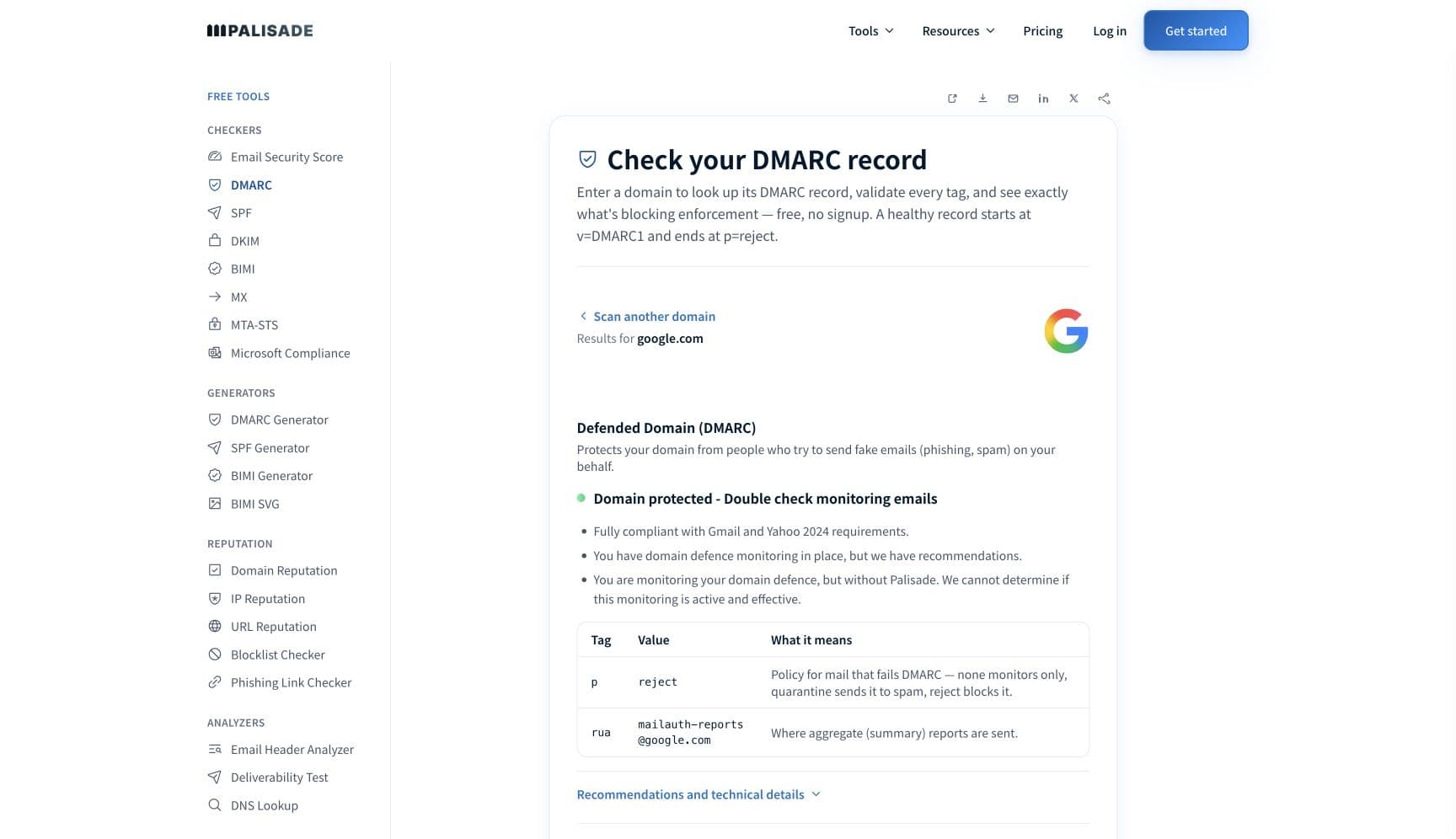
Start with the domain in your From address, not the template. Constant Contact's self-authentication publishes a DKIM record and a DMARC record on that domain, and until both resolve it keeps sending under its own shared domain. The free DMARC checker shows what is actually published for your domain, and whether alignment can succeed, in about thirty seconds.
Check your domain now
Enter your sending domain and the check runs instantly on the next page. Free, no signup.
Why your Constant Contact email is going to spam
| Likely cause | What's happening |
|---|---|
| You have not self-authenticated, so mail sends from ccsend.com | This is the first thing to check. Constant Contact states the default plainly: "We automatically rewrite your 'From' email address with our shared ccsend.com domain to ensure your emails are delivered to your contacts' inboxes rather than the junk or spam folder." It works, up to a point, but the reputation being spent is everyone's. Constant Contact's own argument for fixing it is that "by authenticating your domain, you're able to build your own sending reputation with mailbox providers under that domain, instead of sharing your reputation with all Constant Contact customers." |
| Your From address is a free Gmail, Yahoo, or AOL mailbox | Constant Contact names this directly: "sending from a free email address (Gmail, Yahoo, AOL, etc.) can cause an email to be delivered to the spam folder", and its guidance is that "sending from your own domain is still considered best practice". Those consumer domains publish strict DMARC policies of their own, and no third-party platform can send as them and pass. |
| The self-authentication records are published but do not verify | Constant Contact reports three distinct failures against the records it generated: a host name that "was not found", a host name that "does not match what Constant Contact provided", and a value that does not match. It also flags a common DNS trap, that "some DNS providers automatically add your domain to the record", producing a doubled host name. Allow for its stated window: "It can take 24 to 48 hours after adding the records to your DNS settings for Constant Contact to be able to find them." |
| You picked the wrong self-authentication method for your setup | Constant Contact offers two. The CNAME route is "the simplest and most secure way to authenticate your domain email address". The DKIM TXT route "is the best option if you have multiple Constant Contact accounts using the same domain". Two accounts fighting over one CNAME host is a setup that never fully verifies, and the fix is the method rather than the record. |
| You added the DKIM record but skipped the DMARC record | Constant Contact generates a DMARC record alongside the DKIM one, and its troubleshooting page treats a missing or wrong-valued DMARC host as its own failure state. DMARC is what tells a receiving server what to do when a message claiming your domain fails alignment, and Google and Yahoo both ask bulk senders to publish one, so a DKIM-only setup still falls short of their bar. |
| Engagement and list quality have turned against you | Constant Contact is blunt about the feedback loop: "If your emails consistently have poor engagement, such as low open rates or high bounce rates, filters may adapt and start sending them to the spam folder." Authentication gets you judged as yourself. It does not make an unengaged list want your mail, and on a self-authenticated domain the resulting reputation is now yours alone. |
| Content patterns Constant Contact names as filter triggers | Its list is specific. "Emails that use too many images, or are all one image, could trigger a spam filter." Because Constant Contact rewrites links for click tracking, you should "avoid using the URL as the link text because it will never match the URL it points to and is likely to trigger a spam filter". It also warns against resending identical content with the same subject line to the same list. |
| Constant Contact's own scanning flags the message before it leaves | Constant Contact runs "a sophisticated algorithm developed by Constant Contact to help protect against spam and malicious content in emails" that scans "every email that passes through the system, analyzing each message for suspicious behavior and content, such as phishing attempts, malware, or other types of malicious software". It adds that "legitimate emails are not typically flagged", so a hit here usually points at a link or attachment rather than at your copy. |
Check the public signals before changing settings
The free check above gives you a fast public baseline for how the receiving providers see mail sent through Constant Contact. It does not replace the provider's private reputation or placement data, but it tells you whether the problem is visible from outside before you edit a sending platform.
How to fix it, step by step
Run the DMARC check on your From domain
Use the free checker above, or open the DMARC checker page directly. It reads SPF, DKIM, and DMARC on the domain in your From address, which is the domain a receiving filter judges. If nothing is published, you have confirmed that Constant Contact is still sending under its own shared domain rather than yours.
Self-authenticate your domain in Constant Contact
Use the CNAME method unless several Constant Contact accounts share the domain, in which case use the DKIM TXT method. Publish both the DKIM record and the DMARC record it generates, and give it Constant Contact's stated 24 to 48 hours before deciding the records failed.
Move off a free From address onto your own domain
A gmail.com, yahoo.com, or aol.com From address cannot be authenticated by a third-party sender, and Constant Contact says it can land you in spam on its own. Send from a mailbox on a domain you control, which is also the only way self-authentication has anything to attach to.
Fix the records the verification errors are pointing at
A host name not found usually means the record is missing or your DNS provider appended the domain to a name that already contained it. A value mismatch means the record was truncated or edited. Copy Constant Contact's values verbatim and re-check with the DKIM checker.
Confirm your own domain is in the signature, not ccsend.com
Send a campaign to an outside mailbox and paste the full source into the email header analyzer. You want the d= tag in the DKIM-Signature header to be your domain and dmarc=pass in the authentication results, with no rewritten ccsend.com From address.
Clean the list before you chase content
Remove hard bounces, suppress anyone who has not opened in months, and stop resending identical campaigns to the same list. Constant Contact ties poor engagement directly to filters adapting against you, and on a newly authenticated domain that reputation is now yours alone to build.
Meet the receiving side's bulk-sender rules
Google requires bulk senders to pass SPF and DKIM, publish DMARC, align the From domain, keep Postmaster Tools spam rates below 0.3%, and support one-click unsubscribe. Yahoo asks for the same shape and for unsubscribes honored within two days. Self-authentication covers the authentication half; the list is yours.
Related free tools: DKIM checker · SPF checker · Email header analyzer · Spam words checker
If you send in volume: the receiving providers' published rules
Constant Contact is a sending platform, not a mailbox provider, so it publishes no bulk-sender requirements of its own. The rules that decide whether your campaigns are filed as spam are the receiving providers'. Google's sender guidelines ask every sender to set up SPF or DKIM, keep valid forward and reverse DNS, use a TLS connection, format to RFC 5322, and "Keep spam rates reported in Postmaster Tools below 0.3%", and ask senders of roughly 5,000 or more messages a day to personal Gmail accounts to set up SPF and DKIM together, set up DMARC, align the From header domain with either the SPF domain or the DKIM domain, and support one-click unsubscribe on marketing and subscribed messages. Yahoo requires all senders to "Implement SPF or DKIM at a minimum" and "Keep your spam rate below 0.3%", and bulk senders to "Implement both SPF & DKIM", "Publish a valid DMARC policy with at least p=none - DMARC must pass", align the From domain, support one-click unsubscribe, and "Honor unsubscribes within 2 days". Self-authenticating in Constant Contact is what lets your domain, rather than ccsend.com, be the thing those rules are applied to. Google and Yahoo guidance checked 2026-09-02.
Check your standing with Constant Contact and the receiving providers
- Understanding email authentication
Constant Contact's own explanation of the ccsend.com rewrite, the two self-authentication methods, and why authenticating moves reputation from the shared pool to your domain.
- Troubleshooting DKIM self-authentication
The verification errors Constant Contact reports against your DNS, including doubled host names added by DNS providers and its 24 to 48 hour detection window.
- Common things that trigger spam filters
Constant Contact's list of what it sees pushing campaigns to spam: free From addresses, image-only emails, URLs used as link text, and poor engagement.
- Google Postmaster Tools
The mailbox-provider side. Once you self-authenticate, your spam rate against personal Gmail accounts is reported here under your own domain.
- Yahoo Sender Hub
Yahoo's sender portal, including complaint feedback loop enrollment for the domain that signs your self-authenticated campaigns.
If it bounces instead: the codes the receiving provider returns
Spam placement returns no SMTP error, so these are the readings and codes you see when the receiving provider refuses mail sent through Constant Contact instead. Match yours below; where a code has a full guide, it is linked.
- No SMTP error at all: spam placement is recorded as delivered, because the receiving server accepted the message and then filed it in the spam folder
- "Host name was not found": Constant Contact's verification error when the DKIM or DMARC record it generated is missing from your DNS or does not match
- 550 5.7.26 (unauthenticated email from your domain): Gmail refusing outright, the same authentication gap one step past spam-foldering Full guide →
- 550 5.7.1: the policy rejection family a receiving provider returns when a message fails your domain's published DMARC policy Full guide →
The real root cause: unenforced authentication
Constant Contact's rewrite is a workaround for a missing statement, not a substitute for one. Sending as ccsend.com gets mail delivered because that domain is authenticated, but it authenticates Constant Contact, not you, and every customer on the platform draws on the same reputation. Self-authentication moves the judgement onto your domain, which is the right place for it and also raises the stakes: from that point the records on your domain decide the verdict. That is why the work does not end with the two records Constant Contact hands you. Every other service sending under the same domain, the invoicing tool, the ticketing system, the CRM, is now being judged alongside your campaigns, and aggregate reports are what name them. Once each is authenticated and aligned, walking the policy from p=none to p=reject closes the loop, because nothing that is not yours can spend the reputation your campaigns depend on.
DMARC software that does the work
Palisade's AI agent takes domains all the way to enforcement: hosted SPF, DKIM, DMARC, and MTA-STS records on paid plans, DMARC reports monitored continuously, and every policy step drafted for your approval on the way to p=reject. The full product is open for a 15-day trial, and nothing is charged until it ends.
15-day full-product trial. Nothing is charged until it ends.
Fixing this across every client domain
Constant Contact clients are usually small teams with no IT function, which is why so many of them are still sending as ccsend.com years in: the self-authentication instructions end at "add these records to your DNS", and nobody at the client can. You hold that DNS. Palisade turns it into a portfolio motion: hosted and managed SPF, DKIM, DMARC, and MTA-STS records for every client domain, aggregate reports read for you so Constant Contact and every other sender is named rather than guessed at, and a path to p=reject with your team approving each change. Native ConnectWise, HaloPSA, and Autotask integrations put it in your PSA, pricing is per client domain with rates that improve as the portfolio grows, and your own MSP domain is a free NFR domain to prove the process on first.
Questions readers ask
Frequently asked questions
What is ccsend.com and why is my email coming from it?
Does self-authenticating Constant Contact stop emails going to spam?
Should I use the CNAME or the TXT method to self-authenticate?
Why does Constant Contact say my DKIM record was not found?
Can I send Constant Contact emails from my Gmail address?
Does Constant Contact set up DMARC for me?
Why do image-only Constant Contact emails go to spam?
Why does my campaign show as delivered when it is in the spam folder?
Sources and last verified
Every claim about Constant Contact on this page links to the source it came from, each with the date it was last checked. Provider policies change; if a detail looks off, the linked source is authoritative.
- Constant Contact authentication overview: "We automatically rewrite your 'From' email address with our shared ccsend.com domain to ensure your emails are delivered to your contacts' inboxes rather than the junk or spam folder"; "by authenticating your domain, you're able to build your own sending reputation with mailbox providers under that domain, instead of sharing your reputation with all Constant Contact customers"; "Self-authenticate using DKIM CNAME records - This is the simplest and most secure way to authenticate your domain email address"; "Self-authenticate using a DKIM TXT record - This is the best option if you have multiple Constant Contact accounts using the same domain"; "In order to self-authenticate, you (or your IT department, if you have one) must have access to your Domain Name System (DNS) records"knowledgebase.constantcontact.com · checked 2026-09-02
- Constant Contact DKIM self-authentication troubleshooting: verification failures reported as a host name that "was not found", a host name that "does not match what Constant Contact provided", and an incorrect value; "some DNS providers automatically add your domain to the record"; "It can take 24 to 48 hours after adding the records to your DNS settings for Constant Contact to be able to find them"; a DMARC record is generated alongside the DKIM record and has its own not-found or incorrect-value failure stateknowledgebase.constantcontact.com · checked 2026-09-02
- Constant Contact on spam-filter triggers: "sending from a free email address (Gmail, Yahoo, AOL, etc.) can cause an email to be delivered to the spam folder"; "sending from your own domain is still considered best practice"; "Emails that use too many images, or are all one image, could trigger a spam filter"; "avoid using the URL as the link text because it will never match the URL it points to and is likely to trigger a spam filter"; "If your emails consistently have poor engagement, such as low open rates or high bounce rates, filters may adapt and start sending them to the spam folder"knowledgebase.constantcontact.com · checked 2026-09-02
- Constant Contact's spam-detection system: "a sophisticated algorithm developed by Constant Contact to help protect against spam and malicious content in emails" that scans "every email that passes through the system, analyzing each message for suspicious behavior and content, such as phishing attempts, malware, or other types of malicious software"; "legitimate emails are not typically flagged as spam or malicious"knowledgebase.constantcontact.com · checked 2026-09-02
- Google sender guidelines that apply to mail sent through Constant Contact: SPF or DKIM for all senders, valid forward and reverse DNS, a TLS connection, RFC 5322 formatting, and "Keep spam rates reported in Postmaster Tools below 0.3%"; senders of roughly 5,000 or more messages a day to personal Gmail accounts must set up SPF and DKIM together, set up DMARC, align the From header domain with either the SPF domain or the DKIM domain, and support one-click unsubscribe on marketing and subscribed messagessupport.google.com · checked 2026-09-02
- Yahoo sender requirements: all senders "Implement SPF or DKIM at a minimum", "Keep your spam rate below 0.3%", "Have a valid forward and reverse DNS record for your sending IPs" and "Comply with RFCs 5321 and 5322"; bulk senders must "Implement both SPF & DKIM", "Publish a valid DMARC policy with at least p=none - DMARC must pass", "Ensure the domain in the From: header is aligned with either the SPF domain or the DKIM domain", "Implement a functioning list-unsubscribe header, which supports one-click unsubscribe" and "Honor unsubscribes within 2 days"senders.yahooinc.com · checked 2026-09-02
- RFC 5322, "Internet Message Format", is the Standards Track specification (October 2008) that the Google and Yahoo formatting requirements point at: it defines the syntax of an email message and its header fields, including From, To, Date and Message-IDwww.rfc-editor.org · checked 2026-09-02
Related guides
550 5.7.26550 5.7.1selectoradkim / aspfp=none