Provider deliverability · Proton Mail
Why are my emails going to spam in Proton Mail?

By Samuel Chenard · CEO & Co-Founder, Palisade · Reviewed September 19, 2026
Proton Mail sorts inbound mail with machine-learning spam filtering and flags any message whose From domain fails authentication with a red banner: "This email has failed its domain's authentication requirements. It may be spoofed or improperly forwarded!" Mail from a domain with missing or misaligned SPF, DKIM or DMARC is filed as spam or delivered under that warning.
The 30-second check
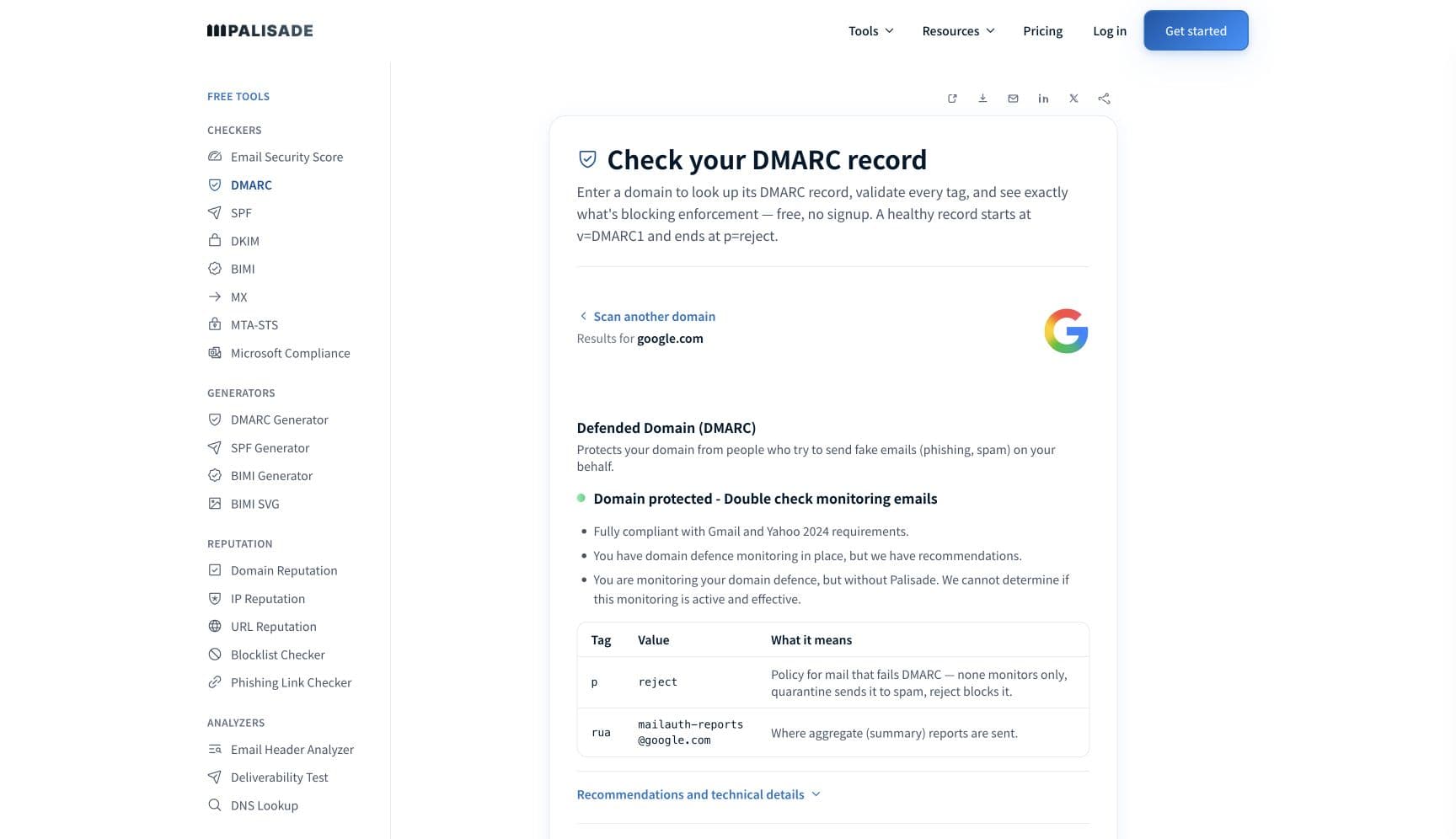
Start with the domain in your From header, because that is what Proton's warning is about. Proton tells recipients the banner means "the sender's email address failed the domain authentication check" and that this "could be an indication that the "From" field has been forged". A legitimate sender trips the same check when SPF does not name the sending platform, DKIM is missing or signed by another domain, or the mail was forwarded. The free checker below reads SPF, DKIM and DMARC for your domain in about thirty seconds.
Check your domain now
Enter your sending domain and the check runs instantly on the next page. Free, no signup.
Why Proton Mail sends your email to spam
| Likely cause | What's happening |
|---|---|
| The From domain fails authentication, so Proton warns the reader | Proton's banner is shown "to protect them from spam and phishing attacks" and "tells you that the sender's email address failed the domain authentication check". Proton advises recipients to treat such mail "with extra caution" and not to "click any links or download attachments unless you are certain the email is legitimate". A missing SPF include for your sending platform, or a DKIM signature on the platform's domain rather than yours, produces exactly this. |
| Your own DMARC policy asked for quarantine or reject | Proton explains the three DMARC actions in its own guide: p=quarantine asks "the recipient platforms to mark the unauthorized emails as spam or quarantine them" and p=reject asks them "to reject the unauthorized emails". A domain at quarantine with one legitimate sender that fails alignment lands that sender's mail in the Proton Spam folder by the domain owner's own instruction. |
| Forwarded or list mail broke SPF or DKIM | Proton's DMARC guidance warns that "when you email a mailing list that then forwards to individual recipients, this will break SPF", and that some lists "also change the contents of the email, which breaks DKIM and causes DMARC to fail". Its own warning text names improper forwarding as one of the two explanations for the banner. |
| Proton's spam filtering scored the message as spam | Proton says it "uses advanced spam filtering driven by machine learning to sort all incoming emails". It publishes no scoring criteria, no complaint threshold and no postmaster tools beyond a contact address, so from the sender's side the levers are the usual ones: authentication, domain reputation, content, and the recipient's own lists. |
| The recipient put your address or domain on a spam or block list | Every Proton user has three lists. Proton describes them as: "Spam: These emails will arrive in your spam folder. Block: These emails will be dropped and not delivered. Allow: These emails will arrive in your inbox." A blocked sender's mail is dropped with no bounce, so it can look like a delivery failure at your end. |
| A new or poorly regarded sending domain | Proton's own anti-spoofing guide tells its customers that a correct SPF record "will not only make your email seem more legitimate and thus less likely to be sent to spam folders" but also protects the domain. The same logic applies to you as a sender into Proton: a domain with no history and no authentication has nothing to be judged on except its content. |
Check the public signals before changing settings
The free check above gives you a fast public baseline for how Proton Mail sees your mail. It does not replace the provider's private reputation or placement data, but it tells you whether the problem is visible from outside before you edit a sending platform.
How to fix it, step by step
Check SPF, DKIM and DMARC on the domain in your From header
Use the free checker above, or open the DMARC checker page directly. Proton's warning fires on the From domain, so that is the record set to inspect. If SPF does not include the platform that sent the message, or DKIM is missing or signed by a different domain, the banner is explained before you look anywhere else.
Ask a Proton recipient for the headers of a flagged message
Have them forward the full headers, or the message source, and paste them into the email header analyzer. The Authentication-Results line shows which of SPF, DKIM and DMARC failed and against which domain, which is the difference between a missing SPF include and a broken DKIM key.
Sign with DKIM on your own domain and align it
Publish the DKIM selector for every service that sends as your domain and confirm the
d=tag is your From domain or a parent of it. Proton's own setup uses three CNAME records for automatic key rotation on its customers' domains, and it expects the same alignment from inbound mail. Verify the key at the DKIM checker.Add every sending platform to SPF
List each service that sends as your domain and include each one in the SPF record, staying under the ten-lookup limit. Proton's guide notes that
~allproduces a soft fail that receivers accept but mark, while-allcauses rejection, and that SPF "often fails during email forwarding". Re-check at the SPF checker.Read your DMARC aggregate reports before tightening the policy
If your domain is already at quarantine or reject, find the sender that fails alignment in the reports and fix it rather than relaxing the policy. Proton's guidance is to start at
p=none, analyse the reports, then move to quarantine and finally reject once legitimate mail passes.Ask the recipient to check their Proton lists
Have them open Settings > All settings > Proton Mail > Filters > Spam, block, and allow lists and confirm your address or domain is not on the Spam or Block list. Adding you to Allow makes the mail bypass spam filtering and arrive in the inbox.
Send a plain, well-formed message as a control
With authentication fixed, send a short plain-text message from the same domain to the same recipient. If it arrives clean, the earlier filing was content or reputation rather than authentication, and the fix is in the message and the domain's history rather than in DNS.
Related free tools: DKIM checker · SPF checker · Email header analyzer · Domain reputation
If you send in volume: the baseline that applies at Proton Mail
Proton publishes no bulk-sender programme, no complaint-rate ceiling, no volume threshold and no sender feedback loop for senders into Proton Mail. Its published guidance is the recipient-facing authentication warning and its own customers' SPF, DKIM and DMARC setup, which recommends a DMARC policy of p=quarantine and, once legitimate mail passes, p=reject. Treat the industry baseline as the Proton baseline: authenticate every sender, align the From domain, keep complaints low, and honour one-click unsubscribe. Checked 2026-09-15.
Check your standing with Proton Mail
- Proton: the domain authentication warning
What Proton tells recipients when your mail fails authentication, in Proton's words. Read it to understand what the reader sees and why they are told not to click your links.
- Proton: spam, block, and allow lists
Proton's description of its machine-learning filtering and the three per-user lists. Block drops mail without delivery; Allow bypasses spam filtering.
- Proton: anti-spoofing for custom domains
Proton's own SPF, DKIM and DMARC guide for its customers, including its DMARC policy recommendations and the forwarding caveats. Useful as a statement of what Proton expects a domain to look like.
- Proton: postmaster@proton.me
Proton's only published delivery contact, named in its anti-abuse post. No portal and no delisting form; email it with the recipient address, timestamp and full headers.
If it bounces instead: the codes Proton Mail returns
Spam placement returns no SMTP error, so these are the readings and codes you see when Proton Mail refuses the mail instead. Match yours below; where a code has a full guide, it is linked.
- "This email has failed its domain's authentication requirements. It may be spoofed or improperly forwarded!": not an SMTP error but the red banner Proton shows the recipient; the message was delivered, flagged
- No bounce at all: a sender on the recipient's Proton Block list is dropped and not delivered, with nothing returned
The real root cause: unenforced authentication
Proton does something most providers do not: it shows the reader your authentication failure, in red, with instructions not to trust you. Everywhere else the same failure is silent, a spam-folder filing or a reputation score you never see. So a Proton complaint is a gift. It tells you, in the recipient's own inbox, that some service sending as your domain is not authenticating, or is signing with someone else's key, or is being forwarded in a way you never planned for. The fix is the same one that clears the silent version at every other provider: use DMARC aggregate reports to see every sender of your domain and which check each one fails, authenticate and align them one by one, then move the policy from p=none to p=reject so that mail which cannot prove it is yours is refused before it can be flagged, and the banner Proton shows is reserved for the forger it was built for.
DMARC software that does the work
Palisade's AI agent takes domains all the way to enforcement: hosted SPF, DKIM, DMARC, and MTA-STS records on paid plans, DMARC reports monitored continuously, and every policy step drafted for your approval on the way to p=reject. The full product is open for a 15-day trial, and nothing is charged until it ends.
Audit any domain free, no card needed. A card starts the 15-day trial.
Fixing this across every client domain
Proton is increasingly common at law firms, clinics and other privacy-conscious clients, and its red banner turns a quiet authentication gap into a client-visible incident. Palisade makes the fix one workflow across every client domain: hosted and managed SPF, DKIM, DMARC, and MTA-STS records, aggregate reports read so each unauthenticated or misaligned sending service is named rather than guessed at, and a path to p=reject with your team approving every change. Native ConnectWise, HaloPSA, and Autotask integrations put it in your PSA, pricing is per client domain with rates that improve as the portfolio grows, and your own MSP domain is a free NFR domain to prove the process on first.
Questions readers ask
Frequently asked questions
What does "This email has failed its domain's authentication requirements" mean?
Does Proton Mail reject mail that fails DMARC?
p=quarantine policy asks receivers to mark failing mail as spam and p=reject asks them to reject it, so what Proton does with your failing mail depends heavily on the policy your domain publishes.Why did my message to a Proton user vanish with no bounce?
Does Proton Mail have a postmaster page or feedback loop?
Why does forwarded mail from my domain get the Proton warning?
What DMARC policy does Proton recommend?
p=none to gather reports, then p=quarantine to improve security, and p=reject once you are confident legitimate mail passes, especially for domains likely to be spoofed. Proton sets none by default because forwarding and mailing lists can break authentication.How can a Proton user let my mail through?
Sources and last verified
Every claim about Proton Mail on this page links to the source it came from, each with the date it was last checked. Provider policies change; if a detail looks off, the linked source is authoritative.
- Proton's domain authentication warning: recipients may see "a bright red warning message at the top of an incoming email that says, 'This email has failed its domain's authentication requirements. It may be spoofed or improperly forwarded!'"; Proton shows it "to protect them from spam and phishing attacks"; it "tells you that the sender's email address failed the domain authentication check"; a failure "could be an indication that the "From" field has been forged"; recipients should treat such mail "with extra caution" and "Do not click any links or download attachments unless you are certain the email is legitimate"proton.me · checked 2026-09-15
- Proton spam, block, and allow lists: "Proton Mail uses advanced spam filtering driven by machine learning to sort all incoming emails"; the three lists are "Spam: These emails will arrive in your spam folder. Block: These emails will be dropped and not delivered. Allow: These emails will arrive in your inbox."; the lists live under Settings, All settings, Proton Mail, Filters, Spam, block, and allow lists; an allowed sender "will now bypass spam filtering and their emails will arrive in your inbox"proton.me · checked 2026-09-15
- Proton anti-spoofing for custom domains: Proton strongly recommends SPF, DKIM and DMARC for custom domains; SPF "will not only make your email seem more legitimate and thus less likely to be sent to spam folders";
~allis a SoftFail that receivers accept but mark as SPF failed,-allcauses rejection, and "SPF often fails during email forwarding"; DKIM uses three CNAME records for automatic key rotation with a new 2048-bit key every six months; DMARC actions are none, quarantine and reject, withp=quarantinedescribed as "asking the recipient platforms to mark the unauthorized emails as spam or quarantine them" andp=rejectas "asking the recipient platforms to reject the unauthorized emails"; the default is none, Proton recommendsp=quarantineand thenp=rejectfor domains likely to be spoofed; mailing lists that forward "will break SPF" and some "also change the contents of the email, which breaks DKIM and causes DMARC to fail"proton.me · checked 2026-09-15 - Proton for Business, email authentication explained: DMARC "requires that the domain in the visible From: address must match the domain used in the passing SPF or DKIM check"; the recommended rollout is p=none, analyse reports, p=quarantine, then p=reject; Proton Mail for Business advertises anti-spoofing detection and PhishGuard; no sender requirements document or sender feedback loop is published alongside itproton.me · checked 2026-09-15
- Proton's anti-abuse and account security post: "If you have any issues with mail delivery or spam, please email our specialists at postmaster@proton.me"; Proton describes its anti-abuse systems and 24/7 monitoring, and publishes no postmaster page or sender feedback loop alongside the addressproton.me · checked 2026-09-15
Related guides
550 5.7.1550 5.7.26dmarc=failp=quarantineadkim / aspf