Provider deliverability · iCloud Mail (icloud.com / me.com / mac.com)
Why is iCloud blocking my emails?

By Samuel Chenard · CEO & Co-Founder, Palisade · Reviewed September 19, 2026
iCloud Mail blocks messages you send to icloud.com, me.com, and mac.com recipients when your sending IP is flagged by Proofpoint's reputation system (a linkage neither vendor documents, but one deliverability teams widely report in iCloud bounces), when your domain fails SPF, DKIM, or DMARC, or when your stream breaks one of Apple's published bulk-sender rules. Apple publishes no ranking of the three; fix authentication first, then check the IP at Proofpoint's lookup.
The 30-second check
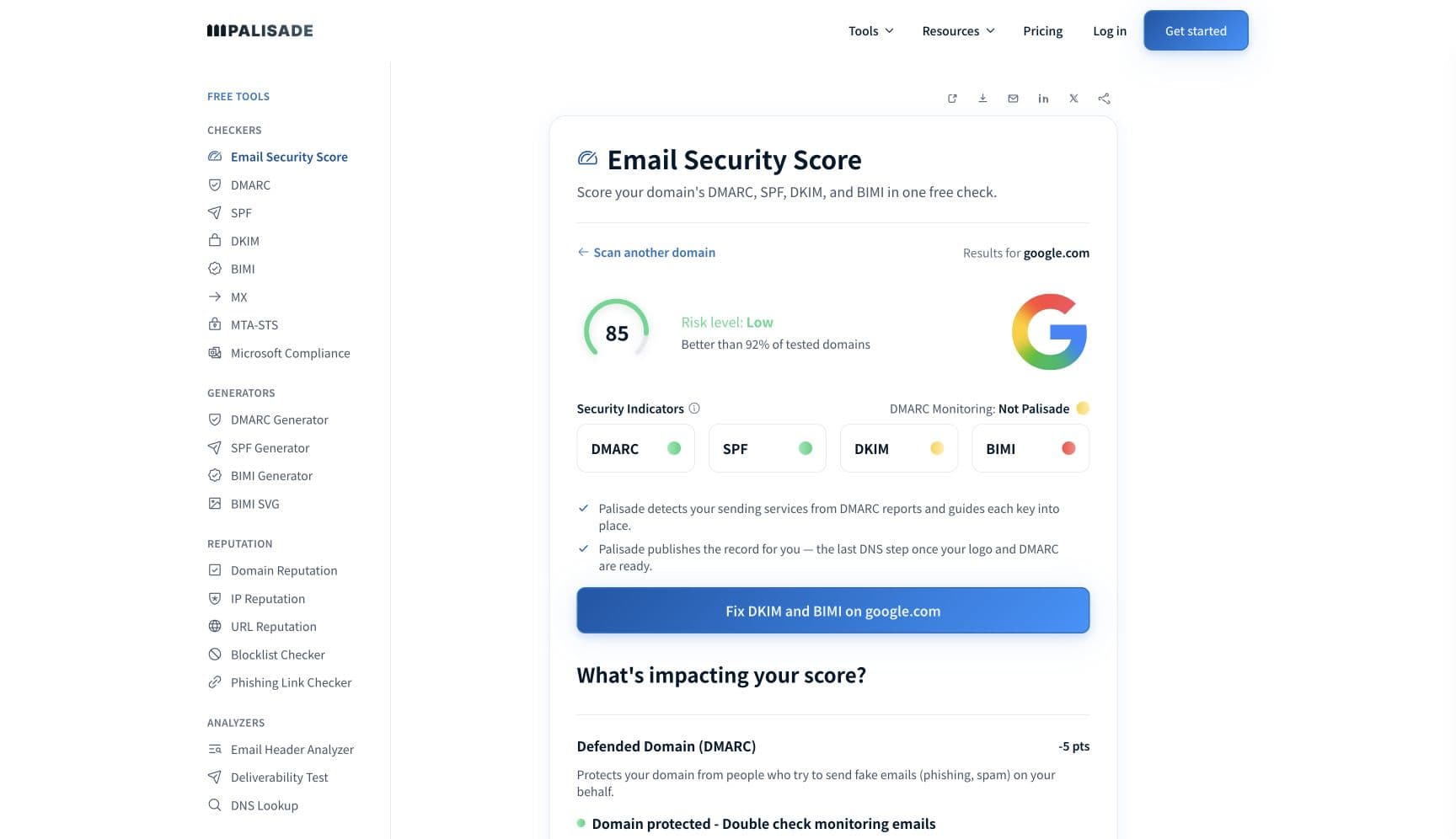
Start with the domain, because Apple checks it before anything else: iCloud Mail authenticates every inbound message with SPF and DKIM and honors your DMARC policy. The free email security score below grades SPF, DKIM, DMARC, MX, and blocklist presence in one pass and shows exactly which check Apple is failing you on.
Check your domain now
Enter your sending domain and the check runs instantly on the next page. Free, no signup.
Why iCloud Mail is blocking your email
| Likely cause | What's happening |
|---|---|
| Your sending IP is listed by Proofpoint Dynamic Reputation | Apple's postmaster page never names its filtering vendor, and Proofpoint's own pages never name Apple; the linkage is documented by deliverability teams instead (ESP Bento's SMTP error reference, for example, calls Proofpoint "Apple's filtering partner" and says Proofpoint maintains Apple's IP blocklist). Proofpoint's published PDR block bounce reads "550 5.7.1 Email rejected because 1.2.3.4 is listed by Proofpoint.com" (verbatim from Proofpoint's own FAQ, checked 2026-07-17). Proofpoint Dynamic Reputation (PDR) scores every connecting IP on what Proofpoint describes as hundreds of features, and because reputation is scored per IP, a shared sending platform's other customers can drive your shared IP onto the list without a single bad send of your own. |
| Your domain fails SPF, DKIM, or DMARC | Apple states that iCloud Mail authenticates all inbound email using SPF and DKIM, and that if the sending domain publishes a DMARC policy, iCloud honors it. Mail that fails both checks gets filtered on your own policy's terms; if you publish p=reject, Apple rejects it for you. For bulk streams the bar is harder: SPF, DKIM, and a published DMARC policy sit on Apple's mandatory requirements list, and the page warns that mail missing any requirement will be rejected. |
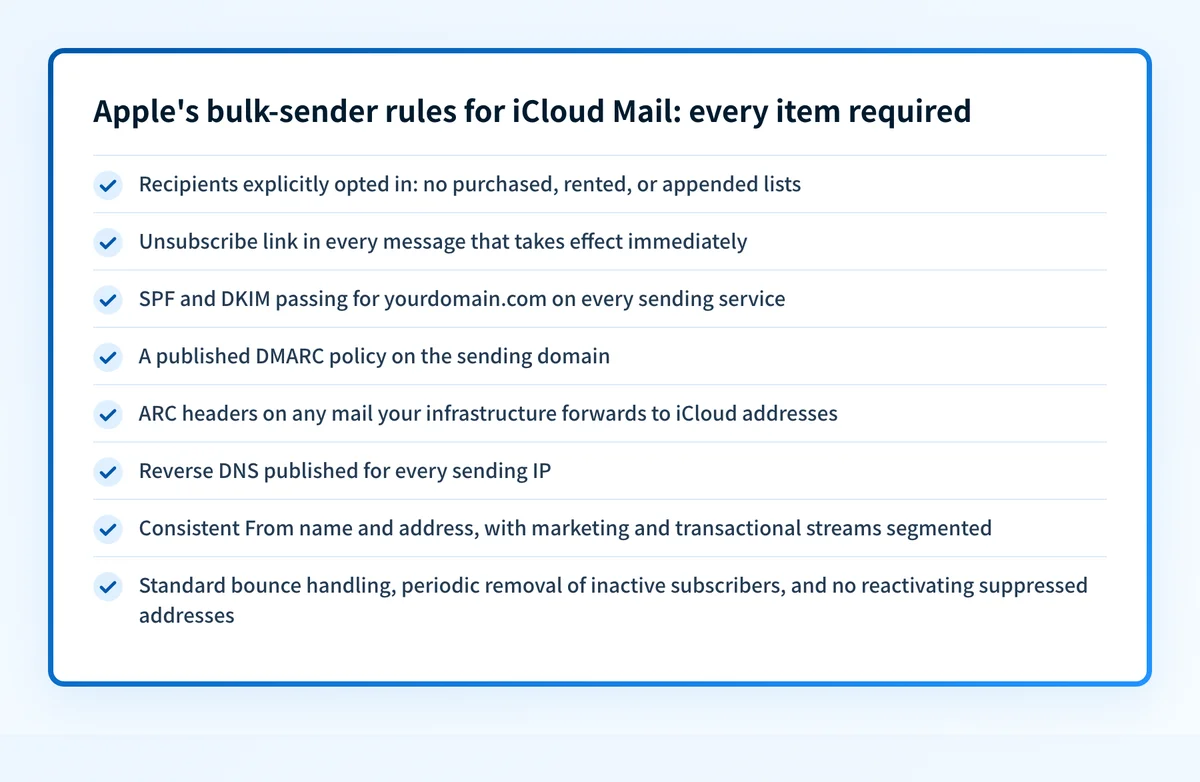
| Your bulk stream breaks one of Apple's non-negotiable list rules | Apple's requirements go well past DNS records: recipients must have explicitly subscribed (list purchases, list rentals, and email appends are called out as disqualifying), every message needs an unsubscribe link that works immediately, reverse DNS must be published for your IPs, and your From name and address must stay consistent. Any miss on the list is grounds for rejection under Apple's all-requirements-must-be-met rule. |
| You forward mail without ARC headers | Apple is one of the few providers that puts ARC on its formal requirements list: forwarded emails must carry ARC headers. Forwarding re-sends mail from the forwarder's IP, which breaks SPF, and it often breaks DKIM by rewriting the message. Without an ARC chain preserving the original authentication results, the forwarded copy arrives looking spoofed. Mailbox providers, list servers, and relay appliances that forward to iCloud addresses hit this constantly. |
| Your reputation is eroding where you can't see it | Apple offers no feedback loop, no allow list, and no sender dashboard, so the usual telemetry doesn't exist. Reputation is tracked through IP and domain reputation, content checks, and user feedback, and Apple says iCloud "automatically detects and blocks junk mail before it reaches the inbox." Senders routinely report the practical version of that sentence: messages accepted with a 250 OK that never appear in any folder. Apple doesn't document discard behavior, so the first visible symptom of a bad trend is often the silence itself. |
| An Apple local-policy rule fired ([CS01] / [HM08]) | Some iCloud rejections carry Apple's internal policy markers, most commonly [CS01] or [HM08] inside a 554 5.7.1 bounce pointing at Apple's postmaster page. Apple publishes no code table, so the marker itself tells you only that a local filtering rule fired; the fix is the same reputation and authentication work as above. The 554 5.7.1 guide covers that bounce family in detail. |
Check the public signals before changing settings
The free check above gives you a fast public baseline for how iCloud Mail sees your mail. It does not replace the provider's private reputation or placement data, but it tells you whether the problem is visible from outside before you edit a sending platform.
How to fix it, step by step
Run the email security score on your sending domain
Use the free checker above, or open the Email Security Score page directly. It grades SPF, DKIM, DMARC, MX, and blocklist presence in one pass, which mirrors the order Apple evaluates you in: authentication first, reputation second.
Fix SPF, DKIM, and DMARC for every sending service
Add each platform that sends as your domain to your SPF record, enable DKIM signing with your own domain rather than the provider's default, and publish a DMARC record; Apple requires all three of these for bulk senders. Verify each with the free SPF, DKIM, and DMARC checkers.
Check the sending IP at Proofpoint's Dynamic Reputation lookup
Look the IP up at ipcheck.proofpoint.com. A "delayed" status clears automatically, usually within a few minutes, per Proofpoint (delay status is triggered by messages scoring as spam, so it lifts once that traffic stops). A "blocked" status needs a removal request through the same portal; Proofpoint says requests are reviewed within one business day, and that blocks lift once an IP stops sending spam for a period of time.
Bring the list itself up to Apple's rules
Before resuming volume, cut everything Apple disqualifies: purchased, rented, or appended addresses, subscribers who never opted in, and inactive recipients (Apple tells senders to remove them periodically and to never reactivate suppressed addresses). Confirm the unsubscribe link works immediately and that bounces are pruned on a standard policy.
Add ARC headers if you forward mail to iCloud addresses
If any part of your infrastructure forwards mail (aliases, list servers, migration relays), implement ARC sealing so Apple can see the original SPF and DKIM results survive the hop. This is a published Apple requirement, not an optimization.
Escalate to Apple's postmaster team with the exact evidence
If the blocks persist after cleanup, email icloudadmin@apple.com with the five items Apple asks for: company name, email domain, the IPs of affected mail servers, the exact SMTP errors iCloud returned, and a description of the issue including when it started. Incomplete reports slow the round trip.
Re-test, then keep DMARC reports flowing
Send a test to an icloud.com mailbox and confirm spf=pass and dkim=pass in the headers. Then monitor DMARC aggregate reports permanently: with no feedback loop from Apple, those reports are the only visibility you get into who is sending as your domain and how receivers are scoring it.
Related free tools: SPF checker · DKIM checker · DMARC checker · IP reputation · Blocklist checker
If you send in volume: iCloud Mail's published rules
Apple publishes a hard requirements list for bulk mail to iCloud addresses and prefaces it with: "All requirements must be met in order to send a bulk email. If not, the email will be rejected." The list (checked 2026-07-17): explicit opt-in only, with list purchases, list rentals, and email appends ruled out; an unsubscribe link that takes effect immediately; ARC headers on forwarded email; RFC 5321 and RFC 5322 compliance; published reverse DNS; consistent sending IPs and domains, with marketing and transactional streams segmented; a consistent From name and address; SPF and DKIM authentication; a published DMARC policy on the sending domain; tracking and acting on iCloud's SMTP errors; a standard bounce-handling policy; periodic removal of inactive subscribers; and never reactivating suppressed addresses. Note what is absent: two numbers the other providers do publish. Google binds senders of more than 5,000 messages a day to Gmail accounts, and Microsoft applies its rules at 5,000 or more messages to its consumer services from one From domain; Google and Yahoo both cap the spam rate at 0.3%. Apple publishes neither figure. Yahoo declines to set a volume figure either, saying plainly "We will not specify a volume threshold", so treat Apple’s list the same way: it applies to any recurring stream.
Check your standing with iCloud Mail
- Postmaster information for iCloud Mail
Apple's only sender documentation: the bulk requirements list, authentication policy, and escalation path. The HT204137 URL in old bounces redirects here.
- iCloud postmaster contact (icloudadmin@apple.com)
Apple's escalation mailbox. Include company name, domain, sending IPs, the exact SMTP errors, and when the issue started; Apple lists all five as required.
- Proofpoint Dynamic Reputation IP Lookup
Proofpoint's own portal for the reputation system deliverability teams tie to iCloud blocks: check whether an IP is delayed or blocked and file a removal request.
- Proofpoint PDR IP Lookup FAQ
Proofpoint's explanation of delayed vs blocked status, the bounce text, and delisting review times (within one business day).
Bounce codes you may be seeing
A block from iCloud Mail surfaces as a specific SMTP code. Some lists below also carry codes returned by the systems receiving your mail; each line names its issuer. Match yours below; where a code has a full guide, it is linked.
- 550 5.7.1 Email rejected because <ip> is listed by Proofpoint.com: Proofpoint's published PDR block format, the reputation block reported in hard iCloud rejections Full guide →
- 554 5.7.1 [CS01] or [HM08] Message rejected due to local policy: Apple's undocumented internal policy markers, with a link to the postmaster page Full guide →
- 421 4.7.0 me.com Error: too many errors (and 421 4.7.1 "deferred due to excessive volume"): iCloud throttling the connection; Proofpoint's "delayed" status also surfaces as temporary rejections, though Proofpoint publishes no specific code for it Full guide →
The real root cause: unenforced authentication
iCloud is the strictest major mailbox provider to recover with, because Apple gives senders nothing to steer by: no feedback loop, no allow list, no dashboard, and no published thresholds. The one channel Apple does respect is authentication. iCloud verifies SPF and DKIM on every message and enforces whatever DMARC policy you publish, so your own DNS records are the only lever you fully control. That cuts both ways: while your policy sits at p=none, anyone can send as your domain, and every spoofed message that lands in an iCloud junk verdict is user feedback charged against your domain's reputation, invisible to you. Getting to enforcement closes that account. Correct SPF and DKIM for every sending service, alignment on the From domain, and a DMARC policy at p=reject mean Apple discards impostors at the door instead of scoring them as you. Monitoring the reports tells you which senders are failing; enforcement is what stops the silent reputation bleed.
DMARC software that does the work
Palisade's AI agent takes domains all the way to enforcement: hosted SPF, DKIM, DMARC, and MTA-STS records on paid plans, DMARC reports monitored continuously, and every policy step drafted for your approval on the way to p=reject. The full product is open for a 15-day trial, and nothing is charged until it ends.
15-day full-product trial. Nothing is charged until it ends.
Fixing this across every client domain
iCloud blocks are disproportionately expensive tickets for an MSP, because Apple offers no tooling: there is no SNDS equivalent to check, so each affected client domain needs its own authentication audit, Proofpoint lookup, and possibly a hand-written icloudadmin@apple.com escalation. The scalable half of that work is the authentication. Palisade hosts and manages the SPF, DKIM, DMARC, and MTA-STS records for every client domain, surfaces failing senders from DMARC reports (the only telemetry Apple leaves you), and carries each domain to p=reject, with your team approving each step. Tickets land in ConnectWise, HaloPSA, or Autotask through native PSA integrations, pricing is per client domain with rates that improve as the portfolio grows, and your own MSP domain is a free NFR domain to prove it on.
Questions readers ask
Frequently asked questions
Why is Proofpoint blocking my emails to iCloud?
Does Apple have a postmaster tool like Google Postmaster Tools or SNDS?
Why do my emails to iCloud disappear without a bounce?
How do I contact the iCloud postmaster to get unblocked?
Does iCloud require DMARC?
Why is me.com or mac.com blocking my emails?
How long does Proofpoint delisting take for iCloud blocks?
What does [CS01] mean in an iCloud bounce?
Sources and last verified
Every claim about iCloud Mail on this page links to the source it came from, each with the date it was last checked. Provider policies change; if a detail looks off, the linked source is authoritative.
- Google's Email sender guidelines: "Starting February 1, 2024, email senders who send more than 5,000 messages per day to Gmail accounts must meet the requirements in this section"; every sender must set up SPF or DKIM, keep valid forward and reverse DNS, use TLS, format messages to RFC 5322, and keep spam rates in Postmaster Tools below 0.3%. This is the published volume threshold Apple has no equivalent forsupport.google.com · checked 2026-09-02
- Microsoft's Outlook.com requirement applies to senders of "5,000 or more email messages to Microsoft consumer email services" using the same domain in the From address: SPF and DKIM must both be published and pass, a DMARC record must be published with a valid policy such as v=DMARC1; p=none, and DMARC must pass with SPF and/or DKIM aligned, or mail is refused with "550 5.7.515 Access denied, sending domain <domain> does not meet the required authentication level." The second published volume threshold Apple has no equivalent forsupport.microsoft.com · checked 2026-09-02
- Yahoo's sender requirements: all senders must authenticate with SPF or DKIM, "Keep your spam rate below 0.3%", maintain valid forward and reverse DNS for sending IPs, and comply with RFCs 5321 and 5322; bulk senders must additionally authenticate with both SPF and DKIM and publish a valid DMARC policy of at least p=none. The 0.3% ceiling is the complaint-rate number Apple does not publishsenders.yahooinc.com · checked 2026-09-02
- Yahoo, like Apple, sets no volume figure: "We will not specify a volume threshold", and "A 'bulk' sender is classified as an email sender sending a significant volume of mail"senders.yahooinc.com · checked 2026-09-02
- RFC 5321, Simple Mail Transfer Protocol, is the IETF specification behind the "RFC 5321 compliance" line on Apple's bulk-sender list: it specifies "the basic protocol for Internet electronic mail transport", including the envelope carried by the MAIL and RCPT commandswww.rfc-editor.org · checked 2026-09-02
- RFC 5322, Internet Message Format, is the IETF specification behind the "RFC 5322 compliance" line on Apple's bulk-sender list: it specifies "a syntax for text messages that are sent between computer users, within the framework of electronic mail messages"www.rfc-editor.org · checked 2026-09-02
- Apple's bulk-sender requirements list and the verbatim rule "All requirements must be met in order to send a bulk email. If not, the email will be rejected.": explicit opt-in (no list purchases, rentals, or appends), immediate unsubscribe, ARC headers on forwarded email, RFC 5321/5322 compliance, reverse DNS, consistent IPs/domains and From identity, segmented marketing vs transactional streams, SPF, DKIM, published DMARC, SMTP-error tracking, bounce handling, inactive-subscriber removal, no reactivating suppressed addressessupport.apple.com · checked 2026-07-17
- iCloud Mail authenticates all inbound email using SPF and DKIM, honors the sending domain's published DMARC policy, and runs p=quarantine on its own domains (in effect since July 2, 2018)support.apple.com · checked 2026-07-17
- Apple offers no allow list and no feedback loop (FBL); reputation is tracked via IP and domain reputations, content checks, and user feedback; iCloud "automatically detects and blocks junk mail before it reaches the inbox"; no volume threshold or complaint-rate number is published anywhere on the pagesupport.apple.com · checked 2026-07-17
- Escalation path and required details: email icloudadmin@apple.com with company name, email domain, affected server IPs, the SMTP errors received, and a description of the issue including when it started; iCloud SMTP errors include a URL with more informationsupport.apple.com · checked 2026-07-17
- Verbatim PDR block bounce "550 5.7.1 Email rejected because 1.2.3.4 is listed by Proofpoint.com"; PDR uses hundreds of features to score an IP; delayed status clears automatically usually within a few minutes; blocked IPs are removed once they stop sending spam for a period of time; removal requests reviewed within one business day. Note: Proofpoint's FAQ does not itself name Apple or iCloud as a customerwww.proofpoint.com · checked 2026-07-17
- ipcheck.proofpoint.com is Proofpoint's Dynamic Reputation IP Lookup: machine-learning driven classification intended to delay or block IPs identified as part of a botnet or under the control of spammers, with a removal-request pathipcheck.proofpoint.com · checked 2026-07-17
- Third-party corroboration of the Apple-Proofpoint linkage neither vendor documents itself: Bento's SMTP error reference calls Proofpoint "Apple's filtering partner" and states "Proofpoint maintains Apple's IP blocklist. If your IP is listed, Apple will block the message until Proofpoint clears the incident"bentonow.com · checked 2026-07-17
- Live captures of Apple's 421 deferral strings: "421 4.7.0 me.com Error: too many errors" and "421 4.7.1 Messages to example@icloud.com deferred due to excessive volume. Try again later"; no Apple 421 capture in the corpus mentions Proofpointsmtpfieldmanual.com · checked 2026-07-17
- Live capture of the Apple bounce "554 5.7.1 [CS01] Message rejected due to local policy. Please visit https://support.apple.com/en-us/HT204137"; Apple publishes no code table for [CS01]/[HM08], so third-party bounce corpora are the only citable record of the stringssmtpfieldmanual.com · checked 2026-07-17
Related guides
550 5.7.1554 5.7.1421 4.7.0p=quarantinep=rejectdkim=fail