Provider deliverability · Microsoft 365 / Exchange Online
What does the X-Microsoft-Antispam-Message-Info header mean?

By Samuel Chenard · CEO & Co-Founder, Palisade · Reviewed September 19, 2026
X-Microsoft-Antispam-Message-Info is an encoded diagnostic value Microsoft 365 stamps on mail, and Microsoft publishes no decoder for it. It cannot tell you why your message was junked. The published verdict lives in X-Forefront-Antispam-Report (CAT, SFV, SCL, DIR) and in the compauth result inside Authentication-Results.
The 30-second check
You do not need to decode the message-info blob, because the fields that carry a documented meaning sit in the same header block. Open the free email header analyzer and paste in the full internet header from a message that landed in Junk. It parses the Authentication-Results line and the X-Forefront-Antispam-Report fields, which is where Microsoft records what actually happened.
Check your domain now
Enter your sending domain and the check runs instantly on the next page. Free, no signup.
What Microsoft 365's anti-spam headers do and don't tell you
| Finding | What it means |
|---|---|
| The message-info value is not a readable spam score | Microsoft's anti-spam header reference describes X-Forefront-Antispam-Report field by field, and describes exactly one field of X-Microsoft-Antispam: BCL. It states that other fields in that header "are used exclusively by the Microsoft anti-spam team for diagnostic purposes". X-Microsoft-Antispam-Message-Info is not documented as a readable field anywhere in that reference, and Microsoft publishes no decoder for it (checked 2026-09-02). |
Composite authentication failed, and compauth says so | Authentication-Results carries a compauth value with a three-digit reason code, which is the field a sender should read first. Microsoft documents 001 as implicit authentication failure where the sending domain published no authentication records or only weak ones (SPF ~all or ?all, or DMARC p=none), and 000 as a DMARC fail against a p=quarantine or p=reject policy. |
The CAT field names what filtered the message | CAT records the threat policy category applied, with documented values including SPM (spam), HSPM (high confidence spam), PHSH (phishing), HPHSH or HPHISH (high confidence phishing), SPOOF (spoofing), and BULK. Microsoft's own guidance is to use CAT and DIR to understand how a message was filtered, because those values, not the message-info blob, reflect the verdict. |
| It was graded bulk rather than spam | SRV:BULK in X-Forefront-Antispam-Report means spam filtering identified the message as bulk email against the bulk complaint level threshold. BCL in X-Microsoft-Antispam carries the value: 0 means not from a bulk sender, 1 to 3 few complaints, 4 to 7 a mixed number, 8 and 9 a high number. The default threshold is 7 in the default and new anti-spam policies, 6 in Standard preset, 5 in Strict preset. |
| A recipient-side list or mail flow rule decided it | Several SFV values mean the recipient organization made the call rather than the filter: SFV:SKB for a match on the blocked senders or blocked domains list in an anti-spam policy, SFV:BLK for a user's Blocked Senders list, and SFV:SKS for a message marked as spam before filtering, either by a mail flow rule that set the SCL or by a spam decision passed in from on-premises Exchange in a hybrid deployment. No sender-side change moves those. |
| The headers name nothing, and you send over 5,000 a day to Outlook.com | Microsoft counts a sender as high volume at 5,000 or more messages a day to its consumer services using the same domain in the 5322.From address. Those senders must pass SPF and DKIM, publish a DMARC record, and have SPF or DKIM aligned with the From domain. Non-compliant mail is junked with nothing in the headers to distinguish it, and Microsoft's rejection for this is 550 5.7.515; the bulk-sender section below has the full requirement. |
Confirm the pattern in Microsoft 365's own sender data
Microsoft 365 publishes its own sender data separately from your DNS. Use it to confirm the provider-side symptom after you have checked the public authentication records below.
Read the verdict Microsoft 365 recorded
The header analyzer above reads the verdict Microsoft 365 already recorded. It will not tell you what Microsoft 365's private reputation data says about your domain, but it names which of its checks this message actually failed, before you change anything on a sending platform.
How to fix it, step by step
Paste the full header into the analyzer and ignore the message-info blob
Use the free tool above, or open the email header analyzer page directly with the complete internet header from a message that went to Junk. In Outlook you get it from File then Properties then Internet headers; in new Outlook and Outlook on the web, More actions then View then View message details.
Read
compauthand itsreasoncode firstIn
Authentication-Results,compauth=failwithreason=001means the sending domain published no authentication records or only weak ones.reason=000means a DMARC fail against ap=quarantineorp=rejectpolicy. A1xxreason means composite authentication passed and the junking came from somewhere else.Read
CATandSFVinX-Forefront-Antispam-ReportCATnames the category that acted (SPM,HSPM,PHSH,SPOOF,BULKand others).SFVsays whether filtering was skipped, honored a rule, or made the decision itself. Together they separate a filter verdict from a recipient-side list, which are different problems with different owners.Fix the authentication the
compauthresult points atAdd every sending service to your SPF record and sign with DKIM using your own domain, then confirm the passing domain aligns with your From address. Verify both with the free SPF and DKIM checkers, since alignment is what DMARC and Microsoft's composite check both evaluate.
Check the sending domain against Microsoft's high-volume bar
Run the domain through the Microsoft compliance checker. It checks SPF, DKIM and DMARC against the requirements Microsoft applies to senders of 5,000 or more messages a day to Outlook.com, Hotmail and Live addresses.
Separate a bulk verdict from a spam verdict
If
SRV:BULKis present orBCLis at or above the recipient's threshold, the message was graded gray mail, not spam. That is a list hygiene, consent and frequency problem. Cleaning content or adding DNS records will not move a BCL.Escalate recipient-side blocks to the recipient's admin
SFV:SKB,SFV:BLKandSFV:SKSare decisions inside the recipient's tenant. Send the timestamp, the sending IP fromCIP, and theSFVvalue to their email admin, who can see the matching policy or rule. There is no sender-side fix for these.SFV:SKNis the opposite and worth knowing: Microsoft documents it as a message that bypassed spam filtering because of a mail flow rule, so if you see it, the junking did not come from the spam filter at all.
Related free tools: Microsoft compliance checker · DMARC checker · SPF checker · DKIM checker
If you send in volume: Microsoft 365's published rules
Microsoft defines a high-volume sender as one sending 5,000 or more messages to its consumer email services using the same domain in the 5322.From address. Those senders must have SPF and DKIM both passing for the domain, must publish a DMARC record with a valid policy (Microsoft's own example is v=DMARC1; p=none), and must have at least one of SPF or DKIM aligned with the domain in the 5322.From address. Microsoft's support article for the resulting bounce quotes the string "550 5.7.515 Access denied, sending domain <domain> does not meet the required authentication level." The Outlook.com Postmaster site records the change as effective 5 May 2025, with non-compliant mail routed to the Junk folder. Per Microsoft's documentation, checked 2026-09-02.
Check your standing with Microsoft 365
- Message Header Analyzer
Microsoft's own header parser, named in the anti-spam header reference. Useful as a second opinion on the same header block.
- Outlook.com Postmaster
Microsoft's sender-facing site for Outlook.com, Hotmail and Live: policies, troubleshooting, SMTP error codes and the high-volume sender requirements.
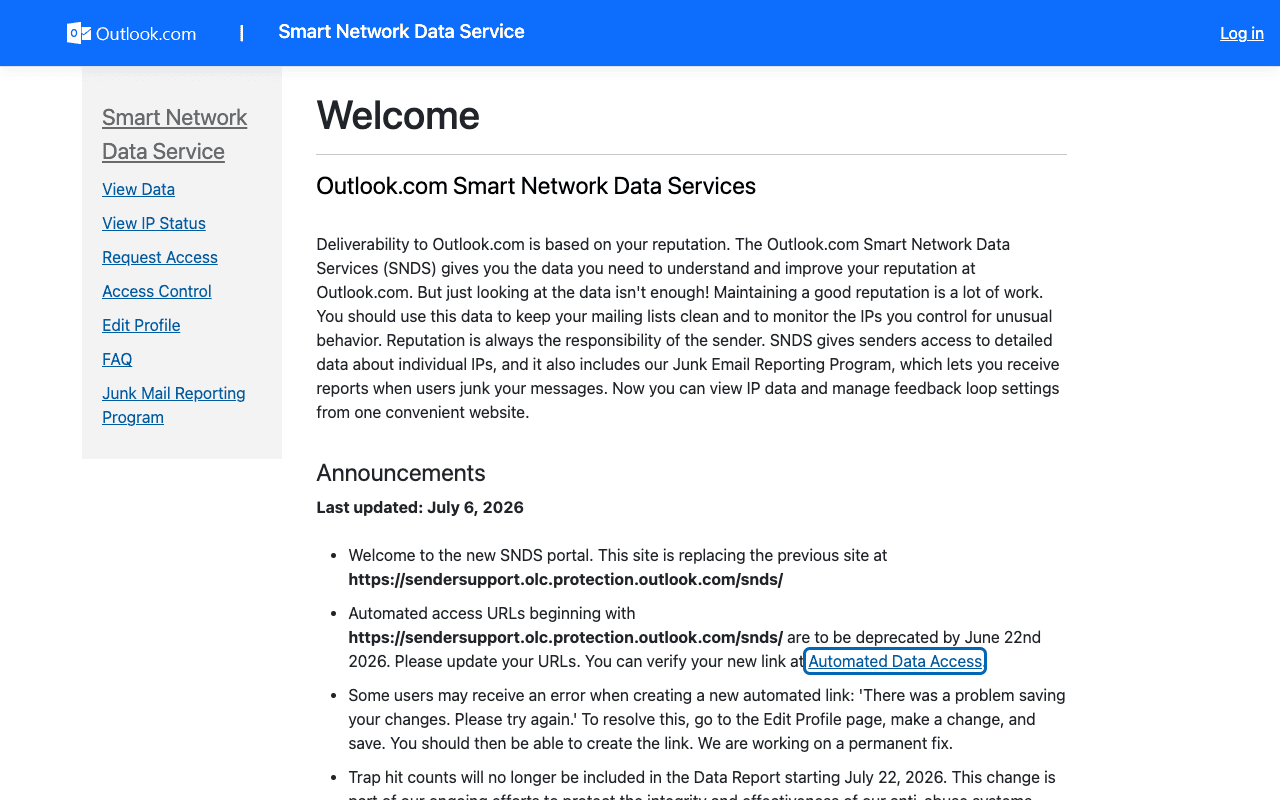
- Smart Network Data Services (SNDS)
Per the SNDS site, it "gives senders access to detailed data about individual IPs, and it also includes our Junk Email Reporting Program". Sign in with a Microsoft Account and request access to the IPs you are responsible for.
If it bounces instead: the codes Microsoft 365 returns
Spam placement returns no SMTP error, so these are the readings and codes you see when Microsoft 365 refuses the mail instead. Match yours below; where a code has a full guide, it is linked.
- 550 5.7.515 (access denied, sending domain does not meet the required authentication level): the Outlook.com high-volume sender rejection, quoted on Microsoft's support page — full fix guide
- 550 5.7.26: unauthenticated mail refused, the rejection that a failing compauth result eventually becomes Full guide →
- 550 5.7.509: Exchange Online refusing mail that fails DMARC against a p=reject policy Full guide →
The real root cause: unenforced authentication
Reading Microsoft's headers is diagnosis, not repair. Once you skip past the opaque message-info value and read compauth, the same answer keeps appearing: the sending domain is not authenticated in a way Microsoft can verify against the From address. SPF passes for a service you forgot to list, DKIM signs with a vendor's domain instead of yours, or DMARC sits at p=none where Microsoft's reason code 001 treats it as a weak policy. Fixing that is a DNS and vendor-configuration job, not a content job. Collect DMARC aggregate reports, authenticate every service the reports reveal, then move the policy from p=none through quarantine to p=reject so mail forged in your name never reaches an Outlook filter to be scored in the first place. Monitoring shows you which senders fail; enforcement is what makes the header read compauth=pass and stay that way.
DMARC software that does the work
Palisade's AI agent takes domains all the way to enforcement: hosted SPF, DKIM, DMARC, and MTA-STS records on paid plans, DMARC reports monitored continuously, and every policy step drafted for your approval on the way to p=reject. The full product is open for a 15-day trial, and nothing is charged until it ends.
15-day full-product trial. Nothing is charged until it ends.
Fixing this across every client domain
Every client domain gets its own composite authentication verdict at Microsoft, so header triage across a fleet is the same investigation repeated per tenant, usually starting from a helpdesk ticket that says nothing more than "our email goes to junk". Palisade collapses that into one view: it hosts and manages the SPF, DKIM, DMARC and MTA-STS records for each client domain, reads the aggregate reports to name the senders that are failing before anyone opens a ticket, and proposes the next policy step for each domain with your team approving each change. Native ConnectWise, HaloPSA and Autotask integrations put the tickets where your techs already work, pricing is per client domain with rates that improve as the portfolio grows, and your own MSP domain is a free NFR domain to run the process on first.
Questions readers ask
Frequently asked questions
Can I decode X-Microsoft-Antispam-Message-Info?
X-Microsoft-Antispam-Message-Info. Microsoft's anti-spam header reference documents the fields of X-Forefront-Antispam-Report and the BCL field of X-Microsoft-Antispam, and says the remaining fields are used only by its own anti-spam team. Treat the message-info value as opaque and read the documented fields instead.Is X-Microsoft-Antispam-Message-Info documented anywhere by Microsoft?
X-Microsoft-Antispam-Message-Info appears in one place in Microsoft's documentation: the requirements for user-reported messages sent to a reporting mailbox, where it is listed as a required header alongside Message-Id, X-Ms-Exchange-Organization-Network-Message-Id and X-Ms-Exchange-Crosstenant-Id, with the note that it "should be a valid header".What is the difference between X-Microsoft-Antispam and X-Forefront-Antispam-Report?
X-Microsoft-Antispam carries additional information about bulk mail and phishing, and Microsoft documents only its BCL field. X-Forefront-Antispam-Report carries information about the message and how it was processed, and Microsoft documents many fields including CAT, SFV, SCL, DIR, CIP, CTRY, IPV, SRV and SFTY.Which header field tells me why Microsoft junked my email?
CAT in X-Forefront-Antispam-Report names the category that acted on the message, and SFV says whether filtering was skipped or honored a rule. Microsoft's own guidance is to use CAT and DIR to understand how a message was filtered. Then read compauth in Authentication-Results for the authentication verdict.What does compauth=fail reason=001 mean?
compauth=fail with reason=001 means the message failed implicit authentication: Microsoft documents this as the sending domain having published no email authentication records, or having published a weaker failure policy such as SPF ~all or ?all, or a DMARC policy of p=none. It is the most common result behind sender-side junking.Does a BCL value mean my email was marked as spam?
BCL is the bulk complaint level, which Microsoft uses to identify gray mail rather than spam. A message meeting or exceeding the recipient's BCL threshold gets the bulk action from their anti-spam policy, which is delivery to Junk by default. The defaults are 7 in the default policy, 6 in Standard preset and 5 in Strict preset.How do I get the full internet header from Outlook?
Sources and last verified
Every claim about Microsoft 365 on this page links to the source it came from, each with the date it was last checked. Provider policies change; if a detail looks off, the linked source is authoritative.
- Microsoft documents X-Forefront-Antispam-Report field by field (CAT with values including SPM, HSPM, PHSH, HPHSH/HPHISH, SPOOF, BULK; SFV values including SKB, BLK, SKS, SKN, NSPM, SPM; SRV:BULK; CIP; CTRY; DIR; IPV; SCL; SFTY) and documents only the BCL field of X-Microsoft-Antispam, stating that other fields in that header "are used exclusively by the Microsoft anti-spam team for diagnostic purposes"; X-Microsoft-Antispam-Message-Info is not documented as a readable field. Also documents the Authentication-Results header, the compauth result and the three-digit reason codes (000, 001, 1xx), and names the Message Header Analyzer toollearn.microsoft.com · checked 2026-09-02
- X-Microsoft-Antispam-Message-Info is listed as a required header on user reported messages sent to a reporting mailbox, alongside Message-Id, X-Ms-Exchange-Organization-Network-Message-Id and X-Ms-Exchange-Crosstenant-Id, with the note that it "should be a valid header"learn.microsoft.com · checked 2026-09-02
- BCL scale: 0 not from a bulk sender, 1 to 3 few complaints, 4 to 7 a mixed number of complaints, 8 and 9 a high number; default BCL threshold is 7 in the default and new anti-spam policies, 6 in the Standard preset security policy and 5 in the Strict preset security policy; messages at or above the threshold go to the Junk Email folder by defaultlearn.microsoft.com · checked 2026-09-02
- In cloud organizations the SCL value does not determine the verdict or the action, and Microsoft directs readers to use the CAT and DIR values instead to understand how a message was filteredlearn.microsoft.com · checked 2026-09-02
- Microsoft 365 spam filtering verdicts are Spam, High confidence spam, Phishing, High confidence phishing and Bulk, and the anti-spam header can tell an admin why a message was marked as spam or why it skipped filteringlearn.microsoft.com · checked 2026-09-02
- High-volume sender definition of 5,000 or more messages to Microsoft consumer email services using the same domain in the 5322.From address; SPF and DKIM must pass, a DMARC record is required (example "v=DMARC1; p=none"), and at least one of SPF or DKIM must align with the 5322.From domain; the rejection string is "550 5.7.515 Access denied, sending domain <domain> does not meet the required authentication level."support.microsoft.com · checked 2026-09-02
- Steps to view internet message headers: classic Outlook via File then Properties then the Internet headers box; new Outlook and Outlook on the web via More actions then View then View message detailssupport.microsoft.com · checked 2026-09-02
- The Outlook.com Postmaster site is Microsoft's sender-facing resource for Outlook.com, Hotmail and Live, covering policies, troubleshooting and SMTP error codes, and records that from 5 May 2025 senders of more than 5,000 messages a day must use SPF, DKIM and DMARC to avoid Junk folder placementsubstrate.office.com · checked 2026-09-02
- SNDS "gives senders access to detailed data about individual IPs, and it also includes our Junk Email Reporting Program"; senders sign in with a Microsoft Account and request access to the IPs they are responsible forsubstrate.office.com · checked 2026-09-02
Related guides
550 5.7.26550 5.7.509550 5.7.1dmarc=passdmarc=failadkim / aspf