Provider deliverability · Spectrum (Charter)
Why is Spectrum blocking my emails?

By Samuel Chenard · CEO & Co-Founder, Palisade · Reviewed September 19, 2026
Spectrum rejects inbound mail with an error beginning AUP#I followed by four numbers. The most common are 1000 (the sending IP is blocked for suspicious activity), 1100 to 1150 (no reverse DNS, which Spectrum requires), 1200 to 1250 (the IP is listed by Cloudmark or Spamhaus), and 1300 to 1490 (connection, volume and recipient limits).
The 30-second check
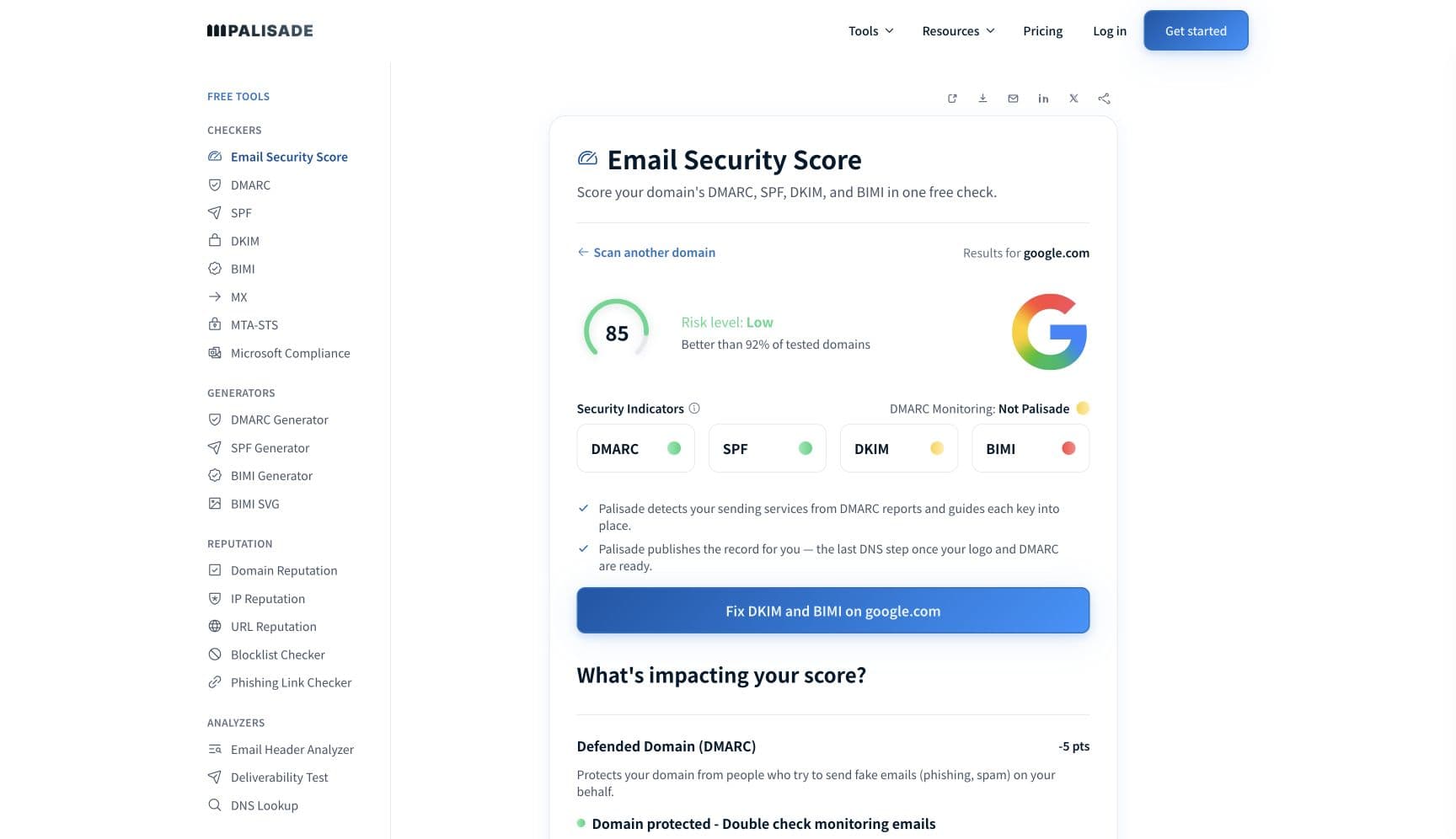
Spectrum's published rules are about the sending IP, not the sending domain. Its code table says "Spectrum requires a full circle DNS for emails to be allowed through", and two whole code ranges exist for Cloudmark and Spamhaus listings. Start by confirming the IP has a reverse DNS record that resolves back to itself and is on no list. The free check below reads the IP's PTR record and reputation in about thirty seconds; then check the domain's SPF, DKIM and DMARC, because Spectrum's code 1160 to 1190 is a rejection under "your domain's security policies".
Run the check now
Enter the sending IP or your sending domain and the check runs instantly on the next page. Free, no signup.
Why Spectrum is blocking your email
| Likely cause | What's happening |
|---|---|
| The sending IP is blocked for suspicious activity (AUP#I1000) | Spectrum's text for code 1000 is "Your IP address has been blocked due to suspicious activity. If you're using a Spectrum-issued IP, contact us. If you're using an IP address issued by another provider, these blocks will remain until they expire." There is no delist form: a non-Spectrum sender waits out the block and fixes whatever caused it. |
| No forward-confirmed reverse DNS (AUP#I1100 to 1150) | Spectrum says "The IP address you're trying to connect from has an issue with the Domain Name System (DNS). Spectrum requires a full circle DNS for emails to be allowed through", and asks senders to "check the IP address to ensure a reverse DNS entry exists for the IP". A PTR that is missing, or that names a host which does not resolve back to the same IP, fails this on every connection. |
| The IP is listed by Cloudmark CSI or Spamhaus (AUP#I1200 to 1250) | Codes 1200 to 1210 mean the IP "has been flagged by Cloudmark CSI as potential spam" and Spectrum's instruction is to "Have your IP administrator request a reset". Codes 1220 to 1250 mean the IP "has been blacklisted by Spamhaus" and "The owner of the IP address must contact Spamhaus to be removed from the list". Spectrum adds that both list operators have "sole discretion" over removal. |
| The message breaks the sender domain's own security policy (AUP#I1160 to 1190) | Spectrum's wording is "The email you tried to send goes against your domain's security policies. Please contact the email administrators for your domain." Spectrum does not name the mechanism, but a policy that belongs to the sender's domain and is enforced by the receiver is what a DMARC policy is, and a legitimate sender that fails SPF and DKIM alignment under p=reject produces exactly this outcome. |
| Too many connections at once (AUP#I1300 to 1340) | "You have too many connections at one time. There's a limit to the number of concurrent connections from a sender, as well as the total number of connections allowed. These limits vary based on the IP address." Spectrum publishes no numbers, so a new IP should open few connections and grow slowly. |
| Volume, recipient and invalid-address limits (AUP#I1350 to 1490, 1540 to 1580) | Spectrum applies limits on "Messages that can be sent at one time", "Different email recipients" and "Invalid email addresses". Code 1540 is a deferral for "attempting to send too many in a single session", 1550 a rejection for "too many recipients in one message", 1560 for "too many invalid recipients", and 1580 for "too many recipients in a short period of time". A stale list trips 1560 on its own. |
| IPv6, size, or a temporary processing failure | Code 1260 means "You've tried to connect with an IPv6 address, which we don't support. Connect with an IPv4 address and try again." Code 1530 is the 20MB message size limit. Code 1090 is the one that is not a block: "The email you're trying to send isn't being blocked, but can't be processed at this time. Try to send it again at a later time." |
Check the public signals before changing settings
The free check above gives you a fast public baseline for how Spectrum sees your mail. It does not replace the provider's private reputation or placement data, but it tells you whether the problem is visible from outside before you edit a sending platform.
How to fix it, step by step
Check the sending IP's reverse DNS and reputation
Use the free check above, or open the IP reputation checker page directly. Confirm the IP has a PTR record, that the hostname in it resolves back to the same IP, and that the IP is on no public list. That single check covers Spectrum's codes 1100 to 1250.
Read the four digits after AUP#I
Match the number against Spectrum's table. 1000 is an IP block, 1100 to 1150 reverse DNS, 1160 to 1190 the sender domain's own policy, 1200 to 1250 a Cloudmark or Spamhaus listing, 1260 IPv6, 1300 to 1340 connections, 1350 to 1490 and 1540 to 1580 volume and recipient limits, 1530 size, 1090 a temporary failure to retry.
Clear a Cloudmark or Spamhaus listing at the source
For 1200 to 1210, have the IP administrator submit a Cloudmark CSI reset request. For 1220 to 1250, the IP owner must contact Spamhaus. Spectrum says both have sole discretion over removal, so fix the cause of the listing before asking. Run the blocklist checker to see every other list the IP sits on.
Check SPF, DKIM and DMARC on the domain in your From header
For 1160 to 1190, run the domain through the DMARC checker. If your domain is at
p=quarantineorp=rejectand a sending service fails alignment, Spectrum is doing what your own record asks. Find that service in your aggregate reports, authenticate it, and keep the policy.Cut concurrency and batch size
Spectrum does not publish its connection or volume limits and says they vary by IP, so configure your MTA for a small number of connections to Spectrum, modest messages per connection, and a low recipient count per message, then raise them only as mail is accepted. Codes 1300 to 1340, 1540, 1550 and 1580 all respond to this.
Remove invalid addresses before the next send
Code 1560 is a rejection for too many invalid recipients, and invalid addresses are one of the three things Spectrum limits. Suppress every address that has bounced as unknown and validate new ones before they go on a list.
Send over IPv4 and under 20MB
Spectrum does not accept IPv6 connections for inbound mail (code 1260), so make sure your MTA prefers IPv4 for Spectrum's MX hosts. Keep messages under the 20MB limit (code 1530) by linking to large files rather than attaching them.
Contact Spectrum with the full error, or wait it out
For a Spectrum-issued IP, contact Spectrum. For any other IP, Spectrum says code 1000 blocks "will remain until they expire". When you do contact them, Spectrum asks for "full details of the error code, sender and recipient email addresses, the IP address of the sender, a rough date and time and any other details you may have".
Related free tools: Blocklist checker · DMARC checker · SPF checker · DKIM checker
If you send in volume: Spectrum's published rules
Spectrum publishes no bulk-sender programme, no complaint-rate ceiling, no feedback loop and no numeric volume thresholds. What it publishes is the AUP#I code table, which states that limits exist on the number of messages sent at one time, the number of different recipients, and the number of invalid addresses, and that connection limits "vary based on the IP address". Its published prerequisites for any sender are a static IPv4 address with forward-confirmed reverse DNS and no Cloudmark or Spamhaus listing. Treat the industry baseline as Spectrum's: authenticate every sender, align the From domain, keep complaints under 0.3%, and honour one-click unsubscribe. Checked 2026-09-15.
Check your standing with Spectrum
- Spectrum: Understanding email error codes
The complete AUP#I and AUP#O code table with Spectrum's own wording for each range. This is the only sender documentation Spectrum publishes; read the matching row before contacting support.
- Spectrum contact
The escalation path Spectrum's code table points at. There is no delist portal; have the full error code, both addresses, the sending IP and the time ready.
- Cloudmark CSI reset request
Where Spectrum sends senders with codes 1200 to 1210. Cloudmark decides on removal, so clear the cause first.
- Spamhaus contacts
Where Spectrum sends senders with codes 1220 to 1250. The IP owner, not the sender, has to make the request.
Bounce codes you may be seeing
A block from Spectrum surfaces as a specific SMTP code. Some lists below also carry codes returned by the systems receiving your mail; each line names its issuer. Match yours below; where a code has a full guide, it is linked.
- AUP#I1000: the sending IP is blocked for suspicious activity; non-Spectrum IPs wait for expiry rather than requesting removal Full guide →
- AUP#I1100 to 1150: reverse DNS failure, because Spectrum requires forward-confirmed reverse DNS; AUP#I1200 to 1250: the IP is listed by Cloudmark CSI or Spamhaus Full guide →
- AUP#I1160 to 1190: the message goes against the sender domain's own security policies, which is consistent with a DMARC p=reject or SPF -all rejection, though Spectrum does not name the mechanism Full guide →
- AUP#I1300 to 1340, 1540 and 1580: connection and rate deferrals; AUP#I1550 and 1560: too many recipients or too many invalid recipients; AUP#I1090: a temporary failure that is explicitly not a block Full guide →
The real root cause: unenforced authentication
Spectrum's table has a row that most senders skip past because it does not sound like Spectrum's decision: the message "goes against your domain's security policies", contact your own administrators. That row is the point. Every other code on the page is about the pipe, the IP, its name and its listings, and those are fixed once and stay fixed. The one about your domain is fixed only by knowing every service that sends as it and making each one prove it. DMARC aggregate reports give you that list, with the check each sender fails. Authenticate and align them, then move the policy from p=none to p=reject so that mail which cannot prove it is yours is refused everywhere, and the 1160 row is one Spectrum would apply to forgers rather than to you.
DMARC software that does the work
Palisade's AI agent takes domains all the way to enforcement: hosted SPF, DKIM, DMARC, and MTA-STS records on paid plans, DMARC reports monitored continuously, and every policy step drafted for your approval on the way to p=reject. The full product is open for a 15-day trial, and nothing is charged until it ends.
Audit any domain free, no card needed. A card starts the 15-day trial.
Fixing this across every client domain
Spectrum is one of the largest residential ISPs in the United States, so a client whose customers include households in Spectrum territory hits these codes on every campaign, and a shared sending IP with one careless tenant pulls every client behind it into a 1000 or 1220 block. Palisade separates the domain work from the IP work: hosted and managed SPF, DKIM, DMARC, and MTA-STS records for every client domain, aggregate reports read so each unauthenticated sending service is named rather than guessed at, and a path to p=reject with your team approving every change, while your IP hygiene stays a one-time infrastructure fix. Native ConnectWise, HaloPSA, and Autotask integrations put it in your PSA, pricing is per client domain with rates that improve as the portfolio grows, and your own MSP domain is a free NFR domain to prove the process on first.
Questions readers ask
Frequently asked questions
What does AUP#I1000 from Spectrum mean?
What is the difference between AUP#I and AUP#O codes?
What does "full circle DNS" mean in Spectrum's error?
How do I get off Spectrum's block list?
What does AUP#I1160 to 1190 mean?
Does Spectrum accept mail over IPv6?
What are Spectrum's sending limits?
Does Spectrum have a feedback loop or complaint threshold?
Sources and last verified
Every claim about Spectrum on this page links to the source it came from, each with the date it was last checked. Provider policies change; if a detail looks off, the linked source is authoritative.
- Spectrum email error codes: errors to a Spectrum address from a non-Spectrum address begin with AUP#I plus four numbers, and errors from a Spectrum address begin with AUP#O; 1000 "Your IP address has been blocked due to suspicious activity. If you're using a Spectrum-issued IP, contact us. If you're using an IP address issued by another provider, these blocks will remain until they expire."; 1010 and 1020 to 1080 are account-level sending blocks for Spectrum customers; 1090 "The email you're trying to send isn't being blocked, but can't be processed at this time. Try to send it again at a later time."; 1100 to 1150 "The IP address you're trying to connect from has an issue with the Domain Name System (DNS). Spectrum requires a full circle DNS for emails to be allowed through" and "check the IP address to ensure a reverse DNS entry exists for the IP"; 1160 to 1190 "The email you tried to send goes against your domain's security policies. Please contact the email administrators for your domain."; 1200 to 1210 the IP "has been flagged by Cloudmark CSI as potential spam. Have your IP administrator request a reset" with Cloudmark having "sole discretion"; 1220 to 1250 "Your IP address has been blacklisted by Spamhaus. The owner of the IP address must contact Spamhaus to be removed from the list" with Spamhaus having "sole discretion"; 1260 "You've tried to connect with an IPv6 address, which we don't support. Connect with an IPv4 address and try again."; 1300 to 1340 "You have too many connections at one time. There's a limit to the number of concurrent connections from a sender, as well as the total number of connections allowed. These limits vary based on the IP address."; 1350 to 1490 limits on "Messages that can be sent at one time", "Different email recipients" and "Invalid email addresses"; 1500 and 1520 send-as mismatches for Spectrum-hosted senders; 1530 "There is a maximum email size of 20MB"; 1540 deferred "for attempting to send too many in a single session"; 1550 rejected "for having too many recipients in one message"; 1560 rejected "for having too many invalid recipients"; 1580 "You've tried to send messages to too many recipients in a short period of time"; when contacting Spectrum, have "full details of the error code, sender and recipient email addresses, the IP address of the sender, a rough date and time and any other details you may have"www.spectrum.net · checked 2026-09-15
- Spectrum's contact page is the escalation path linked from every "contact us" instruction in the error-code table; no delist portal is publishedwww.spectrum.net · checked 2026-09-15
- The Cloudmark CSI reset request form is the destination Spectrum links for codes 1200 to 1210csi.cloudmark.com · checked 2026-09-15
- The Spamhaus contacts page is the destination Spectrum links for codes 1220 to 1250www.spamhaus.org · checked 2026-09-15
Related guides
554 5.7.1550 5.7.1421 4.7.0ptrp=rejectadkim / aspf