Email blocklist · Multiple operators
The email blocklists every sender should monitor in 2026

By Samuel Chenard · CEO & Co-Founder, Palisade · Reviewed July 19, 2026
An email blacklist (also called a blocklist or RBL) is a published list of IP addresses or domains with a bad sending reputation that receiving mail servers check in real time to reject, defer, or flag your messages. The ones worth watching: Spamhaus, Barracuda, SpamCop, UCEPROTECT, Cloudmark CSI, invaluement, SURBL, URIBL, and Backscatterer.
| email blocklist at a glance | |
|---|---|
| Operator | Multiple operators |
| Type | IP and domain blocklist |
| IP lookup zone | one zone per list (see table) |
| Query method | Most are A-record DNSBLs you query per message over DNS. A few (Cloudmark CSI, invaluement) ship only as licensed data feeds, and Spamhaus blocks lookups from big public resolvers like Google and Cloudflare. |
| Who uses it | ISPs, mailbox providers, secure email gateways, and open-source filters like SpamAssassin query these lists at SMTP time to accept, defer, or reject your mail. |
| Reach | Depends on the list: a Spamhaus or Barracuda hit can dent delivery almost everywhere, while a niche URI or backscatter listing only bites the receivers that use it. |
| Removal cost | Free on every list (paid delisting offers are scams) |
Check if you're on email blocklist
Two things decide what you do next: which list flagged you, and whether it matched your sending IP or your domain. Check the IP your mail actually leaves from (not your website's IP) and the domains you send from. The check below runs against every major blocklist at once.
Is your IP or domain on email blocklist?
Enter your sending IP or domain and the check runs instantly on the next page. Free, no signup.
Related free tools: IP reputation · Domain reputation · URL reputation · DNS lookup · Email security score
What is email blocklist?
An email blacklist, more accurately called a blocklist or a DNSBL (DNS-based blocklist), is a published list of IP addresses or domains that a receiver's mail server checks while it decides whether to accept your message. When your sending IP or your domain is on one, the receiver can reject the connection, defer it, or drop the mail into spam. That is what people mean by being blacklisted: a reputation service told the receiver you look risky, and the receiver acted on it. The list itself blocks nothing; the receivers that consult it do.
Each list answers a fast DNS query. A receiver looks up your IP (reversed) against a zone like zen.spamhaus.org or bl.spamcop.net, and a hit comes back as a 127.0.0.x code that says which list flagged you. Some lists match sending IPs (Spamhaus ZEN, Barracuda, SpamCop, UCEPROTECT, Backscatterer), some match domains or the links in a message body (Spamhaus DBL, SURBL, URIBL, invaluement's ivmURI), and one vendor, Cloudmark, ships reputation as a licensed feed rather than a public zone. When a listing bites, receivers usually return a policy bounce such as 550 5.7.1 or 554 5.7.1.
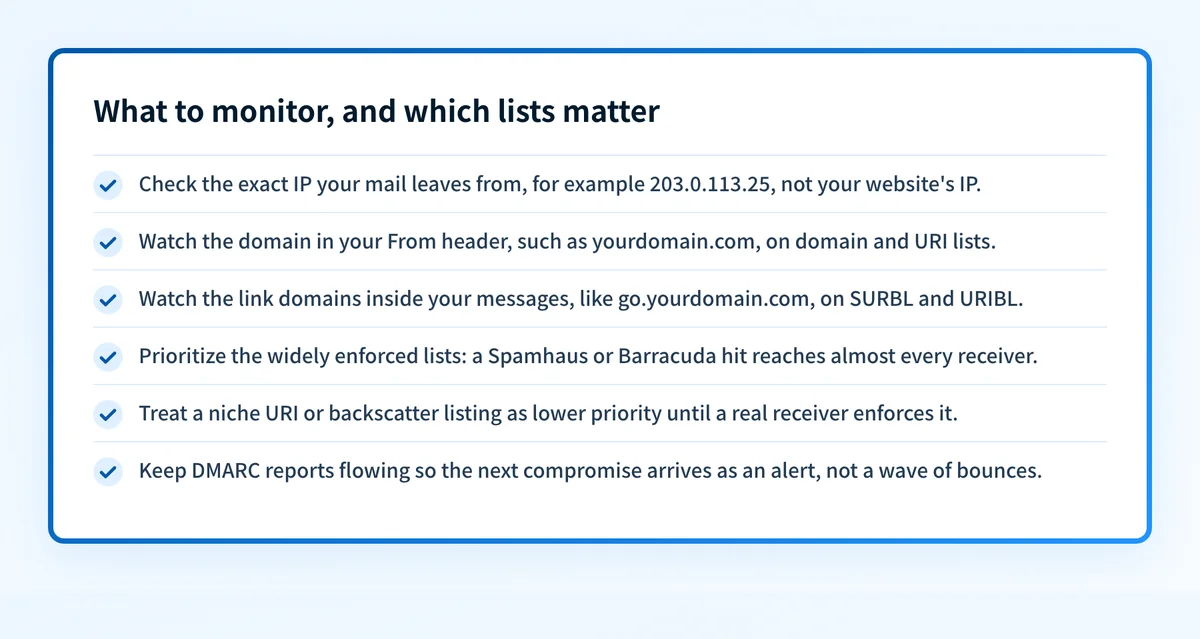
You do not need to watch all several hundred public blocklists. A handful drive almost all real delivery pain, and they are the eight in the table below. Monitor the ones your receivers actually consult, against the exact IP your mail leaves from and the domains in your From header and your links. The rest of this page covers what each list holds, who consumes it, why senders land on it, and how to get off without paying anyone.
The email blocklist lists, and what each one covers
email blocklist is not one list. Identify the exact zone that flagged you: it decides what you fix and how you get removed.
| List | What it covers | Where it's queried | Getting off |
|---|---|---|---|
Spamhaus ZEN and DBL zones IP | Sending IPs with a bad reputation across four bundled lists (SBL, CSS, XBL, PBL) at zen.spamhaus.org, plus spam domains on the separate DBL (dbl.spamhaus.org). Queried by a very large share of the world's ISPs, enterprise mail servers, and commercial filters, so one listing can hurt delivery almost everywhere. | zen.spamhaus.org | Self-service removal Most zones self-clear once the abuse stops; the SBL needs the ISP to ask. Remove at check.spamhaus.org, always free. |
Cloudmark CSI Cloudmark Sender Intelligence IP | An IP reputation system, not a public blocklist: Cloudmark ships it as a licensed data feed built from spamtrap hits, user 'this is spam' complaints, reverse-DNS reputation, and traffic volume. Consumed by the carriers and mailbox providers that run Cloudmark filtering. | csi.cloudmark.com | Removal web form No public delist button. Senders request a reputation reset at csi.cloudmark.com; the score then rebuilds as clean, low-complaint traffic resumes. |
Barracuda Barracuda Reputation Block List IP | Sending IPs that Barracuda's automated systems have seen sending spam. Used by Barracuda's own email gateways and by any mail server that adds the BRBL (the BRBL has been in public deployment since 2008). | b.barracudacentral.org | Removal web form Fill in the removal form at barracudacentral.org with a valid reason. Barracuda says requests are 'typically investigated and processed within 12 hours' of submission. Free. |
SpamCop SpamCop Blocking List IP | IP addresses that have sent mail reported by SpamCop users and spamtraps: in SpamCop's words, a list of IPs 'which have transmitted reported email to SpamCop users.' Queried by mail servers during the SMTP conversation. | bl.spamcop.net | Expires automatically Time-based: an IP drops off automatically once reports stop, roughly 24 hours after the last reported message. No manual removal needed. |
UCEPROTECT Levels 1, 2 and 3 IP | Three escalating IP lists: Level 1 (dnsbl-1) lists the single abusing IP, Level 2 (dnsbl-2) the provider's allocation, and Level 3 (dnsbl-3) the whole ASN, so a noisy neighbour can list you. UCEPROTECT says its users include national authorities in Germany, Austria and Switzerland plus some ISPs. | dnsbl-1.uceprotect.net | Expires automatically A Level 1 listing clears on its own once the IP stops the abuse; UCEPROTECT also sells an optional paid express delisting. Level 2 and 3 clear when the allocation or ASN cleans up. |
invaluement ivmSIP, ivmSIP/24 and ivmURI IP | Two IP lists (ivmSIP for spam-only IPs, ivmSIP/24 for spammer subnets) and a URI list (ivmURI) for domains found in spam links. Not free public DNS: invaluement licenses it as a data feed that drops into most spam filters, including SpamAssassin. | ivmSIP / ivmURI | Removal web form No public zone to self-check. Submit a delist request at invaluement.com/removal; because it is a curated subscription feed, removals are reviewed by invaluement. |
SURBL / URIBL URI (domain) blocklists URI | Two separate URI blocklists that list the domains and links found inside spam bodies, not the sending IP. URIBL describes itself as listing 'domains that appear in spam, NOT where they were sent from.' Widely used by SpamAssassin and commercial filters. | multi.surbl.org / multi.uribl.com | Removal web form Both list active spammer domains, so a clean domain ages off. If a legitimate domain is caught, use each operator's lookup and removal form at surbl.org and uribl.com. |
Backscatterer ips.backscatterer.org IP | IPs that send 'misdirected bounces and misdirected autoresponders and sender callouts from abusive systems', i.e. backscatter, not spam. A UCEPROTECT project; it should be queried in SAFE MODE, only when the envelope MAIL FROM is empty or postmaster. | ips.backscatterer.org | Expires automatically Stop the misdirected bounces and callouts and the listing expires; like UCEPROTECT, an optional paid express delisting exists for senders who cannot wait. |
Why your IP or domain got listed
A listing is a reputation verdict. These are the situations email blocklist lists senders for:
Spam or unwanted mail left your IP, whether you sent it or a compromised account, script, or device did it for you.
Your domain or a link in your message turned up in spam, which lands you on a domain or URI list (Spamhaus DBL, SURBL, URIBL) even when your IPs are clean.
Mail left your domain unauthenticated, so SPF, DKIM, and DMARC could not vouch for it and the receiver treated it as forgeable.
Your IP hit a spamtrap, or your complaint rate climbed, which reputation systems like SpamCop and Cloudmark CSI weight heavily.
You sent from dynamic or end-user IP space, or a shared IP a neighbour already dirtied, or a recycled IP that arrived with an old listing.
Your server emitted backscatter (bounces or autoreplies aimed at forged senders), which is exactly what Backscatterer lists.
Most common reasons senders land here, ranked
| Likely cause | What's happening |
|---|---|
| A compromised mailbox, app, or server started sending spam | The most common trigger. A phished account, a vulnerable web form, or an infected host sends spam from your IP or as your domain. Reputation systems see the traffic and list you, often within minutes. |
| Your domain isn't enforced, so anyone can spoof it | If your DMARC policy is not at enforcement, spammers can send as your domain. Their spam carries your name onto domain and URI lists and drags your real mail down with it. This is the seam Palisade closes. |
| SPF, DKIM, or DMARC is missing or misaligned | Unauthenticated mail looks forgeable to receivers and to automated detection. Gaps in SPF or DKIM, or a DMARC record stuck at p=none, make a listing easy to earn and easy for abuse to hide behind. |
| A shared or recycled IP arrived with baggage | On shared sending infrastructure another tenant's spam can list the IP you also use. A freshly allocated IP can inherit an older listing, and UCEPROTECT can list a whole allocation or ASN for one bad neighbour. |
| Spamtrap hits, high complaints, or backscatter | Mailing stale lists hits spamtraps; too many recipients clicking this is spam raises your complaint rate; bouncing mail to forged senders creates backscatter. SpamCop, Cloudmark CSI, and Backscatterer each key on one of these. |
How to delist from email blocklist
Removal only sticks if you fix the cause first: reputation systems re-list the moment the abuse resumes, and several say so outright. The flow below is the same for every list on this page; only the final removal path differs. One rule up front: legitimate lists never charge to remove you, so treat any 'pay us to delist' message with suspicion.
Confirm which list flagged you, and whether it is your IP or domain
Run your sending IP and your domain through the free blocklist check below. Note the exact list and whether it matched an IP (Spamhaus ZEN, Barracuda, SpamCop, UCEPROTECT, Backscatterer) or a domain or link (Spamhaus DBL, SURBL, URIBL). A listing often surfaces first as a bounce such as
550 5.7.1or554 5.7.1.Stop the abuse at the source
Before you ask for removal, end whatever caused it: reset the compromised mailbox, patch or close the open relay or vulnerable form, clean the infected host, and stop any misdirected bounces. Most lists re-add you immediately if the behaviour continues.
Authenticate every sender and enforce DMARC
Publish correct SPF, turn on DKIM for each service that sends as you, and set DMARC. Verify with the free SPF, DKIM, and DMARC checkers, then move the policy to
p=rejectso no one can spoof your domain back onto a domain or URI list.Use each operator's own removal path, and never pay a stranger
Go to the operator directly: check.spamhaus.org, barracudacentral.org, csi.cloudmark.com, invaluement.com/removal, surbl.org, or uribl.com. SpamCop and Backscatterer mostly expire on their own. UCEPROTECT and Backscatterer sell an optional paid express delisting, but waiting out the free expiry is fine once the cause is fixed.
Re-check, then keep monitoring
Confirm you are clear on the same checker, and allow for DNS propagation. Then keep watching the IP and the domain, and keep DMARC reports flowing, so the next compromise shows up as an alert instead of a fresh listing and a wave of bounces.
Removal is free
Removal is free on every legitimate list. Spamhaus states it flatly: "There is never any charge or fee associated with removing any Spamhaus listing. Any offer from anyone to remove any Spamhaus listing for a fee is a scam." Two honest exceptions worth knowing: UCEPROTECT and Backscatterer sell an optional paid express delisting for senders who cannot wait out the automatic expiry, but the free path (fix the cause, let it expire) always exists. Never pay a third party that promises to remove you from a list it does not run.
Open www.palisade.emailWhen a email blocklist listing isn't your fault
A listing is rarely random, but it is not always your own doing. On shared sending infrastructure the flagged IP may belong to another tenant, and UCEPROTECT deliberately escalates from the single IP (Level 1) to the whole allocation (Level 2) and ASN (Level 3), so a neighbour's spam can list you. A domain or URI listing can come from someone spoofing a domain you have not enforced. And Spamhaus now refuses lookups from big public resolvers: a query routed through Google, Cloudflare, or Quad9 returns a 127.255.255.254 sentinel that some tools misread as a real listing. Confirm from a normal network, on the operator's own site, before you act.
How to stay off email blocklist
Authenticate everything: SPF that names every real sender, DKIM signing on each service, and DMARC you actually move to enforcement.
Enforce DMARC at
p=rejectso no one can spoof your domain onto a domain or URI list in the first place.Set correct PTR/reverse DNS with a matching HELO, and send from static IPs meant for mail, not dynamic or end-user space.
Keep lists clean and complaint rates low: spamtrap hits and this-is-spam clicks are what reputation systems weight most.
Watch your DMARC reports and your IP and domain reputation continuously, so a compromise surfaces as an alert, not a bounce.
Fix mail-server misconfigurations that create backscatter, and never run an open relay.
The real fix: enforce authentication, don't just monitor
Nearly every listing on this page traces back to the same gap: mail that leaves your domain without being authenticated, or a domain anyone can spoof because it is not enforced. Checking a blocklist tells you that you are listed; it does nothing to stop the spoofing and unauthenticated sending that put you there. Enforcement does. Publish and host correct SPF, DKIM, and DMARC, watch the reports for senders you missed, and move every domain to p=reject so receivers drop forged mail instead of listing yours.
DMARC software that does the work
Palisade's AI agent takes domains all the way to enforcement: hosted SPF, DKIM, DMARC, and MTA-STS records on paid plans, DMARC reports monitored continuously, and every policy step drafted for your approval on the way to p=reject. The full product is open for a 15-day trial, and nothing is charged until it ends.
15-day full-product trial. Nothing is charged until it ends.
Watching email blocklist across every client domain
One listed client IP is an afternoon; a book of clients each one compromise away from a listing is the job. Checking every tenant's IPs and domains against Spamhaus, Barracuda, SpamCop, and the rest by hand does not scale, and a single spoofed client domain on a URI list can pull a whole portfolio's delivery down. Palisade hosts and manages SPF, DKIM, DMARC, and MTA-STS for every client domain, surfaces unauthenticated senders in the DMARC reports before they turn into abuse, and carries each domain to p=reject, with your team approving each step. It watches every domain from one console and opens tickets in ConnectWise, HaloPSA, and Autotask, and your own MSP domain is a free NFR domain to prove it on.
Questions readers ask
Frequently asked questions
What does it mean to be blacklisted or blocklisted?
What is the difference between an email blacklist and a blocklist?
Which email blacklists should I actually monitor?
How do I check if my IP or domain is blacklisted?
Is it free to get off an email blacklist?
What is the difference between an IP blacklist and a domain blacklist?
Why do I keep getting relisted after removing myself?
Sources and last verified
Every email blocklist fact on this page is drawn from the operator's own documentation, last checked 2026-07-19. Blocklist policies change; if a detail looks off, the linked source is authoritative.
- Spamhaus ZEN bundles the SBL, CSS, XBL and PBL as an IP-only zone; domains are listed separately on the DBL.“It contains the SBL, CSS, XBL, and PBL blocklists.”www.spamhaus.org · checked 2026-07-19
- Spamhaus removal is always free on every list; paid-delisting offers are scams.“There is never any charge or fee associated with removing any Spamhaus listing. Any offer from anyone to remove any Spamhaus listing for a fee is a scam.”www.spamhaus.org · checked 2026-07-19
- Cloudmark Sender Intelligence (CSI) is a reputation product that overlaps with IP blacklists, built from complaints, spamtraps, reverse-DNS reputation and traffic volume.“Cloudmark provides a family of products called Cloudmark Sender Intelligence (CSI), which has functionality that overlaps with email IP Blacklists, but also includes a wider range of reputation information about the senders and IPs from which messages are originating.”www.cloudmark.com · checked 2026-07-19
- Cloudmark CSI reputation resets are requested by the sender at csi.cloudmark.com.csi.cloudmark.com · checked 2026-07-19
- Barracuda's BRBL (b.barracudacentral.org) is removed via a web form, and Barracuda says requests are processed within 12 hours with a valid explanation.“Removal requests are typically investigated and processed within 12 hours of submission if provided with a valid explanation.”www.barracudacentral.org · checked 2026-07-19
- The SpamCop Blocking List lists IPs that have sent mail reported by SpamCop users.“The SCBL is a list of IP addresses which have transmitted reported email to SpamCop users.”www.spamcop.net · checked 2026-07-19
- The SCBL is queried at bl.spamcop.net and is time-based; it delists automatically when reports stop.“The SCBL is time-based, resulting in quick and automatic delisting of these sites when reports stop.”www.spamcop.net · checked 2026-07-19
- UCEPROTECT runs three escalating lists (Level 1 single IPs, Level 2 allocations, Level 3 ASNs) used by national authorities in Germany, Austria and Switzerland plus ISPs.“several national authorities within Germany, Austria and Switzerland, but also several trusted Internet Service Providers”www.uceprotect.net · checked 2026-07-19
- UCEPROTECT operates a paid whitelisting/express-delisting service (whitelisted.org) alongside the free automatic expiry.“If your IP gets listed at UCEPROTECT-Level 1 for abuse, it can and will no longer stay in ips.whitelisted.org!”www.whitelisted.org · checked 2026-07-19
- invaluement runs ivmSIP (spam-only IPs), ivmSIP/24 (spammer subnets) and ivmURI (spam domains) as a licensed data feed, not free public DNS.“either only send spam or which emit an extremely high percentage of spam.”www.invaluement.com · checked 2026-07-19
- SURBL is a URI blocklist of the web sites found in message bodies, combined at multi.surbl.org.“message body web sites”www.surbl.org · checked 2026-07-19
- URIBL lists spam domains found in message bodies, not the sending IP, at multi.uribl.com.“domains that appear in spam, NOT where they were sent from”uribl.com · checked 2026-07-19
- Backscatterer (ips.backscatterer.org) lists IPs sending backscatter and should be queried in SAFE MODE.“misdirected bounces and misdirected autoresponders and sender callouts from abusive systems”www.backscatterer.org · checked 2026-07-19