Email blocklist · Spamhaus and other DNSBL operators
Why is my IP blacklisted when I send email and how do I get delisted?

By Samuel Chenard · CEO & Co-Founder, Palisade · Reviewed July 19, 2026
Your sending IP gets blacklisted when receivers or spam traps see abuse tied to it: a compromised mailbox or host sending spam, an open relay, spam complaints, or a spammy neighbor on shared or snowshoe IP space. Missing reverse DNS and unauthenticated mail (weak SPF, DKIM, DMARC) make listings far easier to earn.
| blacklisting at a glance | |
|---|---|
| Operator | Spamhaus and other DNSBL operators |
| Type | IP blocklist (DNSBL) |
| IP lookup zone | zen.spamhaus.org |
| Query method | A-record DNS blocklist (DNSBL) lookups: receivers check your sending IP against each list in real time as your message connects. |
| Who uses it | Mailbox providers, ISPs, and spam filters query these lists as your mail connects. A listing on a widely used one (Spamhaus, SpamCop, Barracuda) can hurt delivery across many receivers at the same time. |
| Reach | Varies by list. A Spamhaus ZEN or SpamCop listing can affect delivery at many receivers; a UCEPROTECT Level 2 or 3 listing hits an entire netblock or ASN at once. |
| Removal cost | Free on every list (paid delisting offers are scams) |
Check if you're on blacklisting
Two things decide what you do next: which list flagged you, and whether it flagged your sending IP or your domain. Check the IP your mail actually leaves from, not your website's IP, against the major lists below. If a bounce named your domain rather than an IP, check domain reputation instead.
Is your IP or domain on blacklisting?
Enter your sending IP or domain and the check runs instantly on the next page. Free, no signup.
Related free tools: Domain reputation · Full blocklist checker · DNS and PTR lookup · Email security score
What is blacklisting?
An email blacklist (or blocklist) is a published list of IP addresses, and sometimes domains, with a bad sending reputation. The lists do not filter your mail themselves. Receiving mail servers query them in real time as your message connects, then use the answer to accept, defer, or reject you. Because the big lists are queried by a large share of mailbox providers, one listing can hurt delivery at many receivers at once.
There is no single blacklist. Dozens of operators run their own, with different rules, different lookup zones, and different ways off. Some list an IP for sending spam (whether you sent it or a compromised account did), some for recipient complaints or spamtrap hits, and some list a whole IP range or network because a neighbor misbehaved. The list that flagged you decides what you actually fix, so identify it before anything else.
The blacklisting lists, and what each one covers
blacklisting is not one list. Identify the exact zone that flagged you: it decides what you fix and how you get removed.
| List | What it covers | Where it's queried | Getting off |
|---|---|---|---|
ZEN Spamhaus IP blocklist IP | The single query most receivers run. It combines Spamhaus's four free IP lists (SBL, CSS, XBL, PBL), so it catches spam sources, compromised hosts, and end-user ranges that should not send mail directly. It is IP-only; domains are checked separately on the DBL. | zen.spamhaus.org | Self-service removal Most zones self-remove at check.spamhaus.org (the hand-built SBL is requested by the IP's ISP). Fix the cause first, because an IP re-lists the moment the abuse resumes. |
SCBL SpamCop Blocking List IP | IP addresses that transmitted mail reported by SpamCop users, weighted by spamtrap hits. It is complaint-driven: enough recent reports list the sending IP, and the listing clears on its own once reports stop. | bl.spamcop.net | Expires automatically Automatic. Without new reports a listing lasts only about 24 hours; each new report resets the clock. Stopping the abuse is the whole fix. |
UCEPROTECT Levels 1 to 3 IP | Level 1 (dnsbl-1) lists a single abusive IP; Level 2 lists the netblock allocation around it; Level 3 lists the whole ASN. A Level 2 or 3 entry can list you for a neighbor's spam, not your own. | dnsbl-1.uceprotect.net (plus -2 and -3) | Expires automatically A Level 1 listing expires automatically 7 days after the last spamtrap hit, free of charge; a paid immediate-removal option also exists. Level 2 and 3 clear once the netblock or ASN stops the abuse. |
BRBL Barracuda Reputation Block List IP | IP addresses automatically identified as sending spam. Listing and delisting are handled by Barracuda's reputation system, and a removal request is investigated before an IP is cleared. | b.barracudacentral.org | Removal web form Submit the removal form at barracudacentral.org. Requests are typically investigated and processed within 12 hours if you provide a valid explanation. |
Why your IP or domain got listed
A listing is a reputation verdict. These are the situations blacklisting lists senders for:
Spam left your IP, whether you sent it or a compromised account, script, or device did.
Your server relays mail for strangers (an open relay or a hijacked web app), so spam looks like it came from you.
Enough recipients reported your mail as spam, or it reached spam traps that only ever receive unsolicited mail.
Your IP shares a netblock or ASN with a spammer, so a range-based list such as UCEPROTECT Level 2 or 3 catches you alongside them.
Your IP has no valid reverse DNS (PTR), or the PTR hostname does not match the sending IP, which receivers like Gmail require.
Your mail is unauthenticated: no SPF or DKIM, or DMARC left at p=none, so abuse can hide behind your domain.
Most common reasons senders land here, ranked
| Likely cause | What's happening |
|---|---|
| A compromised mailbox or host started sending spam | The most common trigger. A phished login, a vulnerable web form, or a malware-infected server sends spam from your IP. Reputation lists like Spamhaus and complaint lists like SpamCop pick up the traffic fast, and the IP is listed before you notice. |
| Your server is an open relay or open proxy | If your mail server or a hijacked app relays mail for strangers, spammers push their volume through it and it all appears to originate from your IP. Spam-source lists add it quickly, and the fix is to lock relaying down before you request removal. |
| Recipients reported your mail as spam, or it hit spam traps | Complaint-driven lists such as SpamCop weight recent reports and spamtrap hits. Enough complaints in a short window, or a single message to a trap address, is enough to list the sending IP until the reports stop. |
| You are sending from snowshoe or churned IP ranges | Spreading low-reputation mail thinly across many IPs (snowshoe) is a listing pattern in itself. Spamhaus's SBL calls out snowshoe-style ranges with poor or frequently changing identification, and other snowshoe-focused lists target the same senders. |
| A neighbor on your shared or netblock IP space spammed | On shared sending infrastructure, another tenant's abuse can list an IP you also use. Range-based lists go further: UCEPROTECT Level 2 lists the whole allocation and Level 3 the whole ASN, so you can be listed for a neighbor's spam. |
| Your IP is missing reverse DNS, or the PTR does not match | Gmail requires a sending IP to have a PTR record and the IP to match the hostname in that record. No rDNS, or a mismatched one, reads as a misconfigured or throwaway sender and makes a listing much easier to earn. |
| Your mail is not authenticated, so anyone can send as you | This is the seam that keeps you getting listed. With no enforced SPF and DKIM, or DMARC stuck at p=none, spammers spoof your domain and their spam carries your name. Google now requires SPF, DKIM, and DMARC from bulk senders; enforcement at p=reject is what closes the gap. |
How to delist from blacklisting
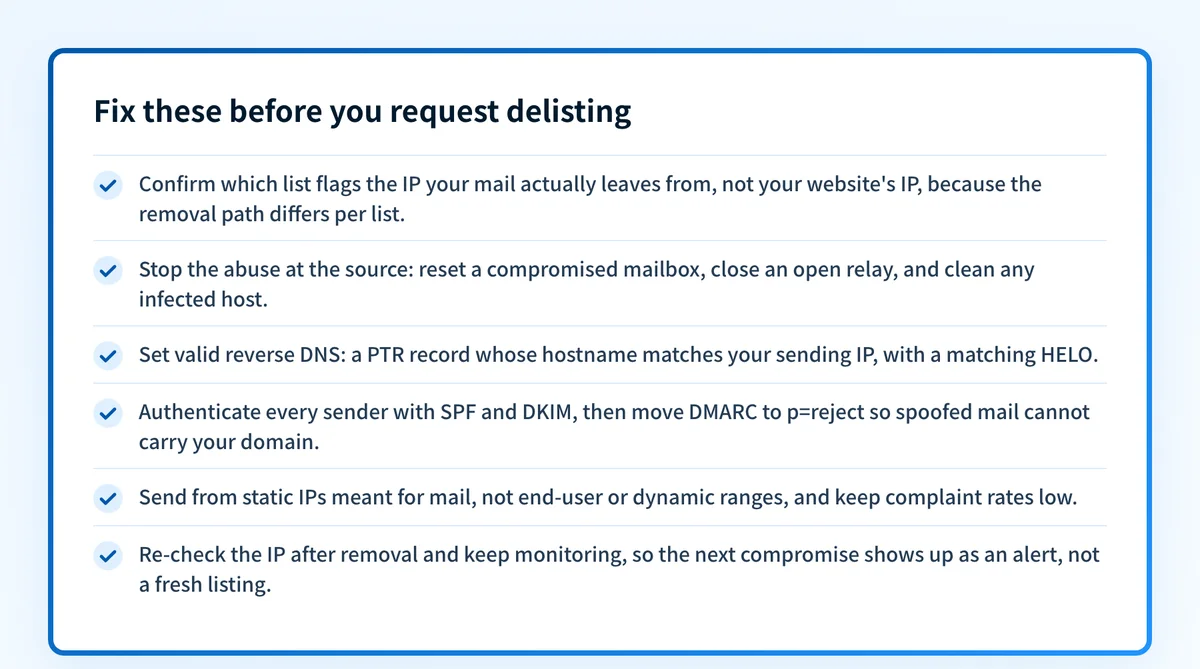
Removal only sticks if you fix the cause first: complaint and reputation lists re-add an IP the moment the abuse resumes. Work these steps in order. This is the general playbook; the exact removal path and timeframe differ per list, and each operator page carries the specifics.
Confirm the listing and identify the list
Run your sending IP through the free IP reputation check below. Note exactly which lists flag it (Spamhaus, SpamCop, Barracuda, UCEPROTECT), because the removal path and timeframe differ for each. If a bounce named your domain, check domain reputation instead.
Stop the abuse at the source
Before requesting removal, end what caused it: reset the compromised mailbox, close the open relay or patch the vulnerable app, clean the infected host, and pause any non-compliant sending. Reputation lists re-add you immediately if the behaviour continues.
Fix reverse DNS and authenticate every sender
Set a valid PTR record whose hostname matches your sending IP. Publish correct SPF, sign with DKIM on every service that sends as you, and set DMARC. Verify each with the free SPF, DKIM, and DMARC checkers, then move DMARC toward
p=reject.Use each list's own removal path
Most Spamhaus zones self-remove at check.spamhaus.org; SpamCop and UCEPROTECT Level 1 expire on their own once the abuse stops; Barracuda takes a removal form. Never pay a third party claiming it can remove a Spamhaus listing.
Confirm you are clear, then keep watching
Re-run the IP check after removal and allow for propagation (about 15 minutes for a Spamhaus PBL entry, up to a few hours for others). Then monitor the IP, the domain, and your DMARC reports so the next compromise surfaces as an alert, not a fresh listing.
Removal is free
Legitimate blocklists never charge you to fix the underlying listing. Spamhaus puts it plainly: "There is never any charge or fee associated with removing any Spamhaus listing. Any offer from anyone to remove any Spamhaus listing for a fee is a scam." The one wrinkle is UCEPROTECT, which sells an optional paid immediate removal at Level 1 while a free automatic expiry (7 days after the last spamtrap hit) stays available. If a service asks you to pay to get off Spamhaus, walk away.
Open check.spamhaus.orgWhen a blacklisting listing isn't your fault
A listing is rarely random, but it is not always your own mail. On shared infrastructure the flagged IP may belong to another tenant, and a UCEPROTECT Level 2 or 3 entry is a statement about your netblock or ASN, not proof you sent spam. Spamhaus also stopped answering DNSBL queries from big public resolvers (Google, Cloudflare, Quad9): a lookup that returns 127.255.255.254 is a blocked-query sentinel, not a real listing. Confirm from a normal network before you act.
How to stay off blacklisting
Set valid reverse DNS: a PTR record whose hostname resolves back to your sending IP, with a matching HELO.
Authenticate everything: SPF that lists every real sender, DKIM signing on each service, and DMARC you actually move to enforcement.
Enforce DMARC at
p=rejectso no one can spoof your domain into spam that lands your name on a domain list.Send from static IPs meant for mail, not end-user or dynamic ranges, and keep complaint rates low with clean lists.
Monitor your IP and domain reputation and your DMARC reports continuously, so a compromise shows up as an alert, not a wave of bounces.
The real fix: enforce authentication, don't just monitor
Most blacklistings trace back to the same gap: mail leaving your domain without authentication, or a domain anyone can spoof because it is not enforced. A blocklist check tells you that you are listed; it does nothing to stop the unauthenticated sending and spoofing that put you there. Enforcement does. Host correct SPF, DKIM, and DMARC, watch the reports for senders you missed, and move every domain to p=reject so receivers drop forged mail instead of listing yours.
DMARC software that does the work
Palisade's AI agent takes domains all the way to enforcement: hosted SPF, DKIM, DMARC, and MTA-STS records on paid plans, DMARC reports monitored continuously, and every policy step drafted for your approval on the way to p=reject. The full product is open for a 15-day trial, and nothing is charged until it ends.
15-day full-product trial. Nothing is charged until it ends.
Watching blacklisting across every client domain
One listed client IP is an afternoon; a book of clients each one compromise away from a blacklisting is the job. Checking every tenant's IPs and domains by hand does not scale, and a single spoofed client domain can drag a whole portfolio's delivery down. Palisade hosts and manages SPF, DKIM, and DMARC for every client domain, surfaces unauthenticated senders in the DMARC reports before they turn into abuse, and carries each domain to p=reject, with your team approving each step. It watches every domain from one console and opens tickets in ConnectWise, HaloPSA, and Autotask, and your own MSP domain is a free NFR domain to prove it on.
Questions readers ask
Frequently asked questions
How do I find out why my IP is blacklisted?
How do I remove my IP from a blacklist?
Why does my IP keep getting blacklisted after I remove it?
Can I be blacklisted because of another customer on the same IP?
Does missing reverse DNS (PTR) get my IP blacklisted?
Should I pay a service to remove my IP from a blacklist?
Will fixing SPF, DKIM, and DMARC stop me getting blacklisted?
Sources and last verified
Every blacklisting fact on this page is drawn from the operator's own documentation, last checked 2026-07-19. Blocklist policies change; if a detail looks off, the linked source is authoritative.
- ZEN combines Spamhaus's four free IP-based DNSBLs (SBL, CSS, XBL, PBL) and is IP-only, so domains are checked separately.“Due to its IP nature, ZEN does not provide any protection against malicious or suspicious domains.”www.spamhaus.org · checked 2026-07-19
- The Spamhaus SBL lists IPs tied to spam and snowshoe-style ranges with poor or frequently changing identification.“Snowshoe spam style configurations, particularly ranges and domains with poor or frequently changing identification”www.spamhaus.org · checked 2026-07-19
- Spamhaus removal is always free on every list, and paid-delisting offers are scams.“There is never any charge or fee associated with removing any Spamhaus listing. Any offer from anyone to remove any Spamhaus listing for a fee is a scam.”www.spamhaus.org · checked 2026-07-19
- Spamhaus blocks DNSBL queries from open public resolvers and returns 127.255.255.254, which is not a real listing.“If any of the tests return 127.255.255.254 then your queries ... are being blocked ... because the DNS resolver being used is an open public resolver.”www.spamhaus.org · checked 2026-07-19
- A self-service Spamhaus PBL removal takes about 15 minutes to propagate.“Please allow approximately 15 minutes for DNS propagation.”www.spamhaus.org · checked 2026-07-19
- The SpamCop Blocking List lists IPs that transmitted reported mail; without new reports a listing lasts only about 24 hours.“Also, without any additional reports, a reported address stays on the SCBL for only 24 hours.”www.spamcop.net · checked 2026-07-19
- The SpamCop Blocking List is published at the DNS zone bl.spamcop.net.www.spamcop.net · checked 2026-07-19
- UCEPROTECT Level 1 lists a single IP, Level 2 lists the netblock allocation, and Level 3 lists the whole ASN.“If your IP address is listed as Level 1, this indicates that it is very likely you caused the problem yourself, knowingly or not.”www.uceprotect.net · checked 2026-07-19
- A UCEPROTECT Level 1 listing expires automatically 7 days after the last spamtrap hit, free of charge; a paid immediate-removal option is also offered.“Every IP address temporary listed as Level 1 expires automatically 7 days after the last spam email from it hits our SPAMTRAPS.”www.uceprotect.net · checked 2026-07-19
- Barracuda processes BRBL removal requests via a form, typically within 12 hours when a valid explanation is provided.“Removal requests are typically investigated and processed within 12 hours of submission if provided with a valid explanation.”www.barracudacentral.org · checked 2026-07-19
- Gmail requires a sending IP to have a PTR record and the IP to match the hostname in that PTR record.“The sending IP address must match the IP address of the hostname specified in the Pointer (PTR) record.”support.google.com · checked 2026-07-19
- Gmail requires bulk senders (5,000+ messages/day) to set up SPF, DKIM, and DMARC and to keep spam rates below 0.3%.“Set up SPF and DKIM email authentication for your domain.”support.google.com · checked 2026-07-19