SMTP error code · permanent failure (5xx)
SMTP error 550 5.7.708: traffic not accepted from this IP

By Samuel Chenard · CEO & Co-Founder, Palisade · Reviewed September 20, 2026
550 5.7.708 is Microsoft 365's "Access denied, traffic not accepted from this IP" rejection. Exchange Online refuses outbound mail from a tenant whose sending IP has low reputation, most often a new or trial tenant, or one whose traffic looks suspicious. It's permanent and sender-side: secure the tenant, then ask Microsoft Support to lift the block.
550 5.7.708 at a glance | |
|---|---|
| Code | 550 5.7.708 |
| Class | Permanent (5xx): the message was refused and will not retry |
| Category | Reputation / blocklist |
| Side at fault | Sender |
| Auth-related | None: this is an IP and tenant reputation block, and SPF, DKIM, or DMARC changes don't lift it |
What the bounce actually says
The exact wording varies by provider. These are the documented strings, verbatim. Match yours to pin down which variant you hit.
Microsoft 365 (Exchange Online)
550 5.7.708 Access denied, traffic not accepted from this IPSource: learn.microsoft.com
Why you're seeing 550 5.7.708
A 550 reply is a permanent negative completion reply (RFC 5321, section 4.2.1; 550 is listed in section 4.2.3), and RFC 3463 section 3.8 reserves the x.7.x range for security and policy failures. The 708 part is Microsoft's own: it isn't in the IANA enhanced status code registry, so only Microsoft's documentation defines it. Microsoft describes it in two places. Its page for this code says the NDR is generated when a message is sent from an IP address with low reputation, and that new customers, such as Microsoft 365 trial subscriptions, are the likeliest to see it. Its NDR reference table groups 5.7.708 with 5.7.705 and says most of the tenant's traffic was detected as suspicious, so the tenant's ability to send was banned. Both describe a block on the sending side. Your own tenant's mail is being refused by Exchange Online before it reaches any recipient, so changing the recipient, the message, or your DNS records won't clear it. Microsoft's stated way out is Microsoft Support.
Likely causes, ranked
| Likely cause | What's happening |
|---|---|
| The tenant is new or still on a trial subscription | Microsoft's page for this code says the issue is more likely to affect new customers, such as those with a Microsoft 365 trial subscription, and that the NDR is generated when mail is sent from an IP address with low reputation. A tenant with no sending history has nothing to offset that. This is why the bounce shows up on day one of a migration or a proof of concept. Microsoft's fix for these tenants is an IP address exception that lasts until you assign Exchange Online licenses, so a tenant still sending from a trial after it was meant to go live stays in the group this code targets. |
| A compromised account is sending spam from the tenant | Microsoft's NDR table says 5.7.708 appears when most of the traffic from the tenant is detected as suspicious, and tells admins to resolve any compromises first. One phished mailbox with a working password can send enough junk to get the whole tenant's outbound mail refused, including everyone who did nothing wrong. |
| An open relay, on-premises server, or rogue connector routes mail through the tenant | The same Microsoft table names open relays next to compromises. A misconfigured on-premises server that relays through Exchange Online, or an inbound connector an attacker created with a stolen admin account, puts someone else's mail on your tenant's record. |
| Bulk or cold email from a tenant with no sending history (our inference, not a documented trigger) | Microsoft documents bulk volume under a different code. Its page for 5.7.705 says Exchange Online blocks an organization's outgoing mail when that organization sends too much spam or bulk mail, and nothing Microsoft publishes ties campaign volume to 5.7.708, which it ties to low IP reputation and to new or trial tenants. This cause is our inference from those two facts: a fresh tenant that opens with a large campaign is also a tenant with no reputation to offset it. Treat it as something worth changing, not as a trigger Microsoft has written down. |
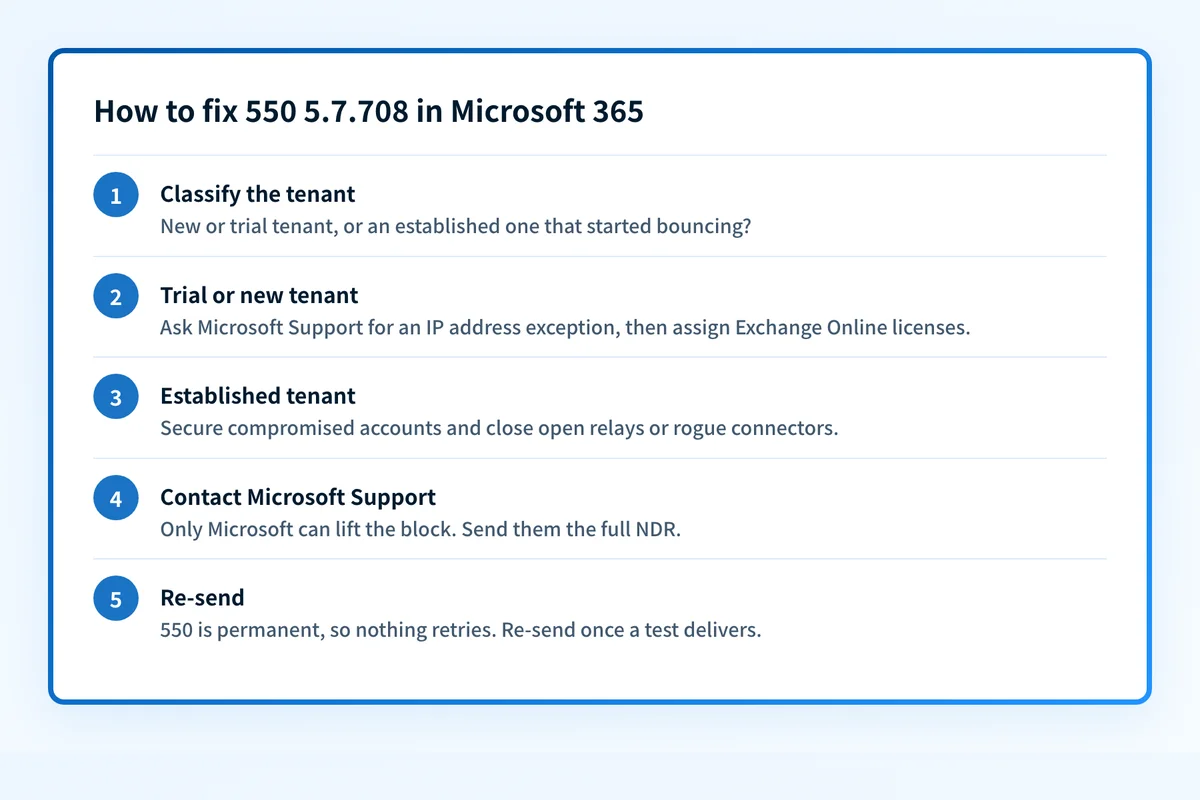
How to fix 550 5.7.708
Keep the full NDR and work out which situation you're in
Save the complete bounce: the text after
550 5.7.708, the reporting server, and the timestamp. Then answer one question. Is this a new or trial tenant that has never sent normally, or an established tenant that started bouncing? Microsoft documents a different path for each, and no DNS or blocklist lookup can see a block that lives inside Microsoft's own service. If the whole tenant's outbound mail is failing rather than this one code, why Microsoft 365 blocks outbound emails covers the tenant-level block and the other places it shows up.Sources: Microsoft: NDR codes 5.7.703 through 5.7.750 · Microsoft: Exchange Online NDR reference · RFC 3463, section 3.8 · RFC 5321, sections 4.2.1 and 4.2.3 · IANA enhanced status code registry
Trial or new tenant: ask Microsoft Support for an IP address exception
Microsoft says only an email admin can fix this. If you get the error during a trial, contact Microsoft Support and request an IP address exception until you assign Exchange Online licenses. Open the ticket from the Microsoft 365 admin center and paste in the full NDR. Then assign the paid licenses so the tenant leaves the trial group.
Established tenant: find and secure any compromised account
Check sign-in logs and message trace for mailboxes sending volume their owners can't explain. For each one, reset the password, revoke active sessions, require multifactor authentication, and remove inbox rules or forwarding the attacker added. Microsoft wants the cause fixed before it lifts the block, and a block lifted over a live compromise comes back.
Close open relays and review every connector
In the Exchange admin center, list the inbound and outbound connectors and remove any you don't recognize. If an on-premises server or appliance relays through Exchange Online, confirm it only accepts mail from your own hosts. If that server has its own public IP, check it with the IP reputation checker and the blocklist checker.
Contact Microsoft Support to have the block removed
Microsoft's NDR table is direct about the order: make sure compromises and open relays are resolved, then contact support through your regular channel. Tell them what you found and what you changed. Microsoft documents no self-service removal for
5.7.708. The delist portal it points to for other codes covers banned sending IPs under5.7.606through5.7.649.Re-send what bounced, and move bulk mail off the tenant
A 550 is permanent, so nothing retries by itself. Once a test message to an outside mailbox delivers, re-send the mail that bounced. If newsletters or cold outreach were going out through Exchange Online, move them to a service built for bulk sending so the tenant's everyday mail isn't judged by campaign traffic.
Sources: Microsoft: Exchange Online limits
Related free tools: IP reputation checker · Blocklist checker · Domain reputation
Why it matters for MSPs
MSPs see 550 5.7.708 at two moments: the first days of a new client tenant, when a trial or freshly provisioned subscription sends its first external mail, and the morning after a client mailbox gets phished. In both cases the fix runs through a Microsoft Support ticket, so put the complete NDR and the tenant ID in the ticket from the start. For new tenants, assign the Exchange Online licenses before cutover day instead of after the first bounce. Palisade doesn't lift Microsoft blocks, and DMARC isn't the fix here. What Palisade does is read each client domain's DMARC reports, identify every source sending as that domain, and file the authentication problems it finds as tickets in ConnectWise, HaloPSA, or Autotask. Your own MSP domain is a free NFR domain.
Questions readers ask