SMTP error code · permanent failure (5xx)
SMTP error 550 5.7.511: Microsoft 365 banned sender

By Dominic Landry · Deliverability & DNS · Reviewed September 20, 2026
550 5.7.511 is Microsoft 365's "Access denied, banned sender" rejection: the IP address you send from is banned on Microsoft's blocked senders list, and Microsoft wants to investigate before lifting it. The self-service delist portal does not work for this code. Stop what caused the listing, forward the full bounce to delist@microsoft.com, then re-send.
550 5.7.511 at a glance | |
|---|---|
| Code | 550 5.7.511 |
| Class | Permanent (5xx): the message was refused and will not retry |
| Category | Reputation / blocklist |
| Side at fault | Sender |
| Auth-related | None: this is an IP ban. SPF, DKIM, and DMARC do not cause it or clear it |
What the bounce actually says
The exact wording varies by provider. These are the documented strings, verbatim. Match yours to pin down which variant you hit.
Microsoft 365 (Exchange Online): NDR reference entry
550 5.7.511 Access denied, banned senderSource: learn.microsoft.com
Microsoft 365 (Exchange Online): full bounce as external senders see it
550 5.7.511 Access denied, banned sender[xxx.xxx.xxx.xxx]. To request removal from this list, forward this message to delist@microsoft.com. For more information, go to https://go.microsoft.com/fwlink/?LinkId=526653.Source: learn.microsoft.com
Why you're seeing 550 5.7.511
The reply code 550 is a permanent refusal that RFC 5321 allows for a command rejected for policy reasons, and RFC 3463 defines the 5.7.x range as security or policy status. The 511 detail is Microsoft's own: the IANA enhanced status code registry has no X.7.511 entry, so the meaning below is Microsoft's alone and says nothing about how another provider would use the same digits. Microsoft's Exchange Online NDR reference gives the meaning in one line: the IP that you're trying to send from was banned. Microsoft 365 keeps a blocked senders list of source IPs it has identified as a potential spam, spoofing, or phishing threat, and mail from a listed IP is refused for every Microsoft 365 organization, whatever the message says. IP bans coded 5.7.606 through 5.7.649 clear through the self-service portal at sender.office.com. 5.7.511 is the stricter case. Microsoft says it may need to investigate the traffic from your IP first, so the portal is closed to you and the only route is an email to delist@microsoft.com. Your SPF, DKIM, and DMARC records are not what failed here.
Likely causes, ranked
| Likely cause | What's happening |
|---|---|
| A compromised mailbox or device sent spam from your IP | Microsoft does not publish what triggers a 5.7.511 listing, so treat these causes as where to look, in the order worth checking. A phished account, an infected workstation, or an exposed web form pushes out spam through your mail server or relay, and Microsoft 365 recipients report it. Microsoft lists the source IP, so every sender behind that IP is refused along with the one that misbehaved. |
| You share the IP with someone else who earned the ban | Shared hosting, a shared relay, a small email service, or a cloud NAT address puts many senders behind one IP. The bounce names the IP, never the customer, so your clean mail is refused for another tenant's traffic. Only the owner of the IP can stop the source and ask for removal. |
| Bulk mail drew too many junk complaints | Microsoft's guidance for external senders calls the junk email complaint rate one of the principal factors that drives a sender's reputation down. Purchased lists, old lists with dead addresses, and campaigns with no clear unsubscribe produce those complaints fast. |
| A new IP started sending volume with no reputation | Microsoft says IP addresses that have never sent email have no reputation in its systems and are more likely to hit delivery issues. Microsoft stops short of saying a cold IP gets banned. A fresh server or a new dedicated IP that starts at full volume looks like a spam run until it has a history. |
| The IP fails Microsoft's basic requirements for mail servers | Microsoft's published sender policies require valid reverse DNS and warn that connections from dynamic IP addresses might not be accepted. A server on a residential or dynamic range, or one with no PTR record, starts from a weak position and gets little benefit of the doubt. |
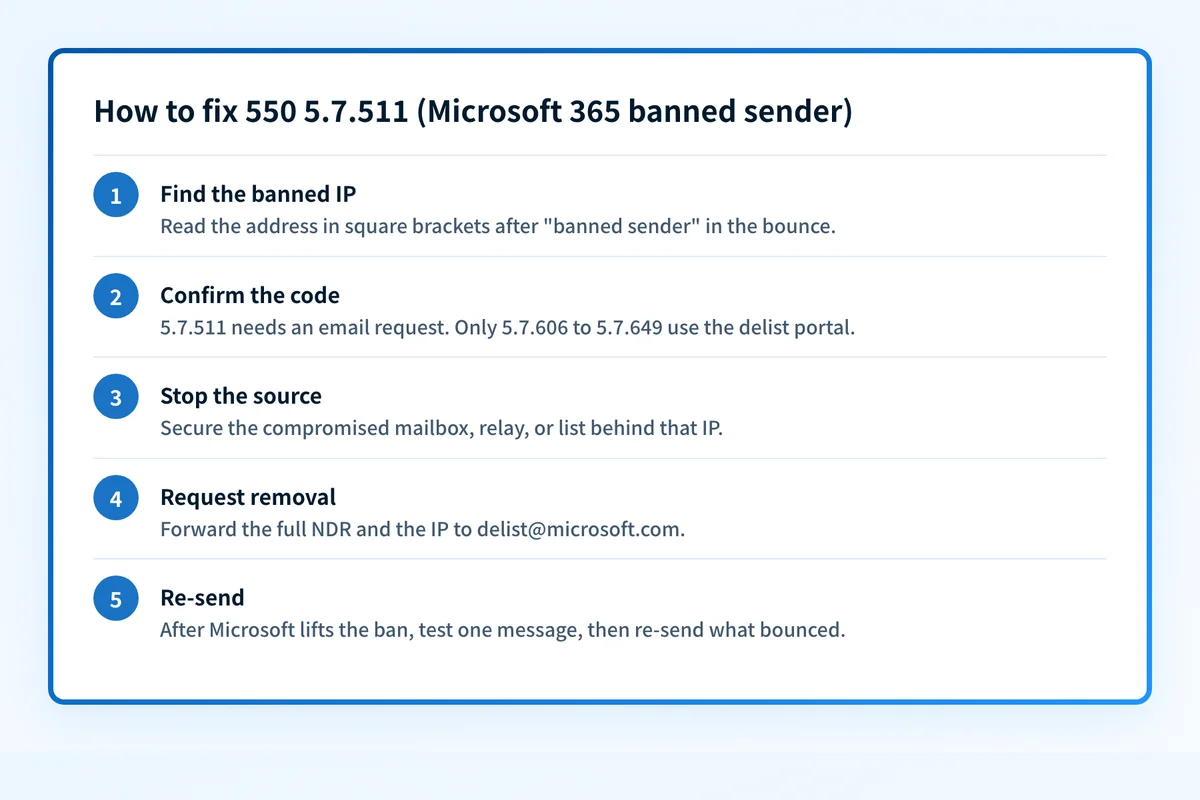
How to fix 550 5.7.511
Find the banned IP in the bounce and check it
The NDR prints the refused IP in square brackets right after
banned sender. Run that address through the free checker below to see who the IP resolves to, whether it has reverse DNS, and whether public blocklists list it too. Microsoft's blocked senders list is private, so no outside tool can read it, but this tells you whose IP it is and whether the problem reaches beyond Microsoft.Run the check now
Enter the sending IP from the bounce, or your sending domain, and the check runs instantly on the next page. Free, no signup.
Confirm the code is 5.7.511 before choosing a removal path
Microsoft reuses the words "banned sender" across several codes.
5.7.606through5.7.649("banned sending IP") clear through the self-service portal at sender.office.com.5.7.502and5.7.503mean a sending account inside a Microsoft 365 tenant was banned, and5.7.800means a sender domain was banned; Microsoft routes all three to its support team. For5.7.511, Microsoft states that you can't use the delist portal. Outlook.com consumer mailboxes use a separate delisting form that Microsoft links from the same article.Sources: Microsoft: Exchange Online NDR reference · Microsoft: delist portal and error 5.7.511
Stop the source before you ask for removal
Look for the mailbox, device, script, or list that produced the traffic. Reset credentials on any compromised account, close open relays and abused web forms, and pause bulk sends from that IP. Microsoft warns delisted senders that an IP sending abusive or malicious mail might be blocked again, and with
5.7.511Microsoft may investigate your traffic before it answers. If the IP belongs to your host or email service, send them the NDR, because the owner of the IP is the one who can stop the source and answer Microsoft's questions.Forward the NDR to delist@microsoft.com
Forward the complete bounce to
delist@microsoft.comand include the full NDR code and the IP address, as Microsoft's documentation asks. Add two or three plain sentences on what caused the traffic and what you changed. Microsoft says it will contact you within 48 hours with next steps. It does not publish a removal time for this code.Bring the IP in line with Microsoft's sender requirements
While you wait, give the IP a valid PTR record, move mail off any dynamic address, and make sure your systems stop retrying after a 5xx response, which Microsoft's policies forbid. Authenticate the domain with SPF, DKIM, and DMARC as well. Authentication won't lift the ban, but Microsoft evaluates it on every message once the IP is accepted again. Check the domain with the Microsoft compliance checker.
Sources: Microsoft: policies, practices, and guidelines for external senders · Microsoft: troubleshoot email sent to Microsoft 365
Re-send after Microsoft confirms the removal
A
5.x.xstatus is a permanent failure under RFC 3463, so the bounced messages are gone and nothing retries them. Once Microsoft confirms the IP is off the list, send one test to a Microsoft 365 mailbox, then re-send what bounced. Ramp volume back up gradually so the IP rebuilds its history.Sources: RFC 3463: enhanced mail system status codes · RFC 5321: reply code 550 · IANA: SMTP enhanced status codes registry
Related free tools: Blocklist checker · Domain reputation checker · Microsoft compliance checker
Why it matters for MSPs
For an MSP, 550 5.7.511 usually means a shared asset: the smart host, firewall relay, or outbound gateway that carries mail for several clients. One compromised mailbox at one client gets the IP banned, and every client behind it starts bouncing to Microsoft 365 recipients at once. Treat it as a single incident keyed to the IP. Keep the full NDR in the ticket, find the tenant that produced the traffic, and send one request to delist@microsoft.com from whoever controls the address. Palisade does not delist IPs. Where it helps is the inventory: its agent reads each client domain's DMARC aggregate reports and identifies the services and IPs sending as that domain, which shortens the search for the system behind a banned address, and it files what it finds as tickets in ConnectWise, HaloPSA, or Autotask.
Questions readers ask