What is a VMC? Verified Mark Certificates for BIMI
 ChatGPT
 Claude
 Gemini
 Perplexity
 Grok
GrokIn brief
A Verified Mark Certificate (VMC) proves logo ownership so BIMI can display your brand in Gmail and Yahoo inboxes. What it requires, costs, and how to get one.
A Verified Mark Certificate (VMC) is a digital certificate used in email authentication to verify ownership of a brand’s logo, enabling it to be displayed in recipients’ inboxes through BIMI (Brand Indicators for Message Identification). VMCs act as a trust signal, proving that the logo belongs to the sending domain and ensuring only authenticated emails display it. This enhances brand visibility and protects against phishing by reassuring recipients that the email is legitimate.
How Does a VMC Work?
VMCs integrate with email authentication protocols to enable logo display. Here’s the process:
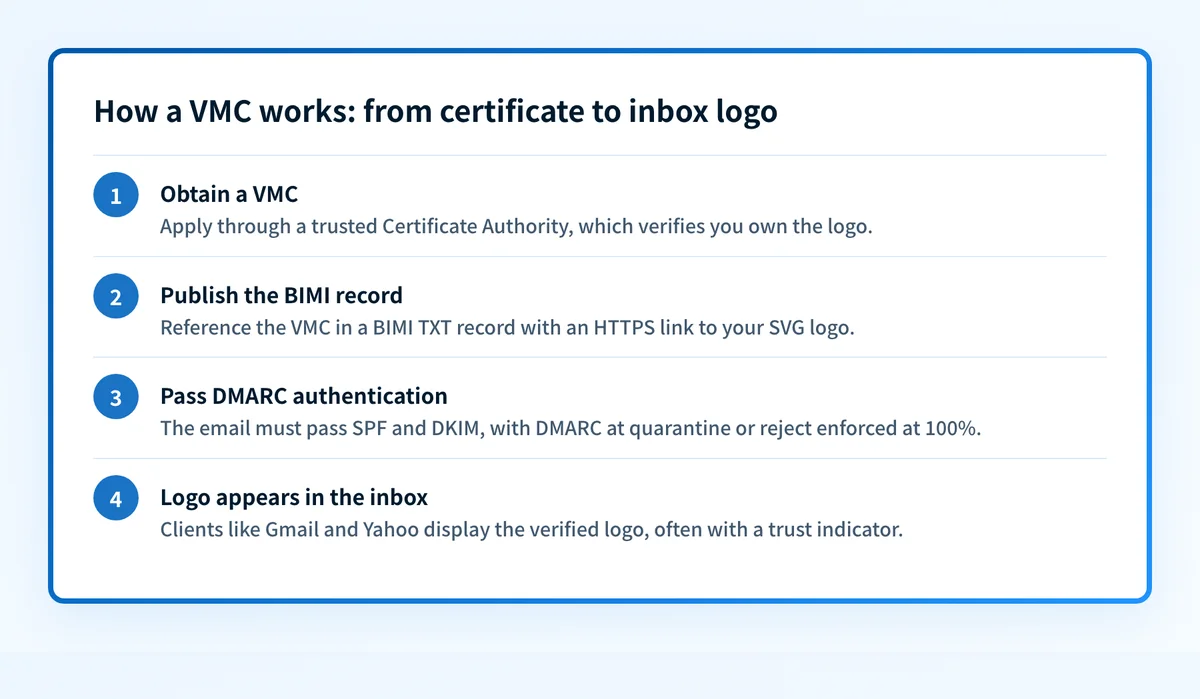
- Obtain a VMC: A domain owner applies for a VMC through a trusted Certificate Authority (CA), such as DigiCert or Entrust. The CA verifies the applicant’s ownership of the logo, often requiring proof of trademark registration.
- Publish BIMI Record: The VMC is referenced in the domain’s DNS as part of a BIMI TXT record (e.g., default._bimi.example.com). This record also includes a URL to the logo file (in SVG Tiny P/S format) hosted via HTTPS.
- Email Authentication: The email must pass DMARC checks, which rely on SPF and DKIM, with a DMARC policy of “quarantine” or “reject” enforced at 100%. This ensures the email is from an authorized sender.
- Logo Display: If the email passes authentication and the VMC is valid, participating email clients (MUAs) (e.g., Gmail, Yahoo) display the verified logo next to the email in the inbox, often with a trust indicator like a checkmark.
Why VMCs Matter
VMCs offer significant benefits for businesses and email security:
- Brand Recognition: Displaying a verified logo in inboxes reinforces brand identity, making emails instantly recognizable and increasing open rates.
- Phishing Protection: By tying logo display to strict DMARC authentication, VMCs prevent impostors from using your logo in fraudulent emails, safeguarding customers.
- Customer Trust: A verified logo signals legitimacy, especially for industries like finance or retail, where phishing is rampant.
- Competitive Edge: As BIMI adoption grows, VMCs position brands as forward-thinking, leveraging cutting-edge email standards to stand out.
Things to Keep in Mind
Implementing VMCs requires careful planning:
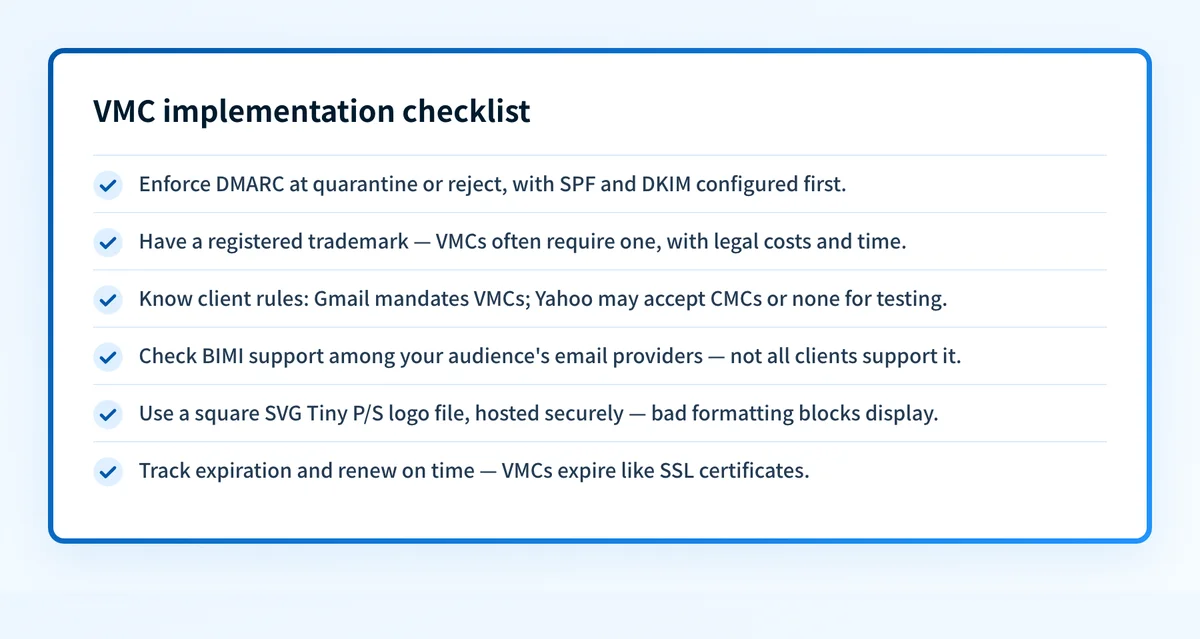
- DMARC Prerequisite: A VMC won’t work without a fully enforced DMARC policy (“quarantine” or “reject”). Ensure SPF and DKIM are correctly configured first.
- Certificate Options: A VMC requires a registered trademark and adds the blue verified checkmark next to your logo. Since September 2024, Gmail also accepts a Common Mark Certificate (CMC), which displays your logo without the checkmark and requires proof that the logo has been in public use for at least 12 months instead of a trademark. Yahoo requires no certificate at all: it displays BIMI logos from self-asserted records, given DMARC enforcement and sufficient sender reputation. Obtaining any of these certificates involves cost and lead time, so plan ahead.
- Limited Support: Not all email clients support BIMI or VMCs yet. Gmail, Yahoo, and Apple Mail display BIMI logos today; Microsoft Outlook does not support BIMI yet. Adoption is growing, but check compatibility with your audience’s email providers.
- Logo Specifications: The logo must be a square SVG Tiny P/S file, hosted securely. Incorrect formatting can prevent display.
- Ongoing Maintenance: VMCs have expiration dates (like SSL certificates) and must be renewed to maintain functionality.
How do you get a VMC?
The path from no certificate to a live logo runs through six steps: become DMARC compliant, trademark your logo, format the logo as an SVG Tiny P/S file, purchase the VMC from a Certificate Authority, upload the certificate to your web server, and add a BIMI TXT record to your domain.
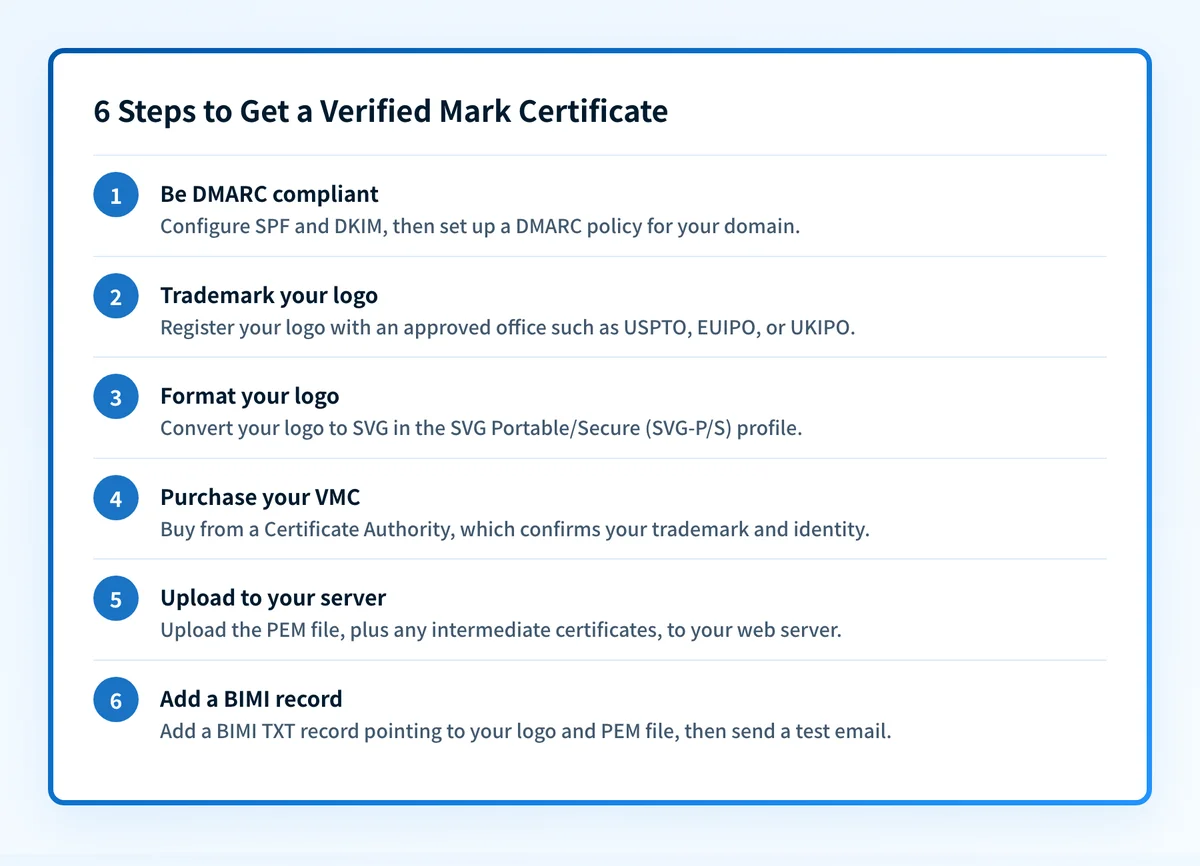
After validation, the CA issues the VMC as an entity certificate PEM file. If the CA also provides intermediate certificates, append them to the entity certificate to form a complete chain, then upload the PEM file to your web server. The BIMI TXT record lives at the _bimi hostname and points to both the logo file and the certificate:
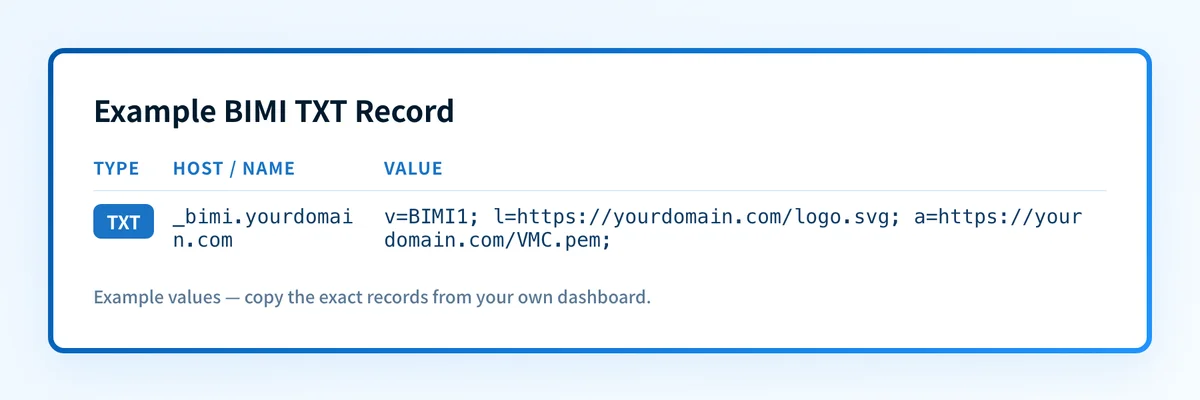
A BIMI TXT record generally looks like v=BIMI1; l=https://yourdomain.com/logo.svg; a=https://yourdomain.com/VMC.pem;. Replace the domain and file locations with your own. Allow time for the DNS change to propagate, check the record with a BIMI lookup tool, and send a test email to confirm the logo displays. Appearance can vary between email clients.
Wrapping Up
A Verified Mark Certificate (VMC) is a powerful tool for enhancing email branding and security, allowing businesses to display their verified logo in inboxes via BIMI. By tying logo display to robust DMARC authentication, VMCs protect against phishing while boosting brand visibility and trust. For organizations aiming to elevate their email presence, implementing a VMC is a strategic step toward a more secure and recognizable digital identity.
Related reading
Questions readers ask
Frequently asked questions
Do I need a VMC to show a logo in Gmail?
Not anymore. Since September 2024, Gmail accepts a Common Mark Certificate (CMC) as well as a VMC. A CMC displays your logo without the blue verified checkmark and does not require a registered trademark. A VMC adds the checkmark and does require a trademark. Both still depend on DMARC enforcement first.
How much does a VMC cost and how long does it take?
Pricing is set by the issuing authority, such as DigiCert or Entrust, not by Palisade, and a VMC is an annual certificate. The longest part is usually the trademark: the mark must be registered before the certificate can be issued, which can take months if you are starting from scratch.
What logo format does a VMC require?
The logo must be an SVG Tiny Portable/Secure (SVG Tiny P/S) file, square, and hosted over HTTPS. A standard SVG exported from a design tool will usually fail validation until it is converted. Palisade's BIMI SVG converter prepares the file to spec.
Will a VMC work before I reach DMARC enforcement?
No. BIMI only evaluates a logo when the domain is at a DMARC policy of quarantine or reject. If you are still at p=none, get to enforcement first, then publish the BIMI record. Check a domain's current policy with the DMARC checker.

Written by
Johanie DupontBrand & Ecommerce Email
Johanie Dupont works on brand and ecommerce email at Palisade: BIMI and verified marks, sender requirements, and getting marketing mail into the inbox.
More from Johanie →