How Gmail’s Blue Verified Checkmarks Affect BIMI Adoption
 ChatGPT
 Claude
 Gemini
 Perplexity
 Grok
GrokIn brief
Email authentication protocols like SPF, DKIM, and DMARC have become standard practice for protecting brand reputation, but many organizations still…

How Gmail’s Blue Verified Checkmarks Affect BIMI Adoption
Email authentication protocols like SPF, DKIM, and DMARC have become standard practice for protecting brand reputation, but many organizations still hesitate to adopt Brand Indicators for Message Identification (BIMI). Gmail’s blue verified checkmarks add a visual cue that could change the cost-benefit calculus for businesses. Below, we answer the most common questions about this feature and explain how Palisade can help you get there.
What is BIMI and why does it matter?
BIMI lets you display your brand’s logo next to authenticated emails, giving recipients an instant visual cue that the message is legitimate. This reduces phishing risk and boosts brand recognition, especially in crowded inboxes. When a logo is verified, it signals that the sender has passed strict DMARC enforcement and owns the logo. The new Gmail checkmark makes that verification even more obvious to end users.
How does Gmail’s blue verified checkmark work?
The blue checkmark appears next to the sender’s name only when the domain has a fully-aligned DMARC policy of “reject” and a valid BIMI record with a Verified Mark Certificate (VMC). Hovering over the badge shows a tooltip confirming ownership of the domain and logo. In other words, the checkmark is a visual proof that the email passed all authentication steps.
Do I need a VMC to get the blue checkmark?
Yes. A Verified Mark Certificate is required to prove that the logo you display belongs to you. VMCs are issued by trusted certificate authorities and can be pricey for small and medium businesses. However, the added trust signal often justifies the investment, especially for brands that rely heavily on email marketing.
Why were VMCs considered a barrier for SMBs?
VMC prices range from a few hundred to several thousand dollars, which can be a significant expense for smaller companies. The cost includes the certificate itself plus the time needed to prepare a BIMI-compatible SVG logo. Palisade’s BIMI tool streamlines the logo conversion and helps you find affordable VMC options, making the process less daunting.
Can I get BIMI without a trademark using a CMC?
Yes. Since September 2024, Gmail accepts a Common Mark Certificate (CMC), which proves your logo has been in public use for at least 12 months instead of requiring a registered trademark. A CMC lets your logo display, but it does not earn the blue verified checkmark, only a VMC does. If you own a trademark and want the checkmark, get a VMC; if you don't, a CMC is the lower-cost way to show your logo while you decide.
What steps are required before I can apply for a VMC?
First, ensure your SPF, DKIM, and DMARC records are correctly configured and that DMARC is set to “reject.” Next, create a BIMI-compatible SVG logo and host it on a publicly accessible URL. Finally, submit the logo for a VMC and add the BIMI DNS record pointing to the logo URL. Palisade’s Email Security Score tool can verify each of these steps for you.
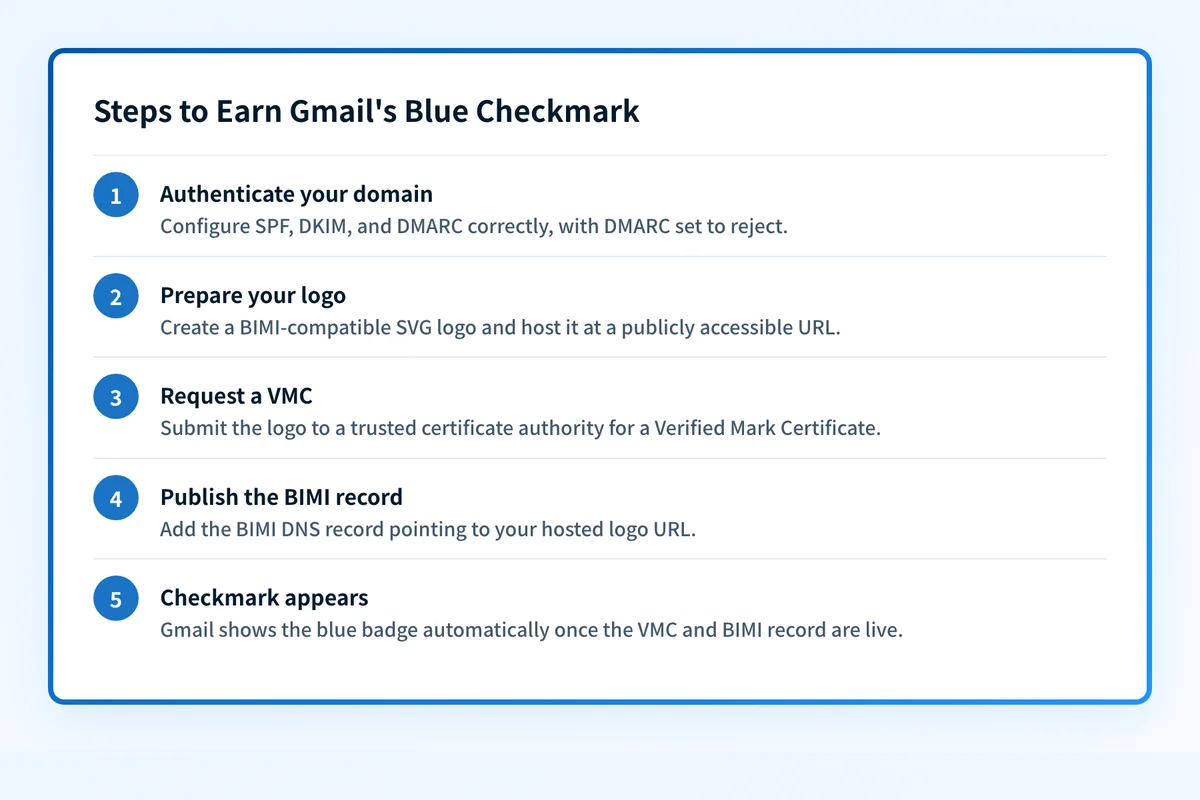 The full rollout typically takes 4-6 weeks.
How long does the whole BIMI rollout take?
From initial DNS setup to receiving a VMC, the process typically takes 4-6 weeks for most organizations. Larger enterprises with multiple sending sources may need more time to align all domains. Once the VMC is issued and the BIMI record is live, Gmail will automatically display the blue checkmark for eligible users.
Who can see the blue checkmark in Gmail?
The badge is visible to anyone using Gmail, whether on a personal Google account, a Workspace domain, or a legacy G Suite account. This universal visibility amplifies the trust signal across a massive user base.
When did the blue checkmark launch?
Google announced the feature on May 3, 2023, rolling it out to rapid-release and scheduled-release accounts over the following days. If your domain meets the requirements, the checkmark appears automatically. There is nothing extra to switch on in Gmail.
What does this mean for businesses that already use Palisade?
Customers who have already implemented BIMI with Palisade will start seeing the blue checkmarks on outgoing mail soon. It’s a great opportunity to promote the new visual trust indicator in newsletters or marketing campaigns.
How can I get started with BIMI today?
Begin by checking your DMARC compliance using Palisade’s Email Security Score tool. Then use the BIMI wizard to generate a compliant SVG logo and request a VMC. Finally, verify your SPF and DKIM settings with Palisade’s SPF and DKIM utilities.
Will the blue checkmark improve email deliverability?
While the checkmark itself doesn’t affect spam filtering, the underlying DMARC “reject” policy does. Domains with strict DMARC are less likely to be spoofed, which can improve sender reputation and overall deliverability.
Is BIMI mandatory for Gmail’s checkmark?
Yes. Gmail only shows the blue badge for domains that have a valid BIMI record and a VMC. Without BIMI, the checkmark will not appear, even if DMARC is enforced.
What are the common pitfalls to avoid?
Common mistakes include misaligned SPF/DKIM, using a non-SVG logo, or pointing the BIMI DNS record to the wrong URL. Double-check each step with Palisade’s diagnostic tools to ensure a smooth rollout.
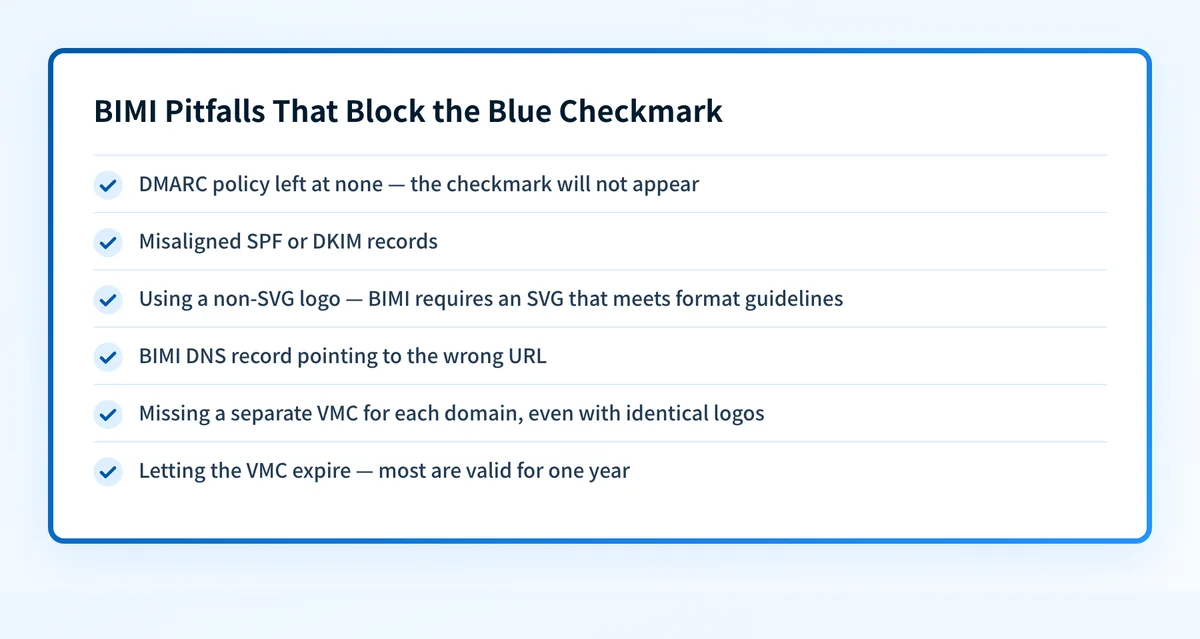 Double-check each item with Palisade's diagnostic tools before rollout.
At a glance
Quick Takeaways
- Gmail’s blue checkmark signals full DMARC enforcement + BIMI + VMC.
- VMCs can be costly, but Palisade helps you find affordable options.
- All Gmail users see the badge, amplifying brand trust.
- Setup typically takes 4-6 weeks from DNS alignment to VMC issuance.
- Use Palisade’s Email Security Score, BIMI, SPF, and DKIM tools for a streamlined process.
- The badge does not directly boost deliverability, but strict DMARC improves reputation.
- Promote the new visual cue in your marketing to highlight enhanced security.
Questions readers ask
Frequently Asked Questions
Can I use a PNG logo for BIMI?
No. BIMI requires an SVG logo that meets specific size and format guidelines. Palisade’s BIMI tool can convert and validate your image automatically.
Do I need a separate VMC for each domain?
Yes. Each domain that publishes a BIMI record must have its own Verified Mark Certificate, even if the logos are identical.
What if my DMARC policy is still “none”?
The blue checkmark will not appear. Upgrade your DMARC policy to “quarantine” or “reject” and re-validate with Palisade’s tools.
How often do I need to renew my VMC?
VMCs are typically valid for one year. Set a reminder to renew before expiration to avoid losing the checkmark.
Is the blue checkmark available on mobile Gmail apps?
Yes. The badge is displayed across Gmail web, Android, and iOS clients for all eligible accounts.

Written by
Johanie DupontBrand & Ecommerce Email
Johanie Dupont works on brand and ecommerce email at Palisade: BIMI and verified marks, sender requirements, and getting marketing mail into the inbox.
More from Johanie →