Sublime email security
 ChatGPT
 Claude
 Gemini
 Perplexity
 Grok
GrokIn brief
Understand Sublime email security's documented scope, what it does not prove in a tenant, and how to evaluate it alongside sender-domain authentication.

Sublime email security is a cloud email-security platform that Sublime documents for Microsoft 365 and Google Workspace environments. Its published scope includes blocking email attacks, triaging suspicious messages reported by users, and threat hunting. That describes available product functions, not proof that a particular tenant is connected correctly, catches every attack, or can replace sender-domain controls. Evaluate the platform with tenant and message evidence, and evaluate DMARC separately.
At a glance
Quick takeaways
- Sublime documents Microsoft 365 and Google Workspace support for its cloud email-security platform.
- Its overview lists blocking phishing, business email compromise, and malware, as well as triage and threat hunting.
- Vendor documentation describes capability, not the outcome in your tenant or for a specific message.
- Sublime says it can work alongside Microsoft Defender for Office 365, so do not assume a replacement architecture.
- DMARC answers a different sender-domain question from an inbound security product.
What Sublime email security covers
The Sublime documentation overview describes a cloud platform for Microsoft 365 and Google Workspace. It lists blocking attacks such as phishing, business email compromise, and malware, automatic triage for user-reported suspicious email, and threat hunting across the environment. The same overview describes programmable detections and actions such as quarantine, webhook notification, and warning banners.
Those statements define the vendor's published product scope. They do not establish that your tenant has authorized the required access, that a detection is appropriate for your mail, or that a message was handled correctly. The deployment architecture also matters. For a broader explanation of security layers, read how secure email gateways protect an organization and business email-security practices.
What it does not establish
Sublime's Microsoft 365 email-security page says the platform works alongside Microsoft Defender for Office 365 and adds an organization-specific detection and response layer. That is a product-positioning statement, not proof that a tenant's existing controls, permissions, remediation settings, or mail flow are safe to change.
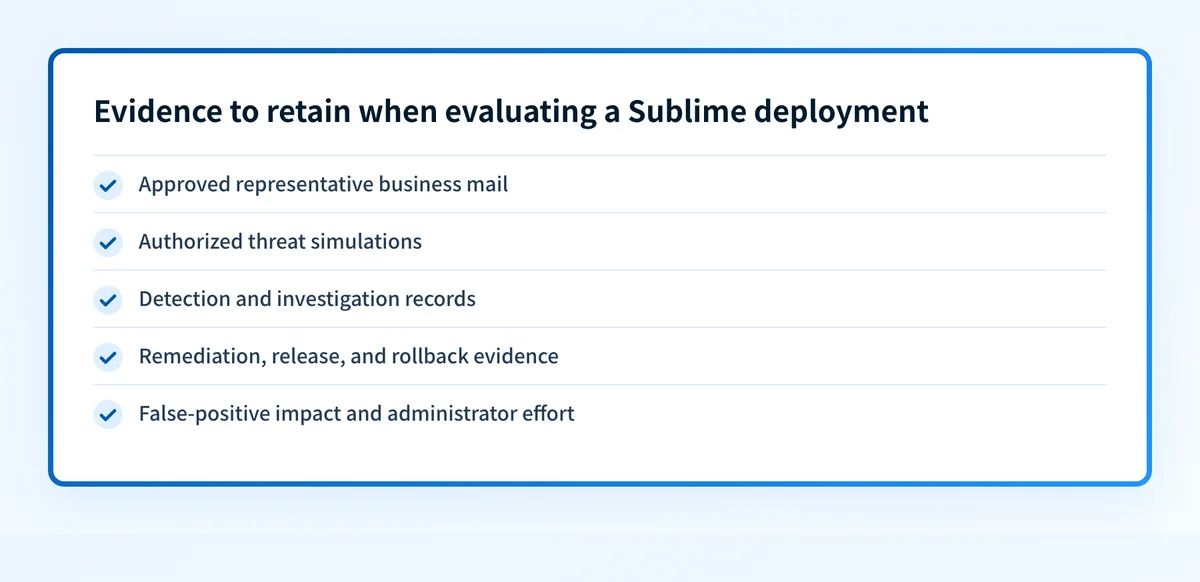
Do not turn a vendor capability page into evidence of efficacy. A useful evaluation still needs representative business mail, approved threat simulations, records of detections and releases, and a review of false positives, administrator effort, and rollback options. The exact mix depends on the tenant and its approved testing process.
Use the right evidence for the question
Keep product evidence, delivered-message evidence, and public DNS evidence separate. They answer different questions.
Question: What features does Sublime document?
Evidence: current vendor documentation and the approved tenant evaluation
Question: What happened to one received message?
Evidence: the preserved message, its received headers, and the tenant's event evidence
Question: Is a visible From domain covered by a published DMARC policy?
Evidence: the public DMARC record and receiver-added authentication results
This record is deliberately narrow. A result from one lane does not establish the other two. That boundary is especially useful when a team is deciding whether a phishing result, a quarantine event, or a DNS check justifies a configuration change.
Does Sublime replace DMARC?
No. RFC 9989 defines DMARC as a mechanism for the domain in the visible From field, including identifier alignment, published policy, and reporting requests. A service that examines inbound messages can address different signals, but it does not replace the sender-domain authorization and reporting function of DMARC. See what DMARC is for the protocol boundary.
The reverse is also true. A correct DMARC record does not prove that an inbound security platform will detect every malicious message, correctly classify user-reported email, or have the right tenant settings. Treat these as complementary evidence domains.
Evaluate a deployment without overclaiming
Start with the native controls and the proposed authorization scope. Then define approved cases that include ordinary business mail and authorized threat simulations. For each case, retain enough evidence to review the detection, investigation, remediation, release, rollback, false-positive impact, and administrator effort.
Do not use a single vendor alert as a pass or fail test. It can be one useful observation, but an evaluation should also expose what happened to legitimate mail and how an administrator can reverse a mistaken action. If your question is only about published sender-domain configuration, use a public record check instead of trying to infer the answer from an inbound security product.
Check sender-domain authentication separately
Use the Palisade DMARC checker to inspect the public policy for a domain you control. A public lookup can show the published sender-domain record. By inference from DMARC's DNS publication model, it cannot inspect a private Sublime tenant, reproduce a detection, or prove a particular inbound message was safe.
For a related named-product example, read Advanced Email Security from GoDaddy. Keep the same boundary in both cases: vendor scope, tenant evidence, message evidence, and public DNS do not substitute for one another.
Evidence
Sources and further reading
Questions readers ask
Frequently asked questions
Does Sublime replace DMARC?
No. Sublime's inbound email-security functions and DMARC's sender-domain authorization and reporting function address different evidence and control boundaries. Review both when the organization sends mail under domains it owns.
Can a DMARC lookup test Sublime?
No. A DMARC lookup reads a public DNS record. It cannot inspect a Sublime tenant, confirm permissions, recreate a detection, measure false positives, or establish how a specific message was handled.
Does Sublime replace Microsoft Defender for Office 365?
No. Sublime says it can operate alongside Microsoft Defender for Office 365. Confirm the proposed architecture, permission scope, remediation settings, and operating responsibilities for the tenant before relying on either control path.
What should a Sublime trial measure?
Measure approved representative cases, including legitimate business mail and authorized threat simulations. Retain evidence for detection, investigation, remediation, release, rollback, false positives, and administrator effort.
Does an API integration prove messages are protected?
No. An integration can establish a connection path, but it does not prove coverage, tuning, permissions, remediation behavior, or the outcome for every message. Test those conditions with approved tenant and message evidence.

Written by
Samuel ChenardCEO & Co-Founder, Palisade
Samuel Chenard is the CEO and co-founder of Palisade, agentic DMARC software for IT teams and MSPs, from one domain to thousands.
More from Samuel →