SMTP error code · permanent failure (5xx)
550 DMARC Sender Invalid - envelope rejected: Mimecast's DMARC bounce

By Dominic Landry · Deliverability & DNS · Reviewed October 26, 2026
550 DMARC Sender Invalid - envelope rejected is a Mimecast gateway refusing your message because it failed DMARC for your From domain, and your DMARC record tells receivers to reject. The recipient's Mimecast policy honored your own record. Make the service that sent it pass aligned SPF or DKIM, then send again.
550 DMARC Sender Invalid - envelope rejected at a glance | |
|---|---|
| Code | 550 |
| Class | Permanent (5xx): the message was refused and will not retry |
| Category | Authentication |
| Side at fault | Sender |
| Auth-related | Yes (SPF/DKIM/DMARC) |
What the bounce actually says
The exact wording varies by provider. These are the documented strings, verbatim. Match yours to pin down which variant you hit.
Mimecast (inbound DNS Authentication policy, DMARC check)
550 DMARC Sender Invalid - envelope rejectedSource: mimecastsupport.zendesk.com
Mimecast: the SPF sibling, a different check with its own fix (see why Mimecast is blocking your emails)
550 SPF Sender Invalid - envelope rejectedSource: mimecastsupport.zendesk.com
Why you're seeing 550 DMARC Sender Invalid - envelope rejected
Mimecast checks inbound mail with a DNS Authentication policy that its customers configure. For a DMARC failure, Mimecast's documented setting is "Honor DMARC Record": the gateway applies the action your domain's DMARC record asks for. So when your record says p=reject and a message fails, Mimecast rejects it during the SMTP conversation with this reply. The policy that bit you is yours, not the recipient's. A message passes DMARC when SPF or DKIM passes for a domain that aligns with the From address. Mimecast's own description of this row says the sending IP is not in your SPF record, which is one way to fail, but an aligned DKIM signature would also have passed. Both paths failed for the message that bounced. Mimecast also applies the most restrictive action when several checks fail, so an SPF hard fail can reject first under the SPF row instead.
Likely causes, ranked
| Likely cause | What's happening |
|---|---|
| A third-party service sends as your domain without aligned SPF or DKIM | A CRM, ticketing system, invoicing tool or marketing platform puts your domain in the From address but sends from its own servers. If its IP is not in your SPF record and it signs DKIM with its own domain instead of yours, the message fails DMARC, and a p=reject record turns that into this bounce at every receiver that honors it. |
| Your DMARC record moved to p=reject before every sender was aligned | The bounces start right after a policy change. Receivers that enforce the record, including Mimecast gateways set to Honor DMARC Record, now refuse mail that used to fail quietly under p=none. |
| The message was relayed or forwarded on its way out | A relay or forwarder that sends from its own IP breaks SPF for your domain, and one that edits the message (a footer, a subject tag) breaks the DKIM signature. With both broken, DMARC fails even though the original sender was set up correctly. |
| An auto-reply or null-sender message failed a strict DMARC setting | Mimecast documents that with DKIM and SPF enabled and a strict DMARC setting, out-of-office replies and null senders can be rejected by DMARC. These messages often leave through a different path than normal mail. |
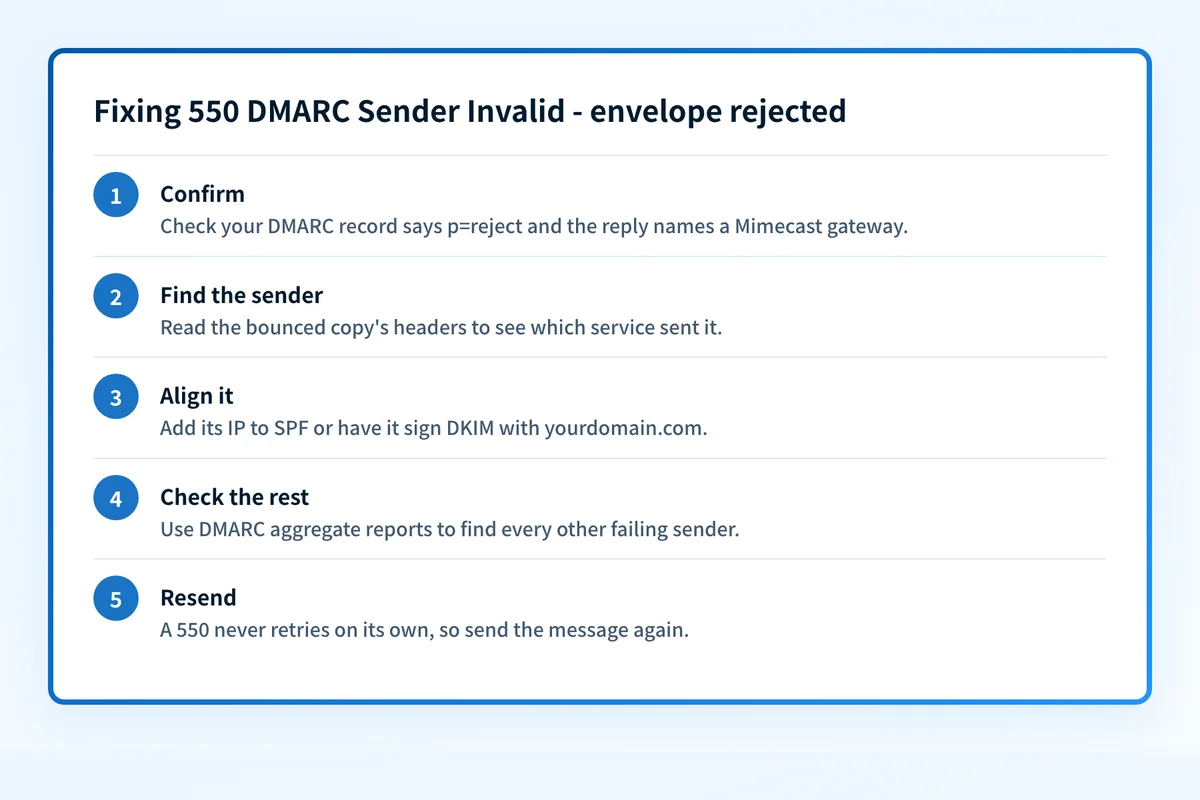
How to fix 550 DMARC Sender Invalid - envelope rejected
Check your From domain's DMARC record and confirm the reply came from Mimecast
Run your domain through the DMARC checker below and note the
p=value. This bounce happens when your record asks receivers to reject. Then look at the host that replied in the bounce, or check the recipient domain in the MX checker: this string is Mimecast's, so it should name a Mimecast gateway. If it does not, the wording came from somewhere else and this page may not apply.Sources: Mimecast: SMTP error codes
Run the check now
Enter the domain from the step above and the check runs instantly on the next page. Free, no signup.
Find the service that sent the bounced message
Open the returned copy and read its
Receivedheaders and Return-Path. The first outside hop is the system that sent it: your mail server, or a third-party platform sending as you. Every fix below applies to that one service, not to your domain in general.Authorize that service in SPF, or have it sign DKIM with your domain
Either path is enough for DMARC to pass. Add the service's documented include or IP range to your SPF record and check it with the SPF checker, keeping the record under the 10-lookup limit. Better, turn on DKIM signing with your own domain in that service and confirm the selector with the DKIM checker. DKIM usually survives forwarding that leaves the message unchanged, and SPF does not.
Check every other sender before the next bounce finds it
One rejected service rarely means only one is failing. Your DMARC aggregate reports list every source sending as your domain and whether each one passes, so you can fix the rest while the policy stays at
p=reject. The DMARC report analyzer reads a report file for free.Send the message again, and ask about forwarders only if the sender is not yours
A 550 is permanent for that message, so nothing retries on its own. Resend once the service passes. If the failing hop is a forwarder or auto-reply path you do not control, the recipient's Mimecast administrator can scope a DNS Authentication policy for it: Mimecast documents setting the DMARC Fail action to Take No Action, and a separate bypass for null senders. Ask for that narrowly, not for your whole domain.
Sources: Mimecast: DNS Authentication overview · RFC 5321 (SMTP)
Related free tools: SPF checker · DKIM checker · MX lookup
Authentication is the fix, not a workaround
Every path out of 550 DMARC Sender Invalid - envelope rejected runs through the same three DNS records: SPF, DKIM, and DMARC. Mailbox providers no longer treat them as best practice; they're the entry ticket, and a domain that drifts out of alignment starts bouncing again without anyone changing a thing on your side.
The durable fix is enforcement: publish correct records, watch the DMARC reports for senders you missed, and move the domain to p=reject so receivers drop spoofed mail instead of bouncing yours.
DMARC software that does the work
Palisade's AI agent takes domains all the way to enforcement: hosted SPF, DKIM, DMARC, and MTA-STS records on paid plans, DMARC reports monitored continuously, and every policy step drafted for your approval on the way to p=reject.
Audit any domain free, no card needed. A card starts the 15-day trial.
Why it matters for MSPs
This bounce usually lands in a ticket right after a client's DMARC policy moves to reject, from a recipient who runs Mimecast. Treat it as evidence about one sending service, not about the policy: the record did its job. Keep the bounce, name the service from its headers, and fix that service's SPF or DKIM for the client's domain. Palisade reads each client's DMARC aggregate reports, identifies every sender that fails alignment, and files a prioritized ticket with the proposed record change for your team to review and apply, through ConnectWise, HaloPSA or Autotask.
Questions readers ask