SMTP error code · permanent failure (5xx)
SMTP error 550 5.7.25: sending IP has no PTR record

By Dominic Landry · Deliverability & DNS · Reviewed September 20, 2026
550 5.7.25 means the receiving server rejected your mail because the sending IP address failed a reverse DNS check. Gmail returns it when the IP has no PTR record, or when the PTR hostname does not resolve back to the same IP. It is permanent and sender-side: fix reverse DNS with whoever owns the IP, then re-send.
550 5.7.25 at a glance | |
|---|---|
| Code | 550 5.7.25 |
| Class | Permanent (5xx): the message was refused and will not retry |
| Category | DNS / routing |
| Side at fault | Sender |
| Auth-related | No: reverse DNS checks the sending IP, separately from SPF, DKIM, and DMARC |
What the bounce actually says
The exact wording varies by provider. These are the documented strings, verbatim. Match yours to pin down which variant you hit.
Gmail (Google Workspace)
550 5.7.25 This message was blocked because the sending IP address doesn't have a PTR record, or the forwarding DNS entry doesn't reference the sending IP address. Gmail requires that sending IP addresses have a PTR record. Learn more about requirements for sending IP addresses. To learn more about Gmail requirements for bulk email senders, visit Email sender guidelines.Source: knowledge.workspace.google.com
Microsoft 365 (Exchange Online): inbound mail over IPv6
5.7.25 Access denied, the sending IPv6 address [2a01:111:f200:2004::240] must have a reverse DNS recordSource: learn.microsoft.com
RFC 7372: the registered sample text for enhanced status 5.7.25
550 5.7.25 Reverse DNS validation failedSource: www.rfc-editor.org
Why you're seeing 550 5.7.25
Codes in the 5.7.x range report a security or policy refusal (RFC 3463), and X.7.25 is the one registered for this exact case: RFC 7372 section 3.3 defines it as "Reverse DNS validation failed", returned when the connecting IP fails a reverse DNS check that the receiver's policy requires. The check has two halves. The receiver looks up the PTR record for your IP to get a hostname, then looks up that hostname's A or AAAA record and expects to land back on the same IP. RFC 8601 section 3 describes this test as iprev. Google's sender guidelines require both halves for every sender. Two things make this bounce different from most 5.7.x errors. It judges the IP address and ignores the message, so SPF, DKIM, and DMARC can all pass and the mail still bounces. And the PTR record lives in the reverse zone of whoever owns the IP range, which is usually a hosting provider, ISP, or email service. You cannot publish it in your own domain's DNS.
Likely causes, ranked
| Likely cause | What's happening |
|---|---|
| The sending IP has no PTR record at all | The most common trigger. A new VPS, a cloud instance, or a static IP from an ISP ships with empty reverse DNS until someone asks for it. Gmail's bounce says so directly: the sending IP address doesn't have a PTR record. |
| The PTR hostname does not resolve back to the sending IP | The PTR record exists, but the hostname it names has no A or AAAA record, or that record points at a different address. This is the "forwarding DNS entry doesn't reference the sending IP address" half of Gmail's message. It shows up after a server move, when the forward record followed the new IP and the PTR stayed behind, or the other way around. |
| Mail leaves over IPv6, and only the IPv4 address has reverse DNS | A dual-stack server often prefers IPv6 for outbound connections. The IPv4 address was set up years ago with a PTR record; the IPv6 address never was. Microsoft's 5.7.25 text names this case explicitly, and Exchange Online also documents a temporary 450 4.7.25 form of the same refusal. |
| The message left from an IP you did not expect | A second network interface, a NAT gateway, a failover link, or a new relay host sent the message from an address nobody configured. The IP printed in the bounce is the one the receiver saw, and it may differ from the one you checked. |
| A device or script is sending directly from a dynamic or residential IP | Scanners, monitoring scripts, and home-lab servers that deliver straight to the recipient's MX usually sit on addresses whose reverse DNS the customer cannot change. Relay that mail through an authenticated smarthost or your email provider. |
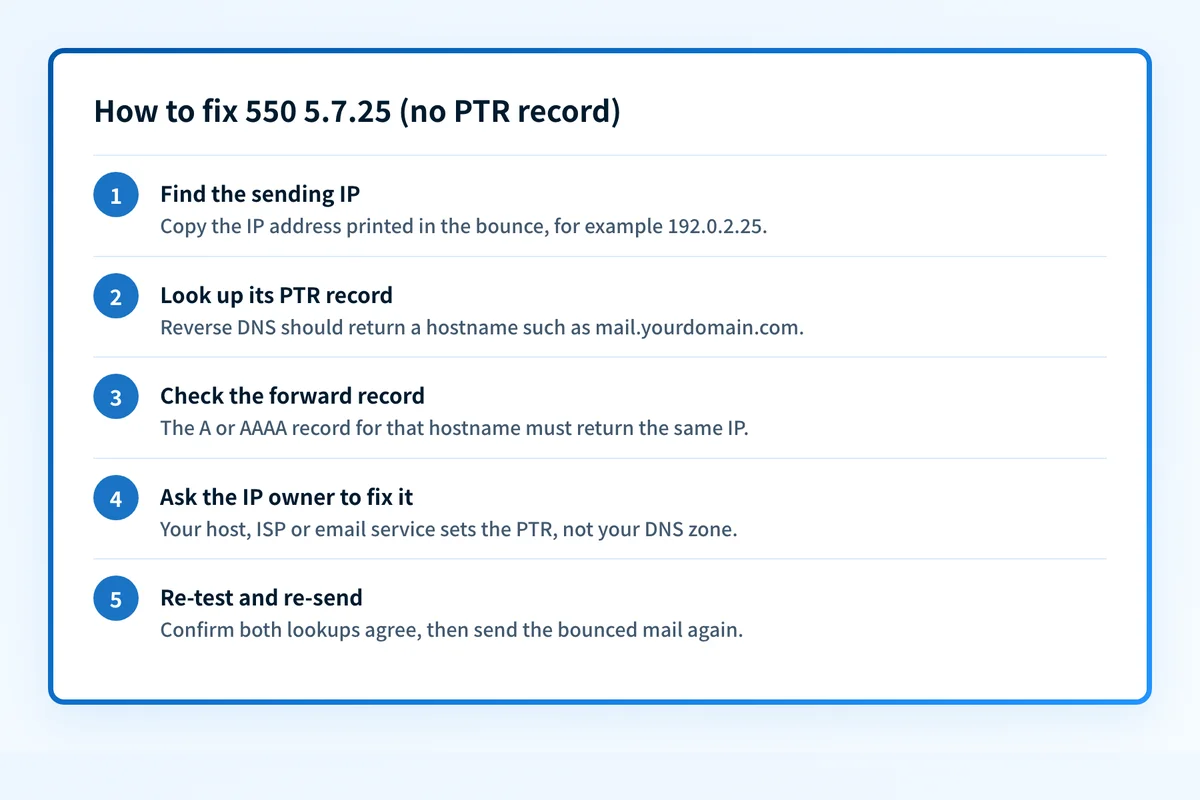
How to fix 550 5.7.25
Look up the PTR record for the sending IP
Copy the IP address from the bounce itself, since that is the address the receiver saw. Enter it in the free checker below: it runs the reverse DNS query and shows the PTR hostname, or tells you plainly that none exists. From a terminal,
dig -x 192.0.2.25 +shortanswers the same question.Sources: Gmail SMTP errors and codes (550 5.7.25) · RFC 7372 section 3.3 (X.7.25)
Run the check now
Enter the sending IP from the bounce, or your sending domain, and the check runs instantly on the next page. Free, no signup.
Confirm the PTR hostname resolves back to the same IP
Take the hostname the PTR lookup returned, for example
mail.yourdomain.com, and look up its A record (AAAA for IPv6) with the DNS lookup tool. The answer must include the sending IP. Google's sender guidelines state that the sending IP address must match the IP address of the hostname in the PTR record, and RFC 8601 section 3 describes the same two-way test. RFC 1912 section 2.1 adds that a PTR must point to a name with a real A record, never a CNAME alias.Sources: Google email sender guidelines: IP addresses · RFC 8601 section 3 (iprev) · RFC 1912 section 2.1
Ask the owner of the IP to set reverse DNS
Reverse DNS is controlled by whoever holds the IP range. On a cloud or VPS platform, look for a reverse DNS or PTR setting in the control panel. With an ISP or colocation provider, open a ticket that names the IP and the hostname you want. Pick one stable hostname under a domain you control, publish its A or AAAA record first, then have the PTR point at it. If you send through an email service, this is the provider's job: send them the bounce.
Check the IPv6 path separately
If the bounce shows an IPv6 address, that address needs its own PTR record and a matching AAAA record. Microsoft 365 requires a valid PTR record for anonymous inbound mail over IPv6, and also requires the sender's domain to pass SPF or DKIM on that path. If your provider cannot delegate IPv6 reverse DNS, configure the mail server to send over IPv4 only until it can.
Sources: Microsoft 365 mail flow: inbound email over IPv6 · Exchange Online NDR reference (5.7.25)
Re-test both lookups, then re-send
Reverse zones carry their own TTLs, so give the change time to propagate, then repeat steps 1 and 2 and confirm they agree. RFC 7372 pairs
X.7.25with basic code 550, a permanent failure, so nothing retries by itself. Re-send the bounced messages once the PTR and forward records match.Sources: RFC 7372 section 3.3 (X.7.25) · RFC 3463 (enhanced status codes)
Related free tools: DNS lookup (A and AAAA records) · Blocklist checker · Email header analyzer
Why it matters for MSPs
For an MSP, 550 5.7.25 usually traces back to infrastructure you run for several clients: a shared smarthost, a firewall's egress IP, or an on-premises Exchange server behind a circuit the ISP provisioned without reverse DNS. Fix it once per sending IP, and record the PTR hostname for each client's egress address in your documentation so the next ISP change or failover does not reopen the ticket. This is an IP-level problem, so DMARC tooling does not fix it. Where Palisade helps is next door: the DMARC reports it reads list the IPs that reporting receivers saw sending as a client's domain, which is how an unexpected sending address tends to surface before it bounces.
Questions readers ask