Email deliverability Q&A
What is Google Postmaster Tools?

By Samuel Chenard · CEO & Co-Founder, Palisade · Reviewed July 20, 2026
Google Postmaster Tools is Google's free dashboard showing how Gmail treats mail from your domain: spam complaint rate, SPF/DKIM/DMARC pass rates, delivery errors, encryption, and a compliance verdict against Gmail's sender rules. You verify domain ownership with a DNS TXT record, and the data covers only mail sent to personal Gmail accounts.
| At a glance | |
|---|---|
| What it is | Google's free per-domain deliverability console for senders |
| Cost | Free with any Google or Google Workspace account |
| Setup | Add your authentication domain, verify with a DNS TXT record |
| Coverage | Mail to personal Gmail accounts only (@gmail.com, @googlemail.com) |
| The number that matters | User-reported spam rate: keep it below 0.3%, aim below 0.10% |
| Current version | Postmaster Tools v2; the old Domain and IP Reputation dashboards are being retired |
Postmaster Tools is Google answering the question every sender eventually asks: what does Gmail actually think of my mail? Your ESP can tell you what it handed off; only Gmail can tell you what happened after. Postmaster Tools is that receiver-side view, published daily, per domain, for free.
The catch is scope. The dashboards cover mail sent to personal Gmail accounts only, not Google Workspace tenants, and Google hides data on days when your volume to Gmail is too low, a privacy measure with no published threshold. Small senders often see sparse or empty charts; that is the tool working as designed, not a setup mistake.
Google shipped a rebuilt version (v2) with a modern interface and a new Compliance status dashboard, and is retiring the old interface along with its Domain and IP Reputation dashboards, which get replaced by a reworked reputation view. If a blog post you are reading leans heavily on 'check your domain reputation in Postmaster Tools', it is describing the old product.
The dashboards, and what each one tells you
| Dashboard | What it shows | What good looks like |
|---|---|---|
| Compliance status | Whether your domain meets Gmail's Email sender guidelines, itemized per requirement | Compliant on every row (the other states are Needs work and No data found) |
| Spam rate | Percent of your DKIM-authenticated messages that Gmail users manually mark as spam | Below 0.3% always; Google's stated best practice is below 0.10% |
| Authentication | Percent of your mail passing SPF, DKIM, and DMARC | Google says correctly configured senders typically see 95% or higher for DKIM and DMARC |
| Delivery errors | Percent of authenticated mail rejected or temporarily failed by Gmail | Near zero; spikes mean Gmail is actively refusing your mail |
| Encryption | Percent of inbound and outbound connections using TLS | At or near 100% |
| Feedback loop | Per-campaign spam rates, keyed by campaign identifiers | No single campaign dominating complaints |
| Reputation (v2) | Replaces the retired Domain and IP Reputation dashboards with a reworked view; the old ones rated you Bad, Low, Medium, or High | Trending stable or up; treat it as a lagging summary, not a lever |
Dashboard names and definitions are from Google's own Postmaster Tools documentation, checked 2026-07-20. Spam rate is computed against DKIM-authenticated traffic, which means an unauthenticated sender does not even get an accurate complaint number: one more reason authentication comes first.
Setup: one TXT record per domain
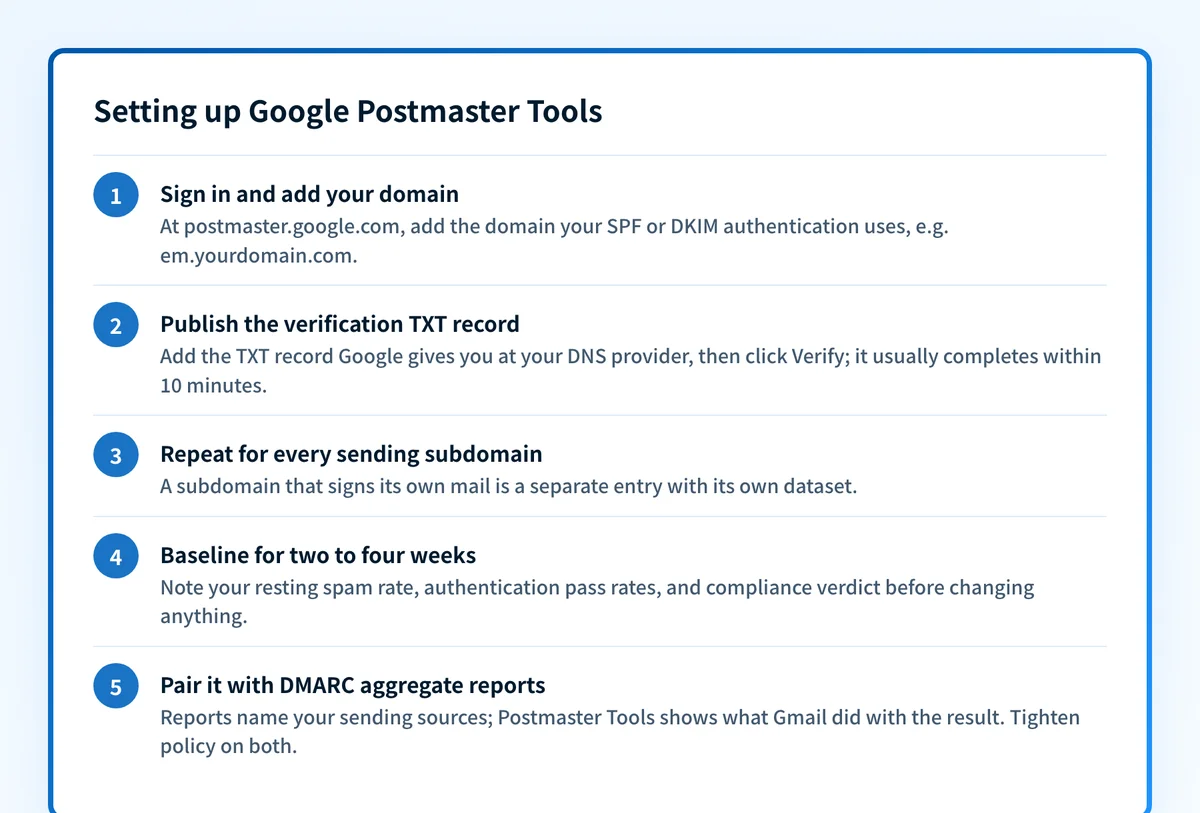
Sign in at postmaster.google.com with any Google account, click Add, and enter the domain you authenticate outgoing mail with: the SPF or DKIM domain, not necessarily the pretty From address. Google hands you a TXT record; publish it at your DNS provider and click Verify. Google says verification usually completes right away and can take up to ten minutes.
Add every domain and subdomain you send from. If marketing mail signs DKIM as em.example.com while corporate mail signs as example.com, those are two separate entries with two separate datasets. The old Domain Reputation dashboard only counted mail from the exact domain used for authentication, so a missing subdomain entry means a blind spot.
Access is shareable per domain: from Manage Domains you add another person's Google account email, and Google notes that people are not notified when you grant them access. There is no organization-level container; access is a flat list of Google accounts per domain.
How to read it for DMARC rollout decisions
Postmaster Tools is one of the two instruments you want open during a DMARC rollout. DMARC aggregate reports tell you which sources send as your domain and whether each one aligns, across all reporting receivers. Postmaster Tools tells you what Gmail specifically is doing with the result. They answer different questions and you need both.
Before tightening policy from p=none, the Authentication dashboard is your go signal: SPF, DKIM, and DMARC pass rates should be sitting where Google says healthy senders sit, 95% or higher, and holding there for weeks, not days. A pass rate stuck at 80% means a real sending source is still unaligned, and moving to p=quarantine or p=reject will start eating that mail.
After tightening, watch Delivery errors and Spam rate. A rejection spike right after a policy change usually means a legitimate source you missed; Gmail's rejection of unauthenticated mail surfaces to the sender as a 550 5.7.26 bounce, covered in the SMTP error-code reference. A falling spam rate over the following weeks is the payoff showing up: spoofed mail that used to generate complaints against your domain is now being dropped before anyone can mark it.
The Compliance status dashboard compresses all of this into one verdict. Since Google's 2024 sender requirements, bulk senders (more than 5,000 messages a day to Gmail) must have SPF, DKIM, and DMARC with From-domain alignment; the dashboard checks your traffic against those rules requirement by requirement and marks each one Compliant, Needs work, or No data found.
Reading the dashboards: signal, likely cause, action
| What you see | What it usually means | What to do |
|---|---|---|
| Compliance status shows Needs work | A sender-guidelines requirement is failing: authentication, spam rate, or one-click unsubscribe | Open the row; each requirement links to the specific fix |
| Authentication pass rate below 95% | A sending service with broken or unaligned SPF/DKIM, or forwarders | Cross-reference DMARC aggregate reports to name the source, then fix its DNS |
| Spam rate creeping toward 0.3% | List fatigue, cold outreach, or spoofers riding an unenforced domain | Cut low-engagement segments; verify DMARC enforcement is blocking spoofed mail |
| Delivery errors spike after a DMARC policy change | A legitimate sender you did not authenticate before tightening | Find it in aggregate reports, align it, then re-tighten |
| Dashboards mostly empty | Volume to personal Gmail too low for Google's privacy threshold, or the wrong domain added | Confirm you added the SPF/DKIM domain; accept sparse data at low volume |
| Spam rate fine, but recipients report missing mail | The issue is at Microsoft, Yahoo, or a filter Postmaster Tools cannot see | Check Microsoft SNDS and your DMARC reports; Postmaster Tools is Gmail-only evidence |
If a policy change produces bounces, the code in the bounce text is the diagnosis: Gmail's unauthenticated-mail rejection is 550 5.7.26, with a full walkthrough in the SMTP error-code reference at /learning/smtp-error-codes.
How to fix it
Check your DMARC record before trusting any dashboard
Run your domain through the free DMARC checker below. Postmaster Tools grades the mail you send; this grades the policy you publish. Together they tell you whether you are ready to enforce.
Run the check now
Enter your sending domain and the check runs instantly on the next page. Free, no signup.
Add and verify every sending domain in Postmaster Tools
Use the domain your SPF or DKIM authentication actually uses, publish the TXT record Google gives you, and repeat for each subdomain that signs its own mail.
Baseline for two to four weeks
Note your resting spam rate, authentication pass rates, and compliance verdict before changing anything. Rollout decisions are made against a trend, and Gmail's data only starts accruing once the domain is verified.
Pair it with DMARC aggregate reports
Postmaster Tools shows Gmail's verdict but never names your sending sources. Aggregate reports do, across every reporting receiver. Use reports to find and fix unaligned senders, then watch the Authentication dashboard confirm the fix.
Tighten policy on evidence, then keep watching
When pass rates hold at 95% or higher and aggregate reports show no legitimate unaligned source, move from p=none toward p=reject. Afterward, Delivery errors is your early-warning channel for anything you missed.
Related free tools: SPF checker · DKIM checker
Postmaster Tools is the scoreboard, enforcement is the game
A verified Postmaster Tools account with clean charts is evidence, not protection. At p=none, a spoofer sending as your domain still lands in inboxes, still generates complaints, and still drags down the spam rate and reputation that Gmail attributes to you.
Enforcement is what changes the chart. At p=reject with every legitimate sender aligned, Gmail drops the spoofed mail instead of scoring you for it, and Postmaster Tools goes back to measuring your mail alone. Monitoring tells you when you are ready; the move to p=reject is the point of the whole exercise.
DMARC software that does the work
Palisade's AI agent carries every domain to p=reject, with you approving each step. The agent's fixes and hosted SPF, DKIM and DMARC records are part of the full product, which you can try before any charge.
Audit any domain free, no card needed. A card starts the 15-day trial.
Why it matters for MSPs
Postmaster Tools was built for one sender, not a book of clients: there is no multi-domain rollup, no alerting, and access is granted per domain to individual Google accounts (with no notification email when you add someone). The workable pattern is a dedicated Google account for the MSP, added to every client domain at onboarding, with the TXT verification record shipped alongside SPF and DKIM in your standard DNS change. Then accept what the tool is: a Gmail-only spot check, strongest for clients who mail consumer inboxes. For the fleet-wide view, DMARC aggregate reports are the instrument that scales; Palisade ingests them across every client domain with unlimited retention on paid plans, hosts the SPF, DKIM, and DMARC records it monitors, and carries each domain to p=reject with your team approving each step; ConnectWise, HaloPSA, and Autotask integrations put the findings in your PSA. Pricing is per client domain with rates that improve as the portfolio grows, client email volume is not metered, and your own MSP domain runs free as an NFR domain.
Questions readers ask
Frequently asked questions
Is Google Postmaster Tools free?
Why is my Postmaster Tools data empty or missing days?
Does Postmaster Tools cover Google Workspace recipients?
What spam rate does Google consider acceptable?
What happened to the Domain and IP Reputation dashboards?
What is the Compliance status dashboard?
Is Postmaster Tools enough to monitor a DMARC rollout?
Sources
Every benchmark above was verified against the vendor's own documentation on the date shown.
- Postmaster Tools dashboard names and definitions, the Compliant / Needs work / No data found compliance states, the 95%-or-higher typical DKIM and DMARC pass rate, and the Bad/Low/Medium/High reputation scale. Google Postmaster Tools dashboards help (checked 2026-07-20)
- The old Postmaster Tools interface is deprecated; all dashboards carry to v2 except Domain and IP Reputation, which are retired and replaced by a reworked reputation view, and the v1 API is retired. Google Postmaster Tools deprecation notice (checked 2026-07-20)
- The v2 Compliance status dashboard verifies outgoing email against the Email sender guidelines and is available to all senders mailing personal Gmail accounts. Google Postmaster Tools dashboards help (checked 2026-07-20)
- Keep spam rates reported in Postmaster Tools below 0.3%, best practice below 0.10%; bulk senders (more than 5,000 messages/day) must set up SPF, DKIM, and DMARC with From-domain alignment. Google Email sender guidelines (checked 2026-07-20)
- Domains are added using the SPF or DKIM authentication domain and verified via a DNS TXT record (typically immediate, up to 10 minutes); data covers personal Gmail accounts only and is withheld on low-volume days for privacy; access is shared per domain by Google account without notification. Google Postmaster Tools setup guide (checked 2026-07-20)