What is a RUF? DMARC Forensic Reports Explained
 ChatGPT
 Claude
 Gemini
 Perplexity
 Grok
GrokIn brief
RUF is the DMARC tag naming where forensic failure reports are sent. Few providers send them today, so RUA aggregate reports carry most of the signal.
In the realm of email authentication, RUF stands for Reporting URI for Forensic reports, a component of the DMARC (Domain-based Message Authentication, Reporting, and Conformance) protocol. A RUF is an email address or URI (Uniform Resource Identifier) specified in a domain’s DMARC policy where detailed forensic reports about individual email authentication failures are sent. These reports help domain owners identify and investigate specific instances of email spoofing or authentication issues, providing granular insights into potential abuse of their domain.
How Does a RUF Work?
RUF is an optional feature of DMARC, complementing SPF (Sender Policy Framework), DKIM (DomainKeys Identified Mail), and RUA (Reporting URI for Aggregate reports). Here’s how it operates:
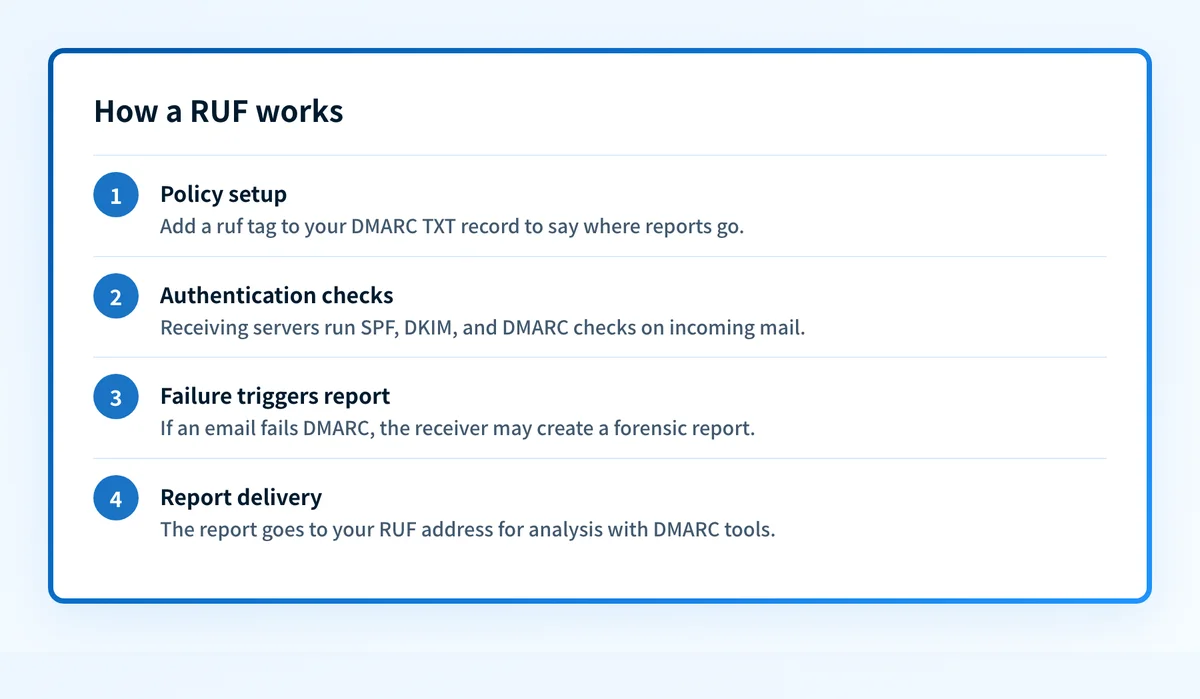 RUF reports are event-driven, sent in near real-time for each DMARC failure.
- DMARC Policy Setup: The domain owner includes a RUF tag in their DMARC DNS record (a TXT record at _dmarc.yourdomain.com). For example: v=DMARC1; p=reject; ruf=mailto:dmarc-failures@yourdomain.com;. This specifies where forensic reports should be sent.
- Email Authentication: When an email claiming to be from your domain arrives at a receiving mail server (MTA), it undergoes SPF, DKIM, and DMARC checks to verify authenticity and alignment with your policy (e.g., “none,” “quarantine,” or “reject”).
- Forensic Report Trigger: If the email fails DMARC authentication (e.g., due to a missing DKIM signature or an unauthorized sender IP), the receiving server may generate a forensic report. This report includes detailed information about the failed email, such as the sender’s IP, “From” address, subject line, and sometimes redacted email headers or body snippets.
- Report Delivery: The forensic report is sent to the email address or URI specified in the RUF tag, allowing the domain owner to analyze specific failure incidents, often using DMARC analysis tools.
Why RUFs Matter
RUF reports offer targeted benefits for domain owners, particularly those focused on security:
- Pinpoint Spoofing Attempts: Forensic reports reveal specific instances of unauthorized email activity, helping you identify phishing or fraud campaigns targeting your domain.
- Detailed Troubleshooting: By providing granular data about why an email failed DMARC, RUF reports assist in diagnosing configuration issues with SPF, DKIM, or alignment.
- Rapid Response: Real-time failure reports enable quick action, such as blocking malicious IPs or contacting receivers to address false positives.
- Enhanced Security Insights: For high-security domains (e.g., financial institutions), RUF reports provide critical intelligence to strengthen defenses against sophisticated attacks.
Things to Keep in Mind
Implementing RUF requires careful consideration due to its complexity and limited adoption:
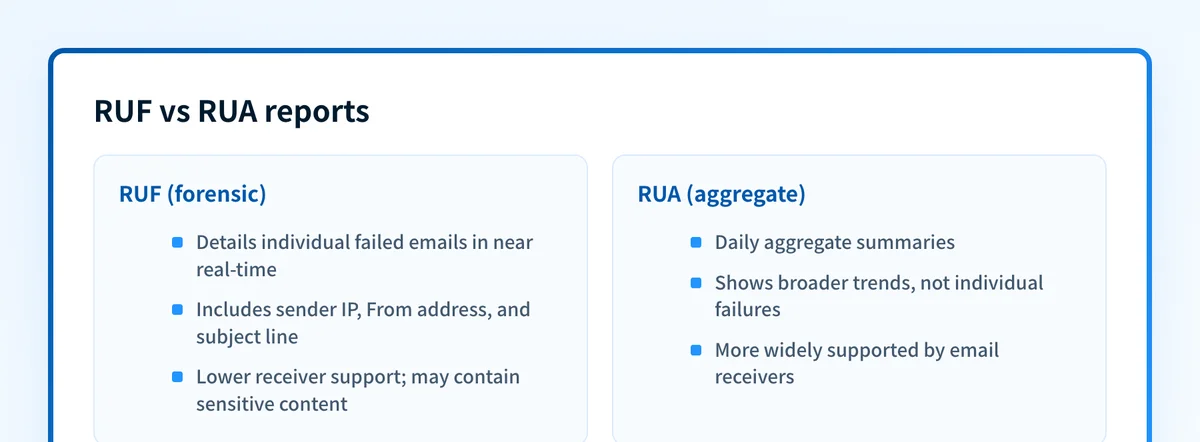 Use both report types for a complete picture of your email ecosystem.
- Limited Support: Many email receivers (even major ones like Gmail) do not send RUF reports due to privacy concerns, as forensic reports may include sensitive email content. Adoption is lower than for RUA reports.
- Privacy Risks: Forensic reports can contain personally identifiable information (PII), such as email headers or partial message bodies. Use secure, dedicated mailboxes for RUF and handle reports carefully to comply with data protection regulations (e.g., GDPR).
- Volume Management: For domains with high email traffic, RUF reports can be overwhelming if many emails fail authentication. Use DMARC analysis tools to filter and prioritize reports.
- Configuration Accuracy: Ensure the RUF email address is valid and monitored. Misconfigurations can lead to missed reports or delivery failures.
- Complementary to RUA: RUF focuses on individual failures, while RUA provides broader trends. Use both for a complete picture of your email ecosystem.
Wrapping Up
A RUF is a specialized tool within DMARC, delivering forensic reports that shine a spotlight on individual email authentication failures. By offering detailed insights into spoofing attempts and configuration issues, RUF reports empower domain owners to enhance security and respond swiftly to threats. Though less widely supported than RUA, RUF is a valuable asset for those seeking to protect their domain with precision and vigilance.
RUF and the DMARCbis update
DMARC was revised in 2026. The failure-reporting mechanism that the RUF tag points to is now specified in RFC 9991, one of the three documents (RFC 9989, 9990, and 9991) that replaced the original RFC 7489. The ruf tag and its purpose are unchanged: it names the address that receives per-message failure reports. Aggregate reporting, which the rua tag controls, is covered separately in RFC 9990.
Related reading
Questions readers ask
Frequently asked questions
Is RUF the same as RUA?
No. RUA delivers scheduled aggregate summaries of authentication results across all your mail. RUF delivers a report for an individual message that failed DMARC. RUA shows trends; RUF shows single incidents.
Why am I not receiving any forensic reports?
Most large mailbox providers, including Gmail, do not send RUF reports because the reports can contain message content and personal data. Even with a valid ruf tag published, you may receive few or none. That is expected behavior, not a misconfiguration on your side.
Do I need a special mailbox for RUF reports?
Use a dedicated, monitored address, ideally one separate from your aggregate-report inbox. Forensic reports can include headers and partial message bodies, so treat that mailbox as sensitive data under protection rules such as GDPR.
How can Palisade help me act on failure data?
Palisade analyzes DMARC report data, identifies the sending sources behind failures, and files prioritized remediation tickets for review. You can also check a domain's published policy with the DMARC checker.

Written by
Samuel ChenardCEO & Co-Founder, Palisade
Samuel Chenard is the CEO and co-founder of Palisade, agentic DMARC software for IT teams and MSPs, from one domain to thousands.
More from Samuel →