How do you move from reactive to proactive email security?
 ChatGPT
 Claude
 Gemini
 Perplexity
 Grok
GrokIn brief
How to move from reactive to proactive email security: establish an authenticated sending baseline, validate real mail, and review change evidence.

Move from reactive to proactive email security by treating each sending domain as an operating system with a documented baseline: known senders, published authentication records, delivered-message evidence, and a review step before changes go live. The goal is not to predict every incident. It is to find unauthorized or misconfigured sending paths before a spoofing report, delivery complaint, or policy change forces an urgent response.
At a glance
Quick takeaways
- A proactive posture starts with an inventory of every system that sends mail using the domain.
- DNS records alone do not prove that a production application signs mail or uses the intended return path.
- DMARC passes when aligned SPF or DKIM passes for the visible From domain.
- A delivered message's
Authentication-Resultsheader gives evidence about that message's authentication evaluation. - DMARC aggregate reports help identify sending sources and recurring authentication or alignment failures over time.
- Every material change needs a defined owner, validation evidence, and a rollback decision.
How proactive email security works
Reactive work begins after an observable failure: a suspicious message uses the brand, a customer reports a phishing email, or a business sender starts landing in junk. The immediate investigation may solve that one event, but it often leaves the wider question unanswered: which systems are authorized to send for the domain, and how would the team notice a new or failing source?
A proactive process keeps that evidence current. It starts by listing each sending service, application, gateway, and business owner that uses the domain in the visible From address. For each path, record the expected From domain, envelope sender where applicable, DKIM signing domain, DNS records, and a test recipient that can receive a real production message.
DMARC connects the visible From domain to SPF or DKIM alignment. RFC 9989 defines DMARC as a mechanism through which a domain owner publishes a policy and requests feedback. A DMARC policy does not make an unauthenticated application begin signing mail. It evaluates the authentication evidence that the actual message path produces.
The message layer matters because DNS publication and sender behavior are separate facts. RFC 8601 defines the Authentication-Results header field, which receivers can use to record authentication assessment results. Inspect a message sent through the exact application or service under review, rather than relying on a generic test from another system.
For broader context on authentication controls, visit the Palisade learning center. If a recipient moves an accepted message later, see why Outlook moves emails to junk after they arrive. Microsoft documents that filtering decision separately in its anti-spam protection overview. Authentication is relevant evidence, but it does not guarantee inbox placement.
When the answer changes
The right next action depends on the evidence available.
- If you only have a domain name, inspect the published DMARC record first. A public lookup can show what DNS publishes at that moment.
- If you have a real message, inspect its raw headers and compare the visible From domain with the SPF and DKIM domains reported in
Authentication-Results. - If you have recurring DMARC aggregate reports, use them to identify sources that appear over time and investigate unknown or failing sources before changing policy.
- If you are adding a sender, do not treat the vendor's setup screen as final proof. Confirm DNS, the vendor's current status, and a real message from the production path.
- If the concern is impersonation or an abnormal message, preserve the original evidence and follow the incident process. Abnormal email security covers that wider security question.
Do not remove or replace an existing SPF, DKIM, or DMARC record solely because a new sending service provides a suggested value. First establish the approved target state and a rollback path. A replacement can disrupt mail from other legitimate systems.
A proactive evidence baseline
Use one evidence record for each sending path. This is an illustrative format, not a DNS record to publish.
Sending source: your-email-platform
Visible From domain: yourdomain.com
Expected SPF identity: mail.yourdomain.com
Expected DKIM d= domain: yourdomain.com
DNS check: record present at the intended hostname
Vendor check: current verification status recorded
Message check: delivered test message retained with Authentication-Results
DMARC check: aggregate-report source reviewed after reports accumulate
Owner: named team or service owner
Rollback: prior approved configuration and trigger documented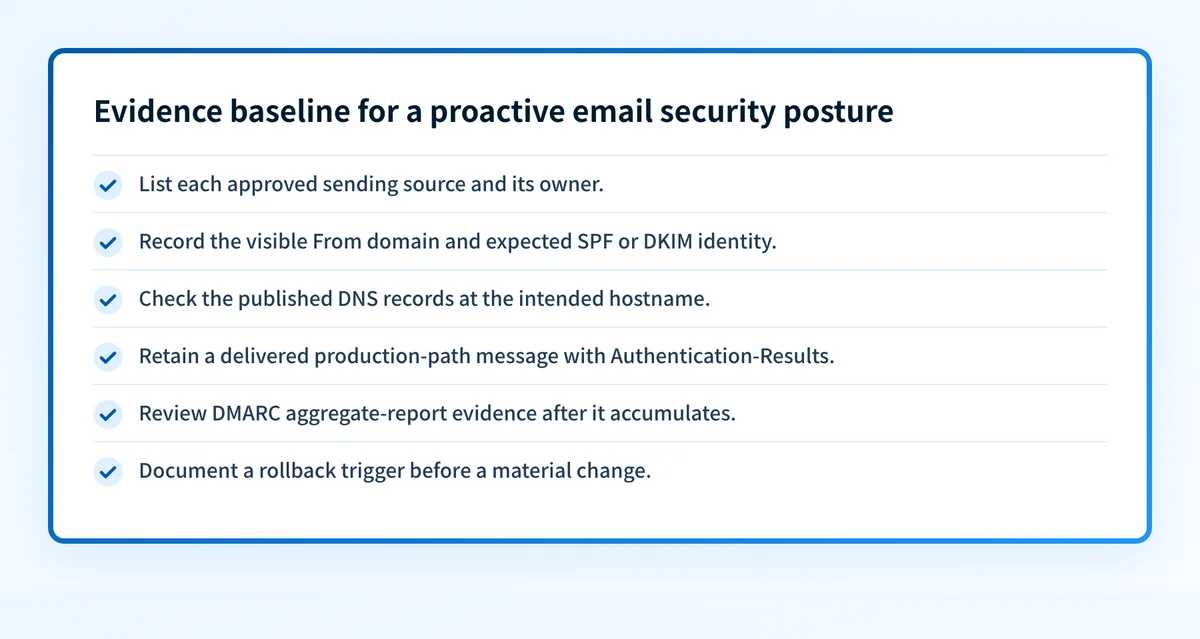
This baseline applies the four separate validation layers that often get confused:
- DNS confirms that an authoritative record is published and publicly resolvable.
- Vendor evidence confirms the service's own current setup or verification state.
- Message evidence confirms what one delivered message from the production path reports.
- DMARC evidence adds the longer-term view once aggregate reports accumulate.
DMARC failure reports can add forensic detail in some circumstances, but they are not a substitute for aggregate visibility and retained message evidence. See whether DMARC failure reports are worth the trouble before making them the center of an operational process.
Take the next practical step
Start with the evidence you have, then preserve the result with the sender's owner and intended configuration.
If you have only the domain, use the DMARC checker to inspect the currently published policy record. Compare the result with the approved DNS configuration before proposing any policy change.
If you have a suspicious or failing message, retain the raw headers and inspect the Authentication-Results fields from the receiving system. Compare the visible From domain, SPF identity, and DKIM signing domain. Escalate to the sender owner when the actual path differs from the documented design.
If aggregate reports show an unfamiliar source, identify whether it is a legitimate business system before adding it to an approved inventory. Do not authorize a source merely because it appears in a report.
Track the sending paths that still need remediation
A domain lookup is a useful baseline, but a proactive posture also needs a way to identify legitimate sources, review authentication or alignment issues, and decide when the domain appears ready for a stronger DMARC policy.
Palisade is DMARC software that analyzes DMARC aggregate-report data, identifies sending sources and authentication or alignment issues, and creates prioritized remediation tickets. It can propose a next policy step when the evidence supports it. A human reviews the evidence and applies any DNS or policy change.
Palisade does not autonomously change the DMARC policy, prove every future message will authenticate, or guarantee a receiver's delivery or inbox decision.
Evidence
Sources and further reading
Questions readers ask
Frequently asked questions
Does a DMARC record make email security proactive?
No. A DMARC record publishes a policy and can request feedback, but the operating process becomes proactive only when the team inventories senders, validates real messages, and reviews changes before they create an incident.
Can a DNS check prove that an email platform is configured correctly?
No. A DNS check can confirm a currently visible record. It cannot prove that the platform is using the intended return path, applying a DKIM signature, or sending through the expected production route.
Should a team move to a stronger DMARC policy after one successful test?
No. One successful delivered message is evidence about that path at that time. Before a policy change, validate the important production senders and review aggregate-report evidence as it accumulates.
Do DMARC aggregate reports identify every security problem?
No. Aggregate reports can help identify sending sources and authentication or alignment patterns. They do not replace message-header evidence, an incident investigation, or a receiver's private delivery decision.
Can stronger authentication guarantee inbox placement?
No. Stronger authentication supports trustworthy domain use, but receiving systems can also consider reputation, content, recipient signals, and local policy when handling mail.

Written by
Samuel ChenardCEO & Co-Founder, Palisade
Samuel Chenard is the CEO and co-founder of Palisade, agentic DMARC software for IT teams and MSPs, from one domain to thousands.
More from Samuel →