What Is a CNAME Record? How DNS Aliases Work
 ChatGPT
 Claude
 Gemini
 Perplexity
 Grok
GrokIn brief
A CNAME record makes one hostname an alias for another. Learn how CNAMEs resolve, the no-other-data and MX rules, the apex limit, and how to check one.
A CNAME record (canonical name record) is a DNS record that makes one hostname an alias for another hostname. When a resolver looks up the alias, it follows the CNAME to the canonical name and continues the lookup there, so the alias never holds an IP address of its own. CNAME records are how providers let you point www, shop, or a DKIM selector at infrastructure they manage, but an alias cannot share its name with any other record, cannot sit at the domain apex, and must never be the target of an MX record.
At a glance
Quick takeaways
- A CNAME record maps an alias hostname to a canonical hostname, never directly to an IP address.
- A hostname that has a CNAME record must not carry any other DNS record at that same name.
- The zone apex (
example.comitself) cannot be a standard CNAME because it must publish SOA and NS records. - The hostname an MX or NS record points to must resolve to address records, not to a CNAME.
- A CNAME lookup that resolves proves the alias is published. It does not prove a provider has verified it or that mail is signed.
How does a CNAME record resolve?
A CNAME record tells a resolver that the name it asked about is an alias, and names the canonical hostname to use instead. RFC 1034 section 3.6.2 describes the behavior: when a name server finds a CNAME at the queried name, it includes the CNAME in the response and restarts the query at the canonical name. The one exception is a query for the CNAME type itself, which returns the CNAME without following it.
A lookup for an alias runs in three steps:
- The resolver asks for the alias and receives the CNAME record naming the canonical hostname.
- The resolver repeats the query at the canonical hostname and gets the records of the type it originally asked for, such as an A record (IPv4) or AAAA record (IPv6).
- The resolver returns those records to the client, which connects to the address it received.
; Illustrative only. Publish the exact owner and target your provider supplies.
shop.example.com.          3600 IN CNAME stores.provider.example.
stores.provider.example.    300 IN A     192.0.2.10
Because the alias always resolves through the canonical name, the two stay in sync. If the provider changes the address behind stores.provider.example, every alias pointing at it follows without anyone editing your zone.
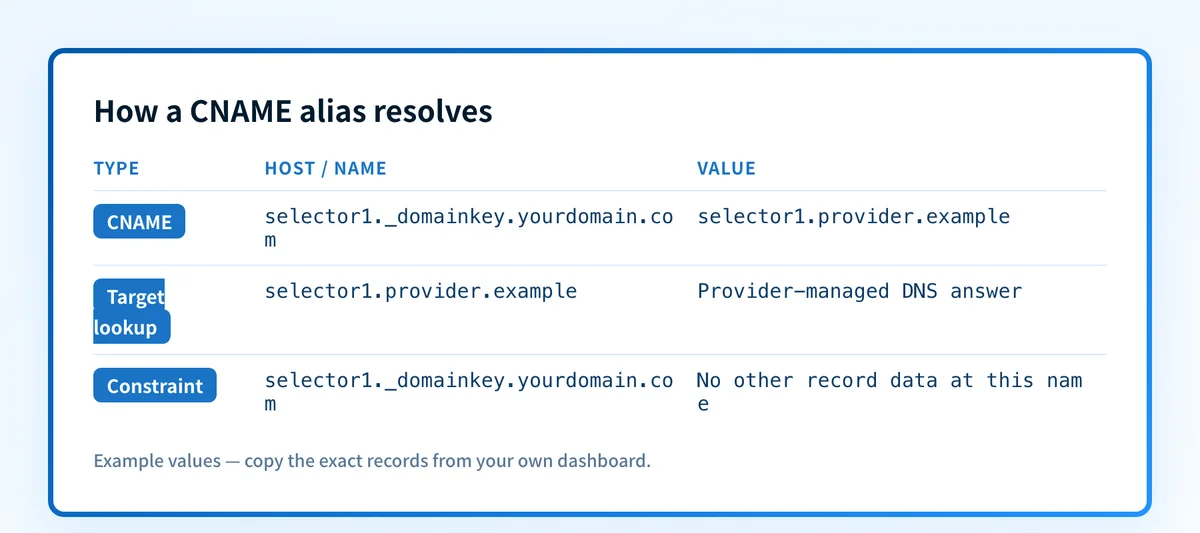
What is the difference between an alias and a canonical name?
In a CNAME record, the alias is the owner name you publish, and the canonical name is the hostname the record points to. The alias is the name people and systems use; the canonical name is the primary name that actually holds the address or other records. In selector1._domainkey.example.com. CNAME selector1.provider.example., the selector hostname under your domain is the alias, and the provider's hostname is the canonical name.
The canonical name can live outside your domain. That is normal when a vendor manages the target, and it is what lets the vendor change the underlying records without asking you to edit DNS again.
CNAME record examples
CNAME record examples fall into a few common patterns. Each row below uses reserved .example names; replace them with the exact values your provider gives you.
| Alias (owner name) | Canonical name (target) | Typical use |
|---|---|---|
www.example.com | example.com | Serve the www hostname from the same place as the main site |
shop.example.com | stores.provider.example | Point a subdomain at a hosted platform that manages the servers |
cdn.example.com | edge.cdn-provider.example | Route traffic through a content delivery network's hostname |
selector1._domainkey.example.com | selector1.mail-provider.example | Delegate a DKIM public key to the sending provider |
status.example.com | pages.status-provider.example | Brand a third-party status page with your own hostname |
How do I create a CNAME record?
Creating a CNAME record starts with checking the exact hostname you plan to use. Look at every record already published at that name first, because a CNAME cannot coexist with an existing MX, TXT, or address record there, and replacing one can interrupt mail routing or domain verification.
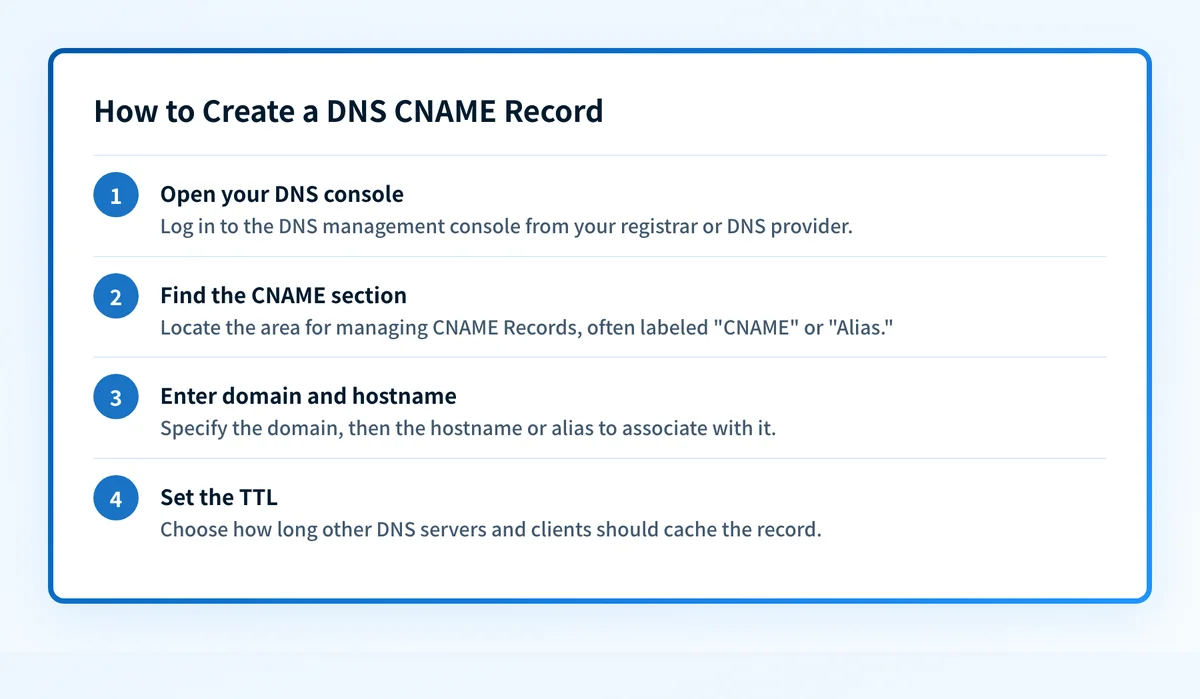 The four steps to create a CNAME record in your DNS management console.
- Open your DNS console at your registrar or DNS host.
- Add a new record and choose the CNAME type.
- Enter the alias and target exactly as supplied: the hostname you are creating (for example,
shop.example.com) and the canonical name it should point to (for example,stores.provider.example). Use a hostname, never an IP address. - Set the TTL to control how long resolvers cache the answer, then save.
What rules apply to CNAME records?
CNAME records follow a small set of rules from the DNS standards, and most CNAME problems come from breaking one of them. A DNS control panel may accept a record that violates these rules, so the panel accepting it is not evidence the record is valid.
A CNAME record cannot share its name with other records
A CNAME record must be the only record at its owner name. RFC 1034 section 3.6.2 says that if a CNAME is present at a node, no other data should be present, and RFC 2181 section 10.1 states that an alias may have no other data apart from DNSSEC records. RFC 1912 section 2.4 gives the operational version: you cannot add an MX, A, or even a TXT record for a name that is an alias.
This combination is invalid at one owner name:
; Invalid: a CNAME and a TXT record at the same name.
mail.example.com. 300 IN CNAME mail.provider.example.
mail.example.com. 300 IN TXT   "v=spf1 include:_spf.provider.example ~all"
Put the TXT record at a different hostname, or follow the record design the provider supplies. This rule is a frequent cause of SPF or MX records that stop working after someone aliases a subdomain.
A CNAME record cannot sit at the domain apex
A CNAME record cannot be published at the zone apex, the bare example.com with no subdomain. The apex must carry SOA and NS records, and a CNAME is not allowed beside other data, so a standard CNAME there breaks the rule above. Use an A or AAAA record at the apex. Some DNS providers offer ALIAS, ANAME, or CNAME-flattening features that behave like a CNAME at the apex; those are provider-specific and are not the CNAME record the DNS standards define.
An MX or NS target must not be a CNAME record
The hostname an MX or NS record points to must not be an alias. RFC 2181 section 10.3 says the domain name in the value of an NS record, or in the value of an MX record, must not be an alias, and must have address records instead. RFC 5321 section 5.1 requires that the MX target return at least one address record and places a target that returns a CNAME outside the SMTP standard.
; Valid: the MX target resolves directly to an address record.
example.com.      300 IN MX 10 mx1.example.com.
mx1.example.com.  300 IN A     192.0.2.25
; Invalid: the MX target is an alias.
example.com.      300 IN MX 10 mx1.example.com.
mx1.example.com.  300 IN CNAME mail.provider.example.
The rule applies to the MX target, not to every hostname involved in email. A DKIM selector or a tracking hostname may legitimately be a CNAME when the provider's instructions call for one. To see which hostnames a domain's mail actually routes to, run an MX lookup; the guide to the MX record explains how those targets are used.
Keep CNAME chains short
A CNAME record can point to a hostname that is itself an alias, and resolvers follow the chain while guarding against loops. RFC 1034 section 3.6.2 says CNAME chains should be followed and CNAME loops signalled as an error, and RFC 1912 section 2.4 warns that CNAMEs pointing to CNAMEs are known to trigger bugs in some resolvers that fail to check loops correctly, so some hosts may not resolve such names. Each extra hop is also another lookup and another dependency that can fail. Keep chains to one hop to a canonical name with real address records when the names are yours, and leave a provider's own chain intact unless the provider documents a replacement.
Should I use a CNAME record or an A record?
Use a CNAME record when a name should follow another hostname that someone else maintains, and an A record when you know the IP address the name should use. The two cannot both exist at the same name.
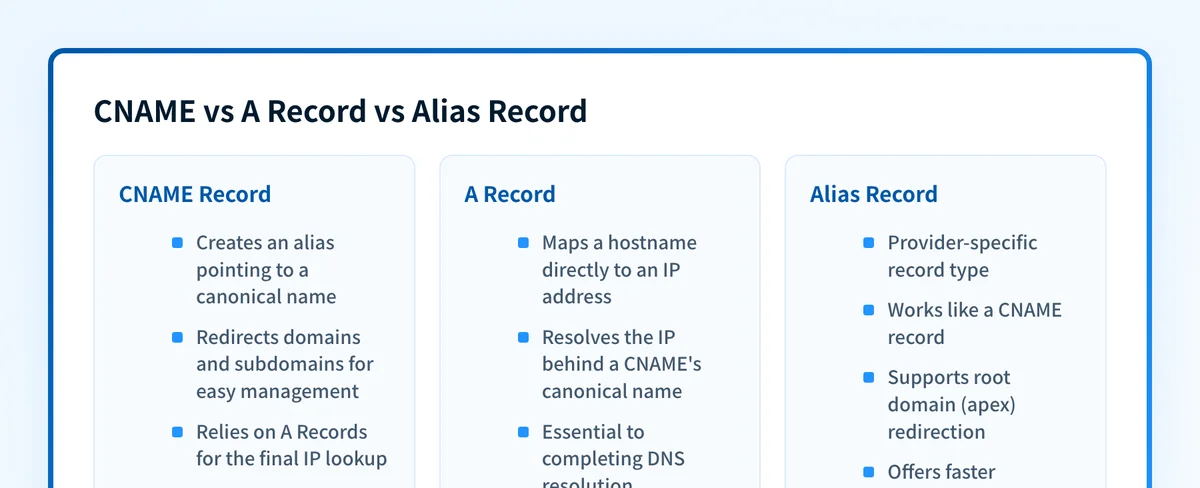 Each record type serves a different purpose in the DNS infrastructure.
- An A record points a name directly at an IPv4 address.
- A CNAME record points a name at another name, and the resolver follows it.
- An ALIAS or ANAME record is a provider feature that resolves the target server-side and can be used at the apex.
How do CNAME records work with DKIM?
CNAME records are a common way to publish DKIM keys that a sending provider manages. The provider asks you to create a CNAME at selector._domainkey.yourdomain that points to a hostname the provider controls, and receiving servers follow that alias to fetch the current public key. The provider can then rotate the key behind the target without another DNS change on your side.
The selector name and target must match what that provider generated for your domain. For the setup steps and validation, see the guide to the DKIM CNAME record, and confirm a published key with a DKIM lookup.
Is a CNAME record the same as a redirect?
No. A CNAME record changes DNS name resolution only, so the URL a visitor sees in the browser stays the same. A 301 or 302 redirect works at the HTTP layer and actually changes the URL. If the address bar needs to change, you need a web redirect, not a CNAME.
How do I check a CNAME record?
Check a CNAME record by querying the alias hostname and confirming the answer is a CNAME pointing at the intended target. From a terminal, dig +short shop.example.com CNAME prints the canonical name; the DNS lookup tool shows the same answer and the resolution path without a terminal. Then query the target to confirm it resolves to the record type the service needs.
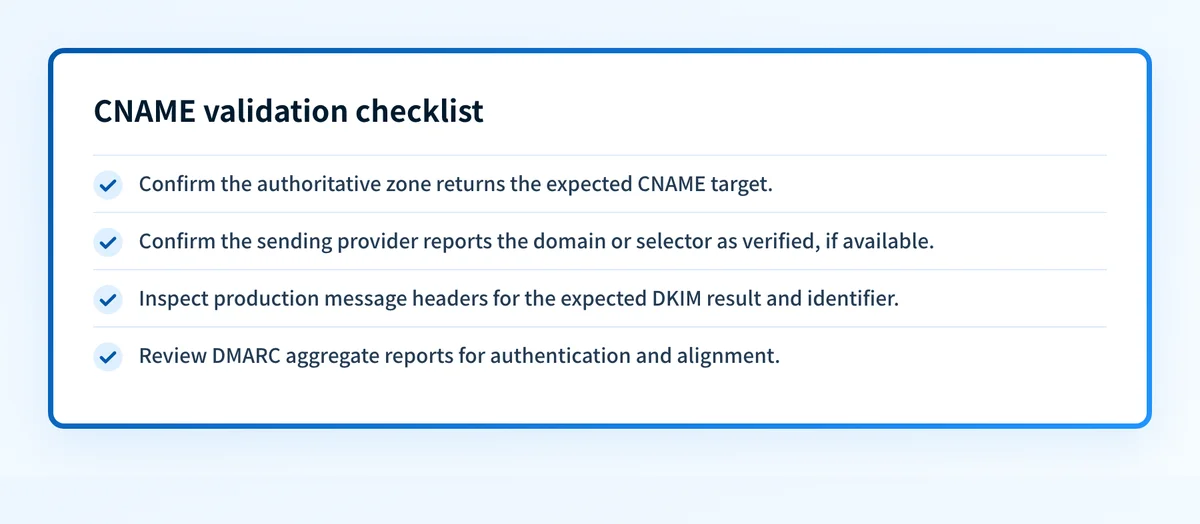
For a CNAME used in email authentication, check every layer that applies:
- DNS: the authoritative zone and at least one public resolver return the expected CNAME target.
- Provider: the sending provider reports the domain or selector as verified, when it offers a verification status.
- Message: a real message sent through the production path shows the expected DKIM result in its
Authentication-Resultsheader. - DMARC: aggregate reports show the production sources authenticating and aligning as expected once data accumulates.
Where Palisade fits
A CNAME lookup confirms one alias at one moment. It cannot show which of your real sending sources still fail DKIM or DMARC alignment. Palisade is agentic DMARC software for IT teams and MSPs: it analyzes DMARC aggregate reports, finds every sender, and identifies SPF, DKIM, and alignment problems as prioritized tickets. The agent investigates every sender, drafts every fix, and proposes each policy step, and you approve before anything ships.
Start with a free Email Security Score to see where your domain stands.
Evidence
Sources and further reading
Related reading
Questions readers ask
Frequently asked questions
Can a CNAME record point to an IP address?
No. A CNAME record points to another hostname, never to an IP address. Use an A record for an IPv4 address or an AAAA record for an IPv6 address.
Can a CNAME record and a TXT record use the same hostname?
No. A hostname with a CNAME record must not have any other record at that same name, including TXT. Publish the TXT record at a different hostname.
Can an MX record point to a CNAME record?
No. The hostname an MX record points to must not be an alias; RFC 2181 section 10.3 prohibits it, and the target must resolve directly to an address record.
Can I use a CNAME record for my root domain?
Not as a standard CNAME record. The root domain must carry SOA and NS records, and a CNAME cannot coexist with them. DNS providers work around this with ALIAS, ANAME, or CNAME-flattening features, which are provider-specific.
Does a CNAME record slow down DNS resolution?
Slightly. A CNAME record adds a second lookup for the canonical name, which is negligible for one hop. Long chains of aliases add measurable latency and more points of failure, so keep them short.
Can two CNAME records point to the same target?
Yes. Many CNAME records can point to one canonical name, which is exactly why they are useful: update the target's address once and every alias follows.
Why did my email break after I added a CNAME record?
Email usually breaks after a CNAME record is added because the CNAME went on a name that also needed MX or TXT records. DNS forbids a CNAME from sharing a name with other records, so the MX or SPF record on that name stops being honored. Move the alias to a different label, or keep the A, MX, and TXT records on that name instead.
Does a CNAME record prove DKIM is working?
No. A CNAME record lookup proves the published alias resolves as expected. It does not prove the provider has enabled signing or that a real production message carries a valid DKIM signature; check the message headers and DMARC reports for that.
Look up the published DNS answer before changing it
Enter your domain and record.

Written by
Dominic LandryDeliverability & DNS
Dominic Landry works on email deliverability and DNS configuration at Palisade, from SPF and DKIM records through to DMARC enforcement.
More from Dominic →