What are the best email verification tools?
 ChatGPT
 Claude
 Gemini
 Perplexity
 Grok
GrokIn brief
What are the best email verification tools? Compare syntax, DNS, mailbox, and list-validation checks with their deliverability limits before you send.

The best email verification tool depends on the evidence you need. Use a syntax and DNS validator to reject malformed or non-routable addresses, a mailbox-validation service when you need a current deliverability signal for a list, and your sending platform's suppression data for addresses that have already bounced. None of these tools proves inbox placement, consent, or future delivery.
At a glance
Quick takeaways
- Email verification evaluates a recipient address. Email authentication evaluates the domain that sends the message.
- Syntax checks can identify malformed address shapes, but RFC 5322 syntax does not prove that a mailbox exists.
- DNS and MX checks can show where a domain receives mail, but they cannot confirm that a particular recipient will accept a message.
- SMTP-based mailbox validation has limits because receiving servers can restrict verification commands or defer their final decision until after message acceptance.
- Treat catch-all and uncertain results as review cases, not as confirmed deliverable addresses.
- A clean recipient list can reduce avoidable bounces, but it does not prove sender reputation or inbox placement.
Who this comparison is for
This comparison is for marketing, operations, IT, and MSP teams choosing a way to assess email addresses before adding them to a list or sending to an older segment.
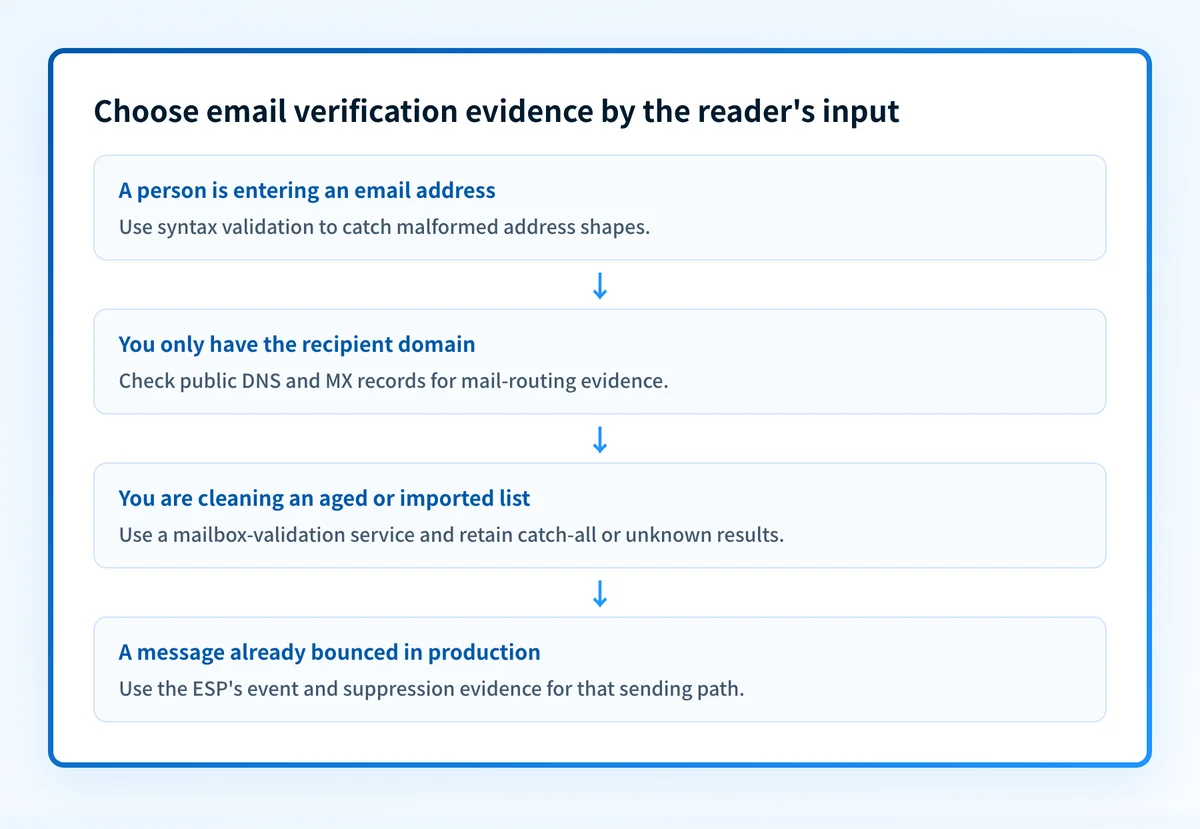
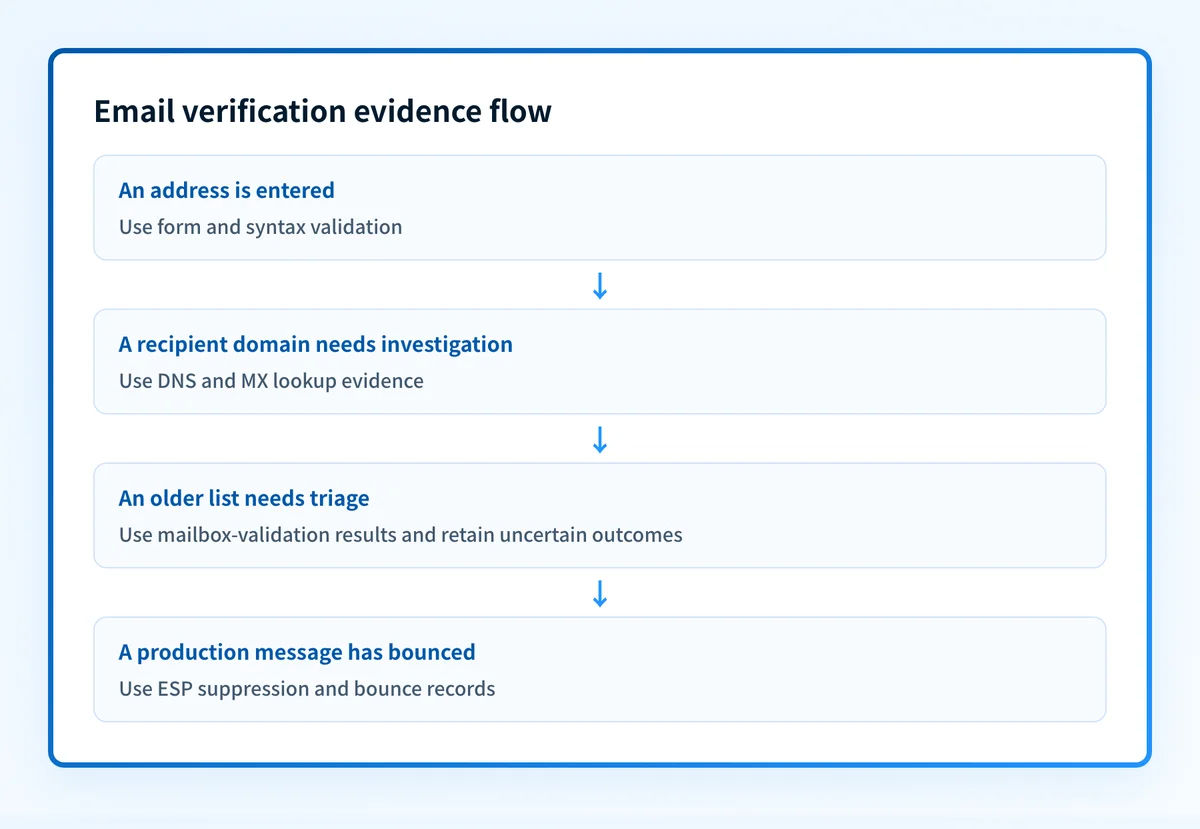
The options are not interchangeable. A form validator is useful when a person enters an address. A bulk validation service fits a list that needs a triage result before a campaign. DNS tools help investigate a domain-level problem. Your ESP's own bounce and suppression records are the relevant evidence after a real send.
For the sender-side controls that affect whether a receiver can authenticate your domain, use the email deliverability learning hub. Verification can reduce bad-recipient risk, but it does not replace SPF, DKIM, or DMARC.
How the options were evaluated
The criteria below distinguish what each option can establish from what remains unknown. They were defined before drawing a recommendation.
- Input fit: Does the option accept a newly typed address, a CSV list, a domain, or results from an actual send?
- Evidence scope: Does it test address shape, public DNS, a receiving server's response, or a confirmed delivery outcome?
- Decision timing: Can it prevent bad data at capture, help triage a list, or explain a completed send?
- Uncertainty handling: Does it preserve "unknown" or catch-all outcomes rather than relabeling them as valid?
- Deliverability boundary: Does the result avoid claiming recipient consent, inbox placement, or a mailbox provider's private filtering decision?
Form and syntax validation tools
Form validation tools are the best fit when the address has just been entered and the immediate goal is to catch obvious mistakes before they reach a CRM or ESP.
- Best fit: Signup, registration, checkout, and lead-capture forms.
- Relevant evidence: The address has a structurally plausible local part,
@separator, and domain shape. RFC 5322 address syntax is the relevant technical baseline. - Tradeoff: A syntactically valid address can still point to a domain with no mail service or a mailbox that does not exist.
@ or an incomplete domain. Keep the UI clear about what it has established: valid format is not the same as a confirmed recipient.
A form checker also should not be used as a consent check. An address can be formatted correctly and still be entered by someone else, belong to a shared inbox, or be unsuitable for the message the person expects.
DNS and MX lookup tools
DNS and MX lookup tools are the best fit when you need to establish whether the recipient domain publishes mail-routing information.
- Best fit: Investigating a domain in a rejected address, checking a domain before a bulk-import decision, or diagnosing a mail-routing question.
- Relevant evidence: An MX record identifies a mail exchanger for a domain. SMTP specifies MX lookup as part of routing mail to a destination domain in RFC 5321.
- Tradeoff: A published MX record does not establish that
person@yourdomain.comexists or that the receiving server will accept mail for that recipient.
A structural example looks like this:
yourdomain.com. IN MX 10 mail.yourdomain.com.Do not copy an example MX host into production DNS. Your mail provider supplies the real hostnames and routing values for your domain.
Some domains may accept mail through an implicit fallback when MX records are absent, subject to SMTP routing rules. That is another reason an MX lookup alone should not become an absolute "deliverable" verdict.
Mailbox-validation services
Mailbox-validation services are the best fit when you need to triage a list beyond format and public DNS checks, while retaining uncertain outcomes for review.
- Best fit: Aged lists, imported contacts, re-engagement planning, and list hygiene before a high-volume campaign.
- Relevant evidence: The service's result for the submitted address, often grouped into deliverable, undeliverable, risky, catch-all, or unknown outcomes.
- Tradeoff: SMTP does not require a receiving server to disclose mailbox existence through a pre-delivery verification command.
VRFY for verifying a user or mailbox, but RFC 5321 permits servers to disable or limit VRFY. Servers can also accept a message during the SMTP transaction and later generate a delivery failure. A mailbox-validation result is therefore evidence for prioritizing list decisions, not a guarantee that the next campaign will be delivered.
Treat these outcomes differently:
- Deliverable: Keep as a service result for that address and time. Do not translate it into inbox-placement proof.
- Undeliverable: Suppress or investigate according to your organization's retention and consent rules.
- Catch-all: Keep separate from confirmed deliverable addresses. The domain may accept any local part, so a server response may not identify a real mailbox.
- Unknown or risky: Do not force these into a binary pass or fail bucket. Review recent engagement, acquisition source, and the intended send before deciding.
ESP suppression and bounce records
Your ESP's own suppression and bounce records are the best fit after you have sent a message through the exact production path.
- Best fit: Deciding whether to retry, suppress, or investigate an address after a real send.
- Relevant evidence: The sending platform's observed delivery event, bounce classification, and suppression status for that specific message stream.
- Tradeoff: The result explains an event after sending. It does not replace pre-send validation for new or imported addresses.
Keep recipient verification and bounce handling separate. A verification result can inform whether to send. A bounce or suppression event should govern what happens after the send under your ESP's documented rules.
How to choose
Choose form validation when you need to stop obvious errors at capture. Choose DNS and MX checks when the problem is a recipient domain. Choose a mailbox-validation service when an older list needs triage and you can safely handle uncertain results. Choose ESP event data when a production message has already bounced.
Use this scorecard for each candidate. Record only observed evidence and leave undocumented behavior open.
option: form and syntax validation
checked_on: 2026-08-11
best_fit: stop malformed addresses at capture
verified_evidence:
  - checks address structure against the implementation's rules
  - can prevent obvious entry errors before list storage
open_question: whether the address domain routes mail and the mailbox exists
option: DNS and MX lookup
checked_on: 2026-08-11
best_fit: investigate recipient-domain mail routing
verified_evidence:
  - checks publicly resolvable DNS and MX data
  - RFC 5321 defines MX-based SMTP routing
open_question: whether a specific mailbox will accept the next message
option: mailbox-validation service
checked_on: 2026-08-11
best_fit: triage an imported or aged list
verified_evidence:
  - returns a service-specific result for the submitted address
  - SMTP servers may limit or disable VRFY
open_question: how the service classifies catch-all and deferred-delivery cases
option: ESP suppression and bounce data
checked_on: 2026-08-11
best_fit: act on a real production sending outcome
verified_evidence:
  - records the ESP's observed event for the configured send path
open_question: the receiving provider's unpublished filtering rationale
The sender-side check is separate. After choosing a recipient-validation workflow, inspect the domain that sends the campaign with Palisade's free tools. A public check can reveal published email-authentication controls, but it cannot prove that every production sender uses them correctly.
Check the sending domain behind your validated list
Once you have removed clearly bad addresses or isolated uncertain ones, check the sending domain before the campaign. Recipient validation does not show whether the production sender authenticates mail or whether its sources align with the DMARC policy.
Start with Palisade's DMARC tools comparison if you are selecting an ongoing DMARC workflow. For a broader evaluation of email-protection products, see how to compare anti-phishing software.
Palisade is agentic DMARC software for teams that need to move from public DNS checks to ongoing DMARC work. It analyzes DMARC aggregate-report data, identifies sending sources and authentication or alignment issues, and creates prioritized remediation tickets. It can propose the next policy step when the evidence supports it, while a human reviews the evidence and applies the change.
A DNS or DMARC check does not verify a recipient mailbox, repair an ESP suppression state, prove every future message will authenticate, or guarantee inbox placement.
Evidence
Sources and further reading
Questions readers ask
Frequently asked questions
Do email verification tools guarantee delivery?
No. They can provide evidence about address format, domain routing, a service's mailbox-validation result, or a prior sending event. Inbox placement and future delivery also depend on the sender, message, receiver policy, and conditions at the time of sending.
Is an MX record enough to verify an email address?
No. An MX record can show that a domain publishes mail-routing information. It cannot confirm that a particular local part, such as person, identifies a working mailbox at that domain.
Can SMTP verify whether a mailbox exists?
Only sometimes. SMTP defines verification commands, but receiving servers may restrict or disable them, and a server can accept a message before issuing a later delivery failure. Treat SMTP-based validation as a time-bound signal with uncertainty.
Should catch-all addresses be treated as valid?
Not automatically. A catch-all domain may accept mail for many or all local parts, so the server response may not confirm that the intended mailbox exists. Keep catch-all results separate from confirmed list segments.
Does list verification replace SPF, DKIM, and DMARC?
No. List verification evaluates recipients. SPF, DKIM, and DMARC help receivers assess whether the sending domain is authorized and authenticated. Both jobs can affect campaign outcomes, but they use different evidence.

Written by
Dominic LandryDeliverability & DNS
Dominic Landry works on email deliverability and DNS configuration at Palisade, from SPF and DKIM records through to DMARC enforcement.
More from Dominic →