Anti-phishing software: how to compare business tools
 ChatGPT
 Claude
 Gemini
 Perplexity
 Grok
GrokIn brief
Anti phishing software comparison for businesses: evaluate native controls, dedicated email security, DMARC, and sender-domain protection options.
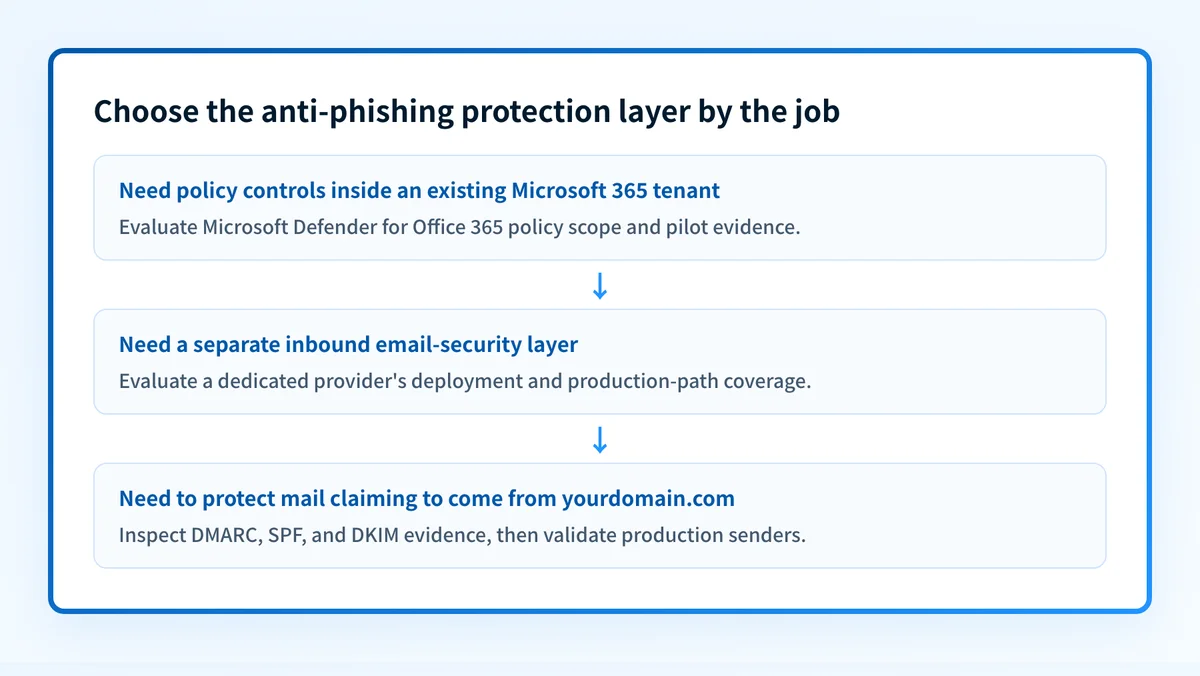
Choose anti-phishing software by the attack surface and operating model you need to cover. Native Microsoft 365 controls fit organizations that want protection configured inside their existing suite. Dedicated email-security products fit teams that need a separate email-protection layer. DMARC protects a domain from unauthorized use in the visible From address, but it is not an inbound phishing filter.
At a glance
Quick takeaways
- Anti-phishing software can protect inbound mail, detect impersonation, inspect suspicious links, or help stop unauthorized use of your sending domain.
- A native email suite policy is often the practical starting point when all mailboxes already use that suite.
- A dedicated email-security product needs a documented deployment and operational fit, not a claimed detection percentage.
- DMARC is a sender-domain authentication control, not software that evaluates every inbound phishing message.
- Compare products against the same evidence: recipient scope, deployment path, actions, investigation workflow, and gaps.
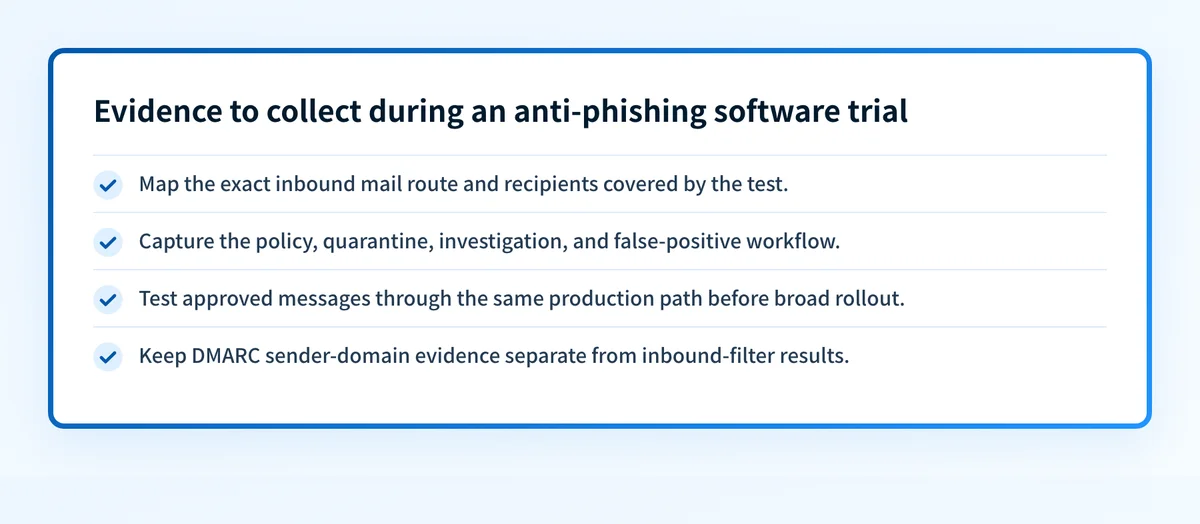
- Test a shortlisted product with representative mail flow before treating a policy setting or public DNS record as a working protection outcome.
Who this comparison is for
This comparison is for an IT or security team selecting business phishing protection, including teams that use Microsoft 365 and teams considering an additional email-security layer. It also applies to MSPs that need a consistent method for evaluating protection across customer tenants.
The first decision is the job. Inbound email protection evaluates messages received by users. Impersonation controls assess suspicious claims about a sender, person, or domain. External brand protection and phishing-site disruption are separate services with different evidence and response paths. Sender-domain controls help recipients authenticate mail that claims to come from your domain.
Those jobs overlap, but they are not interchangeable. An anti-phishing program combines controls, procedures, reporting, and user decisions. A product comparison should identify which part of that operating model the product can document and which part still needs another control or process.
For a broader framework for recurring DMARC-platform decisions, see Palisade's DMARC platform comparisons.
How the options were evaluated
The criteria below were checked against vendor-controlled documentation on August 13, 2026. A documented capability is treated as available only within the scope the vendor describes. Missing documentation is an open question, not evidence that a capability is absent.
- Protection job: Is the documented function native anti-phishing policy, dedicated inbound email security, or sender-domain authentication?
- Deployment and scope: Does the vendor document where the protection is configured and which users, domains, or mail flow it can target?
- Operator action: Does the documentation describe an action such as quarantine, policy targeting, investigation, or a DNS policy?
- Evidence to validate: Can the buyer verify the result in the vendor's status or investigation workflow and with a real message from the production path?
- Boundary: What does the product category not establish, such as future inbox placement, a receiver's private filtering decision, or every form of phishing?
Microsoft Defender for Office 365 anti-phishing policies
Microsoft Defender for Office 365 fits Microsoft 365 organizations that want anti-phishing controls configured in the Microsoft Defender portal or through Exchange Online PowerShell. Microsoft's documentation states that its anti-phishing policies include anti-spoofing protection and anti-impersonation protection, with a default policy that applies to all recipients and custom policies that can target users, groups, or domains.
- Best fit: A Microsoft 365 organization that needs tenant-native anti-phishing policy controls and can operate them within Microsoft Defender for Office 365.
- Relevant evidence: Microsoft's anti-phishing policy documentation states that the feature applies to Defender for Office 365 Plan 1 and Plan 2, documents policy targeting, and documents actions including quarantine, junking, redirecting, Bcc delivery, and deletion for specific detections.
- Tradeoff: The documented configuration is Microsoft-specific. It does not establish that every phishing technique will be detected, or that a message sent through a different production route received the same treatment.
A useful test sequence is:
tenant: example Microsoft 365 tenant
recipient_group: phishing-pilot@yourdomain.com
policy_scope: pilot group only
test_message: approved internal test through production route
evidence_to_capture:
  - applied policy or preset-security scope
  - message trace or quarantine outcome
  - recipient-visible result
  - false-positive review decision
Do not widen a policy, add trusted senders, or change message actions based only on a lab result. Test the same mail route and preserve a rollback path before changing protection for all recipients.
Proofpoint email protection
Proofpoint fits organizations evaluating a dedicated email-protection product instead of relying only on suite-native controls. Its product page presents email protection as protection against email-borne threats and directs buyers to its email-security product portfolio.
- Best fit: A team that wants to evaluate a dedicated email-security provider and can validate the vendor's deployment design against its inbound mail architecture.
- Relevant evidence: Proofpoint's Email Protection product page describes its email-security offering and associated threat-protection positioning. The vendor's Core Email Protection solution brief is relevant for the product scope that Proofpoint publishes.
- Tradeoff: The public product materials do not replace a tenant-specific deployment review. Record the exact mail path, licensing scope, administrative workflow, and investigation access required for your environment before deciding.
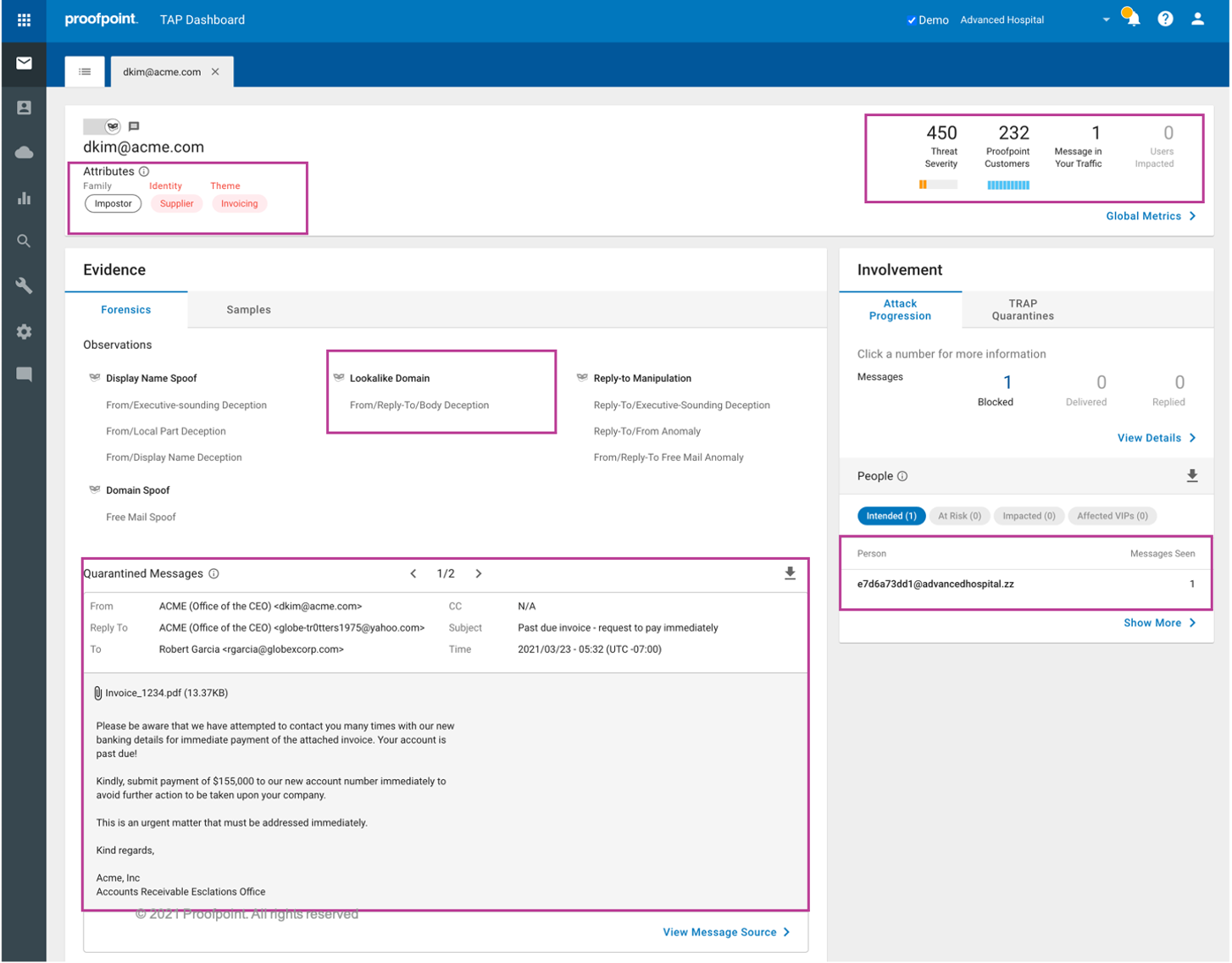
A dedicated layer should be tested as a deployed system, not as a feature list. Ask whether the product sees every intended inbound path, how it handles a false positive, who can release or investigate a message, and what evidence the operator can export during an incident. Those answers should come from the vendor's current documentation and a controlled evaluation.
Cloudflare Area 1 Email Security
Cloudflare Area 1 Email Security fits buyers assessing a dedicated email-security service from Cloudflare. Its vendor datasheet describes the service as an email-security offering and is the appropriate source for Cloudflare's own scope statements during an evaluation.
- Best fit: A team that wants to assess Cloudflare's dedicated email-security offering against its current inbound-mail design.
- Relevant evidence: Cloudflare's Area 1 Email Security datasheet describes the vendor's email-security service and should be checked again for current deployment, packaging, and capability details before procurement.
- Tradeoff: A vendor datasheet does not prove that the service covers each route in your environment or that a particular message will be classified the same way in production.
DMARC for sender-domain impersonation control
DMARC has a different job from inbound anti-phishing software. RFC 7489 defines DMARC as a mechanism for domain owners to publish policy and request reports about messages that use their domain in the RFC 5322 From field. It uses SPF and DKIM authentication with identifier alignment.
- Best fit: A domain owner that needs to reduce unauthorized use of its own visible From domain and identify legitimate sending sources before enforcing a DMARC policy.
- Relevant evidence: RFC 7489 defines the published DMARC policy and aggregate reporting model. It does not define a complete inbound phishing-detection system for messages that claim to come from unrelated domains.
- Tradeoff: A passing DMARC record does not block a phishing message sent from another domain, test an inbound mail filter, prove every future message will authenticate, or guarantee inbox placement.
- DNS: Query the authoritative DNS provider and a public resolver for the published record.
- Vendor: Confirm that each sending service reports its own authentication setup as verified.
- Message: Send mail through each production source and inspect the received message's
Authentication-Results. - DMARC: Review aggregate reports after data accumulates to identify sources and alignment issues.
Inspect the sending domain behind an impersonation concern
If the concern is that someone can send mail claiming to be your business, inspect the public DMARC record before choosing a sender-domain remediation path. The DMARC checker can inspect the published record for a domain and help frame the question for the email-security evaluation.
A public record check cannot test an inbound filter, block a phishing message, prove a vendor's protection efficacy, or show a mailbox provider's private decision about a message.
How to choose
Choose native suite controls when the documented protection scope, administration path, and pilot evidence fit the email platform you already operate. Choose a dedicated email-security product when you need a separate layer and can verify its deployment, operational workflow, and coverage on your actual mail routes. Add DMARC when protecting your visible sending domain is part of the problem.
Use this evidence scorecard for every shortlisted option:
- option: Microsoft Defender for Office 365 anti-phishing policies
  checked_on: 2026-08-13
  best_fit: Microsoft 365 tenant-native anti-phishing controls
  verified_evidence: Policy targeting and message actions documented by Microsoft
  open_question: Production results for this tenant's mail routes and policy precedence
- option: Proofpoint Email Protection
  checked_on: 2026-08-13
  best_fit: Dedicated email-security evaluation
  verified_evidence: Email-protection offering documented by Proofpoint
  open_question: Tenant-specific deployment, coverage, and investigation workflow
- option: Cloudflare Area 1 Email Security
  checked_on: 2026-08-13
  best_fit: Dedicated Cloudflare email-security evaluation
  verified_evidence: Email-security service documented in Cloudflare's datasheet
  open_question: Current deployment fit and production-path coverage
- option: DMARC
  checked_on: 2026-08-13
  best_fit: Protecting the visible From domain from unauthorized use
  verified_evidence: Policy and reporting model defined by RFC 7489
  open_question: Every legitimate production sender's authentication and alignment status
Keep malware prevention in a separate workstream. Email phishing can carry malware, but a phishing-control decision does not replace endpoint protection, incident response, or browser security.
Evidence
Sources and further reading
Questions readers ask
Frequently asked questions
Is DMARC anti-phishing software?
No. DMARC is a sender-domain authentication policy and reporting mechanism. It helps receivers evaluate mail that uses your visible From domain, but it does not inspect or block every inbound phishing message.
Should a Microsoft 365 business start with native anti-phishing controls?
Yes, when Microsoft 365 is the production email platform and the documented Defender policy scope fits the required recipients and mail routes. Validate the result with a pilot group, policy-precedence review, and real messages from the production path.
Can dedicated email security replace DMARC?
No. Dedicated email security can address inbound-message protection, while DMARC helps protect a domain from unauthorized use in the visible From address. A business may need both controls because they answer different questions.
Does a public DMARC check prove phishing protection is working?
No. A public DMARC check can show the record currently published for a domain. It cannot test an inbound filter, establish vendor detection performance, or prove how a mailbox provider will treat a particular message.
What evidence should an MSP collect before recommending a phishing tool?
Collect the current mail architecture, affected domains and recipient groups, documented vendor scope, the intended action for suspicious messages, pilot results from the real mail path, false-positive handling, and the rollback procedure. Keep unknown deployment or coverage details as open questions until the vendor documents or demonstrates them.

Written by
Ian BussieresCTO & Co-Founder, Palisade
Ian Bussieres is the CTO and co-founder of Palisade, agentic DMARC software for IT teams and MSPs.
More from Ian →