Proofpoint vs Barracuda: how the two compare
 ChatGPT
 Claude
 Gemini
 Perplexity
 Grok
GrokIn brief
Proofpoint vs Barracuda compared on their own published terms: deployment paths, tier structure, pricing disclosure, and where DMARC work sits.
Proofpoint and Barracuda both sell inbound email protection for Microsoft 365 and Google Workspace, and both send buyers to a quote instead of a price. The differences that survive scrutiny are structural: how each product connects to your mail, what each tier adds as you climb it, and where DMARC work sits. Read the two on their own published terms, then decide on the constraint you cannot move in your own environment.
At a glance
Quick takeaways
- Proofpoint sells one product with two deployment paths, API or secure email gateway, and states the tradeoff itself.
- Barracuda leads with an API connection that needs no MX change, and sells its MX-routed gateway separately.
- Neither publishes a usable price. Proofpoint's only list figures sit in two Essentials sheets stamped 10/21 and 5/22 that disagree, and Barracuda names three tiers with no figure.
- The ladders climb differently. Proofpoint's four packages add security capability, while Barracuda's higher tiers add backup, archiving and training.
- DMARC sits in different places: reporting across all three Barracuda tiers, and hosted SPF, DKIM and DMARC in Proofpoint's top Prime package.
Who this comparison is for
An IT team or MSP that has narrowed inbound email protection to these two vendors and wants to know what each publishes before booking a sales call. It assumes mailboxes on Microsoft 365 or Google Workspace, and somebody who will have to defend the quote.
Neither product is a DMARC platform. If domain spoofing is what put these two on your list, start with what DMARC is, then read the narrower Proofpoint DMARC alternative and Barracuda DMARC alternative pages.
How the options were evaluated
Every claim below was read on the vendor's own site or product documentation on August 12, 2026. Review sites and reseller listings were left out. Six criteria, fixed before the evidence was collected:
- Deployment model: how mail reaches the product, and whether MX records change.
- Package structure: what each tier contains, and what moves a buyer up.
- Pricing disclosure: what figure the vendor publishes, and how old it is.
- Detection claims: what each vendor says its product catches.
- DMARC placement: which tier or product carries authentication work.
- Buying path: how a buyer gets from the website to a number.
Deployment model
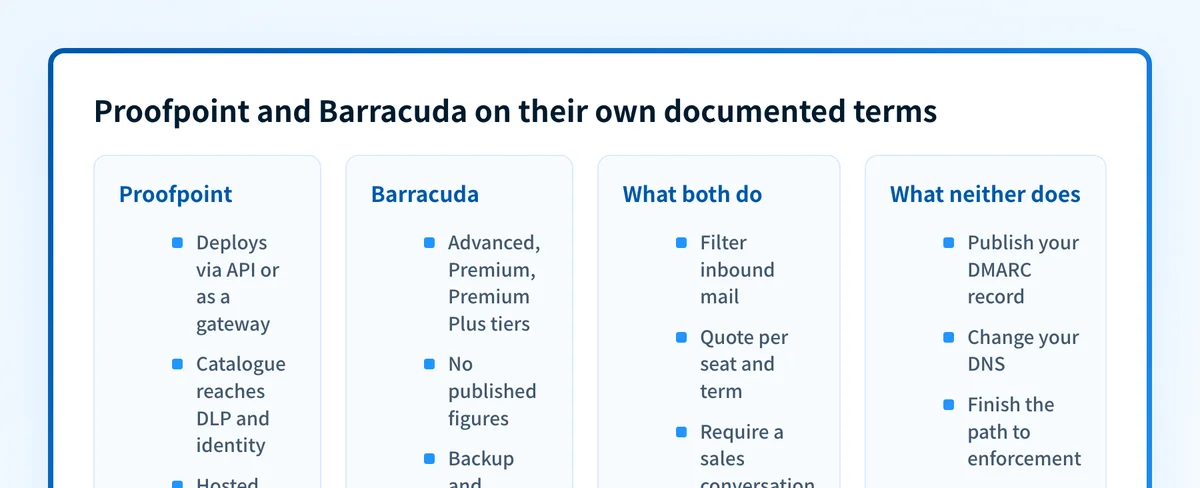
- Proofpoint: the Core Email Protection page lists "Flexible Deployment via API or SEG" and sets out the tradeoff itself. It describes the API path as rapid deployment without MX changes with strong post-delivery detection, and the gateway path as fine-tuned pre-delivery filtering with rich DLP and policy customization.
- Barracuda: the Email Protection page states that the product connects to Microsoft 365 or Google Workspace with no mail exchange (MX) changes, operational in minutes rather than weeks. Barracuda also sells Email Gateway Defense, whose MX setup documentation has the administrator add Barracuda's records and remove the old ones, because "spammers will normally deliver mail to all MX records listed for a domain".
- What this means for you: ask which path your quote assumes. An API connection touches no DNS. A gateway path costs a DNS change, a propagation wait and a cutover plan, so confirm where your MX records point today before you scope it.
Package structure
- Proofpoint: four packages on the Collaboration Security buying page. Core is email security. Tier 2 adds account takeover protection and defense against compromised supplier accounts. Tier 3 adds risk-based education and threat-guided training. Prime adds impersonation protection, domain fraud and spoofing prevention, hosted DMARC, DKIM and SPF services, and lookalike domain detection.
- Barracuda: three tiers on the Email Protection plans page. Advanced covers AI-powered detection and response, spam, malware and ransomware protection, phishing and BEC protection, account takeover protection, encryption and data loss prevention. Premium adds unlimited Microsoft 365 backup, point-in-time recovery and file scanning. Premium Plus adds cloud archiving, security awareness training and attack simulation.
- What this means for you: the ladders are not the same shape, so tier names do not line up. Proofpoint's packages climb through security capability. Barracuda's climb past Advanced mostly buys data protection and training, so a team that already owns backup and archiving pays twice.
Pricing disclosure
- Proofpoint: the only list prices it publishes cover the Essentials line. The US sheet, stamped 10/21, quotes Business at $2.75, Advanced at $3.75 and Professional at $5.33 per active user per month. The EMEA sheet, stamped 5/22, adds a Beginner package and four currency columns, and its dollar figures do not match. Both are dated records for a small-business line now sold as 365 Total Protection, and the enterprise buying page carries no figure at all.
- Barracuda: the plans page names Advanced, Premium and Premium Plus and compares features across them, with no figure anywhere. It routes the buyer to chat, phone or email.
- What this means for you: neither product can be budgeted from a website. Proofpoint at least names the variables: budgetary pricing follows user licence count and contract term, single or multi-year, with exceptions for consumption. Barracuda publishes no equivalent. Normalize both quotes to the same seats, term and modules before comparing.
Detection and response claims
- Proofpoint: the Core Email Protection page says the product "blocks 99.999% of advanced email threats, including phishing attacks, BEC, ransomware, and beyond", and describes post-delivery remediation as pulling a confirmed malicious message from all inboxes, including forwarded copies.
- Barracuda: the Email Protection page credits detection to Barracuda IQ, multi-model AI analyzing intent, identity behavior and content across more than 100 global threat feeds, with Bailey explainable AI stating a decision in plain language. Remediation is agentic clawback across all mailboxes in near real time.
- What this means for you: neither claim is an independent test result, and the two are not measured the same way. Treat them as a list of things to test on your own mail during an evaluation.
Where DMARC sits for each vendor
- Barracuda: the plans page lists DMARC reporting in all three tiers. The Domain Fraud Protection page covers reporting, analysis and visibility into who sends email on your behalf, plus a mechanism to reject mail that does not come from your legitimate systems. It does not state that Barracuda publishes, hosts or changes your SPF, DKIM or DMARC records.
- Proofpoint: the buying page places hosted DMARC, DKIM and SPF services in Prime, the top of four packages, sold as its own product, Email Fraud Defense, which describes hosted record options, near-instant DNS updates, and consultants who guide the buyer through each step of the rollout. A separate Hosted SPF brief limits that service to Email Fraud Defense customers.
- What this means for you: DMARC is an add-on decision on both sides rather than a line inside the filtering purchase. With Proofpoint it is a tier and a product, with consultants attached. With Barracuda the published boundary is reporting and analysis, leaving the record changes with you.
The gap both products leave
Both of these are inbound filtering products. They read mail arriving at your tenant and decide what happens to it. Neither one, as part of that purchase, keeps your own outbound authentication in order: inventorying the services that send as your domain, resolving their SPF and DKIM alignment failures, and publishing the DMARC record that carries the domain to enforcement.
That gap is the layer Palisade automates. Palisade is DMARC software rather than a gateway, so it filters and quarantines nothing and replaces neither product. It parses aggregate reports, classifies the senders they reveal, hosts the DMARC, DKIM, BIMI and MTA-STS records by CNAME delegation, and runs an agent that drafts every fix and proposes each policy step for your team to approve.
If your filtering decision is made but outbound authentication is still unresolved, Start with Palisade and use the reports to see which senders need attention.
How to choose
No winner here holds across every buyer, so choose on the constraint you cannot move.
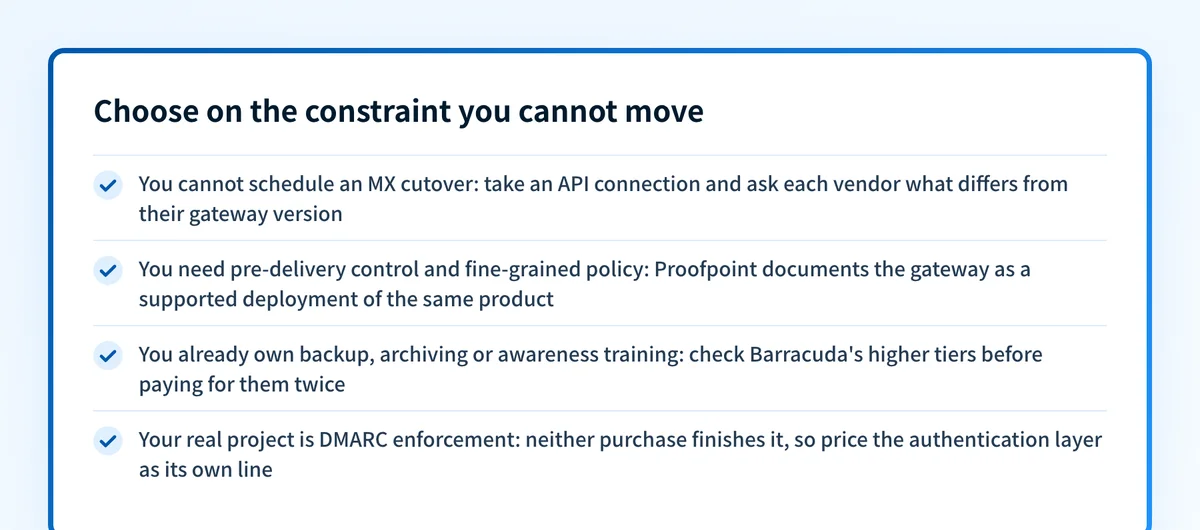
- If mail flow risk is binding and you cannot schedule an MX cutover, both vendors have an answer: Barracuda's headline API connection, or Proofpoint's Microsoft Graph API path. Ask each which capabilities differ between their API and gateway versions.
- If pre-delivery control is binding, meaning mail must stop before the tenant with fine-grained policy and DLP, Proofpoint documents the gateway as a supported deployment of the same product, and Barracuda's equivalent is a separate product.
- If the bundle is binding, start from what you already own. Barracuda's higher tiers fold in backup, archiving and awareness training, which concentrates the spend for a team that has none of them and duplicates it for one that does.
- If DMARC enforcement is binding, neither purchase finishes it. Price the authentication layer separately so the two decisions do not hide each other.
Evidence
Sources and further reading
- Proofpoint Core Email Protection
- Proofpoint Collaboration Security buying options
- Proofpoint Essentials price list, stamped 10/21
- Proofpoint Essentials EMEA price list, stamped 5/22
- Proofpoint Email Fraud Defense
- Proofpoint Hosted SPF technical brief
- Barracuda Email Protection
- Barracuda Email Protection plans
- Barracuda Domain Fraud Protection
- Barracuda Email Gateway Defense MX record setup
Source: Palisade.
Questions readers ask
Frequently asked questions
Does either vendor publish a price for email protection?
No. Barracuda's plans page names Advanced, Premium and Premium Plus with no figure, routing buyers to chat, phone or email. Proofpoint publishes list prices only for Essentials, in two sheets stamped 10/21 and 5/22 whose figures disagree, and nothing for its enterprise packages.
Can Barracuda be deployed without changing MX records?
Yes. Its Email Protection page states the product connects to Microsoft 365 or Google Workspace with no mail exchange changes. Barracuda also sells Email Gateway Defense, an MX-routed product whose documentation has the administrator add Barracuda's records, remove the old ones and wait for propagation.
Is DMARC included when I buy either product?
Not in the way most buyers assume. Barracuda lists DMARC reporting across all three tiers, described as reporting and analysis. Proofpoint places hosted SPF, DKIM and DMARC in its top Prime package, through Email Fraud Defense. Publishing the records and judging when a domain is safe to enforce stay separate work.
Which one is better for a Microsoft 365 tenant?
Both vendors document a Microsoft 365 path, so the answer comes from your constraint rather than the vendor. Proofpoint names a Microsoft Graph API integration for rapid deployment and keeps the gateway for finer pre-delivery policy. Barracuda leads with the API connection and sells its gateway separately.
Can Palisade replace Proofpoint or Barracuda?
No. Palisade does not filter, sandbox or quarantine inbound mail, and it is not a secure email gateway. It works on the authentication layer beside whichever filter you pick, parsing DMARC reports, classifying senders, hosting the records, and proposing each policy step for approval.

Written by
Taylor TabusaCo-Founder & Head of Business Development, Palisade
Taylor Tabusa is the co-founder and Head of Business Development at Palisade, helping managed service providers turn email security into a practical, valuable service.
More from Taylor →