Email reverse DNS check
 ChatGPT
 Claude
 Gemini
 Perplexity
 Grok
GrokIn brief
Email reverse DNS check: look up an email server's PTR record, confirm its forward DNS, and interpret iprev results for Gmail compliance today.
An email reverse DNS check starts with the public IP address that sends SMTP mail. Look up that IP's PTR record, then confirm the returned hostname resolves back to the same IP address. Google requires valid forward and reverse DNS for sending domains or IPs, including a matching PTR hostname, for all senders under its Email sender guidelines.
At a glance
Quick takeaways
- A PTR lookup shows the hostname associated with a sending IP address.
- A PTR result alone is not forward-confirmed reverse DNS.
- RFC 8601 calls the two-way reverse-DNS check
iprev. - A PTR query can return more than one hostname.
- Google's sender guidelines require the sending IP to match the IP address of the hostname in its PTR record.
- A missing PTR or mismatch is a signal receivers may evaluate, not a universal SMTP rejection rule.
Who is affected?
This check applies to anyone responsible for an internet-facing SMTP server or an email platform's dedicated sending IP. Start with the exact public IP that establishes the SMTP connection, not a domain shown in an email address or message body.
Google's sender guidelines apply the forward-and-reverse-DNS requirement to all senders. They state that sending domains or IPs must have valid forward and reverse DNS records, also called PTR records, and that the sending IP address must match the IP address of the PTR hostname.
The person who owns the IP address usually controls the repair path. If an ISP, cloud provider, or email service provider owns the address range, it may control the reverse DNS zone. Microsoft's guidance notes that reverse zones are typically maintained by the ISP.
A reverse DNS check does not establish DMARC alignment, DKIM signing, SPF authorization, message content quality, or a receiver's final spam decision. It is one infrastructure check within email and DNS infrastructure.
What are the requirements?
The sending IP has a PTR record
A reverse DNS lookup asks for the hostname associated with an IP address. The DNS record used for that answer is a PTR record.
Run the initial lookup with the IP Reputation Checker. Enter the sending IP address. The result is a PTR response, which may be a hostname, more than one hostname, or no result.
Illustrative only. Replace these values with your own sending IP and hostname.
Sending IP: 203.0.113.25
PTR result: smtp1.yourdomain.com
Do not publish a provider-generated hostname, tenant identifier, or customer IP address as an example. Use values from the system that owns the sending IP.
RFC 8601 states that a PTR response could contain multiple names. Treat each returned hostname as a candidate for the forward-confirmation check. Do not assume the first name is the only relevant answer.
The PTR hostname resolves back to the sending IP
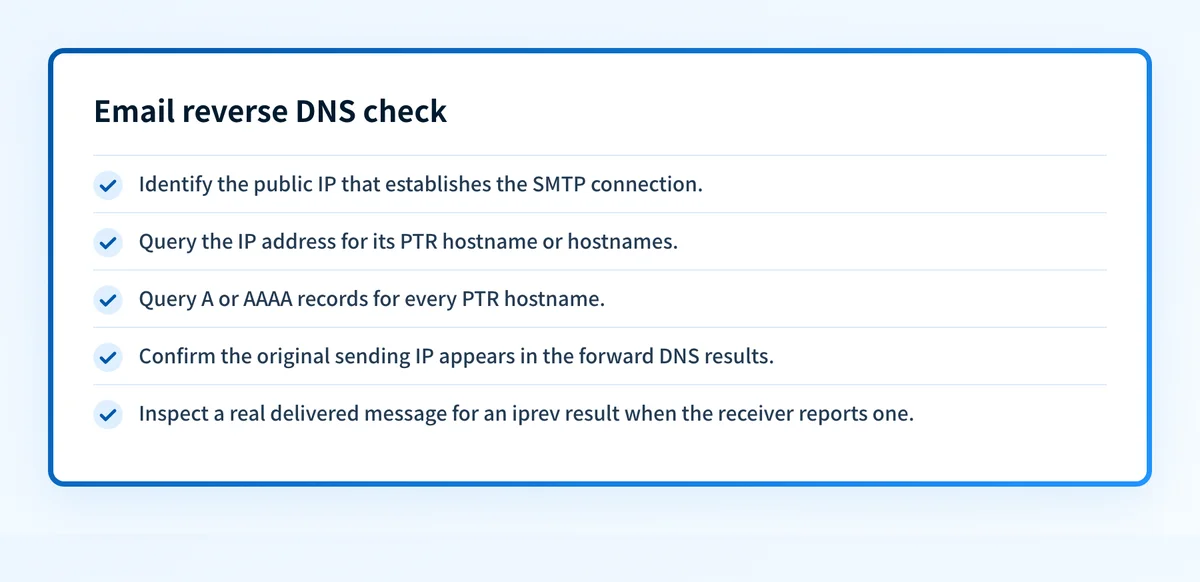
The reverse lookup is only the first half of the test. RFC 8601 section 3 defines the iprev method: query PTR for the client IP, query A and AAAA records for every returned name, then pass only if the original client IP appears in the resulting addresses.
Illustrative only.
PTR query:
203.0.113.25 -> smtp1.yourdomain.com
Forward query:
smtp1.yourdomain.com -> 203.0.113.25
iprev result:
pass
Use DNS Lookup only for the forward portion of this test. Enter the hostname returned by the PTR lookup and request its A record for IPv4 or AAAA record for IPv6. DNS Lookup does not perform PTR queries from an IP address, so it cannot replace the initial IP Reputation Checker lookup.
The RFC 8601 iprev definition is a method for reporting an authentication result. It does not require every receiver to perform the test for every message.
A failed EHLO name check alone cannot cause SMTP refusal
SMTP has a related, narrower rule for the name presented in EHLO. RFC 5321 says:
An SMTP server MAY verify that the domain name argument in the EHLO command actually corresponds to the IP address of the client. However, if the verification fails, the server MUST NOT refuse to accept a message on that basis.This is from RFC 5321 section 4.1.4. Keep that scope precise. A receiver cannot reject mail solely because the EHLO name check fails under this RFC rule. A missing PTR record or failed forward confirmation can still be one anti-spam signal among other receiver checks.
For a mismatch specifically involving the SMTP banner, use Reverse DNS does not match SMTP banner. It covers that separate operational problem.
When does the requirement take effect?
RFC 8601 is the current IETF standard for the Authentication-Results header field and iprev result method. It was published in May 2019 and obsoletes RFC 7601. RFC 8601 defines how a receiver can report iprev; it does not establish a universal date by which all senders must configure PTR records.
Google's sender-specific requirement took effect on February 1, 2024. Its current Email sender guidelines say all senders need valid forward and reverse DNS records for sending domains or IPs. Google describes the required relationship this way: the public IP of a sending SMTP server must have a PTR record that resolves to a hostname, and that hostname must have an A or AAAA record resolving to the same public IP.
Provider rules can change independently of RFC publication dates. Check the provider's current sender guidance before treating a date or enforcement consequence as permanent.
How do I implement the requirement?
1. Identify the production sending IP
Find the public IP used by the SMTP connection for the mail stream you are checking. A shared email platform may use multiple sending IPs, and a separate transactional service may use a different address than a marketing sender.
Use a delivered message header, SMTP logs, or your provider's documented sending-IP details. A domain's website IP is not necessarily its email-sending IP.
2. Look up the PTR result
Enter one sending IP at a time in the IP Reputation Checker. Record every hostname returned.
If the tool returns null, retry before concluding the IP has no PTR record. A lookup can time out, and an empty result does not distinguish a genuine missing record from a transient resolution failure.
For PTR record anatomy and ownership context, see What is a PTR record.
3. Check forward DNS for every returned name
For each PTR hostname, look up its A record for an IPv4 sending IP or AAAA record for an IPv6 sending IP. Compare the results with the exact original sending IP.
A matching forward record completes the DNS-side iprev check. If none of the returned names resolve back to the sending IP, treat the result as failed forward-confirmed reverse DNS.
4. Correct the record through the IP owner
If the PTR is absent or the returned hostname does not resolve back to the sending IP, request the change from the organization that controls the reverse DNS zone. That is often the ISP, hosting provider, cloud provider, or email service provider.
Ask for the intended hostname and its matching forward A or AAAA record to be checked together. Changing only the forward record does not create a PTR record.
How do I validate compliance?
Validate the DNS relationship at two levels. First, rerun the PTR lookup on the sending IP. Then query A or AAAA for every hostname returned and verify that the original IP appears in the answer set.
The IP Reputation Checker returns the PTR result only. It does not perform the forward lookup required for RFC 8601 iprev, and a single lookup does not prove continuous DNS state.
Next, inspect a real delivered message from the same production path. RFC 8601 defines iprev results in Authentication-Results as pass, fail, temperror, or permerror. A receiver that evaluates it may expose a result shaped like this:
Authentication-Results: receiver.example;
  iprev=pass policy.iprev=smtp1.yourdomain.com
A receiver might omit iprev, perform a different evaluation, or apply additional unpublished anti-spam signals. A passing PTR and forward-DNS check does not guarantee inbox placement or prove that every future message will authenticate.
Check the PTR record behind your sending IP
Use the IP Reputation Checker to inspect the PTR name returned for the public IP that sends your mail. Then use DNS Lookup to compare that name's A or AAAA result with the original IP.
The checker reports a PTR lookup, not forward-confirmed reverse DNS, receiver enforcement, or future message placement. For ongoing monitoring and remediation, Start with Palisade.
Evidence
Sources and further reading
Questions readers ask
Frequently asked questions
How do I check the reverse DNS of an email server's IP?
Enter the public sending IP in the IP Reputation Checker to retrieve its PTR result. Then look up the returned hostname's A or AAAA record and compare it with the original IP. That second lookup completes the RFC 8601 iprev method.
What does it mean if a reverse DNS lookup returns nothing?
An empty result means no PTR name came back, which can be a missing record or simply a lookup that failed. Retry it first, because DNS resolution can time out. If repeated lookups still return nothing, contact the organization that controls the IP range, since reverse zones are typically maintained by the ISP or provider.
Is a PTR result the same as forward-confirmed reverse DNS?
No, a PTR result is only the first half of the test, because it maps an IP address to one or more names. RFC 8601 adds a second step: query those names for A or AAAA records and confirm the original IP appears among the addresses returned.
What should an email server's reverse DNS name resolve to?
The PTR hostname should resolve through an A record for IPv4 or an AAAA record for IPv6 to the same public IP that sends the SMTP mail. This is the forward-and-reverse-DNS relationship described in Google's sender guidelines.
Can a receiver reject mail because reverse DNS fails?
A receiver can treat failed reverse DNS as one anti-spam signal, but RFC 5321 says it must not refuse a message solely because the EHLO name does not correspond to the client IP. Missing or invalid reverse DNS still counts against a sender in that broader evaluation, so repair an absent or mismatched PTR record rather than relying on the rule.

Written by
Dominic LandryDeliverability & DNS
Dominic Landry works on email deliverability and DNS configuration at Palisade, from SPF and DKIM records through to DMARC enforcement.
More from Dominic →