DMARCly DMARC checker: what its free report can show
 ChatGPT
 Claude
 Gemini
 Perplexity
 Grok
GrokIn brief
DMARCly DMARC checker guidance: use its free emailed report, separate message results from published DNS, then re-test an intended record change.
DMARCLY offers a free DMARC report by email and describes its dashboard as able to generate or check DMARC, SPF, and DKIM records. Send a test message to its published report address, review the returned results for that message's sender domain, then keep that evidence separate from a public DNS lookup. Readers comparing vendor workflows can also review Palisade's DMARC comparison resources.
At a glance
Quick takeaways
- DMARCLY says its free report analyzes the sender domain and includes SPF, DKIM, and DMARC results.
- The published DMARCLY report path is sending an email to
dmarc@dmarcly.com. - A result for one submitted message is evidence about that message path, not every sender that uses the domain.
- DMARCLY describes
p=none,p=quarantine, andp=rejectas monitoring, quarantine, and reject modes. - A public DNS recheck is useful after an intended record change, but it does not prove a delivered message authenticated.
- Do not choose a DMARC enforcement policy from a checker result alone.
What this tool checks
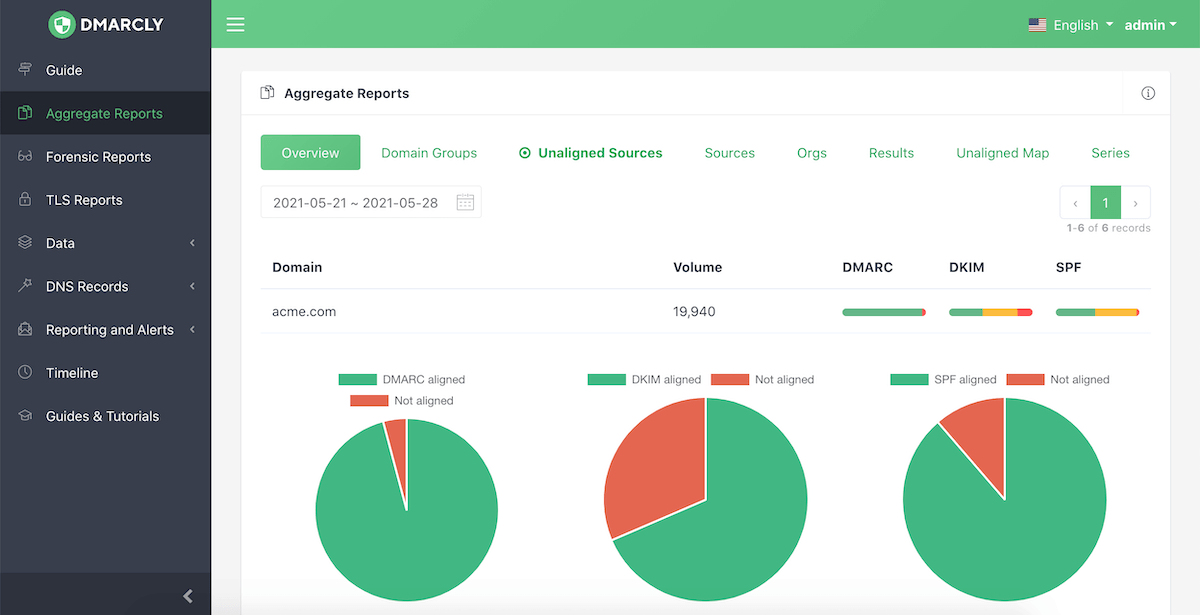
DMARCLY describes itself as an SPF, DKIM, and DMARC monitoring solution. Its public site says the dashboard can "generate/check DMARC/SPF/DKIM records" and offers a free DMARC report when you send an email to dmarc@dmarcly.com.
The documented report path is message-based. DMARCLY states that the report analyzes the sender domain and includes SPF, DKIM, and DMARC results. That makes the submitted message and returned report the evidence to retain when investigating a specific sending path.
The available public description does not establish a separate checker URL, required form input, submit control, error messages, result labels, or a mapping between a report outcome and a specific DNS repair. Treat any report wording you receive as account-specific evidence. Do not assume that another domain, sender, or time will produce the same result.
A public check has a different job. The Palisade DMARC checker is an appropriate next step only when you have an intended published-record change to compare. A public record check cannot prove the production sending path, message signing, continuous state, a receiver's private decision, or future inbox placement. If you are weighing DMARCLY as a platform rather than a free report, see DMARCLY vs Palisade.
How to run the check
1. Send a message through the path you need to inspect
Send a new test email through the same application, visible From domain, and routing path that you are investigating. DMARCLY instructs users to send an email to dmarc@dmarcly.com to obtain its free report.
Use a controlled test message where possible. Record the sending application, visible From address, approximate send time, and recipient address used for the test. Those details help distinguish one path from another if the same domain is used by several systems.
2. Save the returned report with the test details
Keep the report together with the exact message path used to create it. The report is evidence for the sender domain DMARCLY analyzed, but a domain can have more than one sender and each sender can authenticate differently.
If the report identifies an issue, do not change DNS immediately. First determine whether the report concerns the sender you intended to test. A marketing platform, support system, and corporate mailbox can all use the same visible domain while relying on different authentication configurations.
3. Check the currently published DNS answer separately
Use a DNS lookup after you know the record owner and value you expect to publish or have changed. This command retrieves the public TXT answer for an example DMARC record:
dig +short TXT _dmarc.yourdomain.comReplace yourdomain.com with your own domain. A DNS answer shows what a resolver can retrieve at that moment. It does not show whether the tested sender used that domain for aligned SPF or DKIM, and it does not explain a receiver's decision about a particular message.
How to interpret the results
A free report is available for the submitted message
DMARCLY says, "It only takes 20 seconds to get your free DMARC report," and says that the report includes SPF, DKIM, and DMARC results. Read the returned information as message-path evidence for the message you sent.
The useful question is narrow: what did the report observe for this submitted message and sender domain? It is not a domain-wide inventory. Send a separate test for each important mail stream when the same visible domain is used by multiple systems.
The report refers to DMARC policy modes
DMARCLY describes these policy stages:
- Monitoring mode:
p=none - Quarantine mode:
p=quarantine - Reject mode:
p=reject
If you need a broader explanation of the policy terms before assessing a report, use how DMARC works. Keep the policy decision separate from the report itself. A safe enforcement decision requires evidence about the production senders that use the domain, including their authentication and alignment outcomes over time.
A public DNS answer differs from a message result
A DNS lookup and an emailed report answer different questions:
- The emailed report concerns the sender domain and authentication results observed for the submitted message.
- The DNS lookup returns the public TXT answer currently available for
_dmarc.yourdomain.com. - Neither observation alone proves every current sender that uses the domain.
- Neither observation alone establishes a receiver's future delivery or spam decision.
How to act on the result
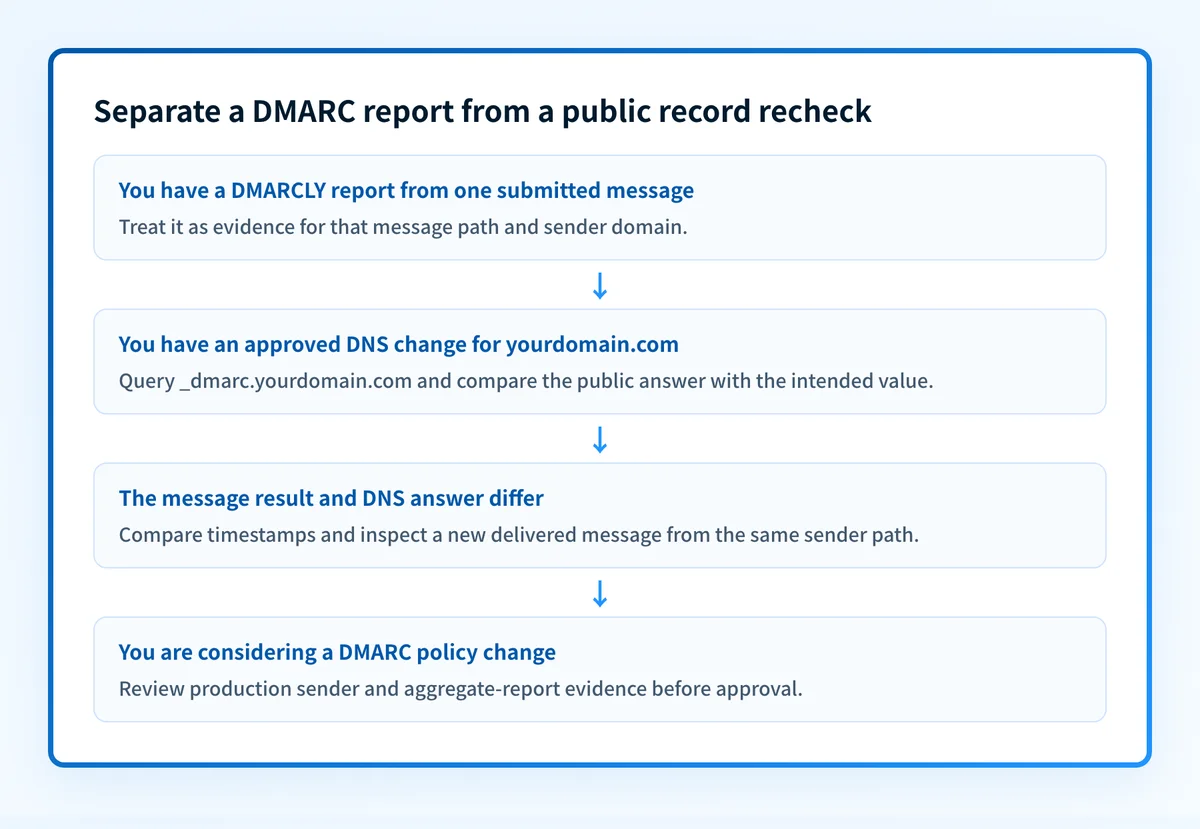
Start with the evidence that is closest to the problem.
If the DMARCLY report relates to the expected sender and indicates an authentication or DMARC concern, collect the raw headers from a delivered copy of the same message before changing policy. The receiver-added Authentication-Results field is message evidence, and it helps confirm what the receiving system evaluated. If the problem is a delivery failure, use the DMARC failure troubleshooting guide to separate domain-level policy from the evidence for the failed message.
If the message path is unclear, repeat the test through the exact application that matters. Do not infer the behavior of every sender from a message sent through one mailbox. For an important production source, validate whether its SPF or DKIM identity aligns with the visible From domain by following the DMARC alignment check.
If the DNS record itself needs an intended update, obtain the proposed value from the system or policy owner responsible for the domain. Do not copy a record value, reporting destination, or configuration from another organization. Compare the intended value with the authoritative DNS answer before publishing it.
Do not move fromp=nonetop=quarantineorp=rejectsolely because one test message produced a favorable result. A policy change can affect legitimate mail from sources that were not part of that test.
How to retest
After an approved DNS change, query the same DMARC owner again and compare the returned answer with the exact intended value:
dig +short TXT _dmarc.yourdomain.comThen send a new message through the same application and repeat the DMARCLY report workflow. Compare the new report only with a message sent after the DNS change was visible. Preserve the earlier result as the before state.
For a fuller validation sequence, keep four observations separate:
- Authoritative and public DNS answers for the changed record.
- The sending service's own current authentication or verification status, if it provides one.
- Raw headers from a newly delivered message sent through the same production path.
- DMARC aggregate-report evidence once enough mail has accumulated.
Recheck the published record after an intended DNS change
When you have changed a DMARC record and know the value you expect to see, use the Palisade DMARC checker to inspect the public record again. Compare that result with the new message report and raw headers from the same sender path.
Check the published DMARC record
A public record check does not repair DNS, monitor every sender, prove that a particular message passed authentication, or guarantee how a mailbox provider will handle future mail. Palisade is DMARC software that analyzes aggregate-report data, identifies authentication or alignment issues, and proposes next policy steps for human review. Start with Palisade.
Evidence
Sources and further reading
Questions readers ask
Frequently asked questions
Does DMARCLY offer a free DMARC report?
Yes, DMARCLY offers a free report, obtained by sending an email to dmarc@dmarcly.com. Its public site says the report analyzes the sender domain and includes SPF, DKIM, and DMARC results. The report covers the message you sent, so send it from the application you actually want to test.
Can a DMARCLY report prove every sender on my domain is configured correctly?
No, one report only covers the message you submitted and the path that sent it. A domain usually has several senders, such as a mail platform, a marketing tool, and a billing system, and each has its own authentication setup. Test every important application separately when they all use the same visible domain.
Does a public DMARC record check prove that a message passed DMARC?
No, a public record check cannot show that, because it reads the DNS record and nothing about a specific message. It does not reveal the SPF and DKIM identities a delivered message used, or the result the receiving system recorded. Send a real message and read the Authentication-Results header it comes back with.
Does p=none mean the domain is ready for enforcement?
No, p=none only means receivers are reporting rather than acting, which is the start of the work and not the end of it. DMARCLY calls it monitoring mode, and the point of that mode is to reveal senders that still fail. Review production message evidence and aggregate reports until every legitimate sender passes, then move to p=quarantine or p=reject.
Should I retest after changing a DMARC record?
Yes, retest after every DMARC record change, because an earlier report describes the record that was live before the edit. Compare the public DNS answer with the value you intended to publish. Then send a new message through the same sender path and review the fresh authentication results.

Written by
Taylor TabusaCo-Founder & Head of Business Development, Palisade
Taylor Tabusa is the co-founder and Head of Business Development at Palisade, helping managed service providers turn email security into a practical, valuable service.
More from Taylor →