Check DMARC alignment
 ChatGPT
 Claude
 Gemini
 Perplexity
 Grok
GrokIn brief
Check DMARC alignment by comparing a delivered message's From domain with SPF and DKIM identities, then inspect published adkim and aspf settings.
To check DMARC alignment, inspect the trusted Authentication-Results header on a delivered message, then compare the visible From domain with the SPF smtp.mailfrom domain and DKIM header.d domain. DMARC passes when either SPF or DKIM both passes and aligns under the published DMARC policy. Use a DNS check separately to see whether the domain publishes strict or relaxed alignment settings.
At a glance
Quick takeaways
- DMARC requires an aligned SPF pass or an aligned DKIM pass, not merely an SPF or DKIM pass.
- The visible
Fromdomain is the domain DMARC compares against. - SPF alignment compares the
Fromdomain with the SPF-authenticatedsmtp.mailfromidentity. - DKIM alignment compares the
Fromdomain with the DKIM signing domain inheader.d. - Relaxed alignment permits an organizational-domain match. Strict alignment requires an exact domain match.
- A public DMARC record check cannot parse message headers or prove that a delivered message aligned.
What this tool checks
The Palisade DMARC checker checks the public DMARC record published at _dmarc.yourdomain.com. Use it to inspect the policy and determine whether the record includes adkim or aspf alignment settings.
The checker answers a DNS question: what policy and alignment mode does the domain publish right now? It cannot inspect a message's From, Return-Path, SPF identity, DKIM signature, or receiver-added authentication result. It also cannot prove the production sending path, confirm every sender, or explain why a specific mailbox provider accepted or rejected one message.
For message-level evidence, use a message delivered through the path you are investigating. Open its raw headers in the receiving system and find the Authentication-Results field added by a trusted receiver or gateway. RFC 8601 defines Authentication-Results and warns that recipients must establish which instances they trust. Do not treat a copied header from an untrusted source as proof of authentication.
How to run the check
1. Collect a delivered-message sample
Send a new message through the exact application, ESP, gateway, and recipient path you need to validate. Open the message's raw headers in the receiving system.
Record these values without exposing message content or recipient data:
- The domain in the visible
From:address. - The receiver's
Authentication-Resultsresult forspf,dkim, anddmarc. - The SPF identity shown as
smtp.mailfrom, when present. - The DKIM signing domain shown as
header.d, when present. - The domain named after
header.fromin the DMARC result, when present.
Authentication-Results fields. Start with the result added by the receiving system you trust. Preserve the complete authentication-related lines for the incident record, but redact addresses, message IDs, IP addresses, and any customer content before sharing them.
2. Inspect the public DMARC record
Enter the visible From domain in the Palisade DMARC checker. Review the published p, adkim, and aspf tags. If adkim or aspf is omitted, the DMARC specification defines relaxed alignment as the default.
You can independently query the public record with an example lookup:
dig +short TXT _dmarc.yourdomain.comA record can have this structural shape:
v=DMARC1; p=none; adkim=r; aspf=rUse the record generated for your own domain. Do not copy DNS values, reporting addresses, or policy settings from another organization.
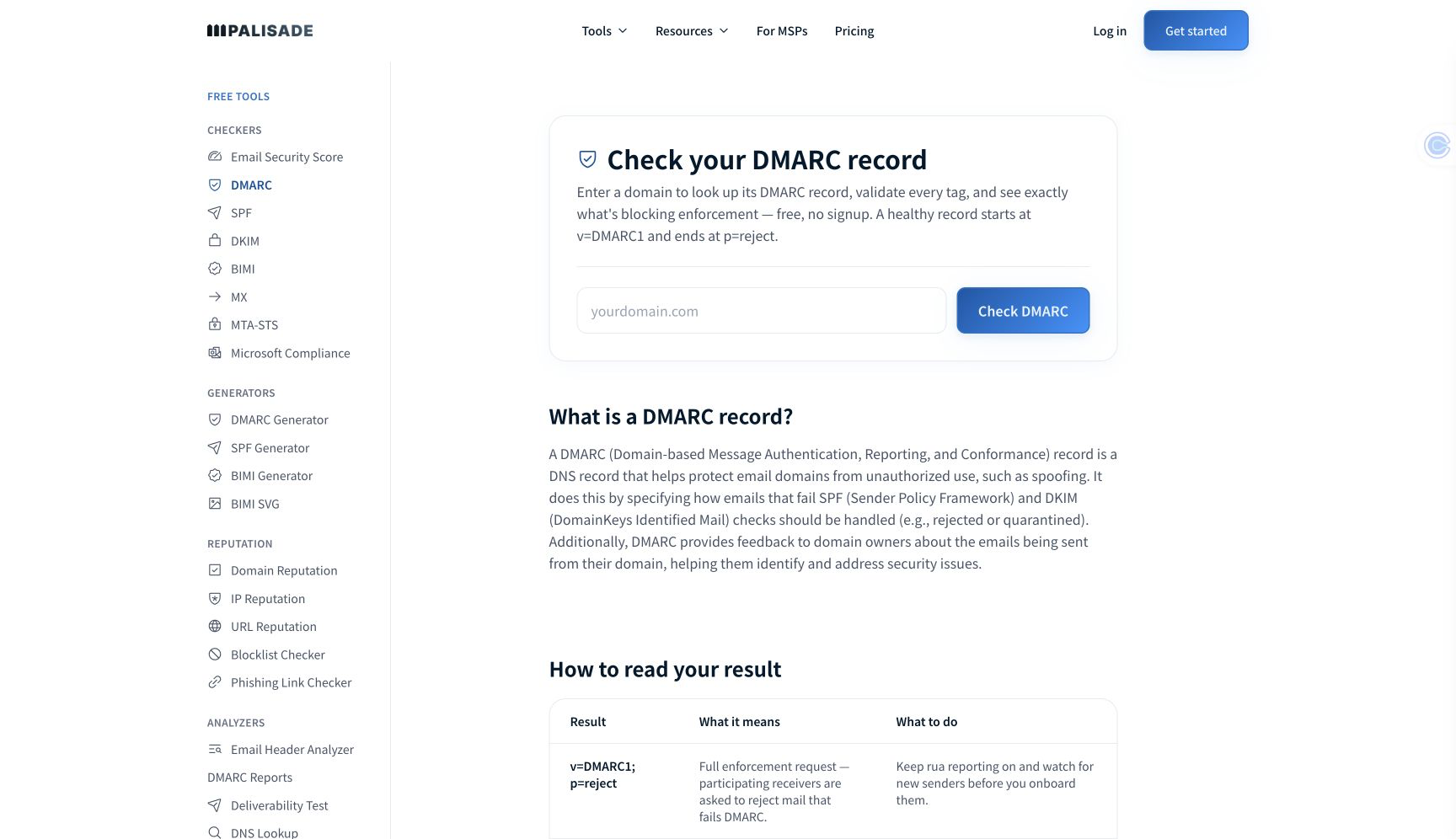
This public DNS check establishes the published policy settings. It cannot parse a delivered message or prove that its SPF or DKIM identity aligned.
3. Compare the message identities
Compare the visible From domain with each passing authentication path. RFC 9989 defines DMARC identifier alignment and the relationship between the RFC 5322 From domain, SPF, and DKIM.
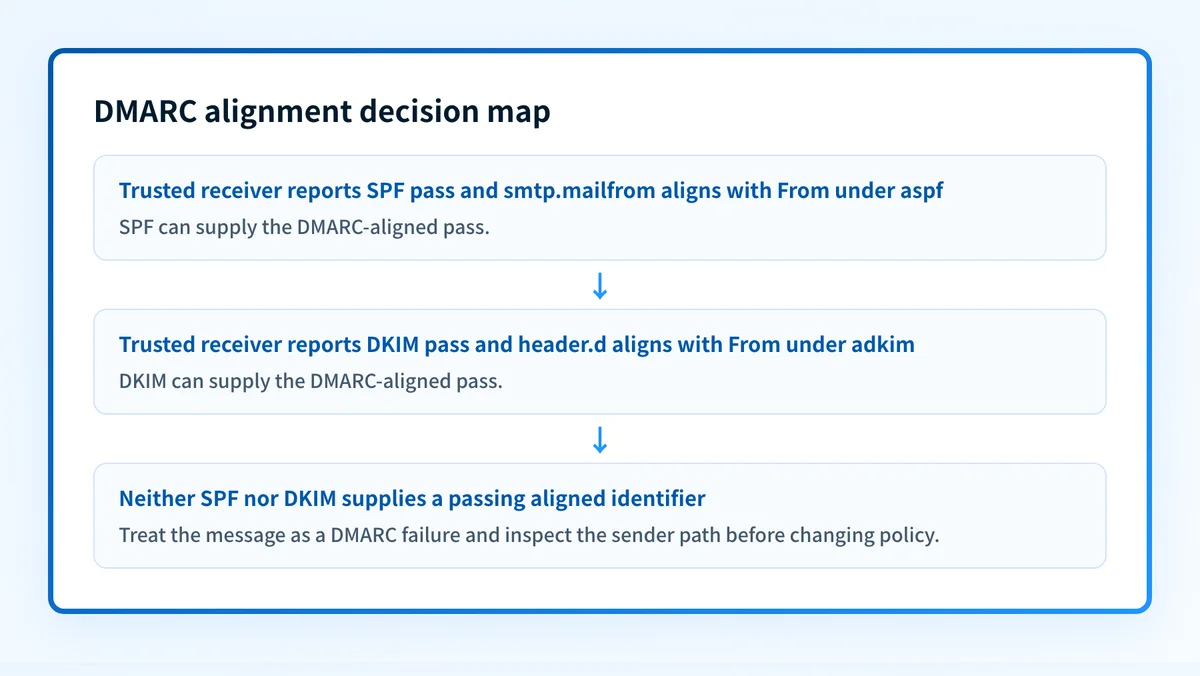
For SPF, compare From: with smtp.mailfrom. A passing SPF result only supports DMARC if those domains align under aspf.
For DKIM, compare From: with header.d. A passing DKIM result only supports DMARC if those domains align under adkim.
If the receiver recorded dmarc=pass, identify which aligned path supplied the pass. If it recorded dmarc=fail, check both paths before changing DNS. One path may pass authentication but fail alignment while the other path may be absent, fail, or also be unaligned.
How to interpret the results
SPF passes and aligns
An SPF pass can support DMARC when the smtp.mailfrom domain matches the visible From domain under the domain's aspf mode. Under strict SPF alignment, the domains must match exactly. Under relaxed SPF alignment, they can share the same organizational domain.
For example, From: alerts@yourdomain.com and smtp.mailfrom=bounces.yourdomain.com can align in relaxed mode, but do not align in strict mode. Confirm the receiver's own result before treating this as the path that passed DMARC.
SPF passes but does not align
This result means the receiving system accepted the SPF-authenticated identity, but that identity cannot satisfy the SPF branch of DMARC for the visible From domain. A common next step is to determine whether the sender can use a custom return-path domain that aligns with the domain in From:.
Do not add an unrelated service to the root SPF record solely because its messages fail DMARC. The problem may be the envelope identity rather than authorization. Check whether DKIM provides an aligned pass before changing SPF.
DKIM passes and aligns
A DKIM pass can support DMARC when header.d aligns with the visible From domain under adkim. This is often the relevant path when a sending platform uses its own return-path domain but signs with your domain or an aligned subdomain.
The DKIM signature must be present in the delivered message and the trusted receiver must report the result. A public DKIM record alone does not prove that the application used the matching selector or key.
DKIM passes but does not align
A DKIM signature can verify while its header.d domain does not align with the visible From domain. In that case, the DKIM branch does not support DMARC. Review the sender's authenticated-domain or custom-DKIM configuration and use the domain it generated for that account.
If the sender cannot sign with an aligned domain, determine whether an aligned SPF path is available before changing the visible From domain or the DMARC policy.
Both authenticated paths fail to supply alignment
When neither SPF nor DKIM supplies a passing aligned identifier, the message cannot pass DMARC. The receiving system's dmarc=fail result is the evidence to investigate first. Follow an email authentication failure diagnosis with the same delivered-message path, rather than assuming a public DNS record explains the failure.
A single failed message does not establish that every sender is failing. It may identify one application, configuration, or routing path that needs separate review.
How to act on the result
Start with the evidence that failed:
- If SPF passed but did not align, review the sender's envelope sender or custom return-path configuration. Change only the sending path that produced the message, then send a new message through that same path.
- If DKIM passed but did not align, review the sender's DKIM signing-domain configuration. Use the exact DNS records generated for your account and domain. Do not reuse selectors or CNAME targets from another tenant.
- If SPF or DKIM did not pass, identify whether the sender failed to authenticate, the DNS record is missing, or the message used a different identity than expected.
- If the message has an aligned pass but the public checker shows unexpected
adkimoraspfvalues, resolve the DNS discrepancy before considering a stricter policy. - If you only need to inspect the policy record, use the DMARC record checking guide. Its DNS workflow cannot establish alignment for a particular delivered message.
- DNS: query the authoritative record and at least one public resolver after a change.
- Sender: confirm the sending service accepted and verified the intended authentication domain.
- Message: inspect a newly delivered message from the same production path.
- DMARC: review aggregate-report evidence after reports accumulate to see whether other sources show the same issue.
How to retest
Repeat the public record lookup after DNS propagation, then send a new message through the same application and route. Inspect the trusted receiver's new Authentication-Results field and compare the same identifiers again.
The expected change depends on the repair. A corrected return-path or signing domain should produce an SPF or DKIM identity that aligns with the visible From domain under the published aspf or adkim setting. If the receiver still reports dmarc=fail, preserve the new header evidence and revisit both authentication paths.
Use the DMARC learning hub for the policy implications after you know which sources pass and align. Do not move from monitoring to enforcement based on one sample message.
Turn recurring sender evidence into reviewable work
One delivered message can identify an alignment path, but it cannot inventory every legitimate source that sends as the domain or show how aggregate-report evidence changes over time. Palisade's documented DMARC Agent workflow analyzes DMARC aggregate-report data, identifies sources and authentication or alignment issues, and creates prioritized remediation tickets for human review.
Palisade does not authorize senders, apply DNS or DMARC policy changes, reproduce a receiver's private decision, or guarantee delivery.
Evidence
Sources and further reading
Questions readers ask
Frequently asked questions
What is DMARC alignment?
DMARC alignment is the comparison between the domain in the visible From: address and an authenticated SPF or DKIM domain. SPF uses the smtp.mailfrom identity, while DKIM uses the signing domain in header.d. At least one passing identity must align for DMARC to pass.
How do I check if my DMARC is working?
Inspect a trusted receiver's Authentication-Results header on a delivered production message. Confirm its dmarc result, then identify whether aligned SPF or aligned DKIM supplied the pass. Check the public DMARC record separately to see the published policy and alignment modes.
How to correct DMARC?
Correct the authentication path that failed to provide an aligned pass. Configure the sender to use an aligned return-path domain for SPF, an aligned signing domain for DKIM, or both. Retest with a newly delivered message through the same sender and recipient path before changing DMARC policy.
What is required when strict DMARC alignment is enabled?
Strict SPF alignment requires the smtp.mailfrom domain to exactly match the visible From domain. Strict DKIM alignment requires header.d to exactly match the visible From domain. A subdomain that would align under relaxed mode does not satisfy strict alignment.
Does a passing SPF result mean DMARC passes?
No. SPF must both pass and align with the visible From domain to satisfy the SPF branch of DMARC. A passing aligned DKIM result can still satisfy DMARC when SPF does not align.
Can a DMARC record checker prove message alignment?
No. A DMARC record checker can show the public policy and adkim or aspf settings. It cannot parse a delivered message's headers, identify the actual SPF or DKIM domains used, or prove the receiver's DMARC evaluation.
Check the published DMARC record before changing policy
Enter your domain.

Written by
Samuel ChenardCEO & Co-Founder, Palisade
Samuel Chenard is the CEO and co-founder of Palisade, agentic DMARC software for IT teams and MSPs, from one domain to thousands.
More from Samuel →