How do you authenticate an email for Gmail?
 ChatGPT
 Claude
 Gemini
 Perplexity
 Grok
GrokIn brief
Authenticate email for Gmail with SPF, DKIM, and DMARC, then validate the exact sending path in Gmail headers and DMARC reports, and verify sender paths.
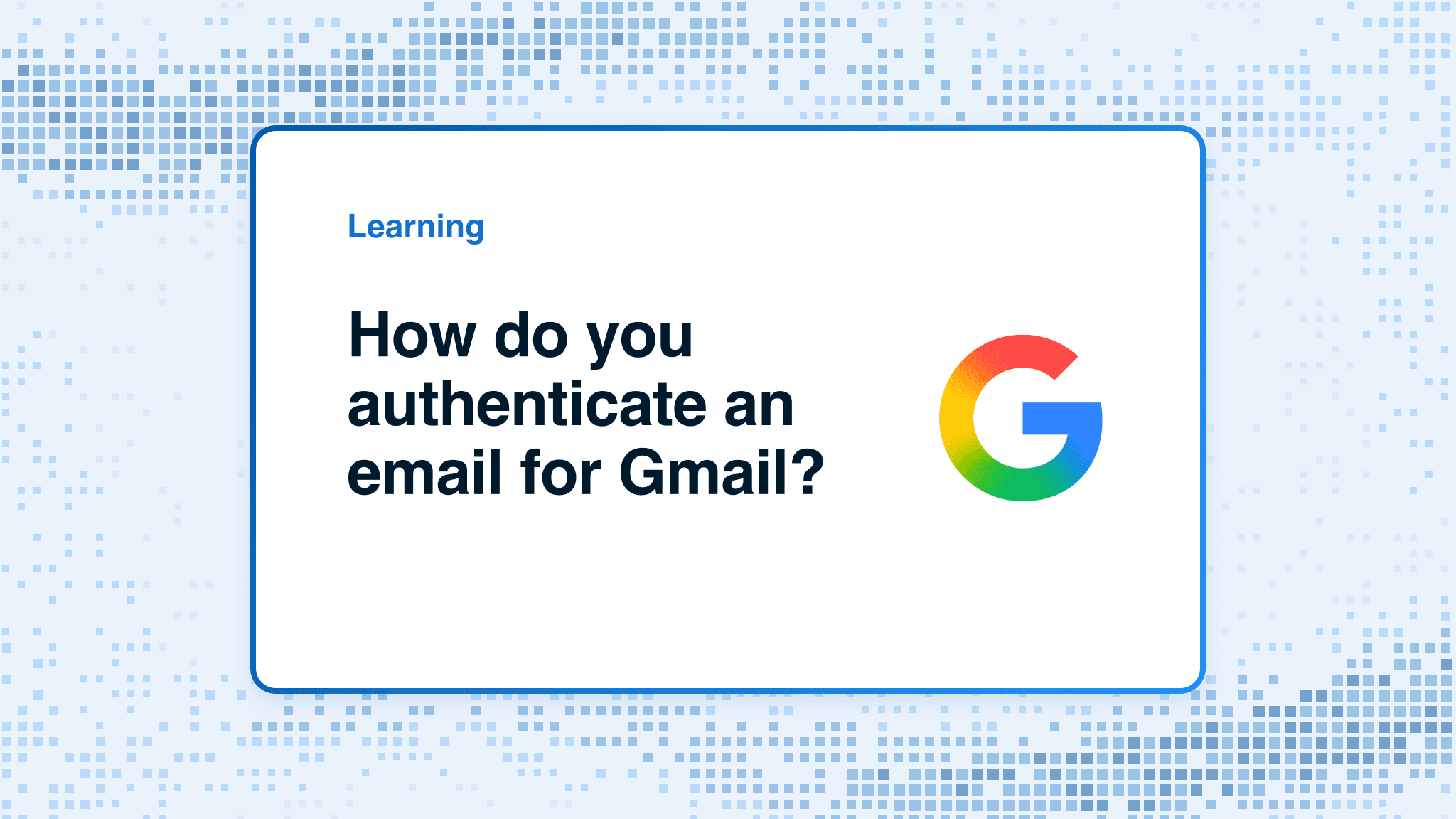
To authenticate email for Gmail, configure SPF or DKIM for each domain and service that sends to personal Gmail accounts. If you are a bulk sender, Gmail requires SPF, DKIM, and DMARC, with either the SPF envelope domain or DKIM signing domain aligned to the visible From domain for direct mail. Start with the domain and sending service in the message, then validate a newly delivered Gmail message. A DNS record alone does not prove the production path is using it.
At a glance
Quick takeaways
- Gmail requires all senders to personal Gmail accounts to use SPF or DKIM.
- Gmail requires bulk senders to use SPF, DKIM, and DMARC.
- DMARC passes only when SPF or DKIM passes with an identifier aligned to the visible From domain.
- Each mail system can use different envelope and DKIM signing domains, so test every real sending path.
- Public DNS checks confirm published records, not whether an application signs mail or whether Gmail will place it in the inbox.
- Authentication supports delivery, but it does not guarantee inbox placement.
What should I check before configuring Gmail authentication?
First, identify the system that actually sends the message. Gmail can receive mail from a mailbox provider, marketing platform, CRM, invoicing service, ticketing system, or relay. Each can have its own SPF authorization, DKIM selector, return path, and signing domain.
Gmail's email sender guidelines apply to mail sent to personal Gmail accounts. They distinguish between baseline sender authentication and additional bulk-sender requirements. Check whether the route is direct mail from your own infrastructure, mail sent through a third-party platform, or mailbox-hosted mail. The configuration belongs in the system and DNS zone that own that route.
You need access to the authoritative DNS zone for the sending domain and enough permission in the sending platform to enable or inspect its authentication settings. If an MSP manages the domain, record the customer domain, sending platform, DNS owner, approver, and test mailbox before making a change.
Copy DNS values from the account and domain you are configuring. Do not publish selectors, targets, tokens, or hostnames from another account or from an online example.
Use the vendor email authentication hub when the sending service has its own domain-authentication workflow. The vendor generates the real DNS values for its account and domain. Do not substitute an example record.
Which setup method should I use?
Use the method supported by the sender that produces the mail.
For mailbox-hosted mail, enable DKIM in the mailbox provider's documented administration settings and publish the exact record it generates. For a marketing or transactional platform, authenticate a sending domain or branded domain through that platform, then publish its generated SPF, DKIM, return-path, or CNAME records as instructed. For mail sent directly from your own infrastructure, configure the relevant SPF authorization and DKIM signing system before publishing DNS.
Google's sender guidelines do not provide a single Gmail configuration screen that authenticates every external sending service. The correct path is the authentication interface of the service sending the message, followed by Gmail header validation. When an application submits through a Google mailbox or Workspace relay, use the Gmail SMTP settings guide for the endpoint, ports, authentication choice, and same-path test.
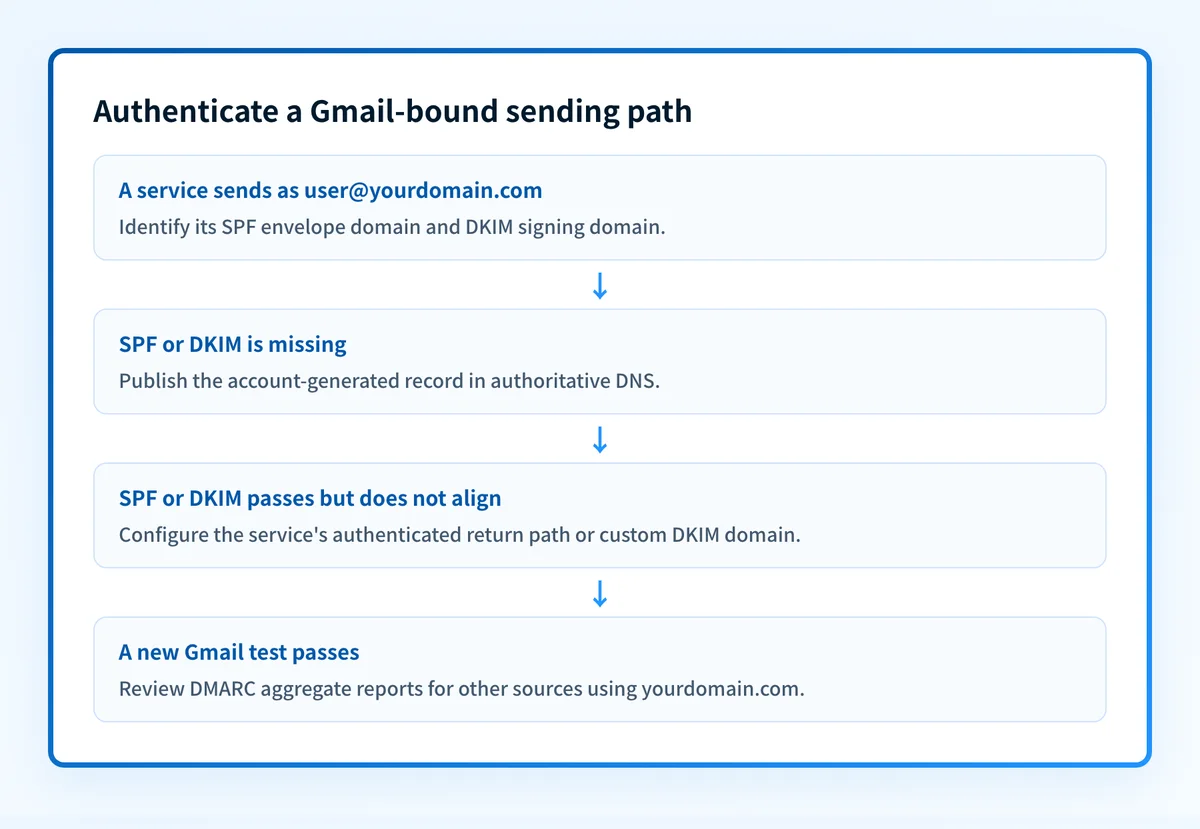
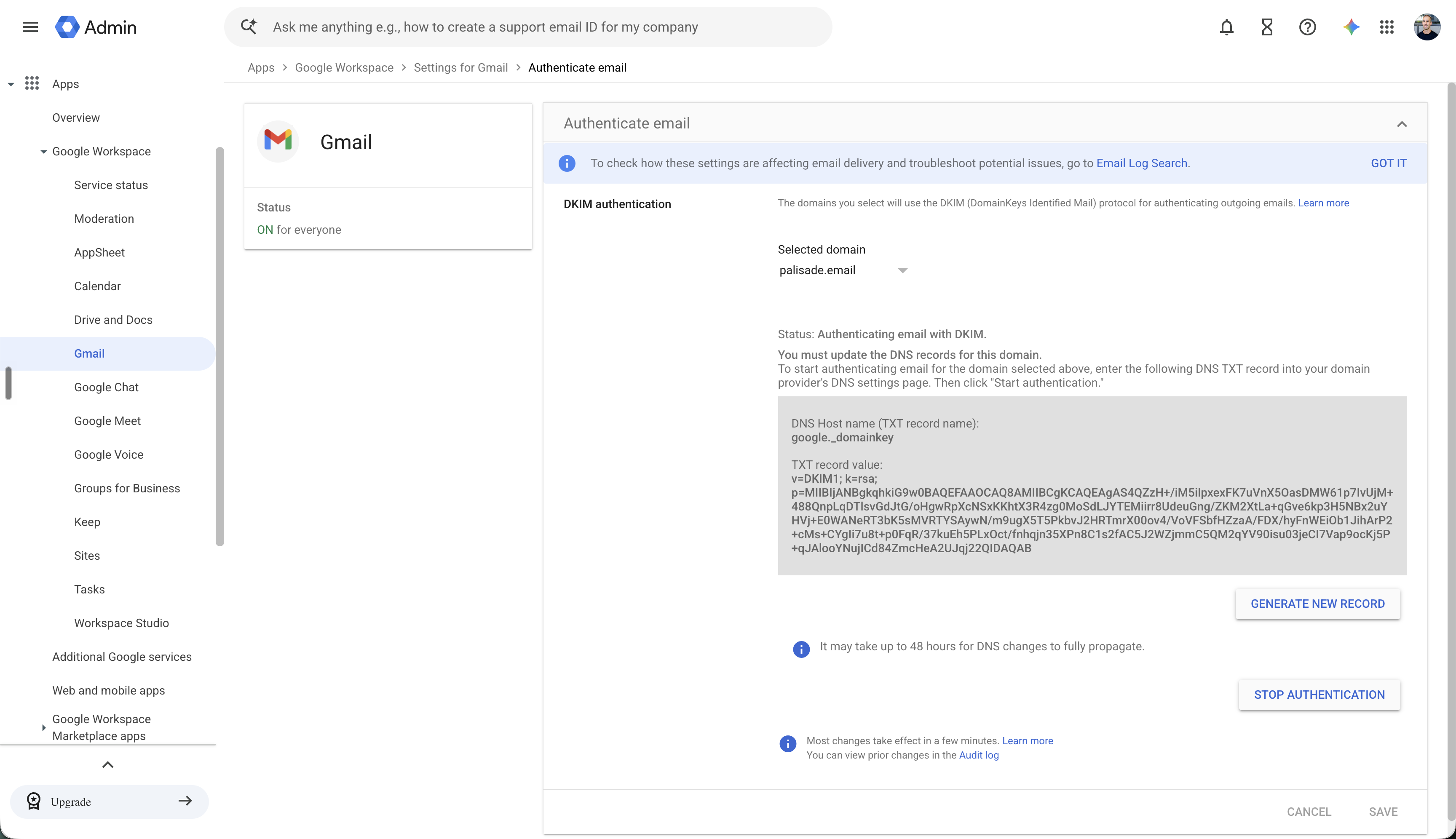
If your mailbox-hosted route is Google Workspace, the Admin console's Authenticate email panel is where Google shows the selected domain, DKIM status, and the DNS values it generated. This is one provider-specific example, not a universal Gmail setup screen and not proof that another sending service or delivered message is authenticated.
Use a dedicated IP only when the sending provider and your operating requirements call for one. A dedicated IP does not replace SPF, DKIM, or DMARC. Gmail's requirements apply to the message authentication evidence and sending behavior, regardless of whether a route uses shared or dedicated infrastructure.
How do I configure SPF and DKIM for Gmail-bound mail?
1. Open the sending service's domain-authentication settings
Open the documented domain, sender authentication, or DKIM settings for the service that sends the message. Select the domain that appears after the @ in the visible From address.
Confirm the selected account and domain before generating records. A platform can expose several domains, subdomains, or sending identities. The records it generates are specific to the current account and selected domain.
2. Record the visible From domain and sending identities
Send a test message through the exact route you are configuring, then inspect it in Gmail. Record the visible From domain, the SPF envelope domain if shown, and the DKIM d= signing domain and s= selector.
This baseline shows what the service currently does. It also prevents a common mistake: publishing records for the visible From domain while the sending platform uses a different return path or signing domain.
3. Publish the generated SPF and DKIM records
Copy the DNS records from the selected sending service into the authoritative DNS zone. SPF is a TXT record. DKIM may use a TXT record or a provider-generated CNAME record.
An SPF policy must be a single record for one domain. If the domain already has SPF, merge the sender's authorized mechanism into the existing policy according to the sending provider's instructions. Do not add a second SPF TXT record.
SPF record type: TXT
SPF host, illustrative only:
yourdomain.comSPF value, illustrative only:
v=spf1 include:sender.example.net -allDKIM record type: TXT or CNAME
DKIM host, illustrative only:
selector1._domainkey.yourdomain.comDKIM value, illustrative only:
v=DKIM1; k=rsa; p=PUBLIC_KEY_MATERIAL_FROM_YOUR_SENDING_SERVICEDo not publish these examples. Copy the complete host and value generated in the sending service for your account and domain. The example DKIM key cannot authenticate mail because it has no matching private key.
Some DNS providers automatically append yourdomain.com to the host field. If you paste a complete name into a field that appends the zone, the resulting owner can become selector1._domainkey.yourdomain.com.yourdomain.com. Check the final fully qualified record name before saving.
Do not overwrite an existing DKIM selector without confirming whether it is active. If the selector is already in use, use the sending service's rotation process or generate a distinct selector.
4. Verify the domain in the sending service
Return to the service and use its documented verification or authentication-status check after DNS has propagated. A successful status indicates that the service accepted the DNS configuration it expected.
Keep the provider's status with the change record, but do not treat it as the final test. A green indicator does not prove that the production application is sending through the configured path or that the delivered message has aligned authentication.
5. Send a real Gmail test message
Send a new message from the exact production path to a personal Gmail mailbox where you can inspect the message details or original source. Do not use an old message sent before the DNS or service change.
Test each materially different source separately. A staff mailbox, marketing platform, billing service, and support platform can all send with the same visible domain while using different authentication identities.
How does this setup affect DMARC?
DMARC evaluates SPF and DKIM results against the visible From domain. Under RFC 9989's DMARC evaluation rules, an SPF or DKIM pass contributes to DMARC only when its authenticated identifier aligns with the RFC5322.From domain.
For example, a service can pass DKIM with d=sender.example.net while sending a message that displays From: notices@yourdomain.com. That signature can be valid but unaligned. It does not create a DKIM-aligned DMARC pass for yourdomain.com.
Use Palisade's DMARC checker when you have the sending domain to inspect the published DMARC record. A public record check cannot show which production services are signing, whether Gmail received an aligned pass, or how a receiver will handle future messages.
Google's sender requirements for bulk senders require DMARC and alignment for direct mail. Configure DMARC after you understand every legitimate sender that uses the domain. A published DMARC policy does not create SPF or DKIM passes by itself.
How do I validate the setup?
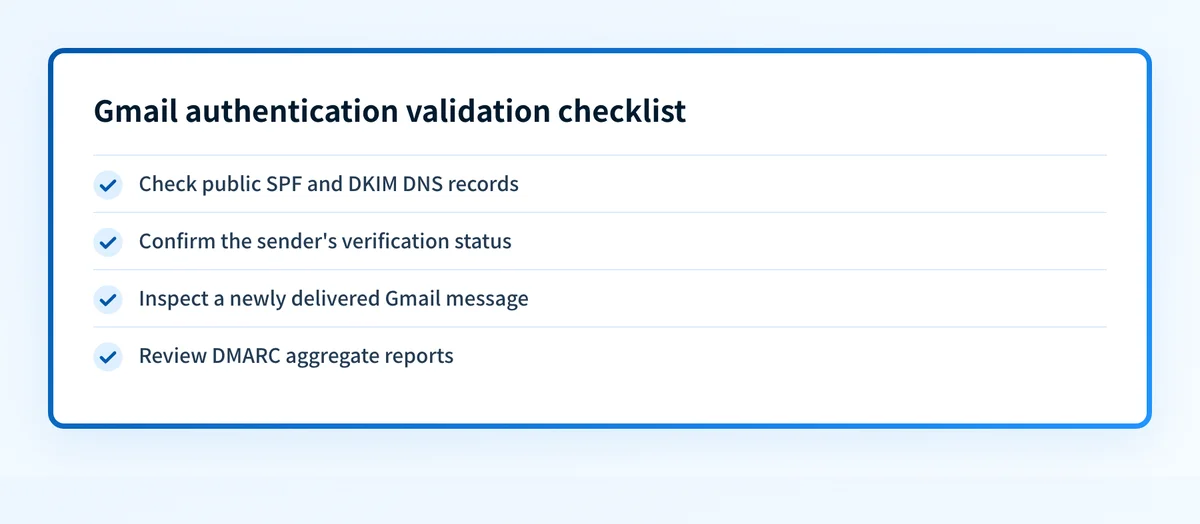
Check public DNS
Query the exact SPF domain and DKIM selector that the sending service uses. Compare the authoritative DNS answer with at least one public resolver. Confirm that the expected SPF policy and DKIM record are publicly available.
dig +short TXT yourdomain.com
dig +short TXT selector1._domainkey.yourdomain.com
DNS output proves the records are published. It does not prove that an application uses the records or that a message survives its full delivery path.
Check the sender's verification status
Return to the sending service and confirm that it reports the selected domain as authenticated or verified. If it remains pending, compare the complete DNS owner and value against the account-generated instructions.
Check for a duplicated DNS suffix, truncated TXT value, an incorrect selector, or an SPF record that was added as a second policy instead of merged into the existing one.
Inspect a delivered message
Inspect a newly delivered Gmail message from the exact path. Confirm that SPF or DKIM passes, then compare the authenticated domain with the visible From domain. For bulk senders, confirm that the message has the required SPF, DKIM, and DMARC evidence described in Google's email sender guidelines.
Save a redacted copy of the relevant message results with the change record. Do not include private recipient addresses, message content, tokens, or unredacted headers in a ticket or external request.
Compare the message evidence before changing DNS
A correct DNS record can still be unused by the production sender. Copy these four values from one newly delivered test message before publishing another record or replacing an existing one:
- Visible From domain:
example.com. This is the domain the recipient sees and the domain DMARC evaluates. - SPF envelope domain:
mail.example-vendor.net. This is the domain beside a passingspf=result. - DKIM signing domain:
example-vendor.net. This is the domain beside a passingdkim=result. - DMARC result:
passorfail, plus the visible From domain that Gmail reports with it.
From: Billing <billing@example.com>
Authentication-Results: mx.google.com;
  spf=pass smtp.mailfrom=mail.example-vendor.net;
  dkim=pass header.d=example-vendor.net;
  dmarc=fail header.from=example.com
The Authentication-Results syntax is standardized in RFC 8601. Read the result Gmail added to the delivered copy of the message, not a header supplied by the sending system.
The SPF and DKIM domains in this example do not align with example.com. The next safe action is to identify the sending platform and configure its approved aligned return-path or DKIM signing domain. Adding another SPF record would not repair this alignment failure.
Use the SPF checker to inspect the public SPF policy and the DMARC checker to inspect the public DMARC record. Those tools do not expose the private authentication evidence in a delivered message, so keep the Gmail header as the final proof for this sending path.
When SPF is hard to maintain
If the SPF check shows multiple records, a lookup-limit problem, or a record that changes whenever a new sender is added, inventory every legitimate sender before changing DNS. For a domain with frequent sender changes, Palisade Hosted SPF can manage the delegated SPF record behind one include. It is a maintenance option, not a substitute for confirming alignment in a real message. View Hosted SPF.
Review DMARC reports
After DMARC aggregate reports accumulate, review the sending sources using the domain and identify any source that fails authentication or alignment. Separate legitimate sources from unknown traffic before considering a stricter policy.
A single Gmail test proves one delivered path at one time. DMARC reporting adds broader evidence about the sources using the domain after reports arrive.
Troubleshooting
Gmail shows SPF pass but DMARC fail
Compare the SPF envelope domain with the visible From domain. A passing SPF result can fail DMARC alignment when the domains do not align under the published DMARC policy.
Use the sending service's custom return-path or authenticated-domain option when it supports one. Then retest a new message through the same route.
Gmail shows DKIM pass but DMARC fail
Check the DKIM d= value in the delivered message. The signature may pass for a domain that does not align with the visible From domain. Enable the sending platform's custom DKIM or branded-domain configuration if its current signing domain is provider-owned.
A valid signature is still useful authentication evidence. It is not necessarily aligned DMARC evidence.
The sending service cannot verify DNS
Compare the exact host and value in the service with the authoritative DNS response. DNS interfaces that append the zone name can create a duplicated owner name. Also confirm that the selected domain in the service is the same domain queried in DNS.
Allow normal DNS propagation before changing records again. Repeatedly replacing values can extend the troubleshooting window and obscure which change corrected the issue.
SPF has more than one record
Consolidate the authorized mechanisms into one SPF TXT record for the domain. Do not leave parallel v=spf1 records in place.
Review every sender before removing an existing mechanism. Removing an authorization for a billing system or relay can cause legitimate mail to fail SPF.
A mailbox test passes but marketing mail fails
Treat each platform as a separate sending path. The mailbox provider's DKIM configuration does not authenticate messages sent by a marketing platform, CRM, or alerting system.
Authenticate the affected platform's selected sending domain, then repeat the DNS, vendor-status, delivered-message, and DMARC-report checks for that route.
Check the domain configuration before expanding the rollout
If you have the sending domain, run Palisade's Email Security Score to inspect its public authentication configuration after you publish the records. Compare the result with the Gmail message evidence you collected for the specific sender.
A public score can identify visible DNS gaps, but it cannot prove that a particular application is signing mail, verify Gmail's private placement decision, monitor every future sending path, or repair an unaligned source. For teams handling several domains or recurring sender changes, Palisade is DMARC software that analyzes DMARC aggregate-report data, identifies sending sources and authentication or alignment issues, and creates prioritized remediation tickets. A human reviews the evidence and applies DNS or DMARC policy changes.
If Gmail has already blocked mail, use the Gmail unauthenticated-sender fix. If authentication passes but placement remains poor, investigate why emails go to spam in Gmail.
Evidence
Sources and further reading
Questions readers ask
Frequently asked questions
Is SPF alone enough for Gmail?
Only for senders that are not subject to Google's bulk-sender requirements. Google requires SPF or DKIM for all senders to personal Gmail accounts, but requires SPF, DKIM, and DMARC for bulk senders. Google also recommends using all three authentication methods.
Does a DMARC record authenticate an email for Gmail?
No. DMARC evaluates SPF or DKIM results and their alignment with the visible From domain. Publishing a DMARC record does not make an application send SPF-authorized mail or add a DKIM signature.
Why does Gmail show DKIM pass but DMARC fail?
The DKIM signature can pass for a signing domain that does not align with the visible From domain. Inspect the d= value in the delivered message and compare it with the visible From domain under the DMARC alignment mode.
Can a DNS checker prove Gmail authentication is working?
No. A DNS checker can inspect public SPF, DKIM, or DMARC records for a domain. It cannot prove that the production application uses those records, that a delivered Gmail message passed alignment, or that future messages will reach the inbox.
Does authenticated email always reach the Gmail inbox?
No. Google's sender guidelines state that authenticated mail is less likely to be rejected or marked as spam, but authentication does not guarantee inbox placement. Gmail also evaluates other documented delivery requirements and sender signals.

Written by
Samuel ChenardCEO & Co-Founder, Palisade
Samuel Chenard is the CEO and co-founder of Palisade, agentic DMARC software for IT teams and MSPs, from one domain to thousands.
More from Samuel →