A record vs AAAA record: what's the difference?
 ChatGPT
 Claude
 Gemini
 Perplexity
 Grok
GrokIn brief
A record vs AAAA record: A records return IPv4 addresses, while AAAA records return IPv6 addresses. Learn when to publish each DNS record type.

An A record maps a DNS name to an IPv4 address, while an AAAA record maps a DNS name to an IPv6 address. Publish an A record when the service is reachable over IPv4, an AAAA record when it is reachable over IPv6, and both when it supports both address families. The authoritative definition of these DNS record types is in RFC 1035 and RFC 3596.
At a glance
Quick takeaways
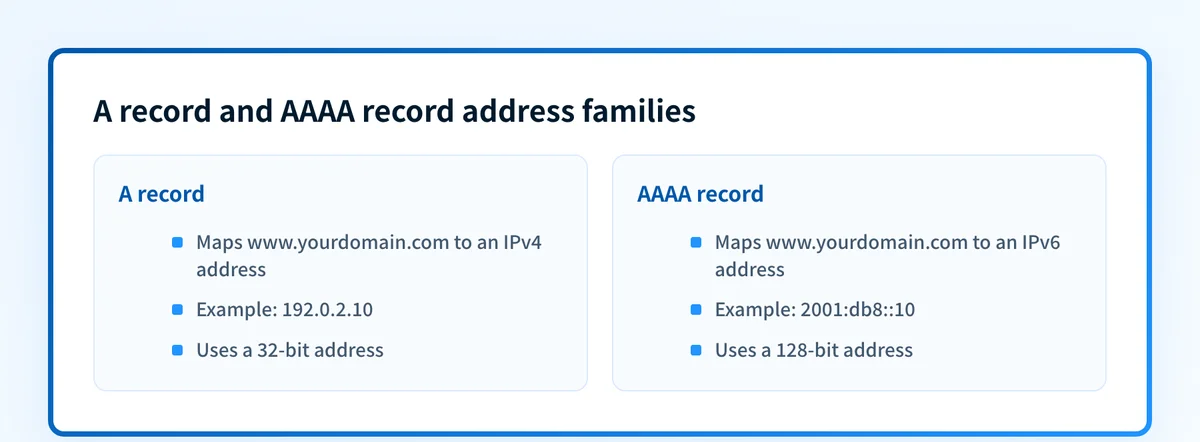
- An A record contains a 32-bit IPv4 address such as
192.0.2.10. - An AAAA record contains a 128-bit IPv6 address such as
2001:db8::10. - A hostname can publish both A and AAAA records at the same name.
- An AAAA record should only point to an IPv6 address that accepts the intended traffic.
- A and AAAA records are address records, not aliases, so they differ from a CNAME record.
- For email infrastructure, an MX hostname needs usable address records for the transport paths it advertises.
Who is affected?
The DNS specification defines an A record as an Internet address resource record that holds an IPv4 address. RFC 1035 defines the record type. RFC 3596 defines AAAA as the DNS record type for IPv6 addresses.
"AAAA" is commonly pronounced "quad-A." It does not mean that an AAAA record is an alias, a higher-priority record, or a replacement for every A record. It is a separate query type with a separate address format.
The scope is hostname-to-address mapping. These records do not configure mail authentication, decide which host receives mail, or prove that an application is listening on the resolved address. MX, TXT, PTR, SPF, DKIM, and DMARC records each have separate roles.
A hostname may have several A records, several AAAA records, or both types. That can support multiple reachable endpoints, provided each published address is correctly configured for the service.
For related DNS concepts, see Palisade's learning center, the explanation of CNAME versus A records, and the detailed guide to AAAA DNS records.
Affected senders
A hostname used for web, application, or mail infrastructure can publish A records, AAAA records, or both. For a mail receiving domain, begin with the hostname named in the MX record, which an MX lookup returns along with its preference order. That hostname then needs usable address resolution for the SMTP connection path.
What are the requirements?
An A record contains an IPv4 address
RFC 1035 defines the A record's RDATA as a 32-bit Internet address. IPv4 addresses are normally written as four decimal values separated by periods.
www.yourdomain.com. 300 IN A 192.0.2.10The example uses the documentation-only 192.0.2.0/24 address range. Do not publish the example value for a live service. Use the address assigned to the host, load balancer, or DNS provider configuration.
An A query asks DNS for IPv4 address data. A resolver can use the returned address only if the client has a working IPv4 path to it. DNS does not test the application, certificate, SMTP service, or firewall for the requester.
An AAAA record contains an IPv6 address
RFC 3596 defines the AAAA record type for IPv6 addresses. Its RDATA is a 128-bit IPv6 address, normally written in hexadecimal notation with colons.
www.yourdomain.com. 300 IN AAAA 2001:db8::10The 2001:db8::/32 range is reserved for documentation. Do not publish this illustrative value in production. Obtain the real IPv6 address from the system or provider that terminates the service.
An AAAA record is not a fallback record. It is a published assertion that the name is reachable through the listed IPv6 address for the intended service. If the address routes incorrectly, points to a retired host, or cannot accept the service traffic, clients that attempt IPv6 can fail even when the A record is correct.
The records can coexist at one hostname
DNS distinguishes records by owner name and record type. An A record and an AAAA record can therefore exist for the same hostname.
mail.yourdomain.com.  300  IN  A     192.0.2.25
mail.yourdomain.com.  300  IN  AAAA  2001:db8::25
This dual-stack pattern lets IPv4-capable clients use the A record and IPv6-capable clients use the AAAA record. It does not require every name in a zone to have both record types.
Do not confuse this with a CNAME. RFC 1034 states that if a CNAME resource record is present at a node, no other data should be present at that node. An address record can coexist with other appropriate records, but a hostname used as a CNAME target should be designed according to that rule.
When does the requirement take effect?
RFC 1035, published in November 1987, defines the DNS A record format. It remains the controlling RFC for that record type.
RFC 3596, published in October 2003, defines the AAAA record and replaces the IPv6 address record specification in RFC 1886. RFC 3596 is a Proposed Standard RFC, not a draft.
The record definitions do not have a provider enforcement date. A hosting provider, CDN, email platform, or application can have its own current interface and validation behavior. Check that provider's documentation before changing a production DNS zone.
How do I implement the requirement?
1. Identify the hostname's actual network endpoints
Start with the hostname that clients will connect to, such as www.yourdomain.com or mail.yourdomain.com.
Confirm whether the service has a working IPv4 address, IPv6 address, or both. Use the addresses provided by the host, load balancer, CDN, or mail infrastructure. Do not infer IPv6 support from an application setting alone.
For a mail receiving domain, begin with the hostname named in the MX record. RFC 5321 says an MX record's exchange value must be a domain name, not an IP address. That hostname then needs usable address resolution for the SMTP connection path.
2. Publish the A record for the IPv4 endpoint
Create or update the A record at the hostname with the production IPv4 address. Set the TTL according to the change window and the DNS provider's operating guidance.
If the hostname already has an A record, determine whether it represents a second active endpoint or an old address. Leaving an obsolete A record can send some clients to a host that no longer serves the application.
3. Publish the AAAA record only for a working IPv6 endpoint
Create the AAAA record if the hostname has a production-ready IPv6 endpoint. Confirm that routing, firewall rules, and the service itself accept IPv6 connections.
Do not add an AAAA record only because IPv6 looks desirable. A published but unreachable IPv6 address can create connection failures that an IPv4-only test does not reveal.
If the service does not support IPv6, leave the AAAA record absent. That is preferable to publishing an address that does not provide the expected service.
4. Keep address records aligned with infrastructure changes
When an endpoint moves, review A and AAAA records separately. A migration can update IPv4 while leaving an old IPv6 address in place, or the reverse.
If DNS is managed by a provider or infrastructure-as-code repository, make the address-family ownership clear. The operational question is not whether two records have similar names. It is whether both resolved addresses lead to the current service.
How do I validate compliance?
Validate DNS first. Query the exact hostname for both record types against the authoritative DNS service and at least one public resolver.
dig A mail.yourdomain.com
dig AAAA mail.yourdomain.com
The expected result depends on the design. A dual-stack hostname should return the intended IPv4 and IPv6 addresses. An IPv4-only hostname should return the intended A record and no unintended AAAA record.
Then validate the service over each published address family. For a web service, test a real HTTPS connection over IPv4 and IPv6. For a mail exchanger, test the SMTP path and the server identity on the relevant address family. A correct DNS response does not prove that an application accepts traffic.
For email, validate the vendor and message layers separately. Confirm the sending or receiving platform recognizes the intended hostname. Then inspect a real message from the exact production path, including its delivery behavior and authentication results where applicable. Once mail has flowed, DMARC aggregate reports can show which sending sources use the domain, but DMARC reporting does not validate a website's A or AAAA record.
A public DNS lookup tool can inspect the published A and AAAA answers before you change a service configuration. It cannot prove the production application's behavior, a mail receiver's private decision, future DNS state, or end-to-end delivery.
Inspect the published address records before changing mail infrastructure
Before changing an MX host, SMTP endpoint, or related DNS entry, inspect the hostname's published A and AAAA records. Compare the result with the addresses and service paths your provider says are active.
Inspect A and AAAA DNS records
A public lookup checks the DNS answers visible at the time of the query. It does not prove that every production mail source is configured correctly, identify later DNS drift, or control a mailbox provider's delivery decision. For ongoing DMARC work, Palisade is agentic DMARC software that analyzes aggregate-report data, identifies sending sources and authentication or alignment issues, and proposes prioritized remediation work for human review. It does not change the DMARC policy or guarantee delivery.
Evidence
Sources and further reading
Questions readers ask
Frequently asked questions
Is an AAAA record the same as an A record?
No. Both are DNS address records, but an A record returns an IPv4 address and an AAAA record returns an IPv6 address.
Do I need both A and AAAA records?
Only when the hostname has working IPv4 and IPv6 endpoints that should accept the service traffic. An IPv4-only hostname normally needs an A record but no AAAA record.
Can an A record and an AAAA record use the same hostname?
Yes. DNS distinguishes records by type, so the same hostname can publish an A record and an AAAA record. This is a common dual-stack configuration.
Does an AAAA record make a website or mail server use IPv6?
No. It publishes an IPv6 address in DNS. The network route, firewall, and application must also accept connections over IPv6.
Can an MX record point directly to an IPv4 or IPv6 address?
No. RFC 5321 requires the MX exchange value to be a domain name. That hostname can then resolve through A records, AAAA records, or both.
Does a DNS lookup prove email delivery will work?
No. It proves only the DNS answers returned at the time of the lookup. Validate the provider configuration, a real delivered message, and DMARC reporting separately when those layers apply.
Look up the published DNS answer before changing it
Enter your domain and record.

Written by
Dominic LandryDeliverability & DNS
Dominic Landry works on email deliverability and DNS configuration at Palisade, from SPF and DKIM records through to DMARC enforcement.
More from Dominic →