MXToolbox DMARC: how to interpret a public record lookup
 ChatGPT
 Claude
 Gemini
 Perplexity
 Grok
GrokIn brief
MXToolbox DMARC lookup results show a public DNS policy record, not message delivery. Learn how to interpret, verify, and retest them for your domain.
Choose MXToolbox when you need a point-in-time view of the DMARC record that public DNS returns for a domain. Choose a message header or DMARC aggregate reports when the question is whether a production message passed DMARC. An MXToolbox result can identify a missing, malformed, or unexpected policy record, but it cannot prove sender alignment, receiver delivery, or inbox placement.
At a glance
Quick takeaways
- An MXToolbox DMARC lookup checks the public DMARC policy record available for a submitted domain at lookup time.
- A valid-looking DNS record does not prove that a particular production message passed DMARC.
p=none,p=quarantine, andp=rejectexpress requested handling for mail that fails DMARC. They do not identify every legitimate sender.- A missing or malformed result is a DNS evidence problem first. Confirm the record owner and returned value before editing.
- Use a delivered message's authentication results for one-message diagnosis, then use aggregate reports to identify recurring sending sources.
- Retest the same domain after a confirmed DNS change, but keep DNS, vendor, message, and aggregate-report evidence separate.
Who this comparison is for
This comparison is for an IT administrator or email operator who has a domain name and an MXToolbox DMARC result, but needs to decide what that result means and what evidence to collect next.
The immediate job is narrow: interpret a public record lookup. It is not an inbox-placement test, an SMTP test, or proof that every application sending mail for the domain is authenticated. The DMARC learning hub covers the wider operating model. This page focuses on the decision between a named MXToolbox lookup and a second public record check.
Use the visible From domain for the sending stream under investigation. Do not submit a full email address, a URL, or an MX host to a DMARC lookup. DMARC policy discovery begins with DNS for the relevant domain under RFC 9989.
How the options were evaluated
The criteria below were checked against the cited public pages and captured public results on July 28, 2026.
- Input fit: whether the option accepts the public domain evidence the operator has.
- Evidence scope: whether the result establishes public DNS configuration or message-specific authentication behavior.
- Output usefulness: whether the result shows a returned DMARC policy and record-level diagnostics that support the next action.
- Time model: whether the result is a point-in-time lookup or recurring evidence collection.
- Boundary clarity: what the result does not prove about production messages, receiver decisions, or future DNS state.
example.com is an example only. It does not establish the state of another domain.
MXToolbox DMARC lookup
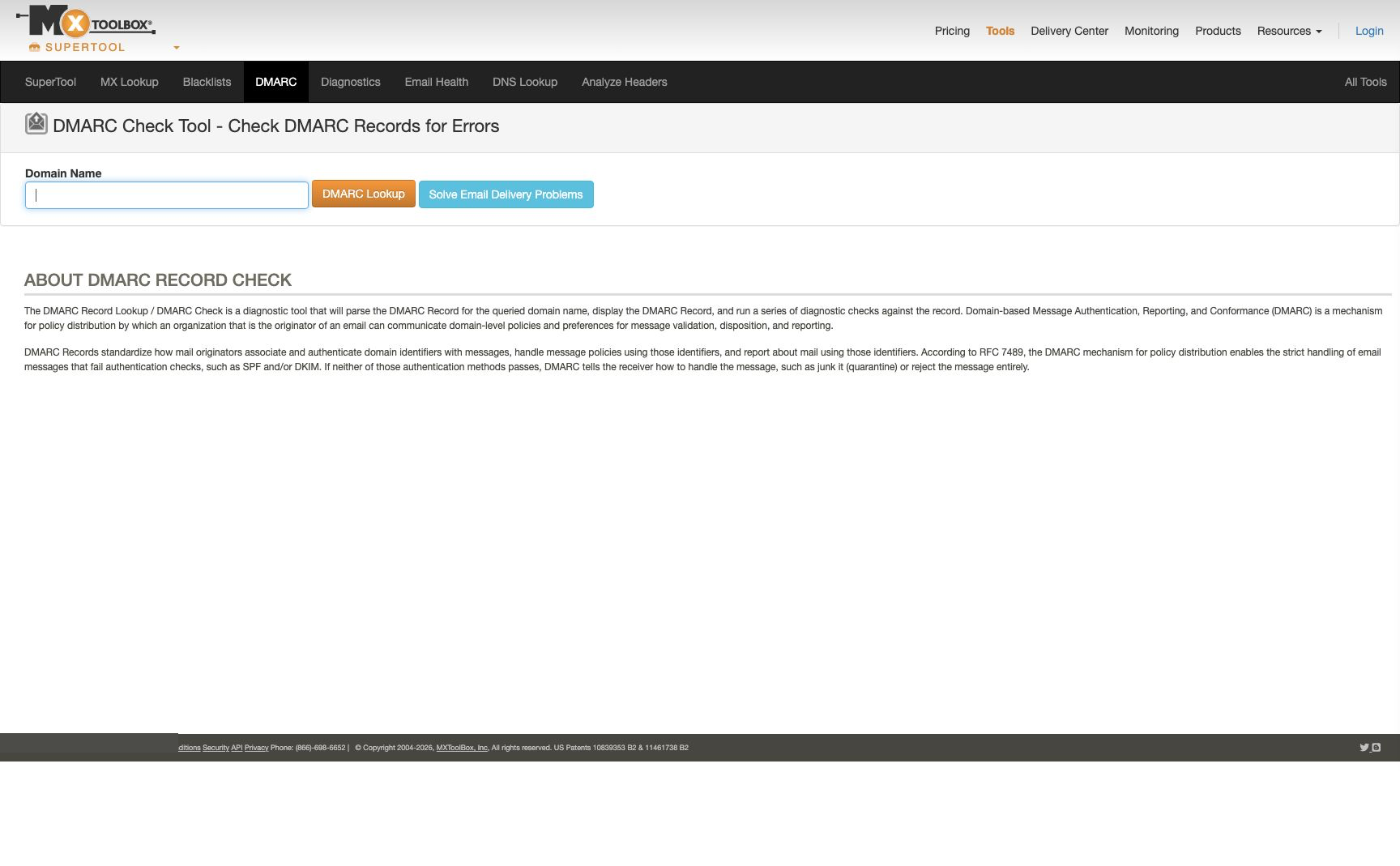
MXToolbox provides a public DMARC lookup page with a Domain Name field and a DMARC Lookup action. The result is useful when the question is what public DNS returns for a domain's DMARC policy record. For how MXToolbox and Palisade compare beyond a single lookup, see MXToolbox vs Palisade.
1. Enter the organizational domain
Enter the domain from the visible From address of the stream you are checking. The lookup asks what DMARC policy DNS publishes for that domain. It does not inspect an individual delivered message.
2. Record the returned policy and warning
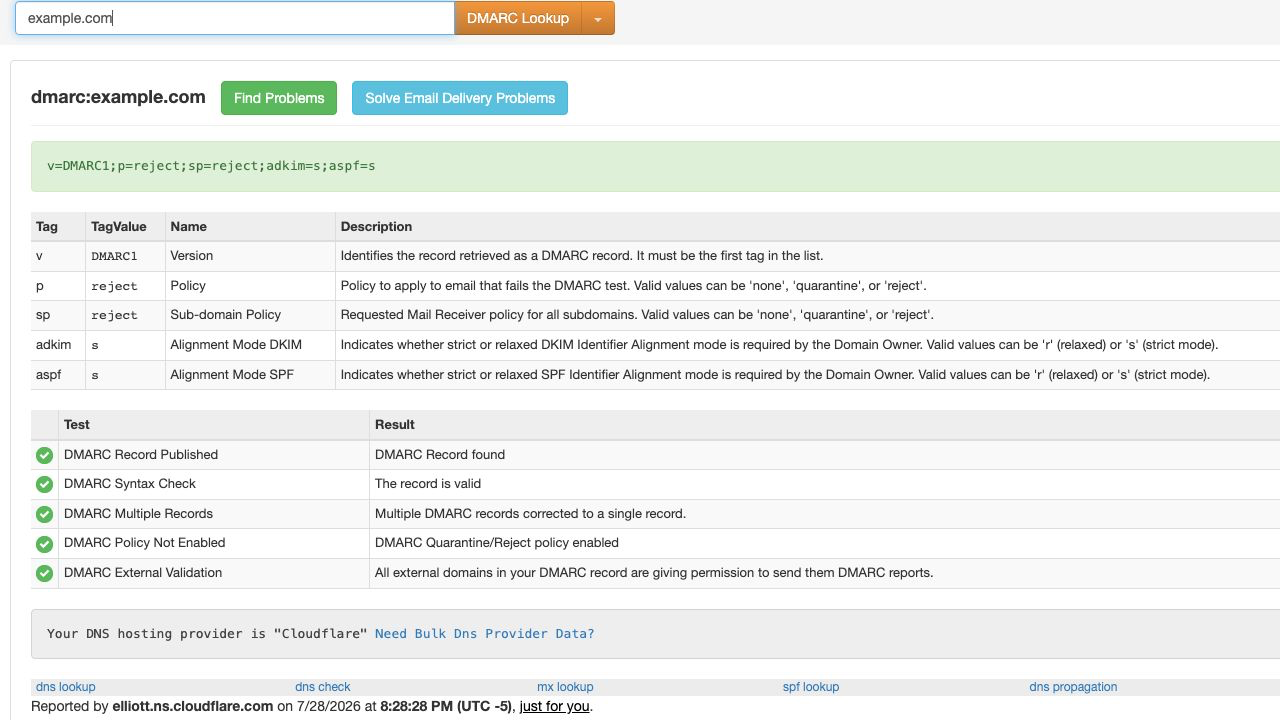
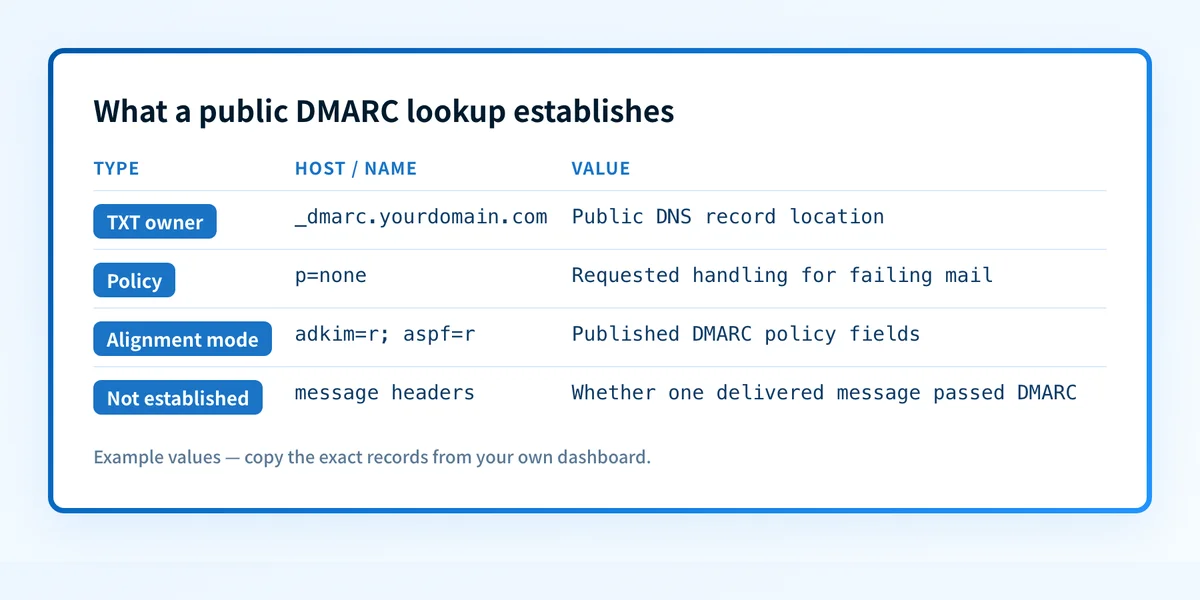
Record the lookup time, returned policy text, and any warning before making a DNS change. MXToolbox's public example.com result displayed a returned record, tag descriptions, and diagnostic checks when captured. That view is useful for separating the record itself from the tool's interpretation of record-level conditions.
- Best fit: An operator who needs a public DNS view of one domain's DMARC record and record-level warnings.
- Relevant evidence: MXToolbox documents the public lookup form, and its captured
example.comresult showed returned record details and diagnostic checks. - Tradeoff: The result cannot establish the SPF or DKIM outcome of a delivered message, alignment for a production sender, a receiver's private filtering decision, or future inbox placement.
Lookup input: yourdomain.com
Lookup time: YYYY-MM-DDTHH:MM:SSZ
Returned evidence: public DMARC record and record-level diagnostics
Question answered: what policy does public DNS return now?
Not established: message authentication, receiver delivery, or inbox placement
Palisade DMARC checker
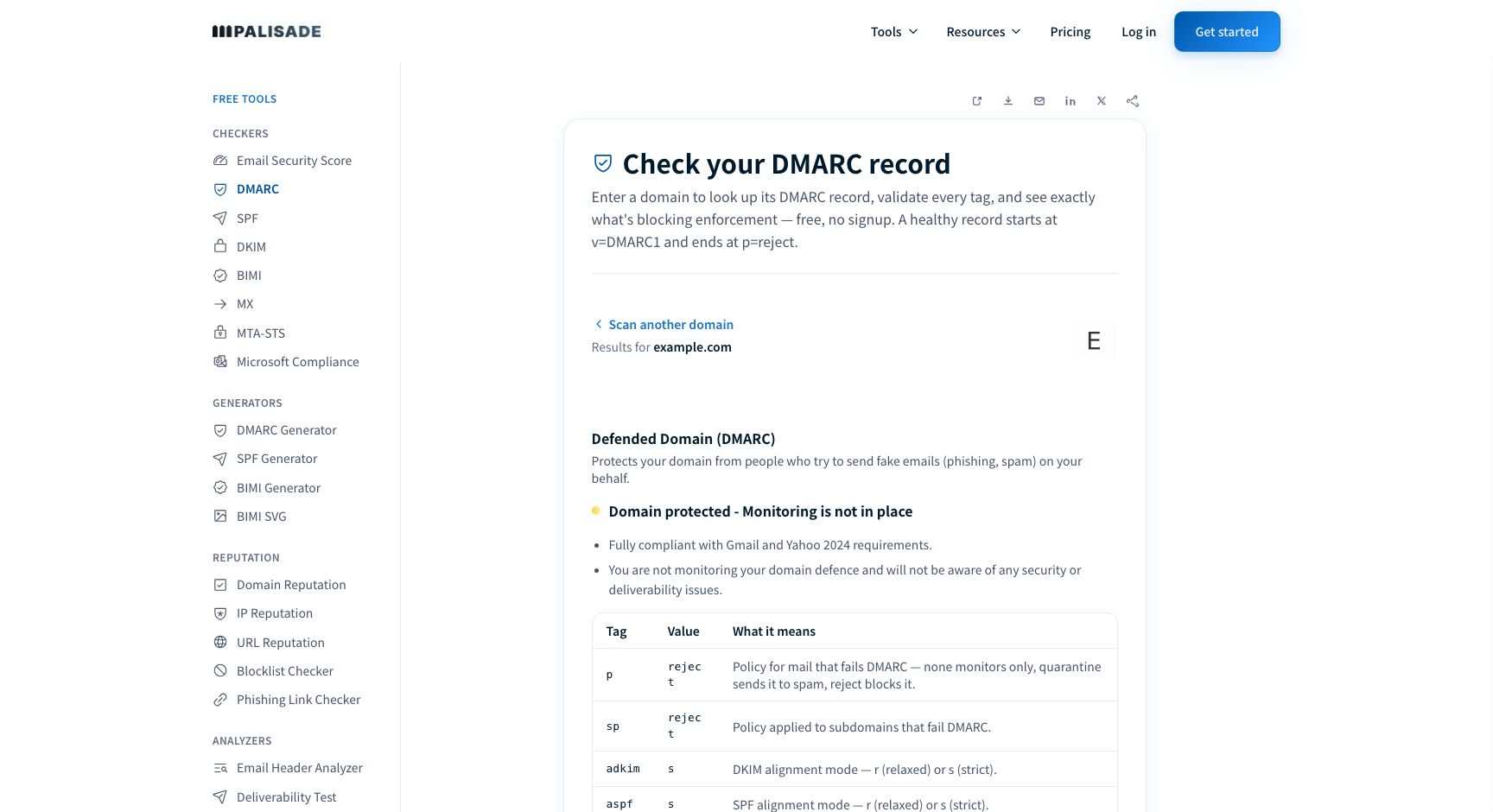
The Palisade DMARC checker is the closer alternative when you want to compare the same public domain through a second record checker. A public example.com check observed on July 28, 2026 returned a policy state and displayed DMARC fields including p, sp, adkim, and aspf.
- Best fit: An operator who already has a public domain and wants an independent view of the published DMARC policy fields before editing DNS.
- Relevant evidence: The checker accepts a domain and returns public DMARC policy information for the submitted domain.
- Tradeoff: It is also a point-in-time public DNS check. It does not prove that the exact production sending path uses aligned SPF or DKIM, and it does not control a receiving mailbox provider's delivery decision.
How to choose
Choose MXToolbox if its public result gives you the record and warning context you need. Choose the Palisade DMARC checker if you need a second public-domain lookup to compare the published policy before making a change. Neither choice replaces message evidence or reporting evidence.
Use the result to select the next action:
- No record found: Confirm that
yourdomain.comis the intended From domain and that the DNS zone is authoritative before publishing a record. The DMARC record generator can help create a structural record after you have confirmed the policy decision. - Syntax or multiple-record warning: Inspect the exact DNS owner and value. Correct only the smallest confirmed defect. Do not weaken policy to mask an unresolved sender problem.
p=none: Treat the result as a monitoring policy. Collect aggregate-report evidence before moving to stronger enforcement.p=quarantineorp=reject: Treat the result as a requested policy for mail that fails DMARC. Verify representative production messages and aggregate reports before assuming all legitimate sources are aligned.- A message-specific failure: Use the message's receiver-added authentication results and the sending service's configuration. A DNS record lookup cannot attribute the failure.
option: MXToolbox DMARC lookup
checked_on: 2026-07-28
best_fit: Public DNS record and record-level warning review
verified_evidence: Domain Name input, DMARC Lookup action, returned record details and diagnostics
open_question: Whether the lookup result corresponds to a specific production message
option: Palisade DMARC checker
checked_on: 2026-07-28
best_fit: Independent public-domain comparison of DMARC policy fields
verified_evidence: Submitted domain returns a public policy state and displayed DMARC fields
open_question: Whether a specific sender is aligned in production
Do not move top=quarantineorp=rejectbecause a public lookup looks clean. A green record-level result does not test every legitimate sender that uses the domain.
Compare the published record before editing DNS
Use the same domain in the Palisade DMARC checker when MXToolbox reports a missing, malformed, or unexpected policy. Compare the returned public policy with the record-level result already collected before editing DNS.
A record check cannot establish why a specific delivered message passed or failed, monitor future DNS changes, or guarantee inbox placement.
If the public record is valid but legitimate sources keep failing alignment, the remaining problem is recurring sender evidence. Palisade is agentic DMARC software that analyzes DMARC aggregate-report data, identifies sending sources and authentication or alignment issues, and creates prioritized remediation tickets for human review. It can propose the next policy step when the evidence supports it. Palisade does not change DNS without your approval, decide receiver delivery, or guarantee that future messages authenticate.
Evidence
Sources and further reading
Questions readers ask
Frequently asked questions
Does an MXToolbox DMARC lookup prove my email passes DMARC?
No. An MXToolbox DMARC lookup shows public DNS evidence for the submitted domain at lookup time. A receiver evaluates a delivered message using its SPF and DKIM results and identifier alignment with the visible From domain.
Does a p=reject result mean every sender using my domain is protected?
No. p=reject requests handling for messages that fail DMARC, but it does not prove that every legitimate sender has aligned SPF or DKIM. Check representative production messages and aggregate reports before relying on enforcement.
What should I do if MXToolbox says no DMARC record was found?
Confirm the visible From domain, DNS zone, and record owner first. After publishing a deliberate record, retest the same domain with a public lookup and then validate a representative delivered message through the actual sending path.
Can a public DMARC lookup explain why one message went to spam?
No. A public lookup cannot see the recipient's private filtering decision, the delivered message headers, or the sender configuration used for that message. Inspect receiver-added authentication results and the relevant provider evidence instead.
Should I use an MX lookup to troubleshoot a DMARC result?
Only when mail routing is also part of the incident. An MX records checker can inspect public MX records, but MX records do not establish a domain's DMARC policy or the alignment result of a delivered message.
Check the published MXToolbox DMARC record before changing policy
Enter your domain.

Written by
Taylor TabusaCo-Founder & Head of Business Development, Palisade
Taylor Tabusa is the co-founder and Head of Business Development at Palisade, helping managed service providers turn email security into a practical, valuable service.
More from Taylor →