Check the Spamhaus blacklist: identify and fix a listing
 ChatGPT
 Claude
 Gemini
 Perplexity
 Grok
GrokIn brief
Check the Spamhaus blacklist, identify the listed IP or domain, follow the correct remediation path, and validate a clean sending result safely.
To check the Spamhaus blacklist, submit the exact public IP address or domain named in the delivery failure to Spamhaus's IP and Domain Reputation Checker. Record the named blocklist, the resource owner, and the result time before fixing the documented cause and following the list-specific removal route. A clean result is a point-in-time signal from Spamhaus. It does not prove all reputation status, inbox placement, or a receiver's private filtering decision.
At a glance
Quick takeaways
- Spamhaus calls its datasets blocklists, although "blacklist" remains a common search term.
- Check the public egress IP or domain named in the rejection, not only the visible From domain.
- A ZEN result must be traced to its component list: SBL, CSS, XBL, or PBL.
- A PBL listing can describe an IP range's mail-sending policy rather than spam activity.
- The correct remediation owner may be your mail team, ISP, ESP, host, security team, or domain owner.
- Recheck the same resource, then test a new message through the same production sending path.
What this tool checks
The official Spamhaus IP and Domain Reputation Checker accepts public resources such as IP addresses and domains and returns the current Spamhaus result for the submitted resource. For a delivery incident, start with what the receiving server actually identified. If the rejection names an IP address, check the public IP that connected to the recipient. If it names a domain, check that domain.
The Checker cannot inspect SMTP logs, determine which service sent a particular message, access a receiving provider's private filters, or prove that the IP or domain entered is on the production path. A public lookup also does not continuously monitor the resource or guarantee future delivery. For broader context on recipient-side failures, use the email deliverability learning hub.
Keep a labelled evidence record before changing anything:
Spamhaus lookup evidence, illustrative only
Resource checked:        192.0.2.44
Resource type:           Public sending IP
Source/list:             Spamhaus Checker, CSS
Observed result:         Listed
Lookup time:             2026-08-12T16:00:00Z
Sending service or host: Example outbound relay
Mail-log or bounce fact: "550 5.7.1 [192.0.2.44] listed by Spamhaus"
Owner to confirm:        Mail operator or network provider
Use values from your own incident only. Do not copy another organization's IP address, domain, HELO name, PTR hostname, verification code, ticket reference, account email, or mail-log content.
This record separates observed evidence from conclusions. A listed result means Spamhaus reported that resource on the named list at lookup time. An unlisted result means that particular lookup did not report a Spamhaus issue then. Neither result proves the full reputation state of every sending path or recipient.

How to run the check
1. Preserve the rejection and map the sending path
Save the original delivery status notification or SMTP log before attempting a fix. Record the diagnostic text, time, sending application, relay, public egress IP, envelope sender, and visible From domain.
The public IP can belong to an ESP, cloud host, security gateway, or shared relay rather than your organization. Confirm ownership before changing mail settings or contacting Spamhaus. A generic SMTP 550 response does not establish that Spamhaus caused the failure.
2. Identify the exact IP or domain to submit
Use the connecting public IP when the rejection names an IP address. Use the named domain when the failure or Checker result identifies a domain. Spamhaus's DBL documentation explains that DBL can apply to domains used in message content, headers, the envelope sender, or HELO.
For shared infrastructure, identify the provider and account path first. Do not change DNS or mail routing for a provider-owned IP range unless the provider directs you to do so.
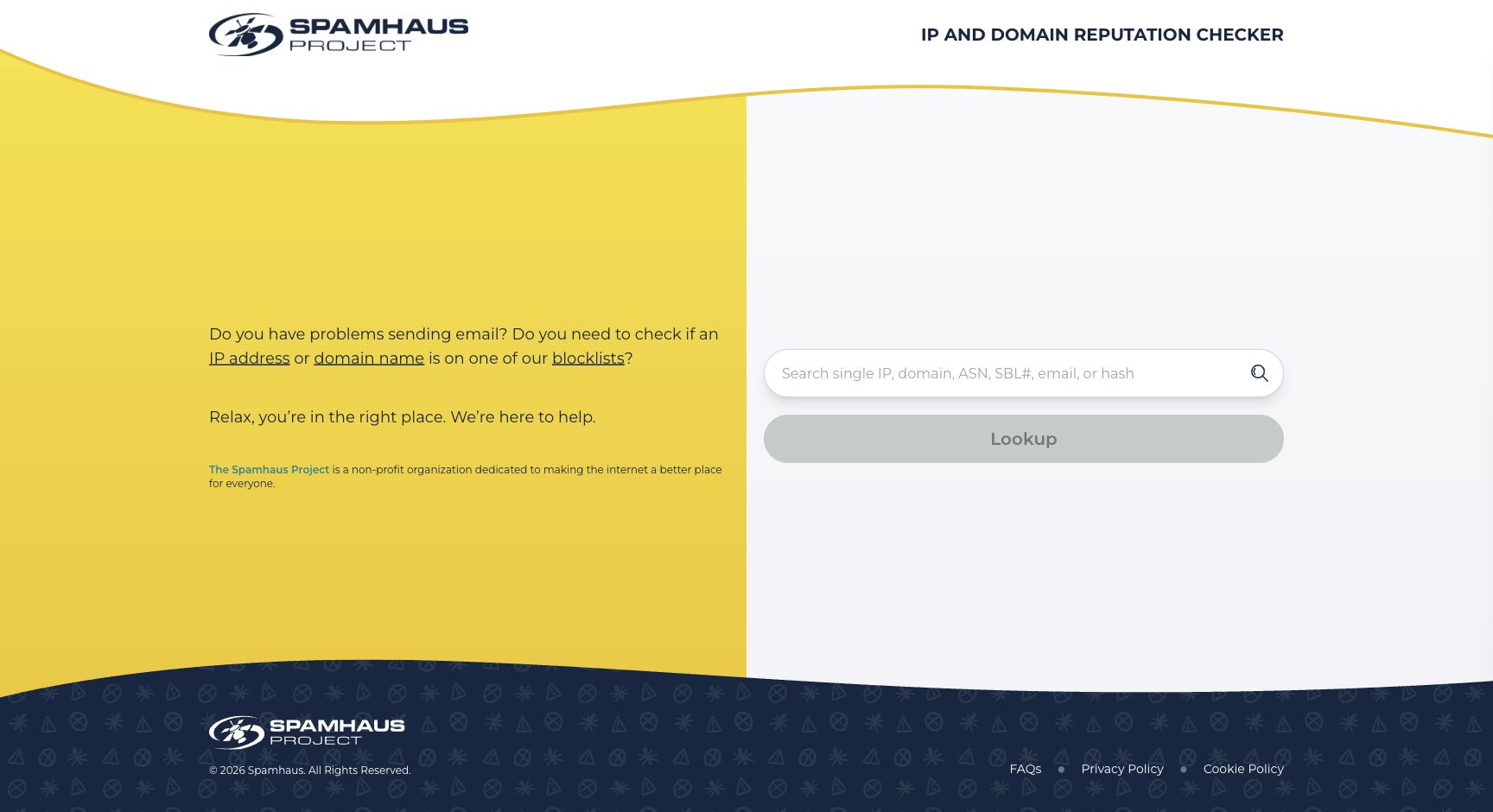
3. Run one lookup in the Spamhaus Checker
Open the Spamhaus IP and Domain Reputation Checker and enter one exact resource. Save the result page with the named list, explanatory text, and official next action.
4. Confirm public DNS evidence for an IP-list result
For an IP-list incident, query the reverse-IP form used by Spamhaus ZEN. This is a repeatable public lookup, but the Checker remains the place to obtain the list-specific explanation and remediation route.
dig +short 44.2.0.192.zen.spamhaus.org AThe command reverses the illustrative IP 192.0.2.44. Replace it with the public IP from your own mail evidence. Do not publish customer IP addresses unless your organization has approved that disclosure.
How to interpret the results
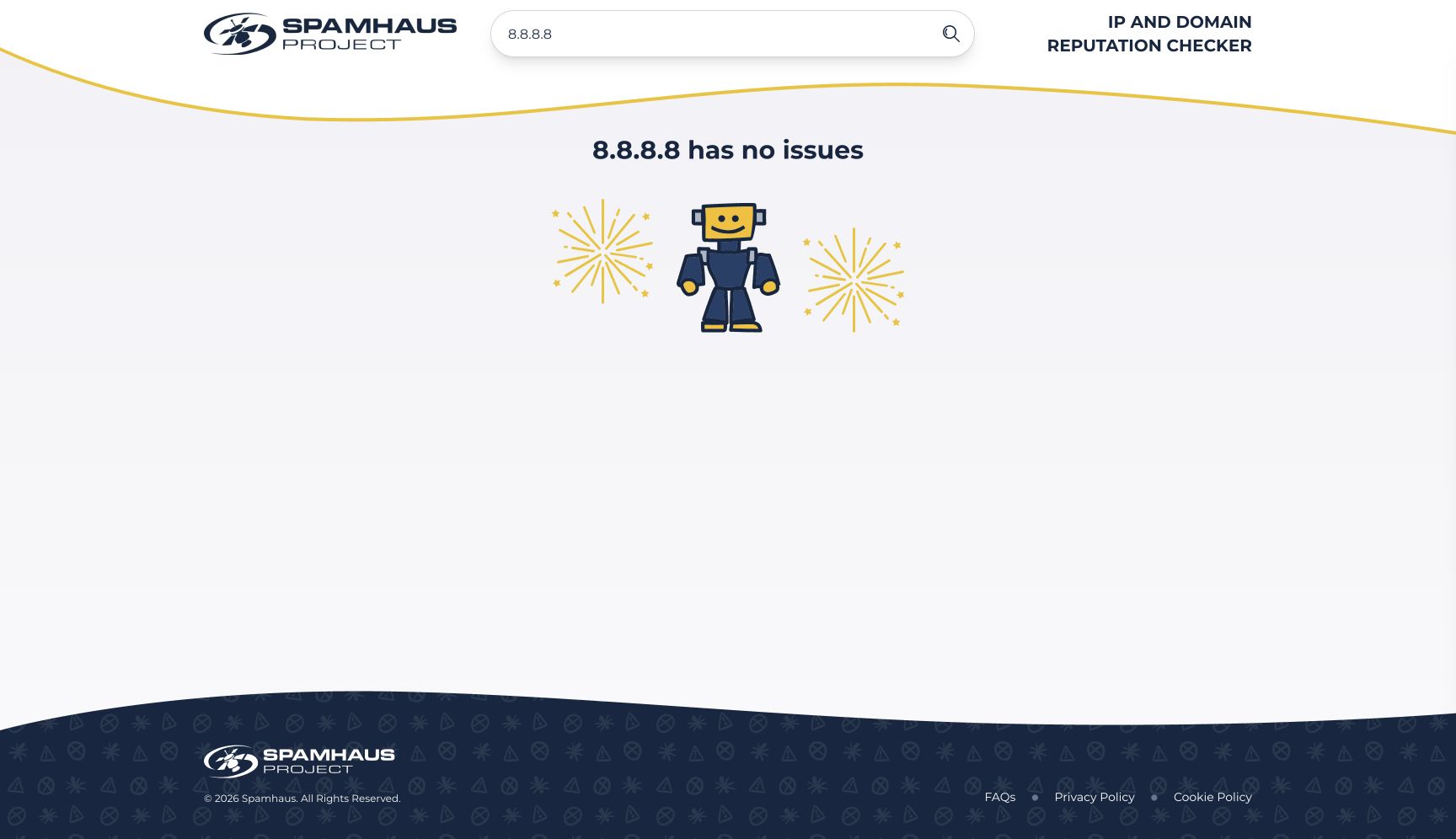
The Checker reports no issues
A clean result means Spamhaus did not report an issue for the submitted resource at that time. The public result below illustrates this state for 8.8.8.8. It does not establish the result for another IP, domain, or later lookup.
If the bounce continues, compare the exact rejection text with a new message sent through the same application, relay, public IP, and recipient path. The cause may be a different reputation source, a receiver policy, or a path mismatch. Inspect the recipient's available diagnostic evidence before concluding that Spamhaus cleared the incident.
The result identifies PBL
Spamhaus's Policy Blocklist documentation describes PBL as end-user IP ranges that should submit mail with authentication to an SMTP server that performs final delivery. Spamhaus states that a PBL-listed IP is not necessarily bad.
The usual repair is to send through the authorized authenticated relay for that range. A static outbound server may qualify for a single-IP exclusion only when it meets Spamhaus's applicable requirements. ISP ranges and wider provider changes belong to the range owner.
The result identifies CSS, SBL, or XBL
Spamhaus ZEN documentation states that ZEN combines SBL, CSS, XBL, and PBL. Treat the returned component list as the diagnosis route.
For CSS, use Spamhaus's Checker troubleshooting guidance. Its CSS workflow checks recent HELO, PTR, forward resolution, and whether those identities agree. Apply those checks to the affected IP only.
For SBL, the controlling ISP, ESP, or network owner must stop the abuse and submit the removal request. Spamhaus directs end users who do not control the listed resource to their system administrator, ISP, or ESP in its blocklist FAQ.
For XBL, the owner must close the exploit or proxy condition before using the official remediation path. A removal request does not repair a compromised host.
The result identifies DBL
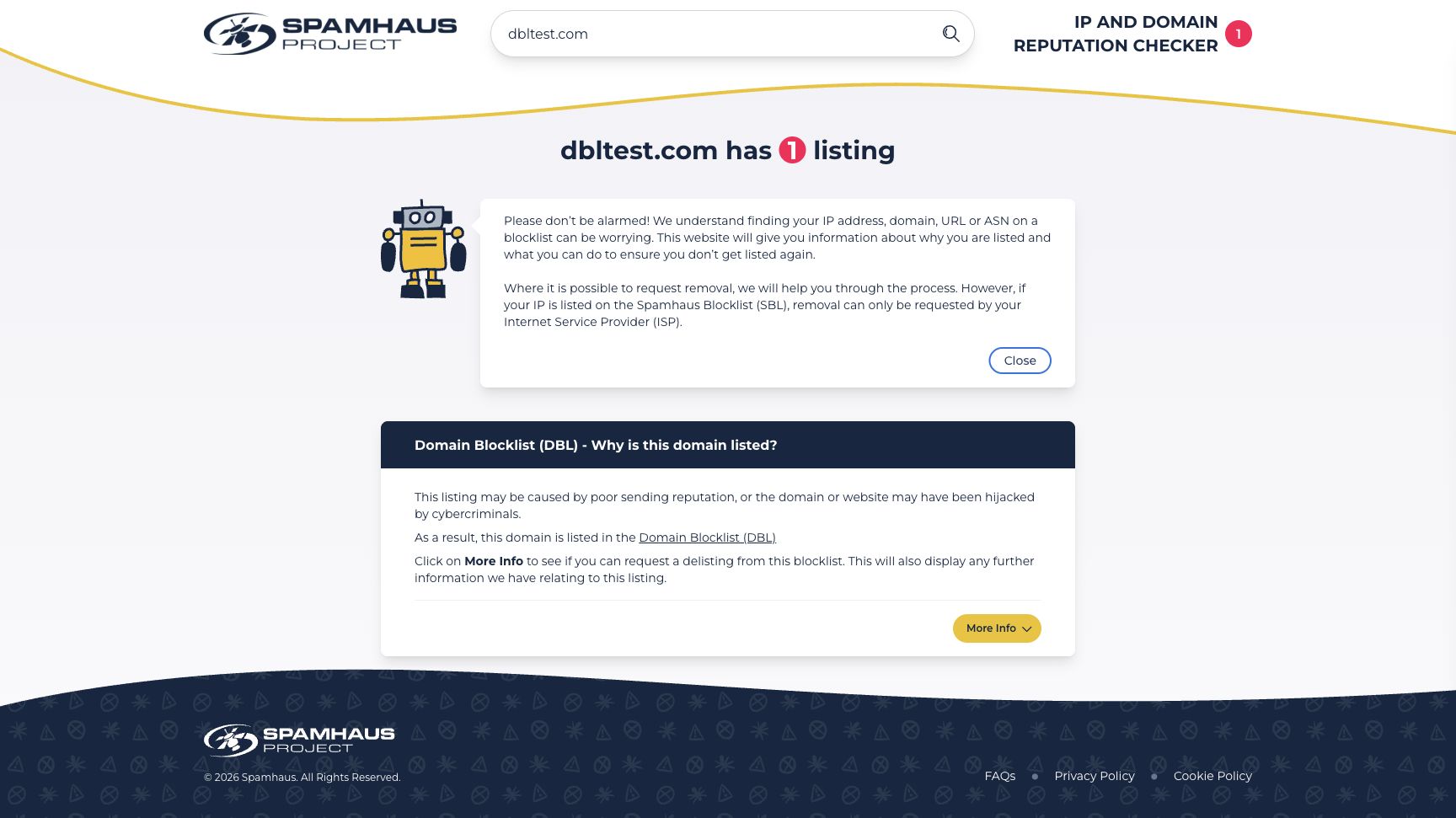
A DBL result concerns the submitted domain. It does not necessarily identify the IP that delivered the message. Investigate the domain-owner path: website content, redirects, DNS changes, account access, unexpected subdomains, and links in current campaigns.
The published dbltest.com result illustrates a DBL test result and an SBL ownership warning. It is not a diagnosis template for your own domain.
When this does not apply
This workflow applies when the official Spamhaus Checker names the submitted IP address or domain and identifies a Spamhaus result. It does not apply when a bounce names another blocklist, a receiver's private reputation rule, a mailbox policy, or an authentication error. Use the evidence source named in the rejection instead of treating every reputation problem as a Spamhaus listing.
Use a different path for a DBL result. Spamhaus describes DBL as a domain blocklist, so a clean sending IP does not clear a domain finding. Preserve the domain named by the Checker and investigate how that domain appears in message content, headers, the envelope sender, or HELO.
Check what a PBL result means before treating it as abuse. Spamhaus states that PBL-listed addresses are not necessarily bad. First determine whether the IP belongs to an end-user range that should submit through an authenticated relay. Do not treat that policy classification as proof that the host sent spam.
If the Checker reports no issue for the exact current resource, there is no Spamhaus removal action to submit from that result. Return to the rejection, confirm the production path, and investigate the provider or evidence source it actually names.
How to act on the result
A listed IP needs an owner-specific repair
Record the exact list and identify who controls the public IP. For an organization-owned server, repair the condition identified in the list guidance, then use the Checker route for verification, removal, or a ticket where Spamhaus offers it.
For a provider-owned or shared IP, open a support case with the provider. Include the exact IP, Spamhaus list, lookup time, complete bounce text, and the controlled sending-path evidence. Do not ask the provider to change DNS values that belong to another customer or tenant.
An unlisted IP with a continuing bounce needs message evidence
Run a new test through the same path. Preserve the receiver response and inspect the delivered message when one arrives. The receiver-added Authentication-Results field can show DMARC, SPF, and DKIM evaluation details, but it reflects that receiver's assessment under the rules described in RFC 8601.
Use the original recipient's provider dashboard or support channel when the rejection identifies a provider-specific policy. A Spamhaus lookup cannot access that private decision.
A domain listing needs domain-owner remediation
For DBL, remove the underlying abusive or compromised domain use and follow the official Checker instructions for the listed domain. Check the actual links, redirect targets, and domains used in the affected production message. Do not assume that fixing an IP-list issue clears a DBL result.
How to retest
Repeat the same Spamhaus Checker lookup after the responsible owner completes the documented remediation. For an IP incident, repeat the reverse-IP DNS check and record both timestamps separately.
Then send a fresh message through the exact application, relay, public egress IP, and recipient path that produced the incident. Confirm the new SMTP outcome and retain the raw evidence. After DMARC aggregate data has accumulated, review whether the production source remains visible and authenticated. DNS evidence, Spamhaus workflow state, delivered-message evidence, and DMARC aggregate reporting answer different questions. Use Palisade's DMARC checker to review authentication evidence for the sending domain.
Check the IP again after the Spamhaus removal
For an IP-list incident, run the affected public IP through Palisade's IP Reputation Check after the official Spamhaus Checker clears it, then compare that result with a fresh production-path test.
This public check cannot submit or speed up a Spamhaus removal, read a receiver's private reputation system, prove why one message was rejected, continuously monitor the IP, or guarantee delivery.
Evidence
Sources and further reading
Questions readers ask
Frequently asked questions
Does a clean Spamhaus result mean my email will reach the inbox?
No. It means Spamhaus did not report an issue for the submitted resource at the time of the lookup. A receiving provider can use other reputation signals, authentication results, content analysis, and private policy decisions.
Is a PBL listing proof that an IP sent spam?
No. Spamhaus documents PBL as a policy list for end-user IP ranges that should send through an authenticated mail server. Check whether the affected host should use an authorized relay before seeking an exclusion.
Should I request removal for an IP owned by my email provider?
Only the provider or network owner should handle remediation for a shared or provider-owned IP. Send the provider the exact list, IP, result time, and delivery evidence, then follow its documented escalation process.
What should I do when Spamhaus shows no issue but mail still bounces?
No Spamhaus remediation is indicated by that lookup alone. Check that you looked up the IP or domain named in the current rejection, then repeat the test through the same production path. Use the receiver's diagnostic text and provider-side evidence because a clean Spamhaus result does not reveal a private receiver policy.
Can a domain be listed even when the sending IP is clean?
Yes. Spamhaus DBL evaluates domains used in mail-related contexts, including message content, headers, the envelope sender, or HELO. Check the domain named by the result and follow the domain-specific remediation path.

Written by
Dominic LandryDeliverability & DNS
Dominic Landry works on email deliverability and DNS configuration at Palisade, from SPF and DKIM records through to DMARC enforcement.
More from Dominic →