Why Brevo does not provide SPF alignment by default
 ChatGPT
 Claude
 Gemini
 Perplexity
 Grok
GrokIn brief
Brevo SPF alignment is not default because standard domain setup uses Brevo's return path. Verify aligned DKIM, headers, and DMARC results now.

Brevo does not provide SPF alignment by default because its standard authenticated-domain setup can use Brevo's generic SPF and return-path infrastructure. SPF may therefore pass for a Brevo-controlled envelope domain rather than your visible From domain. That can still produce a DMARC pass when Brevo DKIM signs with, and aligns to, your domain. Use a branded subdomain only when Brevo makes that option available for your account and you specifically need aligned SPF.
At a glance
Quick takeaways
- SPF passing and SPF aligning with the visible From domain are separate checks.
- Brevo's ordinary domain-authentication flow does not require you to publish an SPF record.
- A Brevo message can pass DMARC through aligned DKIM when SPF is unaligned.
- SPF alignment depends on the SMTP envelope domain, also called the return path, rather than the visible From address alone.
- A green Brevo domain status is useful evidence, but a new delivered message proves which identifiers the production path actually used.
- Do not add or replace an SPF include until Brevo has supplied account-specific DNS instructions for the sending configuration.
Scope and prerequisites
Start with one affected Brevo sending path. Record the visible From domain, the Brevo account that sends the mail, the DNS zone owner, the person responsible for the change, and a test mailbox where you can inspect full message headers.
Brevo's domain setup guidance distinguishes its standard authenticated-domain flow from branded-subdomain setup. The standard flow can use Brevo infrastructure for SPF and the return path. The branded option moves those identities to a customer-controlled subdomain, but Brevo says availability is gradual.
You need access to the exact Brevo account and to authoritative DNS before publishing anything. Save the current DNS records before changing them. The rollback condition is clear: if a new Brevo configuration causes verification failure or a new production-path message loses its expected authentication result, restore the prior known-good Brevo setting and preserve existing DNS records until the mismatch is understood.
Brevo's ordinary authentication instructions use account-generated domain records and say SPF and MX records are not required for that normal flow. Brevo documents SPF and MX in dedicated-IP contexts instead. Follow the current Brevo domain-authentication instructions shown for the account you are configuring.
Choose the implementation approach
Use the delivered-message evidence to choose the next step.
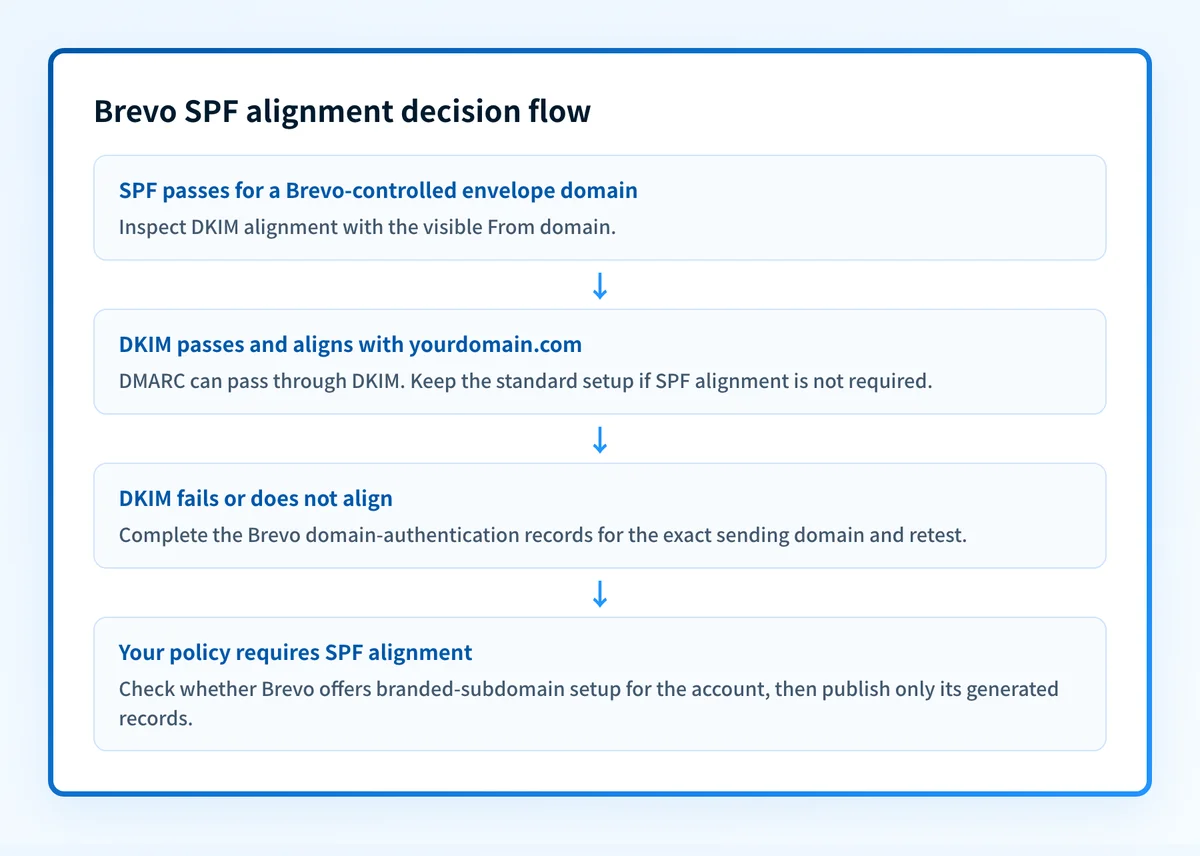
- Keep the standard Brevo configuration when DKIM passes, the DKIM
d=domain aligns with the visible From domain, and DMARC passes. SPF alignment is not required for DMARC in that case. - Complete Brevo's current domain-authentication flow when DKIM is absent, fails, or signs with a domain that does not align with the visible From domain.
- Use Brevo's branded-subdomain workflow only when it is available in the account and the organization needs SPF alignment for its own operational policy or message-authentication design.
- Investigate a dedicated-IP configuration through Brevo's dedicated-IP guidance. Do not apply those record requirements to an ordinary shared-infrastructure account by assumption.
How to configure Brevo domain authentication
1. Identify the exact From domain and sending path
Send a new test campaign or transactional message through the affected Brevo configuration. Use the same sender identity, template type, and production route that recipients use.
Do not use a message sent through a different platform as evidence for Brevo. A company can have several senders that all use the same visible From domain but authenticate differently.
2. Inspect the current Brevo domain setup
Open Brevo's current domain setup for the exact sender domain. Record whether it shows the normal authentication workflow, a branded-subdomain option, or a dedicated-IP-related setup.
Copy the owner names, record types, and values from the account only. DKIM selectors, CNAME targets, and tenant values are generated for the account. Do not copy an example from another organization, article, or old ticket.
3. Publish only the records Brevo generated
Brevo's normal authentication flow commonly requires the DNS records displayed for the account. The following is an illustrative structure, not a Brevo value to publish:
illustrative only
<selector>._domainkey.yourdomain.com CNAME <tenant-generated-target>
_dmarc.yourdomain.com TXT "v=DMARC1; p=none; rua=mailto:dmarc-reports@yourdomain.com"
Do not replace an existing DMARC record with this example. A domain has one DMARC policy record at _dmarc, and it may already contain a policy and reporting destinations that protect other sending systems.
If Brevo offers branded-subdomain setup, use the exact subdomain and records it generates. That configuration is provider-specific. It is not equivalent to adding a guessed include: mechanism to the visible From domain's SPF record.
4. Preserve existing SPF and DMARC records
SPF has one effective TXT policy per envelope domain. If Brevo explicitly instructs you to add an SPF mechanism for a dedicated-IP or branded setup, merge that instruction into the existing policy only after reviewing every current sender. Publishing a second independent v=spf1 record can cause SPF PermError.
Do not change aspf or adkim to strict alignment as a shortcut. Strict alignment changes the DMARC comparison rule. It does not make Brevo use a different envelope domain or repair a missing DKIM signature.
5. Activate Brevo verification and send a new message
Return to Brevo after public DNS answers with the records it generated. Complete its verification process, then send a new message through the same production path.
A message delivered before the DNS change cannot validate the new configuration. Keep the date, sender, visible From domain, and Brevo configuration name with the test evidence.
How to validate the setup
Validate the Brevo configuration at four separate layers.
- DNS: Query the authoritative DNS service and at least one public resolver for the exact Brevo-generated owner names. Confirm that the record type and target or value match the current Brevo account instructions.
- Vendor: Confirm Brevo reports the exact domain as authenticated or verified. This shows Brevo can see the required domain setup, not that every production message uses it.
- Message: Inspect a new received message from the affected Brevo path. Compare the visible From domain with the SPF-authenticated envelope domain and the DKIM
d=domain. Record the SPF, DKIM, and DMARC results. - DMARC: Review aggregate-report data after reports accumulate. Confirm the Brevo source passes through the intended aligned identifier over time.
sending_path: brevo-campaign-or-transactional-stream
from_domain: yourdomain.com
smtp_mailfrom_domain: observed-envelope-domain
spf_result: pass-or-fail
dkim_domain: observed-d-value
dkim_result: pass-or-fail
dmarc_result: pass-or-fail
alignment_method: spf-or-dkim
checked_at: UTC timestamp
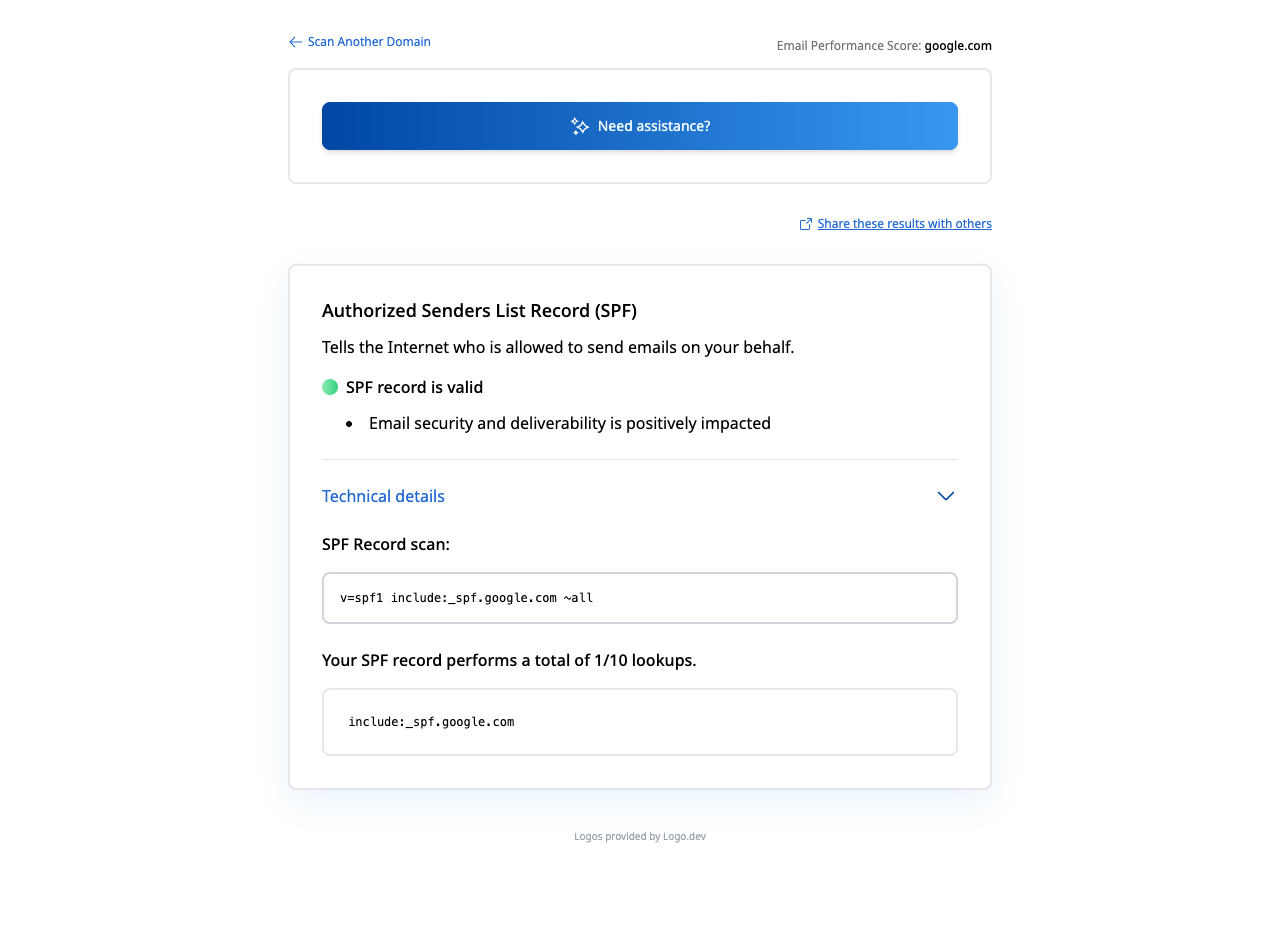
A public SPF lookup cannot supply the message-layer values. Use the Palisade SPF checker to inspect the published SPF policy for the domain you enter, then compare it with a real message header. The checker does not prove Brevo's active return path, a receiver's private delivery decision, or future inbox placement.
For context on a similar distinction between provider setup and DMARC alignment, see why Mailchimp DMARC alignment does not require adding Mailchimp to SPF. The Palisade learning center also has protocol guidance for SPF, DKIM, and DMARC operations.
Troubleshooting
Brevo shows the domain as authenticated, but SPF is unaligned
This can be expected with Brevo's standard infrastructure. Inspect the delivered message to determine whether DKIM passes and aligns with the visible From domain. If it does, DMARC can pass through DKIM.
If you require aligned SPF, check whether the Brevo account offers branded-subdomain setup. Do not treat an unaligned SPF pass as evidence that the standard configuration is broken.
DKIM passes, but DMARC fails
Compare the visible From domain with the DKIM d= domain. A valid DKIM signature does not supply a DMARC pass unless the signing domain aligns under the domain's current adkim mode.
Then check whether the message came from the Brevo stream you configured. A message from another ESP, CRM, or relay can have different signing behavior.
Brevo cannot verify the DNS records
Compare the exact owner name and record type against the current Brevo account screen. Check whether the DNS provider automatically appends yourdomain.com to a host field. A fully qualified name entered into a zone editor that appends the zone can create a duplicated name.
Query authoritative DNS before assuming propagation is the cause. Then check that no conflicting CNAME, TXT, or stale record exists at the same owner name.
SPF fails after an SPF change
Restore the prior SPF record if the change removed an existing authorized sender. Review all applications that send with the envelope domain before merging a provider instruction.
An SPF policy affects the envelope domain it is published for. Changing the visible From domain's SPF record does not change a Brevo message's generic return path.
Check the published SPF record, then close the ongoing gap
Use the SPF checker to inspect the public SPF record for the domain involved in the Brevo configuration. Compare that result with the delivered Brevo header before changing DNS.
A public record check cannot prove that Brevo is using the expected return path, repair DKIM alignment, or show how every sending source authenticates over time.
When Brevo is one of several senders and aggregate reports reveal recurring alignment exceptions, Palisade can analyze DMARC aggregate-report data, identify sending sources and authentication or alignment issues, and create prioritized remediation tickets. It proposes the next policy step from the evidence, while your team reviews the evidence and applies any DNS or DMARC policy change.
Palisade does not change the DMARC policy for you, control Brevo's return path, or guarantee delivery or inbox placement.
Evidence
Sources and further reading
Questions readers ask
Frequently asked questions
Does Brevo require an SPF record for ordinary domain authentication?
No. Brevo's ordinary domain-authentication guidance says SPF and MX records are not required for that flow. Brevo documents SPF and MX requirements in dedicated-IP setup contexts, so use the instructions shown for the specific account configuration.
Can Brevo messages pass DMARC when SPF is unaligned?
Yes. DMARC passes when either SPF or DKIM both passes and aligns with the visible From domain. A Brevo message with an unaligned SPF pass can still pass DMARC through an aligned DKIM signature.
Does adding Brevo to my SPF record create SPF alignment?
No. SPF alignment depends on the domain Brevo uses in the SMTP envelope sender and on its relationship to the visible From domain. Adding an include to a different domain does not change the envelope identity that Brevo uses.
Is branded-subdomain setup available to every Brevo account?
No. Brevo says its branded-subdomain domain setup is rolling out gradually. Check the current options in the affected Brevo account before planning DNS changes around that workflow.
Should I enable strict SPF alignment for Brevo?
Only after new delivered messages show that every legitimate sender using the domain has an exactly aligned SPF identity where strict alignment is required. Strict SPF alignment does not replace Brevo domain authentication or repair an unaligned return path.
Can an SPF checker prove that Brevo is configured correctly?
No. An SPF checker can inspect public DNS for the domain entered. It cannot prove Brevo account verification, the envelope domain used by a delivered Brevo message, DKIM signing, DMARC alignment, or a recipient's inbox decision.

Written by
Samuel ChenardCEO & Co-Founder, Palisade
Samuel Chenard is the CEO and co-founder of Palisade, agentic DMARC software for IT teams and MSPs, from one domain to thousands.
More from Samuel →