How do I get verified on Facebook step by step?
 ChatGPT
 Claude
 Gemini
 Perplexity
 Grok
GrokIn brief
Getting verified on Facebook can significantly boost your credibility and visibility.
Getting verified on Facebook can significantly boost your credibility and visibility. By following the step-by-step guide and implementing the tips provided, you can enhance your chances of obtaining the coveted blue checkmark badge. Embrace this opportunity to grow your business and enjoy the benefits of an authenticated Facebook presence.
Understanding Facebook Verification:
Facebook verification involves verifying your account or page to demonstrate its authenticity to other users. When an account or page is verified, it is marked with a blue checkmark badge, indicating that it represents the genuine presence of a public figure, notable organization, or brand. Verifying your account helps establish trust and credibility with your audience.
Types of Facebook Accounts Eligible for Verification:
Facebook offers verification for two types of accounts: profiles and Pages. Profiles represent individual users, while Pages are created for businesses, organizations, and public figures. Verifying your profile or Page is crucial for building your personal or brand reputation on Facebook.
Benefits of Verifying Your Facebook Page:
Verifying your Facebook page offers several advantages. It enhances your brand's credibility and ensures that your page appears higher in search results, making it easier for potential customers to find you. Additionally, verified pages gain access to additional features and insights that can help you better understand and engage with your audience.
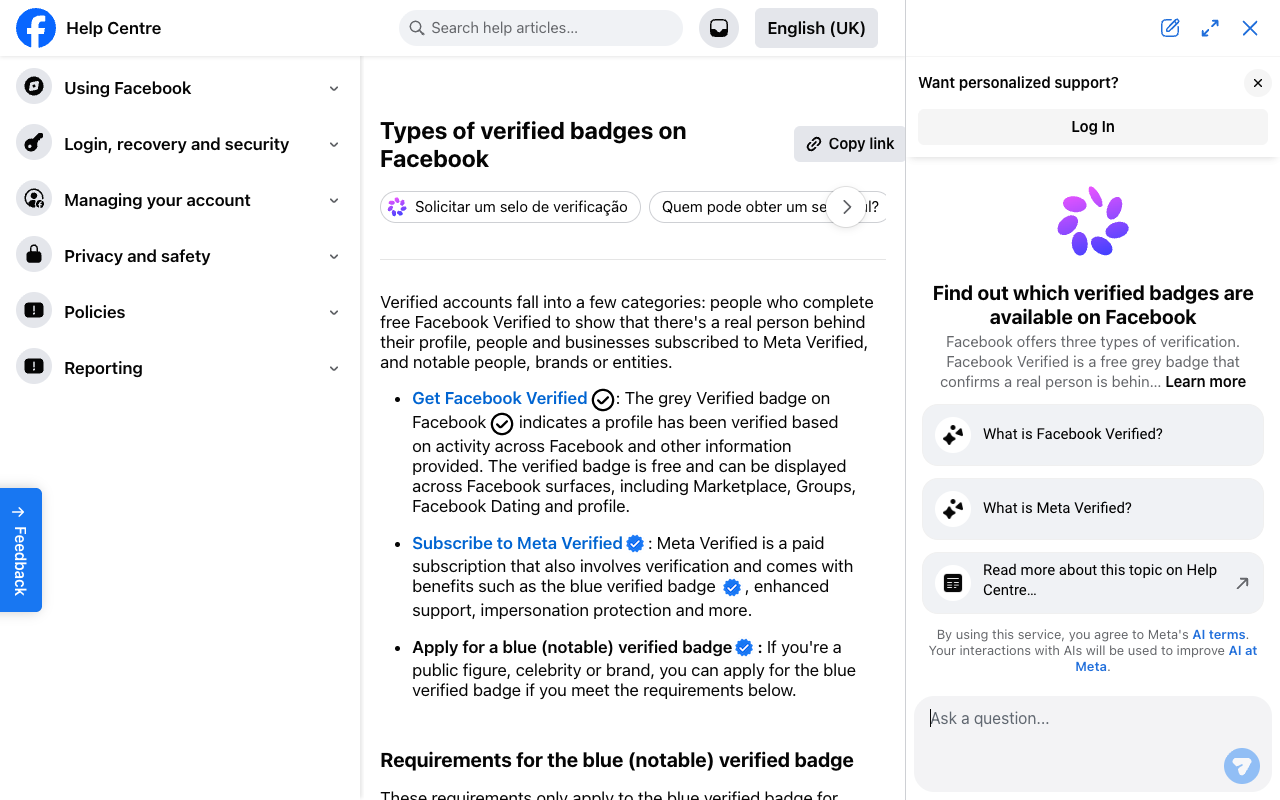
How to Get Verified on Facebook:
Step 1: Choose the Account Type:
Decide whether you want to verify a Facebook profile or a Facebook Page. When logged in, the verification form will automatically display the eligible pages for which you can submit an application. For profile verification, you only need the profile's URL to get started. Choose the account type that aligns with your goals and objectives.
Step 2: Confirm Your Authenticity:
During the verification process, you'll need to provide identification to prove that you are who you claim to be. Acceptable forms of identification include a driver's license, passport, national identification card, tax filing, recent utility bill, or articles of incorporation. Make sure to have a digitized version of your proof of identity to attach to the form.
Step 3: Confirm Your Notability:
Demonstrate the notability of your account to increase your chances of verification. Provide basic information such as the category your account falls under and the country or region where it is most popular. You can also fill in optional fields such as audience demographics and alternative names if applicable. Additionally, provide up to five links to independent articles or social media accounts that showcase your notoriety. Paid or promotional content will not be considered.
Step 4: Wait for Review:
After submitting your application, Facebook will review it and either confirm or deny your request. The review process typically takes anywhere from 48 hours to 45 days. Be patient during this period and ensure that you've provided accurate and relevant information to support your verification request.
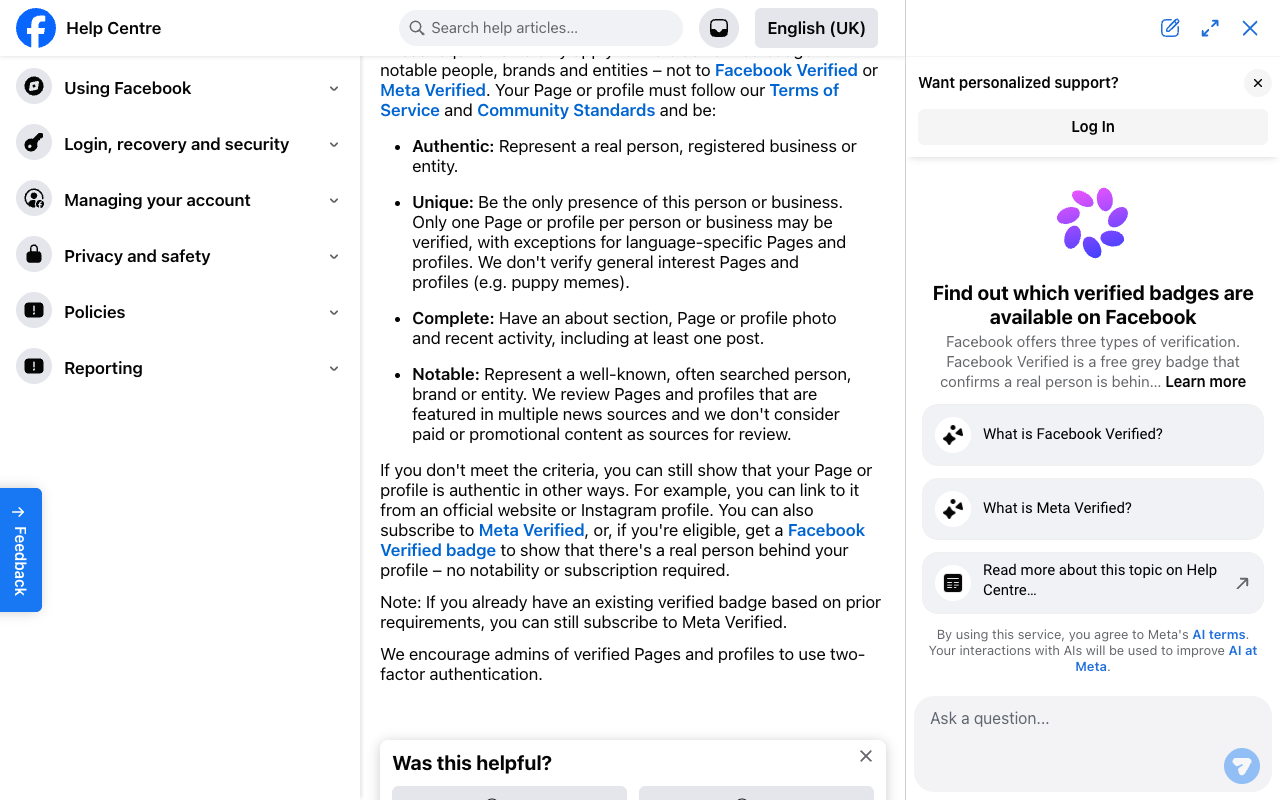
Six Tips to Increase Your Chances of Verification:
- Maintain a Professional Image:
- Ensure that your Facebook Page aligns with your brand's image and presents a professional appearance. Remove any off-brand logos, personal posts, low-quality images, or content that detracts from your credibility.- - Keep Company Information Up to Date:
- Regularly update your business information, including your website, email address, description, and bio. Facebook will review and validate this information before granting verification.- - Provide Detailed Information:
- Fill out all applicable details in your Page's About section, including addresses (for multiple locations), phone numbers, mission statement, other social channel handles, and a company overview. The more comprehensive your information, the better your chances of verification.- - Link to Official Properties:
- Include up-to-date links to your business' official website on your Facebook Page, and ensure that your website links back to your Facebook Page. This cross-linking helps establish your online presence as legitimate and trustworthy.- - Create a Facebook Business Page:
- For businesses, it is crucial to create a Facebook Business Page. This free page serves as a platform for verification and allows you to present your brand as more authentic, unique, and notable. A Facebook Business Page provides additional features and insights to help you grow your audience.- - Cultivate a Strong Community:
- Having a large and engaged community of followers is an effective way to demonstrate notoriety on Facebook. Implement strategies to increase engagement, such as curating user-generated content and utilizing Facebook analytics tools to understand your audience better. Building an active community can enhance your chances of verification.-
Maintaining Your Verified Status on Facebook:
- Respect Community Standards:
- Familiarize yourself with Facebook's Community Standards and ensure compliance. Regardless of verification, all accounts must adhere to these rules, including those related to harassment, illegal content, intellectual property, and privacy. Upholding these standards will help you retain your verified status.- - Use Two-Factor Authentication:
- Protect your verified Facebook account by enabling two-factor authentication. This extra layer of security ensures that only authorized individuals can access your account, preventing unauthorized changes or misuse.- - Develop a Facebook Marketing Strategy:
- Having a verified presence on Facebook recognizes your notoriety, but it is essential to stay relevant on the platform. Implement effective Facebook marketing practices that help you connect with your audience and maintain your credibility. Regularly engage with your followers, share valuable content, and leverage Facebook's advertising tools to reach a wider audience.-
Key Takeaways:
- Verification on Facebook enhances credibility and visibility.
- Choose the appropriate account type for verification: profile or Page.
- Confirm your authenticity by providing valid identification.
- Demonstrate the notability of your account through relevant information and independent sources.
- Follow the tips to increase your chances of verification.
- Maintain your verified status by respecting community standards and implementing security measures.
- Develop a comprehensive Facebook marketing strategy to engage with your audience and maintain credibility.
Take the first step towards getting verified by filling out our quick 2-minute questionnaire. Just click the link below to get started:
Fill out the questionnaire now
Let GetVerified.Email guide you through the process and increase your chances of obtaining that coveted blue checkmark badge. Don't miss out on the opportunity to boost your credibility and visibility on Facebook.
Evidence
Sources and further reading
- Facebook Help Centre: Types of verified badges on Facebook - Meta's own description of the badge and who can get one
Related reading

Written by
Samuel ChenardCEO & Co-Founder, Palisade
Samuel Chenard is the CEO and co-founder of Palisade, agentic DMARC software for IT teams and MSPs, from one domain to thousands.
More from Samuel →