SMTP error code · temporary failure (4xx)
SMTP error 451 4.3.0: temporary server error, message deferred

By Samuel Chenard · CEO & Co-Founder, Palisade · Reviewed September 20, 2026
451 4.3.0 is a temporary rejection: the receiving mail server hit a local problem (an overloaded queue, a failed lookup, or deliberate greylisting) and asked your server to try again later. Nothing is wrong with the message itself. Properly configured senders retry automatically, and most deferrals clear within minutes to a few hours.
451 4.3.0 at a glance | |
|---|---|
| Code | 451 4.3.0 |
| Class | Temporary (4xx): the message is deferred and the sender retries |
| Category | Mail system |
| Side at fault | Recipient |
| Auth-related | No |
What the bounce actually says
The exact wording varies by provider. These are the documented strings, verbatim. Match yours to pin down which variant you hit.
Gmail (Google Workspace): temporary rejection
451 4.3.0 Email server has temporarily rejected this message.Source: knowledge.workspace.google.com
Postfix (receiving server can't store the message)
451 Error: queue file write errorSource: www.postfix.org
Exim: captured in a deferral log on the exim.org list archive, 2003
451 Temporary local problem - please try laterSource: lists.exim.org
Gmail (Google Workspace): multiple destination domains
451 4.3.0 Multiple destination domains per transaction is unsupported. Please try again.Source: knowledge.workspace.google.com
RFC 5321: the standard's meaning of reply code 451
451 Requested action aborted: local error in processingSource: www.rfc-editor.org
Why you're seeing 451 4.3.0
In the SMTP standard, reply code 451 means the requested action was aborted by a local error in processing, and enhanced status 4.3.0 means "other or undefined mail system status": a problem on the receiving system that it isn't going to explain. That vagueness is the point. Mail servers return 451 4.3.0 for a full disk, a queue they can't write to, a content filter or DNS lookup that timed out mid-transaction, and for deliberate greylisting that wants to look like a random hiccup. Because it's a 4xx code, your server keeps the message queued and retries on its own schedule, usually for four to five days before giving up. Most 451 4.3.0 deferrals are gone on the first or second retry without anyone touching anything.
Likely causes, ranked
| Likely cause | What's happening |
|---|---|
| Greylisting on the receiving server | The receiver deliberately defers the first message from an unfamiliar combination of sending IP, sender address, and recipient, betting that real mail servers retry and spam cannons don't. Your retry a few minutes later is accepted, and future mail from the same triplet passes straight through. Many greylisters hide behind a generic 451 so senders can't tell it apart from a real fault. |
| The receiving server can't write your message to its queue | Postfix's classic Error: queue file write error: the disk is full, the mail spool has wrong permissions, or the content-filter proxy the message must pass through stopped answering. The server refuses to accept mail it can't safely store, so it defers instead. |
| A content filter or milter on the receiving side timed out | Inbound mail often passes through antivirus and antispam daemons (amavis, clamd, rspamd) before the MTA accepts it. When one of those hangs or restarts, the MTA returns a temporary local error rather than accept mail unscanned. |
| A DNS or directory lookup failed mid-transaction | The receiving server couldn't resolve something it needs (the sender's domain, an alias table, an LDAP recipient lookup) before the end of the SMTP transaction (Temporary lookup failure in Postfix logs). Resolver trouble on their side turns every inbound message into a deferral until it clears. |
| Gmail: internal hiccup, or multiple destination domains in one transaction | Google documents two 451 4.3.0 variants: a plain temporary rejection that clears on retry, and a rejection for addressing recipients in more than one domain within a single SMTP transaction: a sender-side batching choice, and the one variant of this code you can actually fix. |
| Reputation throttling dressed up as a generic deferral | Some providers slow down senders showing unusual traffic patterns by deferring their mail rather than refusing it outright. If 451 deferrals cluster around one large send or one provider and retries take hours to land, treat it as a reputation signal, not a server fault. |
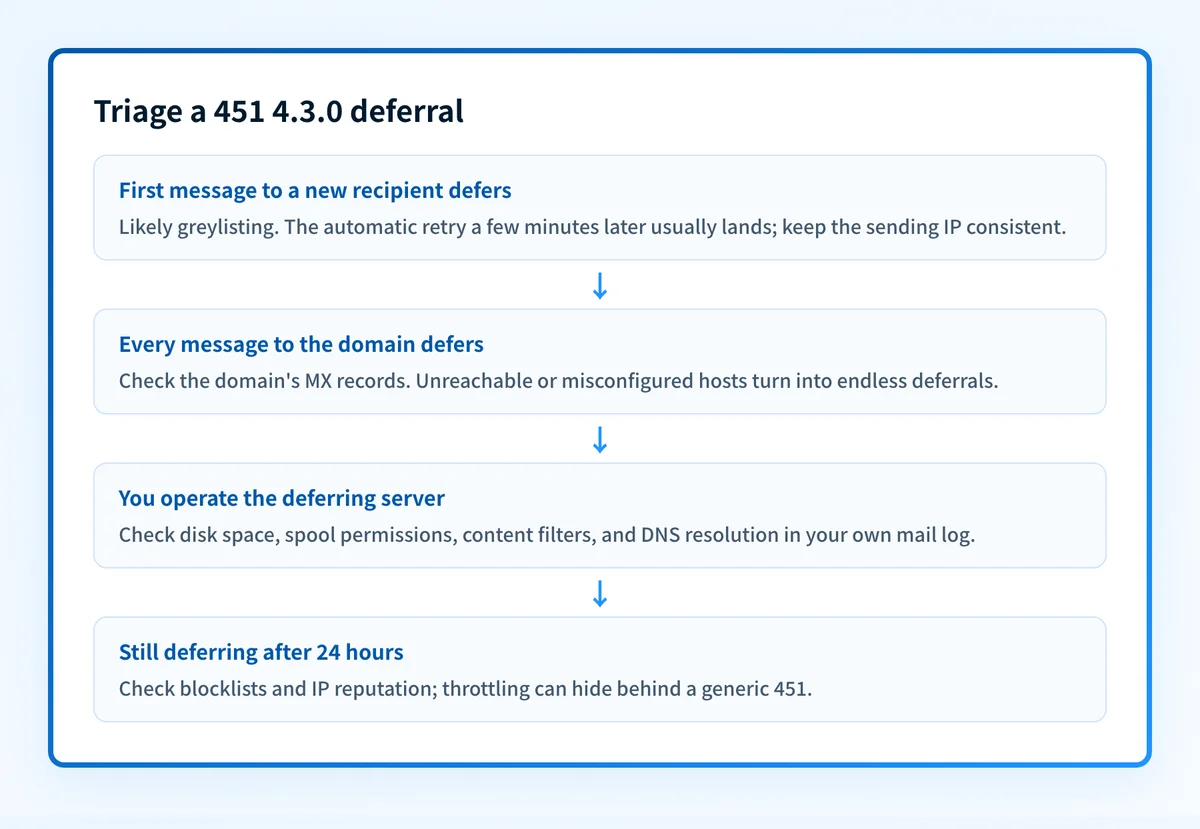
How to fix 451 4.3.0
Check the recipient domain's mail route first
Run the domain you were sending to through the free MX checker below. It shows whether the domain's mail servers resolve and answer. A domain whose MX hosts are unreachable or misconfigured turns into endless
451deferrals. If you're the admin whose server is returning this code to inbound senders, run your own domain instead.Run the check now
Enter the domain from the step above and the check runs instantly on the next page. Free, no signup.
Let the automatic retry do its job
451means deferred, not bounced: your server has the message queued and retries on a rising schedule that it sets, not the receiver. Postfix waits 300 seconds before the first retry (minimal_backoff_time), stretches the gap to a ceiling of 4000 seconds, and gives up after 5 days (maximal_queue_lifetime); other MTAs use their own intervals but the same escalating shape. For greylisting and momentary faults the first retry lands and no action is needed. Most451 4.3.0deferrals end here.Sources: Postfix: postconf(5) retry and queue-lifetime defaults
If it's greylisting, keep the sending IP consistent
Greylisting tracks the combination of sending IP, sender address, and recipient. Platforms that rotate sending IPs restart the greylist clock on every attempt, so a retry from a new IP defers again. Retry from the same IP and the triplet clears on the first attempt after the greylister's hold expires, which is typically 5 to 15 minutes.
Hitting Gmail's multiple-destination-domains variant? Split the send
Google defers transactions that address recipients in more than one domain. Configure your application or relay to open one SMTP transaction per destination domain (most modern MTAs and sending libraries already do) and this variant disappears.
If you operate the deferring server, read your own mail log
Find the deferral in the log and check the classics in order: disk space and spool permissions (
queue file write error), a hung content filter or milter, and failing DNS resolution (Temporary lookup failure). Freeing the disk or restarting the filter clears the backlog immediately.If deferrals persist past a day, check reputation
A
451that never clears for one provider can be throttling in disguise. Check your sending IP and domain with the free blocklist checker and the IP reputation tool. If a single recipient domain keeps deferring, contact its postmaster from another address.
Related free tools: DNS lookup · Blocklist checker · IP reputation
Questions readers ask