How do I set up DMARC in GoDaddy?
 ChatGPT
 Claude
 Gemini
 Perplexity
 Grok
Grok

To set up DMARC in GoDaddy, confirm GoDaddy hosts the authoritative DNS zone, choose a reporting mailbox, then open Domain Portfolio > your domain > DNS and add one TXT record named _dmarc. Start with an account-specific monitoring policy, not a copied record or an enforcement policy. Saving the record only proves it is published. Before moving beyond monitoring, check public DNS, a real message's authentication results, and DMARC aggregate reports.
At a glance
Quick takeaways
- GoDaddy is the DNS interface in this workflow. Your mail provider controls SPF, DKIM, and the messages it sends.
- GoDaddy documents the TXT path as Domain Portfolio, an individual domain, DNS, then Add New Record and TXT.
- Publish only one DMARC TXT record at
_dmarcfor the domain you are protecting. - Use a reporting mailbox you control, then review aggregate reports before choosing
p=quarantineorp=reject. - A public record check and a saved GoDaddy record do not prove that every sender passes DMARC.
What should I check before configuring GoDaddy?
First, identify every service that sends with the visible From domain: employee mail, marketing platforms, transactional systems, support tools, and any subdomains that send mail. DMARC evaluates whether a passing SPF or DKIM identity aligns with the visible From domain, so a record cannot compensate for an unknown or incorrectly authenticated sender. RFC 9989's domain-owner guidance calls for aligned SPF and DKIM identifiers and aggregate-report monitoring.
Confirm that the domain uses GoDaddy nameservers or that GoDaddy is otherwise authoritative for the DNS zone. GoDaddy's TXT-record instructions apply to the DNS record interface, not to a third-party DNS host. If another provider answers DNS for the domain, make the change there instead.
Copy values from the domain and reporting destination you are configuring. Do not publish a record, reporting address, token, selector, or hostname from another account or an online example.
Which setup method should I use?
Use this guide when GoDaddy is the place where you publish DNS. The sender may be GoDaddy hosting email, Microsoft 365, Google Workspace, an ESP, or several services. That distinction matters because GoDaddy can save a DMARC TXT record, but it does not make those services sign mail or align their identities.
If the domain is new to DMARC, start in monitoring mode with a reporting destination you can actually read. The protocol's current guidance says domain owners commonly begin with p=none after SPF, DKIM, and an aggregate-report mailbox are in place. Use the provider-neutral DMARC record rollout guide to decide the policy after you have sender evidence. Do not replace an existing DMARC record: a domain needs one policy record, so review and amend the current one deliberately.
How do I set up DMARC in GoDaddy?
1. Prepare the reporting destination and sender inventory
Create or designate a mailbox or reporting service address that can receive DMARC aggregate reports. List the services that send as the exact From domain and gather a recent delivered message from each important path. If SPF or DKIM is still being configured, resolve that work first. For a GoDaddy-hosted DKIM record, see DKIM setup in GoDaddy; other senders must provide their own DNS and signing settings.
2. Open the authoritative DNS zone
Sign in to GoDaddy Domain Portfolio, select the individual domain, and select DNS to view DNS records. GoDaddy's current help article documents this path and the subsequent Add New Record action for TXT records. Select the domain whose DNS zone is authoritative for the From domain, not simply the domain that appears on an invoice.
3. Add the single DMARC TXT record
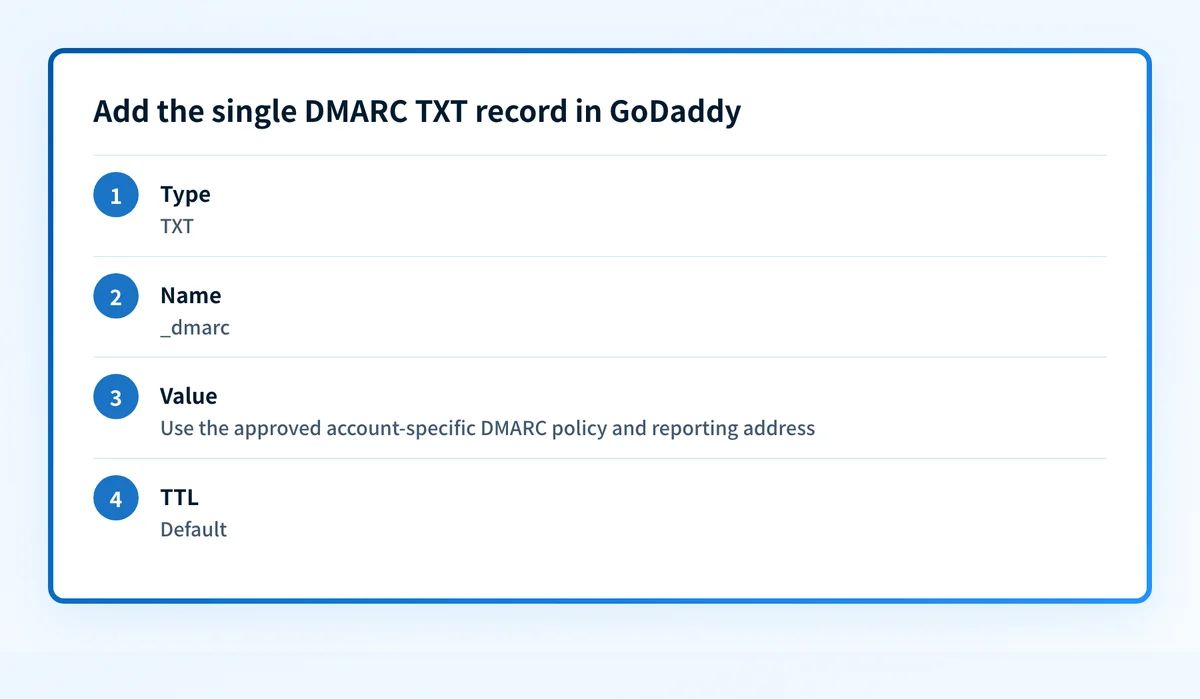
Select Add New Record, choose TXT from Type, then enter the Name, Value, and TTL for the policy you have approved. GoDaddy documents those TXT inputs and describes @ as the root-domain Name, while _dmarc is the prefix used for a DMARC policy record. RFC 9989 specifies that DMARC records are DNS TXT records at names beginning with _dmarc.
Illustrative record shape only:
Type: TXT
Name: _dmarc
Value: v=DMARC1; p=none; rua=mailto:dmarc-reports@yourdomain.example
TTL: Default
Do not publish the illustrative value above. Replace the policy and reporting address with values approved for your own domain. Do not add a second DMARC TXT record if one already exists. Update the existing policy only after confirming its current owner, reporting destination, and sender impact.
4. Save and confirm the record in GoDaddy
Save the DNS change, then reopen the DNS records list and confirm that the selected domain shows one TXT record with the intended _dmarc name. This is the GoDaddy-side publication check. It does not prove that public resolvers have the same answer, that receivers honor a policy, or that a production sender is authenticated.
How does this setup affect DMARC?
The GoDaddy record tells receivers which DMARC policy to evaluate for mail using the domain in the visible From field. A message passes DMARC only when SPF or DKIM passes and the passing identifier aligns with that From domain. RFC 9989's alignment rules also make clear that a DMARC pass does not guarantee inbox placement or any particular receiver action.
That is why a monitoring policy is a safer first stage. A sender can have an SPF or DKIM result and still fail DMARC because the authenticated domain is not aligned. Use what DMARC is and what it checks to review the protocol boundary before selecting a stricter policy.
How do I validate the setup?
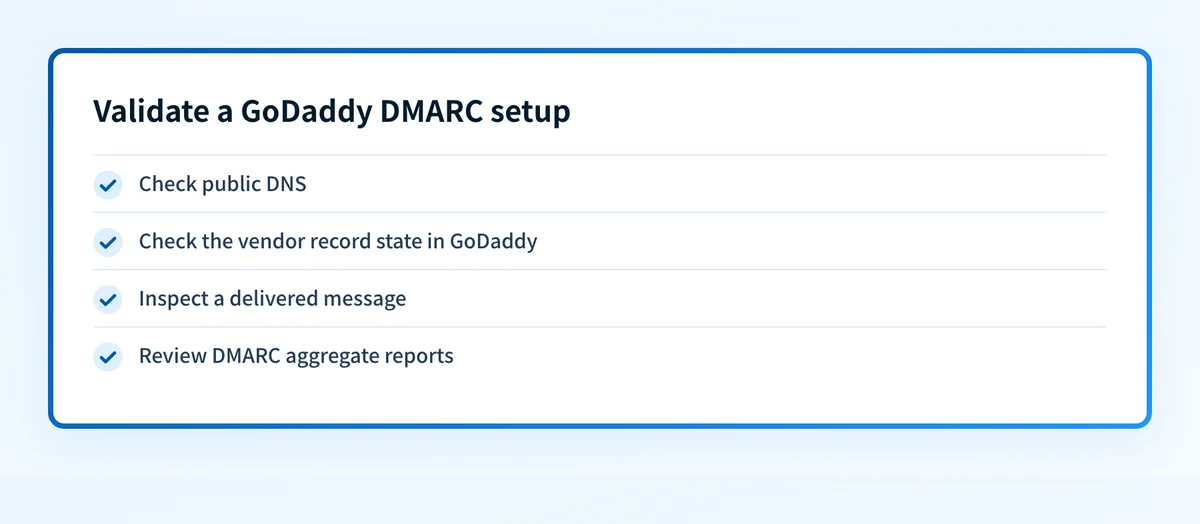
Check public DNS
Query _dmarc.yourdomain.example as a TXT record with an authoritative or public resolver, then compare the answer with the record saved in GoDaddy. You can also use the Palisade DMARC checker to inspect the public record and policy syntax. Do not treat either result as proof of message authentication, and never paste a record from a different domain into the GoDaddy zone.
Check the vendor record state in GoDaddy
Return to the DNS records list in GoDaddy and verify that the intended record is still present after saving. Confirm the Type, Name, Value, and TTL against the approved change. The documented GoDaddy interface supports those fields, but the saved view establishes only the configured DNS data, not the behavior of a mail stream.
Inspect a delivered message
Send a real message from each important production sender to a mailbox you control. Inspect receiver-added Authentication-Results for SPF, DKIM, and DMARC, then compare the SPF domain or DKIM d= domain with the visible From domain. RFC 8601 defines this receiver-added results field; use the receiving system's result rather than assuming a DNS record made the message pass.
Review DMARC aggregate reports
After reports arrive, group the results by sending source and check which streams pass with alignment. Investigate any source you do not recognize and any legitimate source that fails before changing p=none. Aggregate reports help expose use of the author domain, but receivers are not required to send every requested report, as RFC 9989's reporting section explains.
Troubleshooting
Why is the DMARC record missing from a public check?
Confirm that GoDaddy is authoritative for the zone and that the record name is _dmarc, not a copied full name that GoDaddy appended a second time. Reopen the saved DNS record and compare it with a direct TXT lookup. If another DNS provider is authoritative, move the change to that provider rather than creating duplicate records in both places.
Why do I see more than one DMARC TXT answer?
Treat multiple DMARC policy records as a configuration error. Identify the record owner, reporting destinations, and intended policy before changing anything. Consolidate to one valid policy only through the approved DNS-change process, then recheck the public answer and review whether the removed record had a reporting destination that still needs attention.
Why does the record resolve but DMARC still fails?
The DNS record can be valid while a sender lacks an aligned SPF or DKIM pass. Start with an affected delivered message and its receiver-added authentication results, then identify the sender account that controls the return path or DKIM signing domain. Do not loosen the DMARC policy until you know which legitimate stream would be affected.
Why are aggregate reports not arriving?
Check that the rua mailbox or reporting service address is valid, accepts external mail, and matches the saved DNS value. Then confirm the record is publicly visible. Some receivers may not send reports, so absence from one receiver is not proof that the DNS record is invalid. Continue validating with production headers and the reports that do arrive.
Check the published GoDaddy DMARC record
Once you have saved the intended record, use the DMARC checker to inspect the public TXT record and policy before considering a DNS change complete. It can show the public DNS evidence you just published.
A record check cannot configure GoDaddy, identify every sender, prove an individual message passed DMARC, or make an enforcement decision for you. Compare it with saved-record, header, and aggregate-report evidence.
Turn report evidence into an owned next step
A successful record check still cannot show whether every production sender remains aligned as services or DNS change. When that recurring work is the problem, Palisade's DMARC Agent remediation guide describes how aggregate-report findings can become prioritized remediation work for sender and authentication issues. A human reviews the evidence and applies DNS or DMARC policy changes.
Palisade does not configure GoDaddy, authorize a sender, control a receiver's decision, or guarantee delivery. Keep the GoDaddy saved record, public DNS result, delivered-message headers, and aggregate reports as the evidence for this setup.
Evidence
Sources and further reading
Questions readers ask
Frequently asked questions
Keep going with AI
Ask AI how this applies to you
Take this guide to your assistant — each question opens pre-filled, with a link back to this page so it can read the details.
- How do I set up DMARC in GoDaddy?


- How does this apply to my domain?
- What should I do about it, step by step?

Written by
Samuel ChenardCEO & Co-Founder, Palisade
Samuel Chenard is the CEO and co-founder of Palisade, AI-first DMARC software for IT teams and MSPs, from one domain to thousands.
More from Samuel →