How do I send a secure email in Gmail?
 ChatGPT
 Claude
 Gemini
 Perplexity
 Grok
GrokIn brief
How do I send a secure email in Gmail? Use Confidential mode for access controls, or Google Workspace encryption when your organization enables it.
To send a secure email in Gmail, use Confidential mode in Gmail on the web when you need expiry, revocation, or limits on common recipient actions. If your organization uses Google Workspace and has enabled hosted S/MIME or client-side encryption, use the organization-managed option that fits the recipient and policy. The available controls, certificates, and encryption choices depend on the account and Workspace configuration.
At a glance
Quick takeaways
- Gmail Confidential mode can set an expiration date, revoke access, and disable forwarding, copying, printing, and downloading.
- Confidential mode cannot stop a recipient from taking a screenshot or photograph of the message.
- Google Workspace hosted S/MIME uses certificates to sign and encrypt supported messages.
- Gmail client-side encryption protects the message body, inline images, and attachments, but not the subject, recipients, or timestamps.
- A Gmail security indicator does not prove that the delivered message followed the expected sending path or passed DMARC.
- DMARC evaluates aligned SPF or DKIM authentication for the visible From domain. It is separate from access controls and message encryption.
What should I check before configuring Gmail?
First, identify the sending path. Gmail Confidential mode is a per-message control in Gmail on the web. Hosted S/MIME and client-side encryption are Google Workspace capabilities that an administrator must configure, and their availability can depend on the organization's edition, organizational unit, certificates, and external key service. Google's Gmail encryption overview distinguishes transport encryption, hosted S/MIME, and client-side encryption.
Also separate employee mailbox mail from marketing or transactional mail. A Gmail setting does not configure another platform that uses the same visible domain. For a custom domain, identify the DNS owner and the system that signs every production path.
Copy DNS values from the account and domain you are configuring. Do not publish selectors, targets, tokens, or hostnames from another account or from an online example.
Plan a fresh, non-sensitive test message to a mailbox where you can inspect the delivered source or confirm the recipient experience. That message is evidence of the actual route. It is more useful than assuming an enabled control applied to every message.
Which setup method should I use?
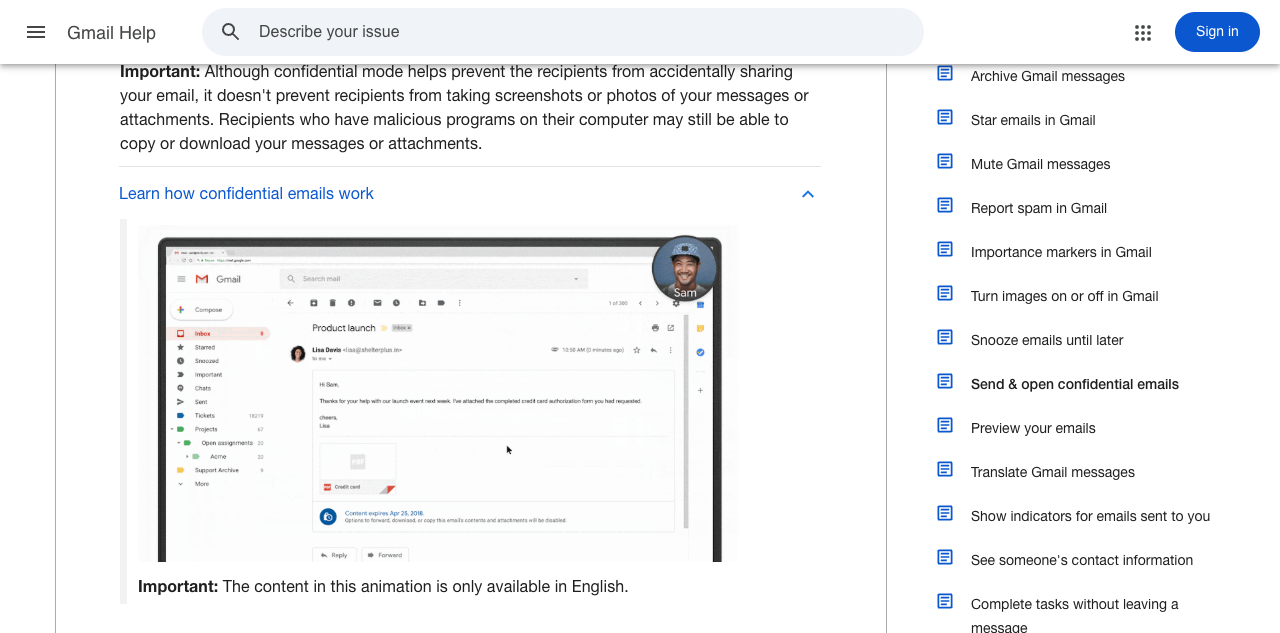
Use Gmail Confidential mode for an individual message that needs an expiry date, revocation, or limits on forwarding, copying, printing, and downloading. Google documents that those limits do not prevent screenshots, screen recording, or a recipient from reproducing the content.
Use hosted S/MIME when the Google Workspace organization manages certificates and the recipient's certificate arrangement supports encrypted delivery. Google documents hosted S/MIME administration and certificate management in its hosted S/MIME setup guidance.
Use client-side encryption when the organization has deployed it and needs message content encrypted before it reaches Google. Google's Gmail client-side encryption instructions state that it encrypts the body, inline images, and attachments. The subject, recipients, and timestamps remain unencrypted.
Decision and evidence record
Record the decision before sending the message. This prevents a Gmail control from being treated as proof of a different security property.
- Sensitivity and recipient requirement: State whether the recipient needs an expiring access link, certificate-based encrypted exchange, or organization-approved client-side encryption.
- Chosen method: Record Confidential mode, hosted S/MIME, or client-side encryption.
- Sender context: Record the Gmail account, visible From address, and relevant Google Workspace edition or organizational unit.
- Recipient capability or access requirement: For Confidential mode, record the intended access and passcode choice. For an organization-managed encryption option, confirm the recipient arrangement documented for that method.
- Proof of the sent-message state: Save a redacted delivered-message header, recipient-side confirmation, or evidence that expiration or revocation worked.
- Documented limitation: Record the limitation that applies, such as Confidential mode's inability to prevent screenshots or client-side encryption's unencrypted subject line.
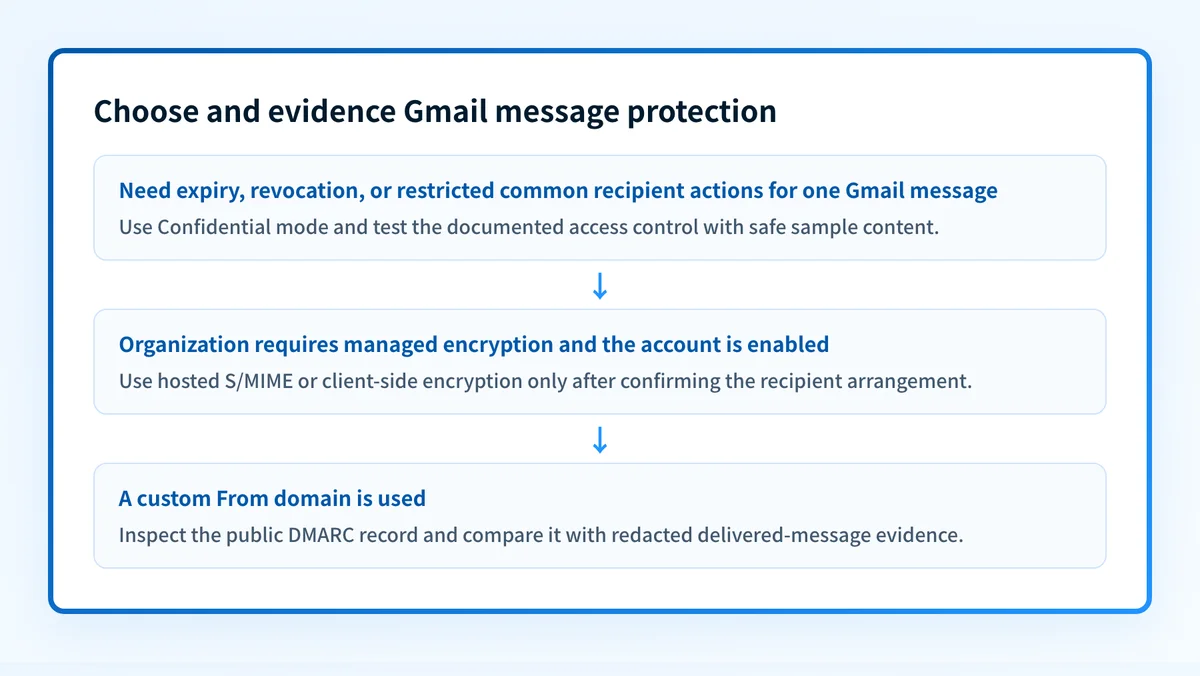
If the reader needs access controls for one message, choose Confidential mode and test the expiry or revocation result with safe sample content. If the reader needs an organization-managed encryption option, confirm that Google Workspace has enabled hosted S/MIME or client-side encryption for the account before composing the message.
How do I configure Gmail's secure email features?
1. Open the correct Gmail or Google Workspace settings
For Confidential mode, sign in to Gmail on the web, select Compose, then select the confidential-mode control in the compose window. This path is documented in Google's Confidential mode instructions.
For hosted S/MIME, Google documents the administrator path as Admin console > Apps > Google Workspace > Gmail > User settings. Select the organization or domain that will use S/MIME. Google requires the Gmail Settings administrator privilege for this configuration.
For client-side encryption, use Google's current Gmail client-side encryption deployment instructions. Do not infer availability from another organization's Gmail account.
2. Select the method that matches the message
For Confidential mode, set the expiration and choose an SMS passcode only when the recipient workflow requires it.
For client-side encryption in Gmail on the web, Google documents the compose path as Compose > Message security > Additional encryption > Turn on. Keep sensitive content out of the subject line because client-side encryption does not encrypt it.
For hosted S/MIME, choose encryption only after the organization has enabled it and the sender and recipient certificate arrangement supports encrypted delivery.
3. Configure organization-owned certificates when using hosted S/MIME
Enable S/MIME encryption for sending and receiving emails for the selected Google Workspace organization. Google's hosted S/MIME guidance says administrators can add certificates through the Gmail S/MIME API. Users can add a personal certificate for a Gmail web Send mail as account through Settings > See all settings > Accounts > Send mail as > Edit info.
Do not copy certificates, private keys, public keys, or encryption settings from another organization. The certificate material must belong to the sender and recipient arrangement under test.
4. Send a fresh test message through the intended path
Send a non-sensitive message from the exact Gmail account and route that will be used in production. Use a recipient that can receive the method you selected.
For Confidential mode, test the expiration or revocation behavior. For hosted S/MIME or client-side encryption, confirm the recipient-side arrangement before accepting the test as successful. A message sent before an administrator change took effect does not validate the new configuration.
5. Preserve the evidence from the test
Keep the sender account, visible From domain, recipient type, chosen method, relevant administrator setting, and time sent with the change record. Retain redacted delivered headers for hosted S/MIME or client-side encryption tests. For Confidential mode, retain proof of the tested access control.
Sending account: sender@yourdomain.com
Visible From domain: yourdomain.com
Security method: Confidential mode | hosted S/MIME | client-side encryption
Recipient capability or access requirement: documented internally
Delivered-message evidence: redacted headers or recipient confirmation
Documented limitation: recorded for the selected method
How does this setup affect DMARC?
Gmail access controls and encryption do not replace DMARC. DMARC checks whether SPF or DKIM authentication aligns with the visible From domain. RFC 9989 defines relaxed and strict DMARC alignment. A valid DKIM signature for an unrelated domain does not produce an aligned DKIM result.
When the Gmail account sends from a custom domain, inspect the published policy with Palisade's DMARC checker. A public DNS check cannot prove that a specific Gmail message used the expected account, encryption option, signing domain, or delivery path. For the broader protocol context, see the email authentication learning hub.
How do I validate the setup?
Check public DNS
If the Gmail account sends from a custom domain, query the DMARC record through the authoritative DNS service and at least one public resolver.
dig +short TXT _dmarc.yourdomain.comCompare the answer with the intended DMARC policy. This confirms public DNS. It does not confirm the behavior of a delivered Gmail message.
Check the Google Workspace status
For hosted S/MIME, confirm that the setting is active for the correct organization or organizational unit. For client-side encryption, confirm that the intended account can use the approved feature. A green administrator status confirms the current configuration state. It does not prove the delivered-message result.
Inspect a delivered message
Inspect a new message from the exact account and route. For DMARC-related evidence, review the receiver-added Authentication-Results field and the expected signing information. RFC 8601 defines Authentication-Results and its trust boundary.
For the selected Gmail method, also retain the recipient-side evidence that applies: a Confidential mode access result, a supported S/MIME certificate result, or the client-side encryption state. Do not treat a compose-window indicator as evidence for a message sent through another path.
Review DMARC reports
After aggregate reports arrive, review whether Gmail traffic passes SPF or DKIM and aligns with the visible From domain. Separate legitimate Gmail traffic from other systems that use the domain. If Gmail messages are blocked for authentication reasons, compare the delivered headers and DMARC data with the guidance in Gmail's blocked-sender authentication fix.
Troubleshooting
Confidential mode is unavailable in the compose window
Confirm that you are using Gmail on the web and that you opened a new compose window. Follow Google's documented Confidential mode compose flow. If an organization policy affects the account, ask the Google Workspace administrator to confirm the permitted configuration.
A recipient can still copy the message with a screenshot
This is an expected limitation. Google documents that Confidential mode cannot prevent screenshots, screen recording, or a recipient from reproducing message content. Use a process that fits the sensitivity of the information rather than treating the restriction as proof of recipient control.
Client-side encryption does not appear
Confirm that the organization has deployed client-side encryption and that the selected account is eligible. Google documents the compose control only for supported Google Workspace deployments. Do not send sensitive text in the subject while investigating because the subject is outside the encrypted content.
Hosted S/MIME is enabled but the recipient cannot receive encrypted mail
Check the sender and recipient certificate arrangement, then test again with a recipient that supports the organization's documented exchange method. The administrator setting alone does not establish that the recipient path can use encrypted delivery.
The Gmail message passes DKIM but DMARC fails
Compare the visible From domain with the d= domain from the delivered message. DKIM can pass while failing DMARC alignment. Review the DMARC policy and the exact message path before changing DNS. For a related deliverability symptom, see why emails go to spam in Gmail.
Check the DMARC record for the Gmail sending domain
If your Gmail account sends from a custom domain, check its public DMARC record before changing enforcement. The record helps you identify the published policy that receivers can query, while your redacted message headers show what happened on the test path.
Check the Gmail sending domain's DMARC record
A record check cannot prove that Confidential mode, hosted S/MIME, or client-side encryption was used for a particular message. It also cannot monitor later configuration changes or guarantee delivery. If your team needs to review DMARC aggregate-report data across Gmail and other senders, Palisade is agentic DMARC software that analyzes those reports, identifies authentication or alignment issues, and proposes a next policy step for human review. Start with Palisade.
Evidence
Sources and further reading
- Google Gmail Help: Send and open confidential emails
- Google Gmail Help: Learn about Gmail encryption
- Google Workspace Admin Help: Turn on hosted S/MIME
- Google Gmail Help: Send and receive emails with client-side encryption
- RFC 9989: DMARC
- RFC 8601: Message Header Field for Indicating Message Authentication Status
Questions readers ask
Frequently asked questions
Can I send a secure email in Gmail without Google Workspace?
Yes. Gmail Confidential mode is available in Gmail on the web and can apply expiry, revocation, and limits on common recipient actions. Google documents that it cannot stop screenshots, screen recording, or a recipient from reproducing the message.
Is Gmail Confidential mode encrypted email?
No. Confidential mode provides documented recipient-access controls such as expiry, revocation, and restrictions on common actions. Choose a Google Workspace encryption option only when the organization has enabled it and the recipient arrangement supports it.
Does Gmail client-side encryption encrypt the subject line?
No. Google documents that Gmail client-side encryption encrypts the message body, inline images, and attachments. The subject, recipients, and timestamps remain unencrypted.
Does hosted S/MIME work for every recipient?
No. Hosted S/MIME needs the organization's certificate configuration and a recipient arrangement that supports encrypted delivery. Validate a fresh message with the actual recipient path.
Does Gmail encryption make DMARC pass?
No. DMARC requires aligned SPF or DKIM authentication for the visible From domain. Encryption and Confidential mode address different parts of email security.
Can I recall a Gmail confidential email after it is opened?
Only access revocation is documented for Gmail Confidential mode. Google does not describe it as a way to remove copied content, screenshots, photographs, or information a recipient has already reproduced.

Written by
Samuel ChenardCEO & Co-Founder, Palisade
Samuel Chenard is the CEO and co-founder of Palisade, agentic DMARC software for IT teams and MSPs, from one domain to thousands.
More from Samuel →