How can I set up Managed DMARC with Palisade?
 ChatGPT
 Claude
 Gemini
 Perplexity
 Grok
GrokIn brief
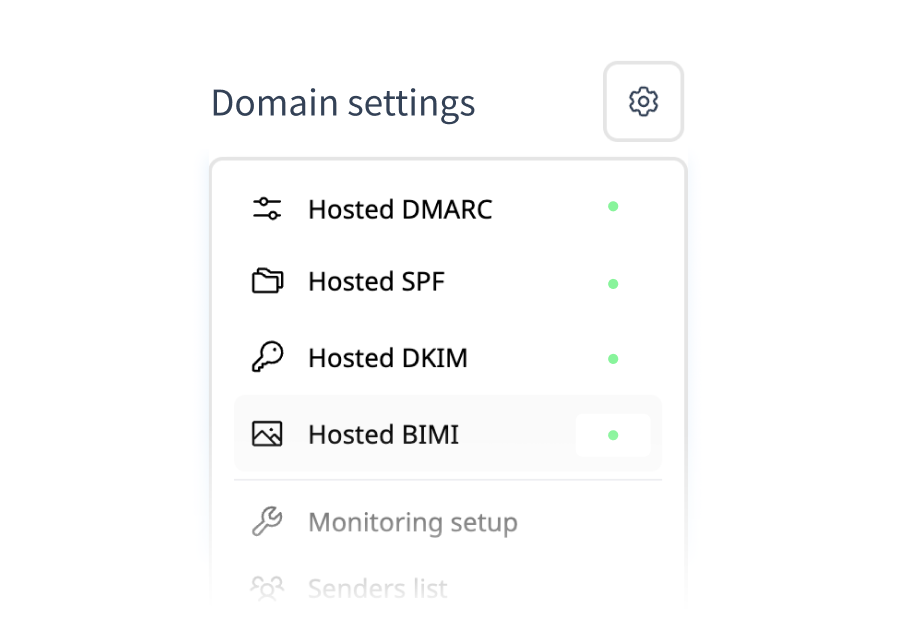
Set up Palisade Hosted DMARC in minutes: add one CNAME, verify, and manage your policy from a slider, from p=none monitoring to full p=reject.

Setting up Managed DMARC (Hosted DMARC) with Palisade takes one DNS change: you add a single CNAME record, and Palisade publishes and maintains the actual DMARC record on your behalf. From then on, policy changes happen in the dashboard, no more editing DNS every time you tighten enforcement.
At a glance
Quick Takeaways
- One CNAME delegation is all you add to DNS; Palisade hosts and updates the DMARC record behind it.
- Start at monitoring with
p=noneto inventory your senders, then move the policy slider to quarantine and reject as reports confirm alignment. - The domain status badge tells you exactly where you stand: Verifying → Active, or Error if something's misconfigured.
- A diff preview shows exactly what will change in your published record before you apply any update.
- SPF and DKIM must be in place for DMARC to pass. Check both before enforcing.
What is Managed DMARC and why use it?
Managed DMARC is a hosted service: instead of publishing and hand-editing a _dmarc TXT record at your DNS provider, you delegate that record to Palisade with a CNAME. Palisade then publishes the record, collects the reports, and applies your policy changes automatically.
The practical win is the update loop. Getting from monitoring to enforcement means several record changes over weeks: policy steps, percentage ramps, reporting addresses. With a hosted record, each change is a dashboard click with a preview, not a DNS ticket. For MSPs managing dozens of client domains, that's the difference between a months-long enforcement journey and a repeatable process.
How do I set it up step by step?
- Add your domain in the Palisade portal and open Hosted DMARC.
- Copy the CNAME record Palisade shows you, an entry at
_dmarc.yourdomain.compointing to Palisade's delegation target. The exact value is account-specific, so always copy it from your dashboard. - Add the CNAME at your DNS provider. If a
_dmarcTXT record already exists, remove it first. DNS won't serve a CNAME and a TXT at the same name, and the old record will block delegation. - Watch the status badge. It moves from Verifying (waiting on DNS propagation) to Active (delegation live). You can confirm propagation yourself with a DNS lookup.
- Confirm the record resolves with a DMARC check. You should see a valid
v=DMARC1record served for your domain.
Which DMARC policy should I choose first?
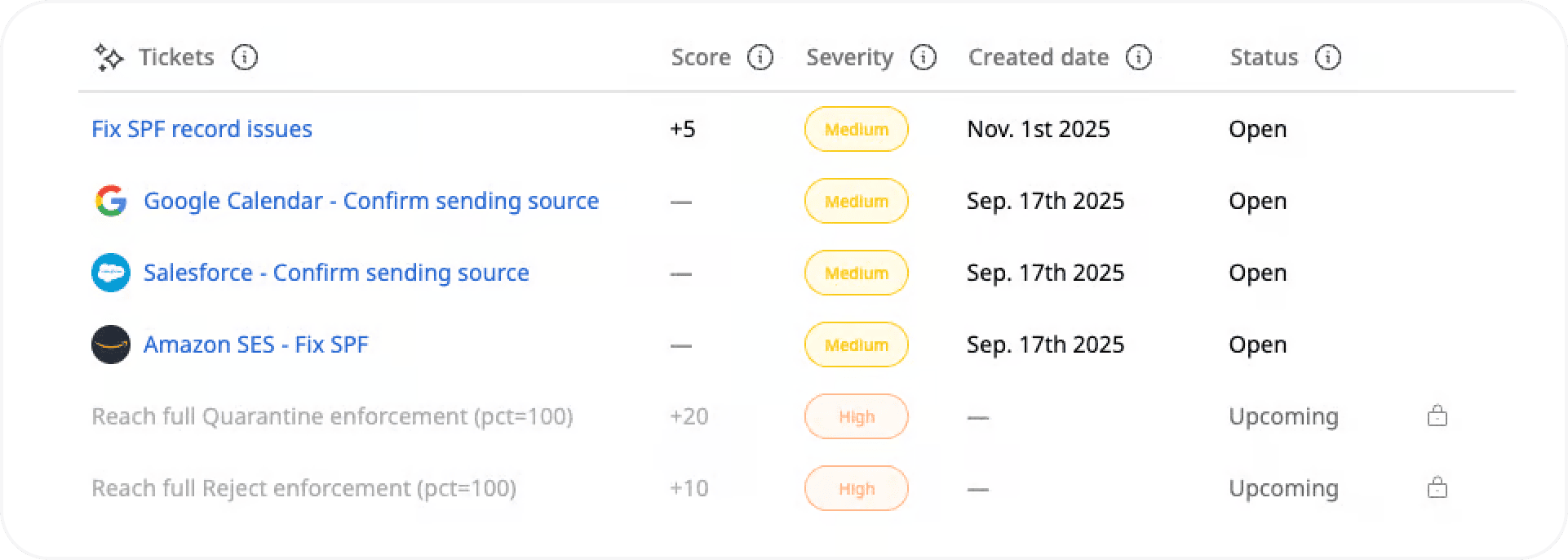
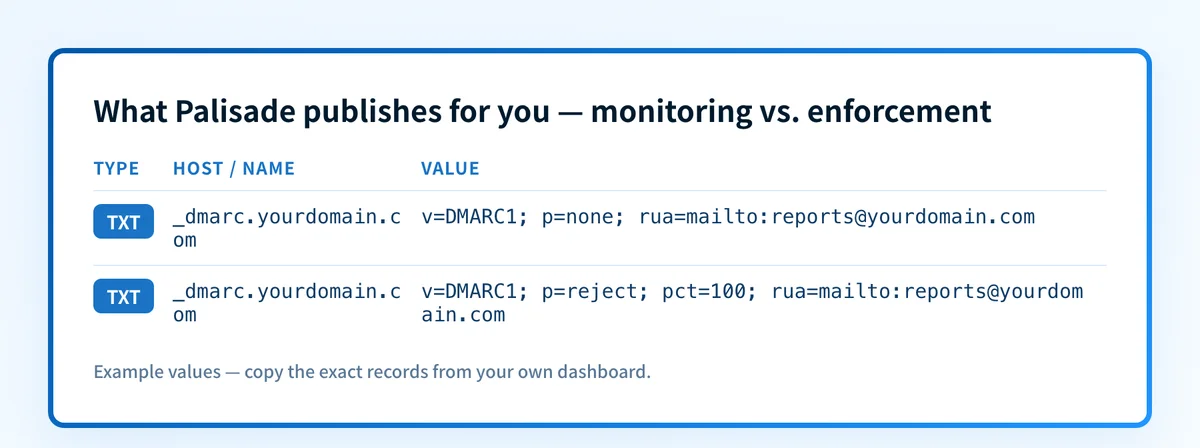
Start at None (p=none). Your mail is unaffected while aggregate reports flow in, showing every service sending as your domain and whether each passes SPF and DKIM alignment. Once your legitimate senders all pass, move the policy slider to Quarantine, then finish at Reject, full protection against spoofing. The dashboard's diff preview shows the exact record change before you apply it, and the same screen manages subdomain policy (sp) and reporting addresses (rua). The safe pacing between steps is covered in our guide to tightening DMARC over time.
Common issues with Hosted DMARC setup
Why is my domain stuck on "Verifying"?
Usually DNS propagation: most zones update in minutes, but some providers take hours. If it persists, check the CNAME with a DNS lookup: the most common culprits are a copy-paste error in the host (your provider may auto-append the domain, producing _dmarc.yourdomain.com.yourdomain.com) or the record landing in the wrong zone.
Why does the status show "Error"?
Two frequent causes. On Cloudflare, the CNAME must be set to DNS only (grey cloud), proxying hides the delegation. And if an old _dmarc TXT record still exists alongside the CNAME, resolvers will not serve the delegated record; delete the TXT and re-verify.
Why am I not seeing DMARC reports yet?
Aggregate reports arrive on receivers' schedules, typically within 24–48 hours of the record going Active, and only from providers that actually received your mail in that window. Low-volume domains legitimately produce few reports; send normally and check again the next day.
DMARC is active. Why is legitimate mail failing?
That's an alignment problem, not a setup problem. A sending service (newsletter tool, CRM, helpdesk) isn't covered by your SPF record or isn't DKIM-signing with your domain. Your reports name the failing source; fix its authentication before tightening policy: that's exactly what the monitoring stage is for. See how to read DMARC reports.
How should MSPs roll this out across client domains?
Treat the first client domain as your template: set it up end to end, note how long verification took at that DNS provider, and save the explanation you send the client about why a stray _dmarc TXT record had to go. Then batch the rest: add every domain at p=none in one pass so reports start accumulating across the whole portfolio while you fix alignment issues client by client, worst senders first. Because each domain's policy is a dashboard control rather than a DNS ticket, enforcement day doesn't need the client's IT involved, which is usually what stalls DMARC projects for months. Domains with clean reports move to reject in weeks; the dashboard shows portfolio-wide status, so nothing sits forgotten at p=none. If your team already works in an AI assistant, the same batch — add each domain, read the records it needs, then work the resulting task list — can run through Palisade's MCP server instead of the portal.
Related reading
Questions readers ask
Frequently asked questions
Can I manage multiple domains from one Palisade account?
Yes: add each domain under Hosted DMARC and control every policy individually. That's the core MSP workflow: one dashboard across every client domain.
Do I need SPF and DKIM before enabling DMARC?
Yes. DMARC evaluates SPF and DKIM alignment, so mail from a domain with neither will fail once you enforce. Verify both with the SPF checker and DKIM checker while you're still at p=none.
What is a DMARC aggregate report?
A daily XML summary each receiving provider sends to your rua address, listing which sources sent mail as your domain and whether each passed authentication. Palisade parses them into readable charts in the Reports tab so you never touch raw XML.
Can I go back to managing the record myself?
Yes: disable Hosted DMARC in the dashboard, then replace the CNAME at your DNS provider with a standard _dmarc TXT record. Keep a valid record published so your domain never goes unprotected.
How long does verification take?
Typically minutes once the CNAME is added correctly; rarely, DNS propagation can stretch to 24 hours. The status badge flips to Active as soon as Palisade sees the delegation.
Ready to see where your domain stands today? Run the free Email Security Score: it checks your DMARC, SPF, and DKIM posture in seconds.

Written by
Samuel ChenardCEO & Co-Founder, Palisade
Samuel Chenard is the CEO and co-founder of Palisade, agentic DMARC software for IT teams and MSPs, from one domain to thousands.
More from Samuel →